React-pdf: PDFViewer not working in mobile browsers?
Describe the bug
It seems that displaying a PDF document inside the <PDFViewer> component is not working on mobile browsers (tested with Chrome and Firefox on Android).
To Reproduce
I created a simple demo create-react-app with the example PDF document from the react-pdf getting started guide: https://github.com/jhilden/react-pdf-demo
Expected behavior
That the PDF is rendered and displayed just like in desktop browsers.
Screenshots
Chrome 76.0.03809.132 on Android
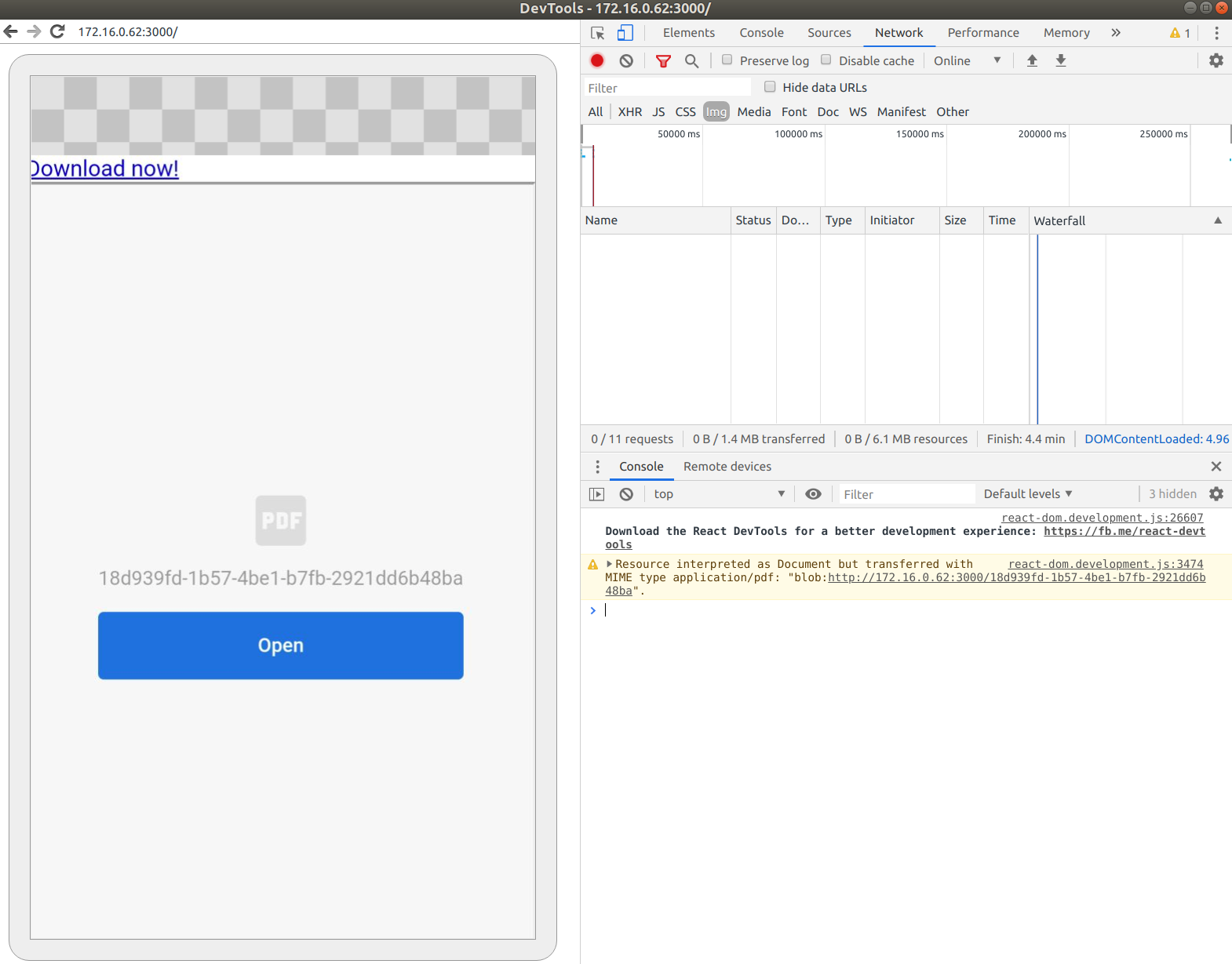
Clicking on the "Open" button will just open a new blank tab.
Firefox 68.1 on Android

react-pdf version 1.6.4
Is this a known issue? If yes, it should probably be documented here https://react-pdf.org/components#pdfviewer
And in that case it would be good to know how to test if the current environment supports PDFViewer. So one could e.g. use <PDFDownloadLink> instead, which is working fine in the those mobile browsers.
Or is this a bug that should normally be working?
 jhilden
All 13 comments
I tinkered around a bit with PDFViewer and when you return an <object> with the PDF as base64 in the data attribute (instead of <iframe> + blob url), it will still not display the PDF in mobile Chrome, but at least the "Open" button will work correctly now. It still works in desktop browsers, but not in mobile firefox.
This would the changed render method of PDFViewer:
<InternalBlobProvider document={children}>
      {({ base64 }) => (
        <object
          data={base64}
          type="application/pdf"
          {...props}
        />
      )}
</InternalBlobProvider>
In implementing a solution in our app that falls back nicely on devices that do not support PDFViewer I used the logic from the PDFObject library which solves the same problem, see: https://github.com/pipwerks/PDFObject/blob/master/pdfobject.js#L94
Unfortunately it's not really straightforward and you need to combine browser and feature-detection.
Would you consider merging a PR with equivalent code? Something like PDFViewer.supported?
Or would you rather merge a PR with a little bit of documentation about the compatibility of PDFViewer?
jhilden
on 24 Sep 2019
Hi, please how did you solve this issue? I didn't really get what you posted.
 oluwadareseyi
on 12 Apr 2020
oluwadareseyi
on 12 Apr 2020
Also having an issue with mobile
 acomito
on 12 May 2020
acomito
on 12 May 2020
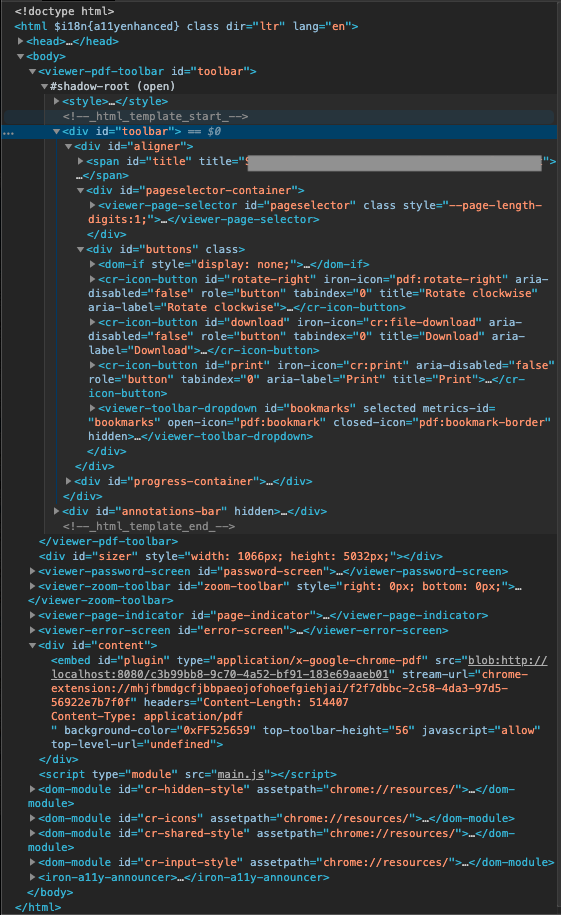
I am having issues in Safari as well- the html elements that make up the React-PDF grey bar with Rotate/Download/Print actions do not show up inside the iframe in Safari (but do in Chrome, Firefox etc). For example:
Inside iframe on Chrome:
Inside iframe on Safari:
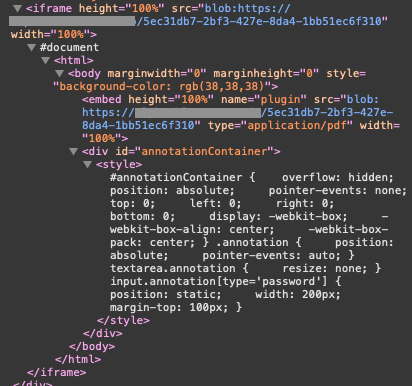
I am also unable to use the Safari-native buttons to print/download/open in Preview, but there are no console errors. Does anyone have any solutions for this?
 mhanley00
on 18 May 2020
mhanley00
on 18 May 2020
me too facing the same issue with PDFViewer. It is working as expected in web browser(computer) but it is not working in mobile browser. Getting button with label 'open' without any action.
 BalajiKumar92
on 23 Jun 2020
BalajiKumar92
on 23 Jun 2020
Facing the same issue on mobile browsers. PDFViewer isn't working as expected.
 tejesh014
on 24 Aug 2020
tejesh014
on 24 Aug 2020
Is this URL server side rendered or client side?
https://react-pdf.org/repl
Because this seems to be working in mobile browsers.
 karan2227
on 3 Sep 2020
karan2227
on 3 Sep 2020
I was facing the same problem on mobile, and idk if it's the best way, but im using https://github.com/wojtekmaj/react-pdf to generate the preview of my PDFs on desktop and mobile.
 ludovv
on 28 Sep 2020
ludovv
on 28 Sep 2020
@ludovv Do you have a snippet of what it looks like?
Are you using wojtekmaj/react-pdf entirely or both libraries?
acomito
on 11 Nov 2020
@ludovv Do you have a snippet of what it looks like?
Are you using wojtekmaj/react-pdf entirely or both libraries?
Using both. It's something like this:

Document and Page are from wojtekmaj/react-pdf, you can scale your pdf, select render mode and add a pagination, etc
ludovv
on 11 Nov 2020
Thanks @ludovv this is helpful.
So wojtekmaj/react-pdf doesn't have a PDFViewer it seems.
I'm trying to render something like a PDF viewer on mobile
acomito
on 11 Nov 2020
Thanks @ludovv this is helpful.
So wojtekmaj/react-pdf doesn't have a PDFViewer it seems.
I'm trying to render something like a PDF viewer on mobile
Check this: https://github.com/forthealllight/react-read-pdf
ludovv
on 11 Nov 2020
Related issues
 GasimGasimzada
·
3Comments
GasimGasimzada
·
3Comments
 pavle-lekic-htec
·
4Comments
pavle-lekic-htec
·
4Comments
 brandly
·
3Comments
brandly
·
3Comments
 benbenedek
·
3Comments
benbenedek
·
3Comments
 kishaningithub
·
4Comments
kishaningithub
·
4Comments
Most helpful comment
In implementing a solution in our app that falls back nicely on devices that do not support
PDFViewerI used the logic from thePDFObjectlibrary which solves the same problem, see: https://github.com/pipwerks/PDFObject/blob/master/pdfobject.js#L94Unfortunately it's not really straightforward and you need to combine browser and feature-detection.
Would you consider merging a PR with equivalent code? Something like
PDFViewer.supported?Or would you rather merge a PR with a little bit of documentation about the compatibility of
PDFViewer?