React-pdf: <PDFDownloadLink> issue with Firefox 62.0.3 and IE 11.0.85
OS:
Windows 10, but using WSL Ubuntu 18.04
React-pdf version:
1.0.0-alpha.18
Description:
Sorry to bother while you are on vacation. again. Super basic projects work fine in every browser except Firefox and IE 11.
FIrefox, you click on the "Download Now!" button and nothing happens. Nothing in console. Doesn't download the file. Just nada.
I can go the link in the HTML inspector and there the file is though.
IE 11, after getting past the polyfill issues, gives an error of:
Unhandled promise rejection TypeError: Object expected
Unfortunately, nothing more descriptive than that to try and narrow down the issue. Read somewhere it could be due to trailing , in one of my components, but checked them all.
 ghost
ghost
All 19 comments
@ishraqiyun77 I'm having issues with the PDFDownloadLink which are slightly different that yours.
Have you seen this error before:
Uncaught Error: Element type is invalid: expected a string (for built-in components) or a class/function (for composite components) but got: undefined. You likely forgot to export your component from the file it's defined in, or you might have mixed up default and named imports.
I'm using React 15.4, wondering if its a compatibility issue. I also tried importing import { PDFDownloadLink, Document, Page } from '@react-pdf/renderer/dist/react-pdf.browser.cjs.js'; using the full path to the web version as suggested in a different issue but no luck.
Any ideas?
 jayanthnd
on 11 Oct 2018
jayanthnd
on 11 Oct 2018
@jayanthnd Can you post the component(s) you are working with?
Regarding the IE11 error I had above. It looks like the issue is related to promise and as best I can tell there isn't a polyfill for it:
It sounds like there is a JS library to support it, but sounds like it would need to be implemented in react-pdf itself:
https://stackoverflow.com/questions/36016327/how-to-make-promises-work-in-ie11
Still no clue what is up with Firefox.
ghost
on 11 Oct 2018
Hi, just wanted to touch base to see if there are any suggestions for resolving the error in IE11 and unresponsiveness of Firefox as outlined above?
I have it working in Chrome, Safari, and Edge with no issues.
Frankly, this library saved my butt. The company had very specific print requirements and no leeway between browsers. That was just not going to happen without a heavy investment of even more time.
I just need to get it working for IE11 and Firefox, then can move on from this project.
ghost
on 19 Oct 2018
Hey all!
Thanks for reporting this issue. I was on vacations until yesterday. I’ll try to find time to fix this today or on the weekend.
Im not sure about the cause of this, but if I have to guess it’s because of how Firefox and IE treat blobs. Unfortunately I don’t own a Windows machine so I’m not sure if I’ll be able to test it on IE, but I will in Firefox and hope gets also solved on the other side. I might ask for your help to test IE
Thanks for your patience!
 diegomura
on 19 Oct 2018
diegomura
on 19 Oct 2018
You got it! Thanks for looking into the issue and I hope you had a great vacation!
ghost
on 19 Oct 2018
Hi all -- any updates or suggestions to overcome the IE11 issues?
I'm using React 16.5.2 and have installed @babel/polyfill 7.0.0 and imported it in my index.js file to overcome polyfill issues. If I import from the @react-pdf/renderer package in one of my components, my entire site does not load in IE 11.0.96. I'm able to use it & download generated PDFs in Safari, Chrome, and Firefox 52.3 though.
If you need any more information or think I'm doing something wrong, please let me know. This is my first time posting on GitHub so I apologize in advance if I left something out! And thank you so much for the time and effort put into this package.
 msisti
on 25 Oct 2018
msisti
on 25 Oct 2018
Hi y'all!
Sorry for taking so long to test this issue.
First of all, @jayanthnd you need React 16+ to use this library.
Today I tried the PDFDownloadLink component in firefox and I was able to download it just fine:
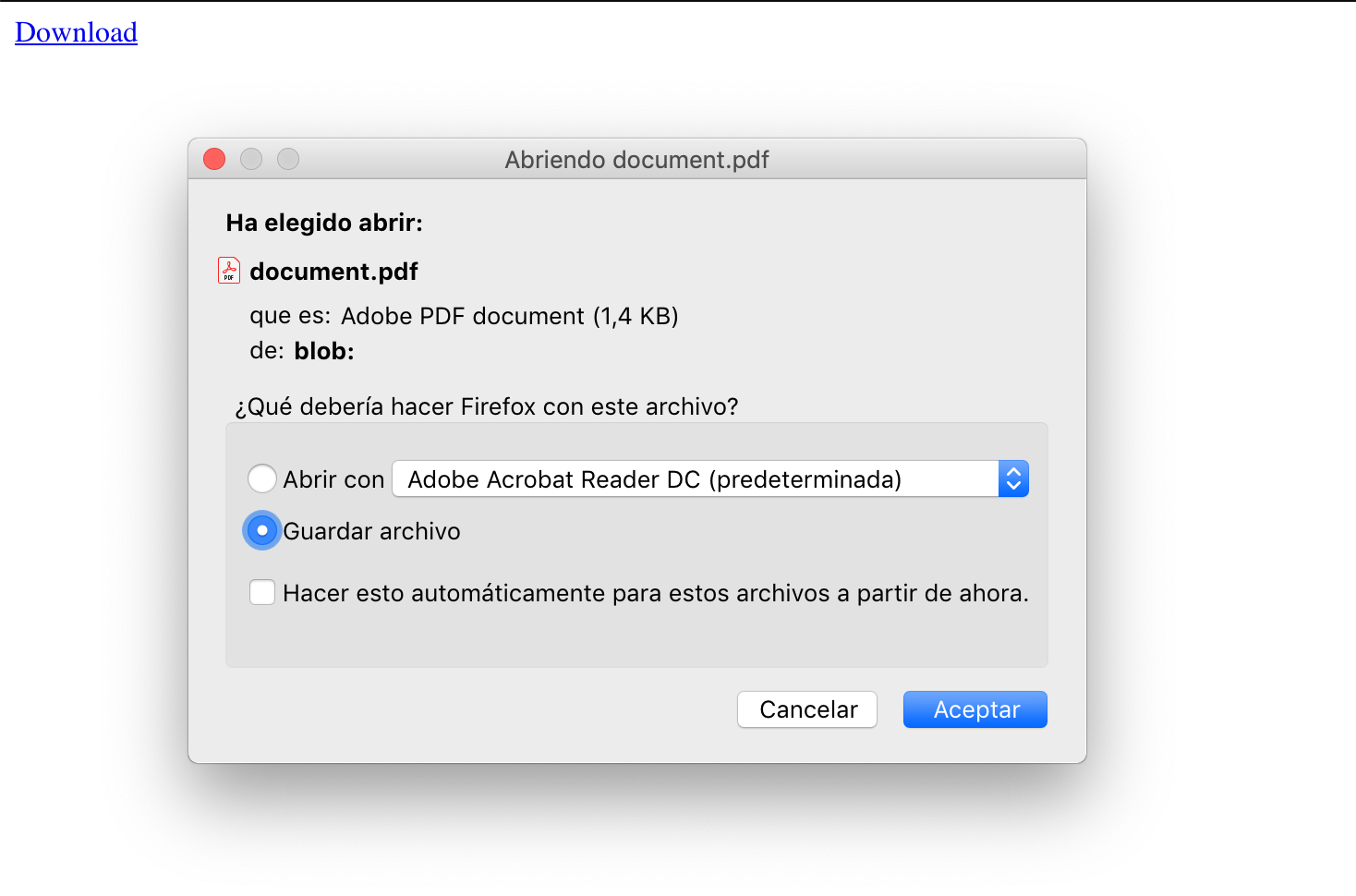
@ishraqiyun77 I would appreciate if you can provide a snippet so I can test why is not working for you.
I wasn't able to test this in IE because I don't own a Windows machine so it's had for me to debug. However, doing some research I found out that IE does not support the download tag on anchors. I found that IE has a msSaveBlob function that saves a blob to disk. I added this to the download link but I would appreciate if one of you can test it and report if it works. You will find that change in 1.0.0-alpha.24
diegomura
on 29 Oct 2018
@diegomura
Thanks for taking a look!
1) Tested 1.0.0-alpha.24 on IE 11.0.90. Looks like still the same error when loading = true:
Unhandled promise rejection TypeError: Object expected
   "Unhandled promise rejection"
   {
      [functions]: ,
      __proto__: { },
      __symbol:0.234398527671001116: undefined,
      __symbol:0.234398527671001119: undefined,
      __symbol:__symbol:react.async_mode0.2343985276710011: undefined,
      __symbol:__symbol:react.context0.2343985276710011: undefined,
      __symbol:__symbol:react.element0.2343985276710011: undefined,
      __symbol:__symbol:react.forward_ref0.2343985276710011: undefined,
      __symbol:__symbol:react.fragment0.2343985276710011: undefined,
      __symbol:__symbol:react.portal0.2343985276710011: undefined,
      __symbol:__symbol:react.profiler0.2343985276710011: undefined,
      __symbol:__symbol:react.provider0.2343985276710011: undefined,
      __symbol:__symbol:react.strict_mode0.2343985276710011: undefined,
      __symbol:__symbol:react.timeout0.2343985276710011: undefined,
      __symbol:iterator0.23439852767100111: undefined,
      __symbol:NaN0.23439852767100116: undefined,
      __symbol:observable0.234398527671001120: undefined,
      __symbol:species0.23439852767100113: undefined,
      __symbol:Symbol._hidden0.23439852767100117: undefined,
      __symbol:Symbol.asyncIterator0.234398527671001117: undefined,
      __symbol:Symbol.hasInstance0.23439852767100119: undefined,
      __symbol:Symbol.isConcatSpreadable0.234398527671001110: undefined,
      __symbol:Symbol.match0.234398527671001111: undefined,
      __symbol:Symbol.observable0.234398527671001118: undefined,
      __symbol:Symbol.replace0.234398527671001112: undefined,
      __symbol:Symbol.search0.234398527671001113: undefined,
      __symbol:Symbol.split0.234398527671001114: undefined,
      __symbol:Symbol.toPrimitive0.23439852767100118: undefined,
      __symbol:Symbol.unscopables0.234398527671001115: undefined,
      __symbol:undef0.23439852767100114: undefined,
      __symbol:undef0.23439852767100115: undefined,
      description: "Object expected",
      message: "Object expected",
      name: "TypeError",
      number: -2146823281,
      stack: "TypeError: Object expected
   at parse (http://localhost:8000/static/bundles/js/vendor.b3f545addfe852ca85a8.js:132184:14)
   at AFMFont (http://localhost:8000/static/bundles/js/vendor.b3f545addfe852ca85a8.js:132161:5)
   at StandardFont (http://localhost:8000/static/bundles/js/vendor.b3f545addfe852ca85a8.js:132342:7)
   at open (http://localhost:8000/static/bundles/js/vendor.b3f545addfe852ca85a8.js:132827:11)
   at font (http://localhost:8000/static/bundles/js/vendor.b3f545addfe852ca85a8.js:132901:5)
   at initFonts (http://localhost:8000/static/bundles/js/vendor.b3f545addfe852ca85a8.js:132866:5)
   at PDFDocument (http://localhost:8000/static/bundles/js/vendor.b3f545addfe852ca85a8.js:134007:5)
   at _callee$ (http://localhost:8000/static/bundles/js/vendor.b3f545addfe852ca85a8.js:36879:15)
   at tryCatch (http://localhost:8000/static/bundles/js/vendor.b3f545addfe852ca85a8.js:119454:7)
   at invoke (http://localhost:8000/static/bundles/js/vendor.b3f545addfe852ca85a8.js:119688:9)"
   }
So I think it is related to these two things:
https://stackoverflow.com/questions/36016327/how-to-make-promises-work-in-ie11
2) Tested again on Firefox 63.0 with 1.0.0-alpha.24 and having same issue. No console output to report though because it doesn't generate anything. Just doesn't ever download although I can go to the URL in element inspector to download.
Would this repo be sufficient for testing? I made it to demonstrate a different error, but wasn't able to reproduce it. It does however reproduce both of the issues I am having with IE and Firefox in Windows:
https://github.com/ishraqiyun77/pdfrender
It sounds like it is pretty isolated to Windows. I know it is a pain, but possible to Bootcamp your Mac or run Windows in a VM? Otherwise we might be shooting in the dark. Let me know how I can help out though.
3) With 1.0.0-alpha.24, my previous formatting in alpha.18 are off. For example, borders are not displaying and spacing for fixed elements are off. The first page looks correct, but every subsequent page has the fixed elements indented more and more. Going to roll back to alpha..18 for the time being.
Regarding 3), I just saw this. I think I have things in px so probably just need to swap them over:
https://github.com/diegomura/react-pdf/issues/356#issuecomment-434134188
ghost
on 29 Oct 2018
Is there anything I can do to test? We are trying to go live the weekend before the 19th. Let me know if there is anything I can do to help.
ghost
on 3 Nov 2018
@ishraqiyun77 tomorrow I'll download a Windows VM and try to figure this out!
diegomura
on 4 Nov 2018
@ishraqiyun77 I manage to test the lib in IE11 today and I ran across many issues.
The one you have I think it's because of Array.from calls in pdfkit. I would recommend you to add a polyfill to that and see if the issue persist. I'll try to rewrite those chunks, but I'm still not sure if I even should
Not sure if some other polyfills will be needed after that.
I also observed some criptic memory errors, that I couldn't replicate in all cases and had no stack trace to follow. But I think the first thing to do would be fixing those Array.from and see what's next
diegomura
on 5 Nov 2018
@diegomura
Hi thank you for taking a look! I know how much of a pain it can be having to setup a VM just for a browser. Working with IE is a challenge in itself.
I am actually using the following in my index.html which should be covering my polyfill for IE:
<script src="//cdn.polyfill.io/v2/polyfill.min.js"></script>
In addition I do do have the array polyfill explcitily in my index.jsx although it is redundant with the polyfill.min.js.
So at this point all of the errors are cleared up except this one:
Unhandled promise rejection TypeError: Object expected
There was the solution provided for handling it. I imported the library and added the <script> but it didn't clear up the issue:
https://stackoverflow.com/a/36018899/3123109
Read it could be an issue with Babel, so upgraded to the latest. Still didn't help.
Also, I do have es6-promise installed:
https://github.com/stefanpenner/es6-promise
This cleared up an earlier issue was having with promises and IE11, but isn't resolving this one related react-pdf. Not sure if it need to be made a dependency or what not.
There also is this suggestion it needs an explicit .catch:
https://stackoverflow.com/a/50505917/3123109
I'd love nothing more to give up on support for IE11. It is such a pain in the butt. Unfortunately, it still has too much market share on desktop for it not to be supported.
ghost
on 5 Nov 2018
Ok, a little progress on this stemming from my other issue (https://github.com/diegomura/react-pdf/issues/375).
Apparently, some of my application dependencies were way out of date (WebPack, Babel and related). The IE11 Promise issue went away after upgrading to the latest. However, I am getting the same behavior as Firefox (on Windows): when the file is ready to download, clicking the Print button doesn't do anything. No download; no console message.
Where would be a good starting point in your code to look into this? I'm also looking into this one (https://github.com/diegomura/react-pdf/issues/361#issuecomment-438098778)
Chrome, Edge, and Safari are all still good though.
ghost
on 13 Nov 2018
I'm experiencing the same problem, at least in IE11.
The Download Button gets ready but if I click on it, nothing happens, I don't even get an error or anything on the console just as described above (babel polyfill was already included so I think this already resolved the Promise and Array issues).
FF 63 (Windows + Linux) and 62 (Windows) work though.
 monsterkrampe
on 15 Nov 2018
monsterkrampe
on 15 Nov 2018
I came across this https://stackoverflow.com/questions/20310688/blob-download-is-not-working-in-ie
It seems like I got it working in IE 11 using BlobProvider instead of PdfDownloadLink as follows:
Before:
<PDFDownloadLink document={PdfDocument} fileName="filename.pdf">
  {({ loading }: { loading: boolean; }) => (
    <>
      <Button>Download Simulation</Button>
      {loading && <Loader fixed />}
    </>
  )}
</PDFDownloadLink>
After:
<BlobProvider document={PdfDocument}>
  {({ blob, url, loading }) => (
    <a href={url} download="filename.pdf" onClick={(e) => {
      if (window.navigator && window.navigator.msSaveBlob) {
        e.preventDefault();
        window.navigator.msSaveBlob(blob, 'filename.pdf');
      }
    }}>
      <Button>Download Simulation</Button>
      {loading && <Loader fixed />}
    </a>
  )}
</BlobProvider>
Maybe it would be good to implement something like this as default behavior for PDFDownloadLink.
monsterkrampe
on 15 Nov 2018
I'm looking at source code and can identify where the issue is, but I have been unable to resolve it even with @babel/polyfill enabled. My issue is with both IE11 and FF63, on Windows 10, basically the print button doesn't do anything.
in the dom.js of @react-pdf/renderer there is the following:
export const PDFDownloadLink = ({
  document: doc,
  className,
  style,
  children,
  fileName = 'document.pdf',
}) => {
  if (!doc) {
    warning(false, 'You should pass a valid document to PDFDownloadLink');
    return null;
  }

  const downloadOnIE = blob => () => {
    console.log("clicked");
    if (window.navigator.msSaveBlob) {
      window.navigator.msSaveBlob(blob, fileName);
    }
  };

  return (
    <InternalBlobProvider document={doc}>
      {params => (
        <a
          className={className}
          download={fileName}
          href={params.url}
          onClick={downloadOnIE(params.blob)}
          style={Array.isArray(style) ? flatStyles(style) : style}
        >
          {typeof children === 'function' ? children(params) : children}
        </a>
      )}
    </InternalBlobProvider>
  );
};
On observation, that is not the culprit for FF63 at least, for both the IE11 and FF63, the console.log("clicked") is never triggered inside the const downloadOnIE. It is in Safari, Edge, and Chrome.
That being said, this should only affect IE11 since it doesn't support the download attribute. Every other browser that I am testing for (Edge, Chrome, Safari, and FF) supports the download attribute and should handle it accordingly.
IE11 should require the onClick to download properly. I've tried modifying per @monsterkrampe's suggestion and modified to:
  const downloadOnIE = (e, blob) => {
    console.log(e);
    console.log("clicked");
    if (window.navigator.msSaveBlob) {
      window.navigator.msSaveBlob(blob, fileName);
    }
  };

  return (
    <InternalBlobProvider document={doc}>
      {params => (
        <a
          className={className}
          download={fileName}
          href={params.url}
          onClick={(e) => downloadOnIE(e, params.blob)}
          style={Array.isArray(style) ? flatStyles(style) : style}
        >
          {typeof children === 'function' ? children(params) : children}
        </a>
      )}
    </InternalBlobProvider>
  );
The click never triggers the downloadOnIE.
FF63 should support the download attribute, but again, nothing is happening when I click to download. Read something that FF doesn't support absolute references due to CORS. While the URL is an absolute reference, it is the same domain so CORS should be an issue.
Any suggestion for how to remedy these two?
ghost
on 20 Nov 2018
In the end, I just went with @monsterkrampe's suggestion with <BlobProvider />. I'm using file-saver for downloading, which isn't necessary, but everything is working as I need it now.
ghost
on 21 Nov 2018
However, sample of README didn't work fine.
PDFDownloadLink is not component? just object?
import React from 'react';
import ReactDOM from 'react-dom';
import PDFDownloadLink, {
  Text,
  Document,
  Font,
  Page,
  StyleSheet,
  Image,
  View,
} from '@react-pdf/renderer';

import { PDFDownloadLink, Document, Page } from '@react-pdf/renderer'

const App = () => (
  <div>
    <PDFDownloadLink document={MyDoc} fileName="somename.pdf">
      {({ blob, url, loading, error }) => (loading ? 'Loading document...' : 'Download now!')}
    </PDFDownloadLink>
  </div>
)

ReactDOM.render(<App />, document.getElementById('root'));
error
Element type is invalid: expected a string (for built-in components) or a class/function (for composite components) but got: object.

Check the render method of `App`.
 moffsugita
on 30 Nov 2018
moffsugita
on 30 Nov 2018
I found the good sample for PDFDownloadLink.
https://andrewsempere.org/blog/2018/10/30/react-render-pdf.html
I hope put more good sample on official document. or I pullrequest ;>
moffsugita
on 30 Nov 2018
Related issues
 kishaningithub
·
4Comments
kishaningithub
·
4Comments
 redcranesolutions
·
4Comments
redcranesolutions
·
4Comments
 UsefulHunter
·
3Comments
UsefulHunter
·
3Comments
 cheald
·
3Comments
cheald
·
3Comments
 foureyedraven
·
3Comments
foureyedraven
·
3Comments
Most helpful comment
I found the good sample for PDFDownloadLink.
https://andrewsempere.org/blog/2018/10/30/react-render-pdf.html
I hope put more good sample on official document. or I pullrequest ;>