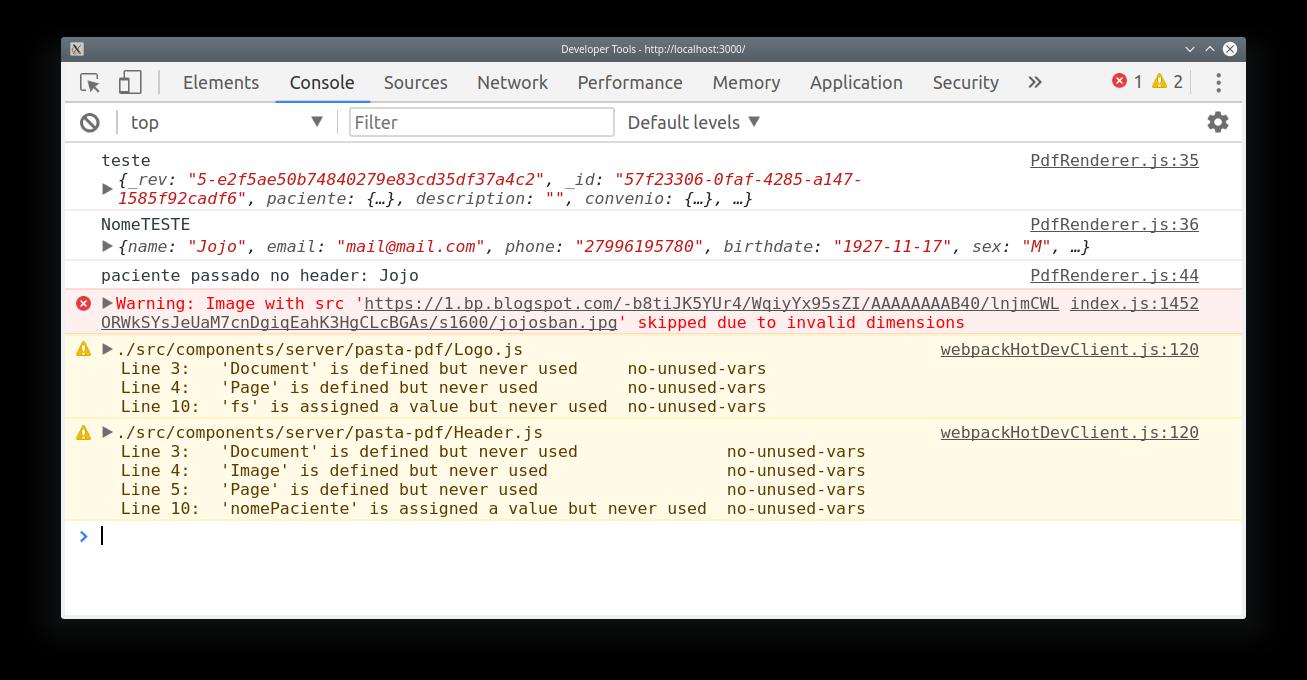
React-pdf: Any Image being passed gives me Warning: Image with src .. skipped due to invalid dimensions
*OS: Kubuntu 18.04 64 bits, kernel version 4.15.0.39-generic
*
React-pdf version: "@react-pdf/renderer": "^1.0.0-alpha.25",
"react": "^16.5.2",
*Description: While trying to render any image, it gives me the Warning: Image with src "..." skipped due to invalid dimensions. I tried either local, and online images, and in any situation, it is giving me the same warning. *
*How to replicate issue including code snippet (if applies):
export default () => (
<View style={styles.container}>
<View>
<Image
style={styles.image}
src={
'https://1.bp.blogspot.com/-b8tiJK5YUr4/WqiyYx95sZI/AAAAAAAAB40/lnjmCWLORWkSYsJeUaM7cnDgiqEahK3HgCLcBGAs/s1600/jojosban.jpg'
}
/>
<Text style={styles.subtitle}>nada aqui</Text>
</View>
</View>
);
*
_You can make use of react-pdf REPL to share the snippet_
 UsefulHunter
All 3 comments
It's not an issue of the image data, but on the image layout. This happens when the image [cannot grow on some of the x or y coordinates[(https://github.com/diegomura/react-pdf/blob/master/src/elements/Image.js#L137). Please try enhancing the Image parent's layout config
 diegomura
on 26 Nov 2018
diegomura
on 26 Nov 2018
Hello diegomura, I've same problem with base64 image. It's valid image generated by html2canvas and then converted by "toDataUrl('image/png')" but I tried online generators also. It doesn't work - returns same error skipped due to invalid dimensions. Could you explain exactly what did you mean by Please try enhancing the Image parent's layout config?
There is a example base64 image: https://pastebin.com/zZNUmsbF
 0FilipK
on 3 Apr 2019
0FilipK
on 3 Apr 2019
This didn't quite help me as much, but I did find that on the Image tag I was using needed to set a width and height as a style, and that got it to render. hopefully this helps others.
 Bored0ne
on 21 Jun 2019
Bored0ne
on 21 Jun 2019
Related issues
 kishaningithub
·
4Comments
kishaningithub
·
4Comments
 brandly
·
3Comments
brandly
·
3Comments
 saratonite
·
3Comments
saratonite
·
3Comments
 cheald
·
3Comments
cheald
·
3Comments
 yellowBanano
·
3Comments
yellowBanano
·
3Comments
Most helpful comment
This didn't quite help me as much, but I did find that on the Image tag I was using needed to set a width and height as a style, and that got it to render. hopefully this helps others.