React-native-ui-kitten: Unusably slow
First of all I must express my very good impression for the well written docs at https://akveo.github.io/react-native-ui-kitten/docs/guides/getting-started#getting-started
I was following the guide by creating a HomeScreen and a DetailsScreen, working together using React-navigation, and below is the GIF created to show how slow it is to render on screen.
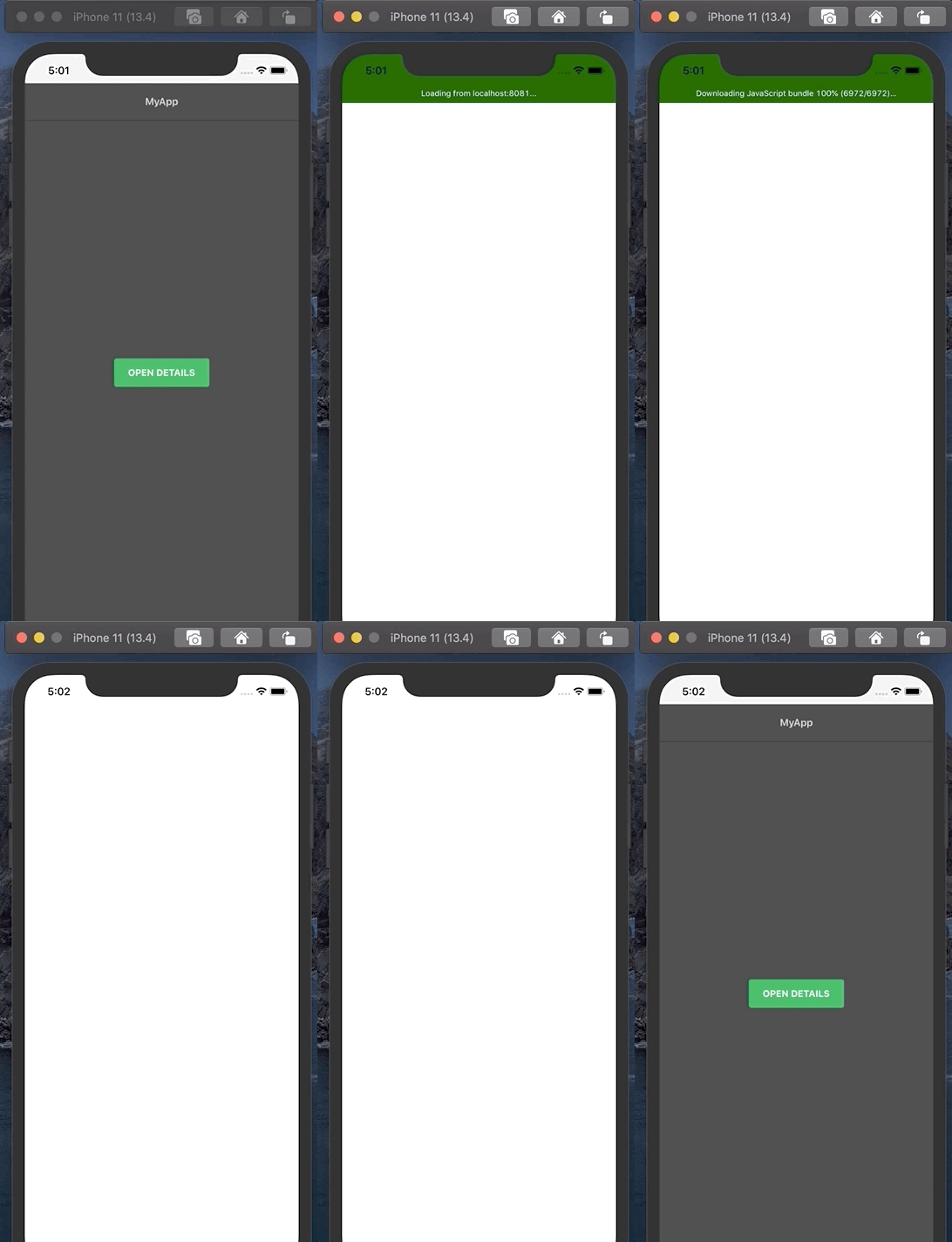
After loaded 100%, clearly you can see that I have to wait close to 15 secs to see the HomeScreen being rendered on screen, am I the only one facing this issue?
💬 Question
UI Kitten and Eva version
| Package | Version |
| ----------- | ----------- |
| @eva-design/eva | "^2.0.0"|
| @ui-kitten/components | "^5.0.0" |
 isaaclem
All 6 comments
Could you please share the full code or a demo repository?
 artyorsh
on 14 Jun 2020
artyorsh
on 14 Jun 2020
Same problem
 Atww
on 8 Jul 2020
Atww
on 8 Jul 2020
Same problem here. the sample app Kitten Tricks also takes around 6-10 secs to load on low-end Android phones (tested on _Redmi 8, Android 10_), high-end Android phones such as _Google Pixel 3 XL (Android 10)_ takes around 3 secs. Anyway to optimize this for low-end phones?
 jiahong96
on 22 Sep 2020
jiahong96
on 22 Sep 2020
Have you tried compiling your mapping files?
https://akveo.github.io/react-native-ui-kitten/docs/guides/improving-performance#metro-bundler
 socialcode-rob1
on 8 Oct 2020
socialcode-rob1
on 8 Oct 2020
@jiahong96 @Atww please follow the solution shared by @socialcode-rob1
the sample app Kitten Tricks also takes around 6-10 secs to load
You may use the same guide to faster it. We didn't update Kitten Tricks to follow that because it may run both Expo and Bare RN environments.
artyorsh
on 8 Oct 2020
@jiahong96 @Atww please follow the solution shared by @socialcode-rob1
the sample app Kitten Tricks also takes around 6-10 secs to load
You may use the same guide to faster it. We didn't update Kitten Tricks to follow that because it may run both Expo and Bare RN environments.
Hi artyorsh, thanks for replying. I followed the guide and it's loading faster now. Thanks for the great UI library!
jiahong96
on 9 Oct 2020
Related issues
 domsterthebot
·
3Comments
domsterthebot
·
3Comments
 betodasilva
·
3Comments
betodasilva
·
3Comments
 Gitldx
·
3Comments
Gitldx
·
3Comments
 sarmadkung
·
3Comments
sarmadkung
·
3Comments
 iosdev-republicofapps
·
3Comments
iosdev-republicofapps
·
3Comments