React-native-ui-kitten: Popover element doesnt allow backdropStyle property
Issue type
I'm submitting a ... (check one with "x")
- [x] bug report
- [ ] feature request
Issue description
Current behavior:
According to the docs, Popover component contains all props of the Modal component. But the backdropStyle property does not have any effect (and typechecking of typescript also fails).
Expected behavior:
backdropStyle property should work on popover component
Steps to reproduce:
Try to apply backdropStyle property on Popover
Related code:
    <Popover
      visible={true}
      content={HintPopover()}
      onBackdropPress={() => alert('hello'))}
      backdropStyle={{backgroundColor: '#f8f8f8'}}
    >
Other information:
OS, device, package version
Android 10.0, Pixel 2 emulator, ui-kitten 4.3.1
 xydian
All 9 comments
Hi 👋 Thanks for report. I'm currently working on this and it will be available in the next patch release, you can track progress here #766
 artyorsh
on 11 Dec 2019
artyorsh
on 11 Dec 2019
alright, thank you very much
xydian
on 11 Dec 2019
@xydian you can now upgrade to 4.3.2 🎉
artyorsh
on 13 Dec 2019
Hi @artyorsh thanks for the info. I upgraded and tried to use a popover but if i want to use it now i get a RangeError: Maximum call stack size exceeded as soon as the visible prop is set to true.
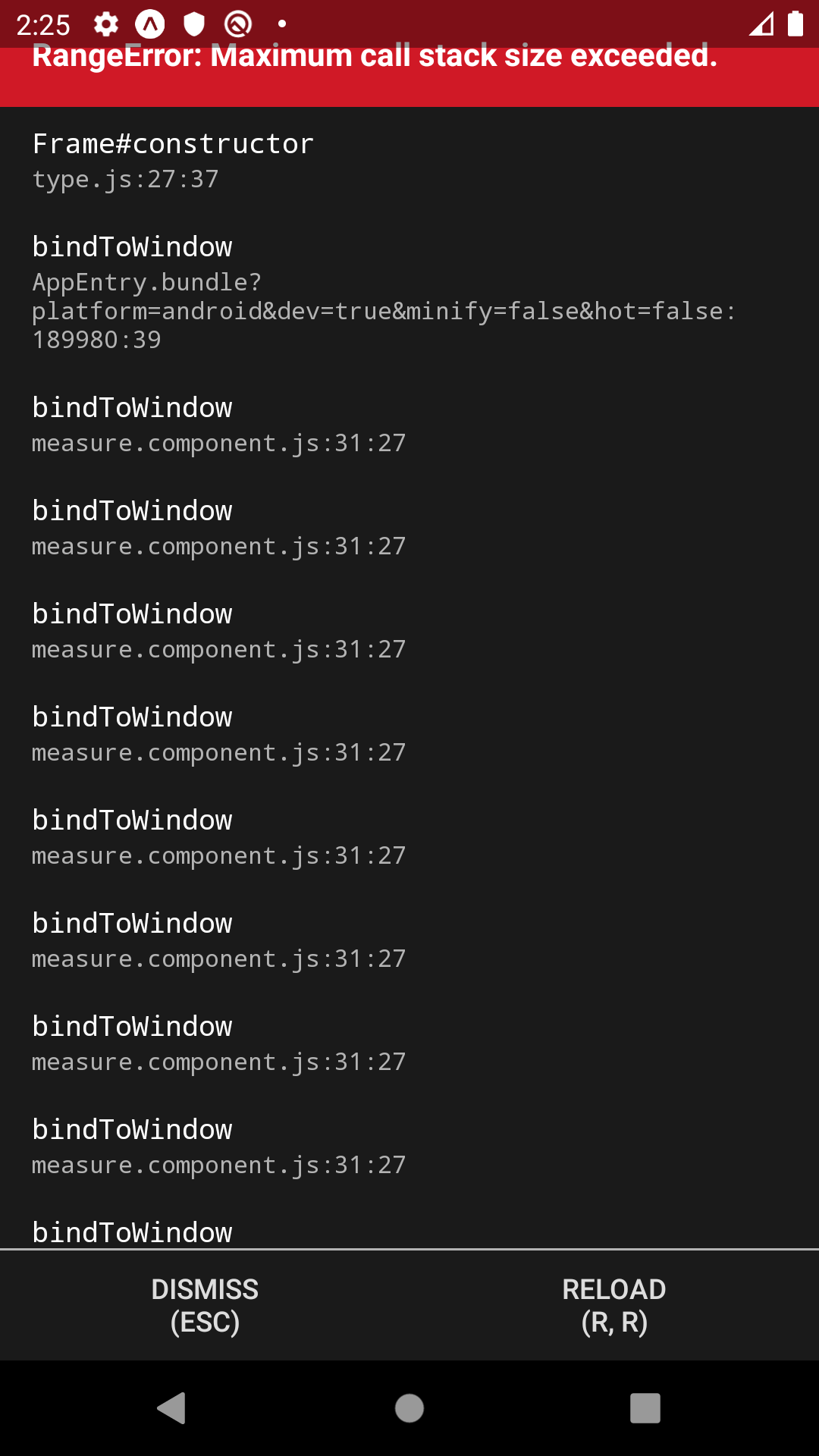
Do you have an idea on what could cause the error?
xydian
on 13 Dec 2019
Faced same during development, but I got this fixed. Can you provide the full code? And device, OS info, if possible
Not able to reproduce on Pixel 3, Android 10
artyorsh
on 13 Dec 2019
I just realized if i make a new project and use a popover everything is working fine. So its not a device/OS problem i guess.
At first I tried it in 2 different apps (pretty similar setup) and i got this error in both of them. So i guess it has something to do with my app setup. I will try to track down whats causing the error and report back to you.
(sorry had to reopen issue to comment again)
xydian
on 13 Dec 2019
I faced this issue myself when building a custom popover-based component, so it's true that it occurs. I will investigate a bit later. You can contact me on twitter if you want to collaborate (I know what can cause it) 👍
artyorsh
on 13 Dec 2019
Okay i know what was causing it, my child element was an input. It is not working if the child element is an input.
    <Popover
      visible={props.visible}
      content={PopoverContent()}
      onBackdropPress={props.togglePopover}
    >
      <Input
        value={'test'}
      />
    </Popover>
But if i wrap the input inside a View element like this, everything is working fine.
    <Popover
      visible={props.visible}
      content={PopoverContent()}
      onBackdropPress={props.togglePopover}
    >
      <View>
        <Input
          value='test'
        />
      </View>
    </Popover>
You made my Autocomplete work
artyorsh
on 13 Dec 2019
Related issues
 iosdev-republicofapps
·
3Comments
iosdev-republicofapps
·
3Comments
 bkwhite
·
3Comments
bkwhite
·
3Comments
 evangunawan
·
3Comments
evangunawan
·
3Comments
 PORA69
·
3Comments
PORA69
·
3Comments
 domsterthebot
·
3Comments
domsterthebot
·
3Comments
Most helpful comment
You made my
Autocompletework