React-native-ui-kitten: Input: multiline not displaying properly
Issue type
I'm submitting a ... (check one with "x")
- [X] bug report
- [ ] feature request
Issue description
Current behavior:
Setting multiline/number of lines doesn't work on input. The height stays the same.
Expected behavior:
Setting multiline/number of lines should make the input field bigger in height (according to the number of lines). See: https://facebook.github.io/react-native/docs/textinput
Steps to reproduce:
- Add a input component.
- Set multiline too true.
- Set the number of lines.
Related code:
<Input
  multiline={true}
  numberOfLines={10}
/>
If I'm missing anything here, let me know.
Other information:
OS, device, package version
React Native v0.61.1 on iPhone 11 Pro simulator 11.1.
React Native UI Kitten v4.2.0.
 kevinbuyck
All 2 comments
Hi 👋
I guess this is standard behavior of TextInput in React Native. Setting minHeight or maxHeight to styles should make it work
 artyorsh
on 3 Dec 2019
artyorsh
on 3 Dec 2019
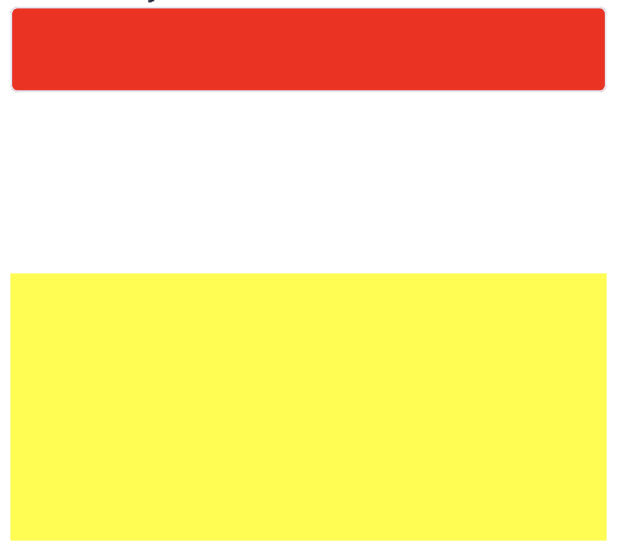
It does not, see below. Setting minHeight/maxHeight has no affect either. Only when you start typing text, the red box will start growing. But I need to display a bigger one from start.
Code:
<Input
  style={{ backgroundColor: "red", height: 150 }}
  multiline={true}
  numberOfLines={10}
/>

<TextInput
  style={{ backgroundColor: "yellow", height: 150 }}
  multiline={true}
  numberOfLines={10}
/>
Screenshot:
EDIT; I just noticed I need to use the 'textStyle' property you UI Kitten exposes, documentation wasn't really clear for this. So this works:
<Input
  textStyle={{ backgroundColor: "red", height: 150 }}
  multiline={true}
  numberOfLines={10}
/>
Related issues
 gimli01
·
3Comments
gimli01
·
3Comments
 eyalyoli
·
3Comments
eyalyoli
·
3Comments
 iosdev-republicofapps
·
3Comments
iosdev-republicofapps
·
3Comments
 jeloagnasin
·
3Comments
jeloagnasin
·
3Comments
 domsterthebot
·
3Comments
domsterthebot
·
3Comments
Most helpful comment
It does not, see below. Setting minHeight/maxHeight has no affect either. Only when you start typing text, the red box will start growing. But I need to display a bigger one from start.
Code:
Screenshot:
EDIT; I just noticed I need to use the 'textStyle' property you UI Kitten exposes, documentation wasn't really clear for this. So this works: