React-native-tab-view: Specifying non-0 index resets header immediately back to start.
Expected behaviour
Should select specified index
Actual behaviour
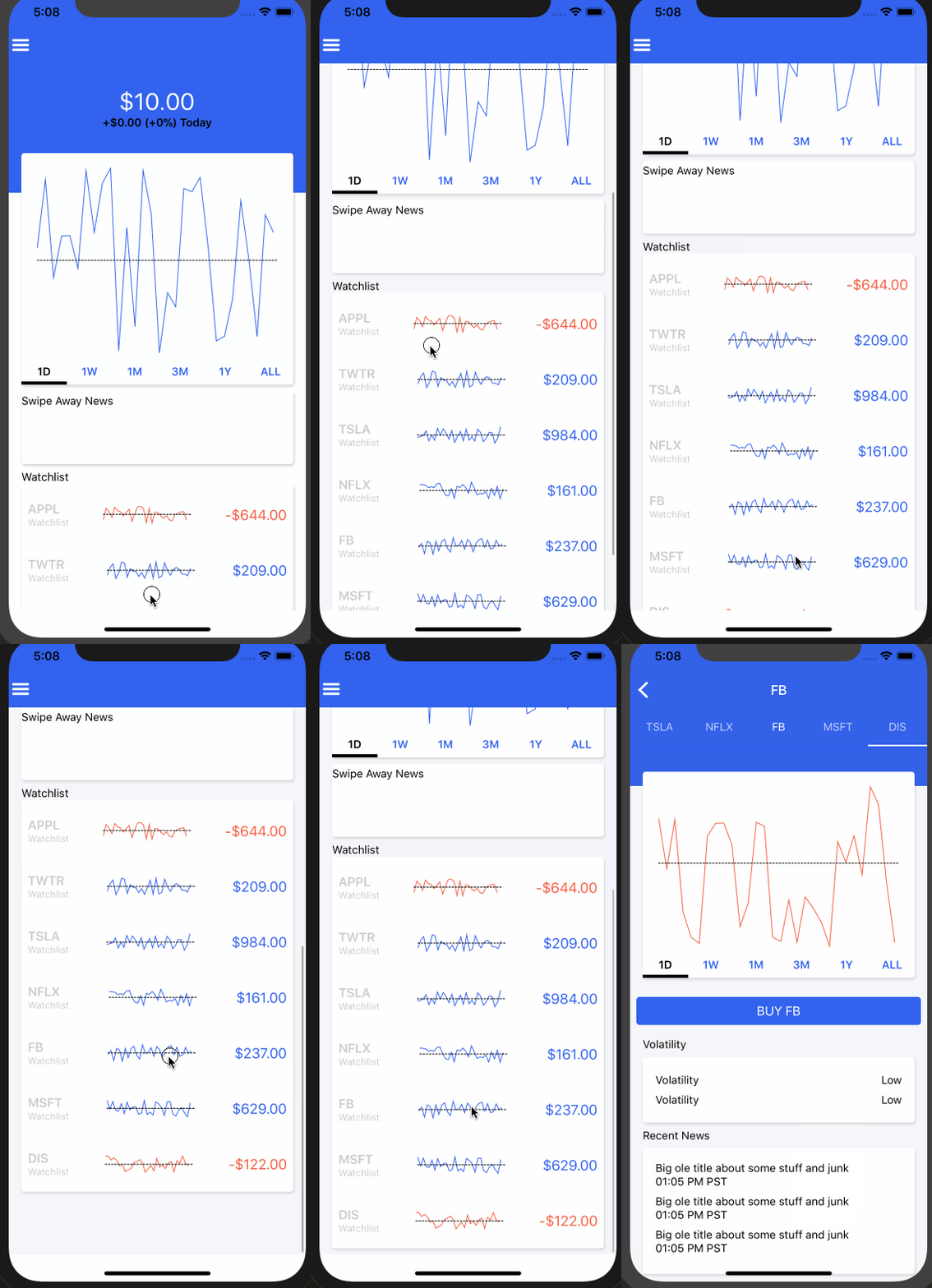
Renders at proper index, then rebounds to the start immediately.
Code sample, screenshots

Seemingly the issue is only the header, the rest of the body renders as intended. Later if you touch it, then it will reset.
  _renderHeader = props => (
    <TabBar
      {...props}
      tabStyle={{
        width: 75,
      }}
      scrollEnabled
      indicatorStyle={{ backgroundColor: "#FFF" }}
      style={{ backgroundColor: blue }}
    />
  );
Rest of the render is nothing special
 _renderScene = SceneMap({
    APPL: Route,
    TWTR: Route,
    TSLA: Route,
    NFLX: Route,
    FB: Route,
    MSFT: Route,
    DIS: Route,
  });
  render() {
    const state = this.state;

    return (
      <View style={styles.container}>
        <TabViewAnimated
          style={styles.container}
          navigationState={this.state}
          renderScene={this._renderScene}
          renderHeader={this._renderHeader}
          onIndexChange={this._handleIndexChange}
          initialLayout={initialLayout}
        />
      </View>
    );
  }
What have you tried
Tried removing tabStyle width, removed scrollEnabled.
 browniefed
All 6 comments
More info. Seems to only occur if remote JS debugging is enabled.
However now it seems to just send it to the end of the container when remote JS debugging is disabled.
browniefed
on 18 Jan 2018
@browniefed I'm using TabViewPagerScroll to "renderPager" and have this issue too, my quick fix is update _handleScroll function a little bit to:
_handleScroll = (e: ScrollEvent) => {
if (this._isInitial || e.nativeEvent.contentSize.width === 0) {
return;
}
......
}
 dtuan
on 18 Jan 2018
dtuan
on 18 Jan 2018
This may or may not work on device though. I tested with Android phone and it works. Will test with iPhone and report back. When I get a moment I will see about solving the issue.
browniefed
on 18 Jan 2018
Having this issue either, disable Remote JS Debugging and Hot Reloading works normally. Enable either option cause the index tab reset back to 0.
 EvianZhow
on 25 Jan 2018
EvianZhow
on 25 Jan 2018
@browniefed @satya164
I suggest this issue is related to the below code snippet in TabViewPagerScroll.js:
_setInitialPage = () => {
    if (this.props.layout.width) {
      this._isInitial = true;
      this._scrollTo(
        this.props.navigationState.index * this.props.layout.width,
        false
      );
    }

    setTimeout(() => {
      this._isInitial = false;
    }, 50);
  };
Changing 50 to any larger number, such as 500 (0.5 second), will make it work every time. Complex scene components may take bitter long time to get fully initialized, so wonder why take 50 as this magic number?
EvianZhow
on 25 Jan 2018
Hey, I just released a new alpha 2.0.0-alpha.0 of the library. It's rewritten using react-native-gesture-handler and react-native-reanimated addresses a many platform specific bugs and performance problems. The documentation is updated as well.
Please try the new version and see if it addresses your issue. If not, please open a new issue following the issue template.
 satya164
on 19 Feb 2019
satya164
on 19 Feb 2019
Related issues
 moerabaya
·
4Comments
moerabaya
·
4Comments
 AndriiUhryn
·
3Comments
AndriiUhryn
·
3Comments
 glennvgastel
·
3Comments
glennvgastel
·
3Comments
 compojoom
·
4Comments
compojoom
·
4Comments
 itzsaga
·
3Comments
itzsaga
·
3Comments
Most helpful comment
@browniefed @satya164
I suggest this issue is related to the below code snippet in
TabViewPagerScroll.js:Changing 50 to any larger number, such as 500 (0.5 second), will make it work every time. Complex scene components may take bitter long time to get fully initialized, so wonder why take 50 as this magic number?