React-native-svg: ForeignObject not working on ios/android
Hello,
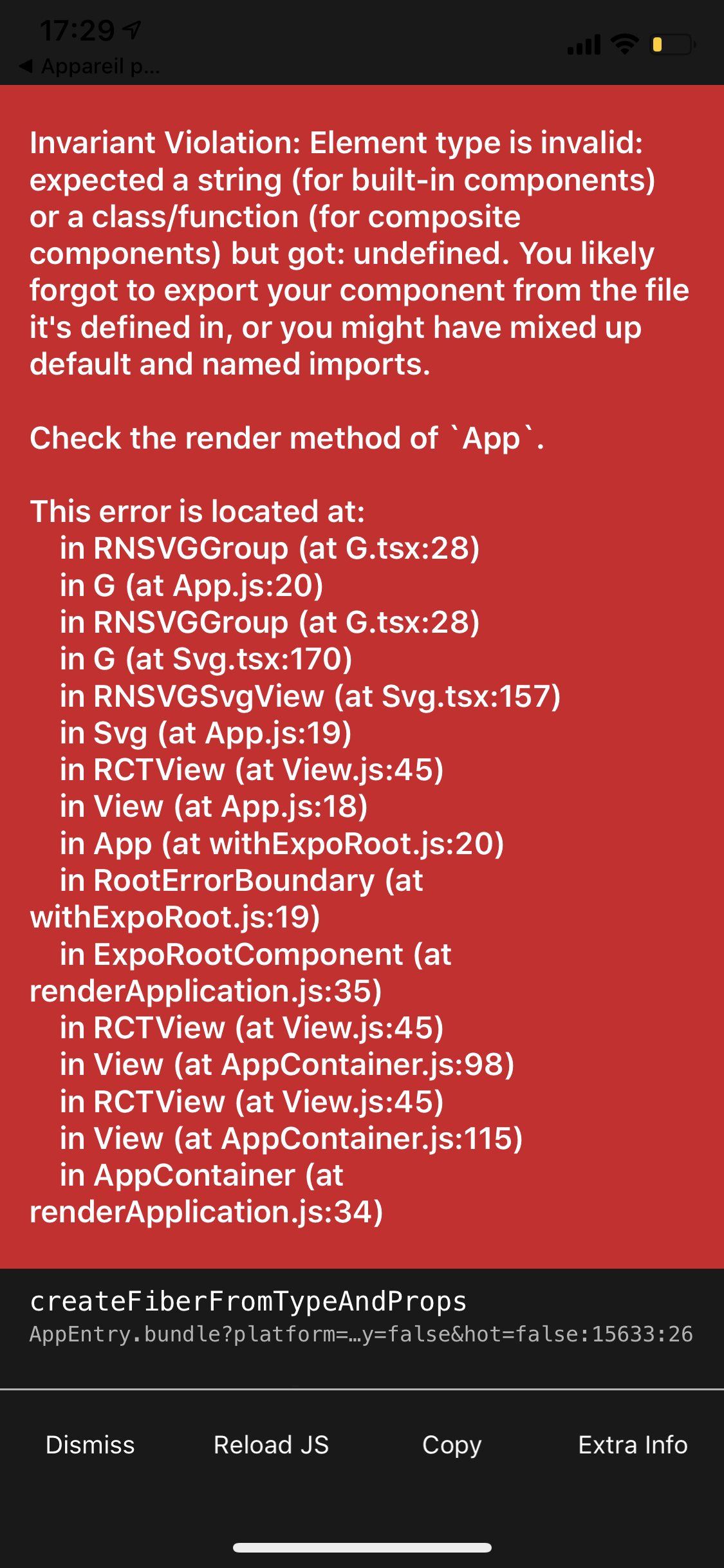
I'm trying to use the ForeignObject component in my expo project but it returns me this error below
I wanted to use this component in order to display non-svg components like Text/TextInput in svg tags.
React native info output:
Library version: [email protected]
Sample code
here is the code i'm trying to run :
Is it possible to check why this error is happening ?
Thank you very much for your help
 guiguithub
All 3 comments
Not sure if expo has any of the versions including ForeignObject yet.
 msand
on 29 Feb 2020
msand
on 29 Feb 2020
I have the exact same issue with Expo.
@msand
Not sure if expo has any of the versions including ForeignObject yet.
What do you mean by that? The react-native-svg version? I just removed my npm cache, installed react-native-svg again and I can see that in my and the nodes_module's package.json file of the library the version is 12.1.0. But I still get the same error as @guiguithub . Also, the ForeignObject.js file exists in the module > elements folder... Not sure what to do...
 JoBerkner
on 20 Apr 2020
JoBerkner
on 20 Apr 2020
I got it... Somehow instead of importing it this way:
import { Circle, ForeignObject } from 'react-native-svg';
I need to import it this way:
import ForeignObject, { Circle } from 'react-native-svg';
JoBerkner
on 20 Apr 2020
Related issues
 AdeilsonSuperlogica
·
3Comments
AdeilsonSuperlogica
·
3Comments
 chetankotkar
·
3Comments
chetankotkar
·
3Comments
 a-c-sreedhar-reddy
·
3Comments
a-c-sreedhar-reddy
·
3Comments
 proteye
·
4Comments
proteye
·
4Comments
 r0st1kuzh
·
3Comments
r0st1kuzh
·
3Comments
Most helpful comment
I got it... Somehow instead of importing it this way:
import { Circle, ForeignObject } from 'react-native-svg';I need to import it this way:
import ForeignObject, { Circle } from 'react-native-svg';