React-native-svg: letterSpacing (and kerning) making text go off-centred
I'm trying to space out my text a bit because it looks a little crunched when tying to render it in a circular arc shape. However, it seems that any calculations regarding the origin point to start drawing text is computed without taking letterSpacing or kerning into account.
For example, here is my component:
import React from 'react';
import Svg, { Circle, Defs, G, Path, Text, TextPath } from 'react-native-svg';

const Medallion = props => {
  const upperArc  = 'M-40.97502384803651,-1.4308810757150652A41,41,0,0,1,40.97502384803651,-1.4308810757150694A41,41,0,0,0,-40.97502384803651,-1.4308810757150652Z'
  const upperPath = 'M-40.97502384803651,-1.4308810757150652A41,41,0,0,1,40.97502384803651,-1.4308810757150694';

  const lowerArc  = 'M-48.97015053189642,1.7100751104568743A49,49,0,0,0,48.97015037316634,1.7100796558864861A49,49,0,0,1,-48.97015053189642,1.7100751104568743Z';
  const lowerPath = 'M-48.97015053189642,1.7100751104568743A49,49,0,0,0,48.97015037316634,1.7100796558864861';

  return (
    <Svg width={114} height={114}>
      <Defs>
        <Path id="upperPath" d={upperPath} />
        <Path id="lowerPath" d={lowerPath} />
      </Defs>
      <Circle cx={57} cy={57} r={57} fill="blue" />
      <Text
        x={57}
        y={57 + 10}
        textAnchor="middle"
        fill="white"
        fontWeight="bold"
        fontSize={10}
        letterSpacing="2"
      >
        This is a test
      </Text>
      <G x={57} y={57}>
        <Path d={upperArc} stroke="pink" />
        <Path d={lowerArc} stroke="pink" />
        <Text fill="white" stroke="white" fontSize={12} textAnchor="middle">
          <TextPath href="#upperPath" startOffset="50%">
            No letterSpacing
          </TextPath>
        </Text>
        <Text
          fill="white"
          stroke="white"
          fontSize={12}
          textAnchor="middle"
          letterSpacing="2"
        >
          <TextPath href="#lowerPath" startOffset="50%">
            This is a test
          </TextPath>
        </Text>
      </G>
    </Svg>
  );
};

export default Medallion;
I draw upperArc and lowerArc paths so that you can see the path I'm using to draw my text. I've removed the inner arc (equal to outer arc) to actually draw the text so that I don't get wrap around. This is the result:

You can see from the output that the text drawn with Text in the middle of the circle is off-centred as well as the text on the lower arc. Both of these have letterSpacing="2" (which, if I remove, would make the text centred again).
I've tried something similar with JS + D3 + SVG in a browser environment and it works as expected, staying centred. Any idea what is going on here and how I can work around it?
 ryanhomer
All 35 comments
Oh, interesting, haven't considered that properly. It is because of how the text measure is calculated:
https://github.com/react-native-community/react-native-svg/blob/master/android/src/main/java/com/horcrux/svg/TSpanShadowNode.java#L298
https://github.com/react-native-community/react-native-svg/blob/master/ios/Text/RNSVGTSpan.m#L295
Should add the correct amount corresponding to letter-spacing there.
 msand
on 10 Jan 2018
msand
on 10 Jan 2018
This will actually depend on ligature substitution as well, and might require a bit of thought.
msand
on 10 Jan 2018
Ok, thank you for investigating this!
ryanhomer
on 11 Jan 2018
This can probably be worked around for now by using two render passes, first with plain Text and TSpan elements (no TextPath) and a onLayout handler on the root Text element, to measure the text length, and then, adjusting the placement along the textpath accordingly, slightly like in this approach/workaround but a bit more advanced: https://github.com/react-native-community/react-native-svg/issues/907
msand
on 25 Jan 2019
@msand Hello, any ideas when it can be fixed? Found this problem in my app, so it's critical issue now... Thanks
 oleksandr-dziuban
on 6 Feb 2019
oleksandr-dziuban
on 6 Feb 2019
Not sure. Do you have time to work on it?
msand
on 6 Feb 2019
@msand Sorry I don't have native platform coding skills to fix this issue. Will you be able to check how to fix it?
Just issue can be reproduced in next combination of props: when we use textAnchor="middle" + any letter letterSpacing="10" for
I think we could to check Text alignment calculation and add letterSpacing values to these calculations
oleksandr-dziuban
on 7 Feb 2019
The text rendering should be split into several passes per Text element root / anchored subtree. First to do bidi transformations and other text-shaping to find the glyphs, advances and positions + rotations. Allowing to get the sums of advances per text chunk, to shift the first character of the anchored chunks by half the extent of all the anchored text in the subtree. And another to actually render the glyphs in their positions, or along textPath defined curves.
msand
on 9 Feb 2019
I think i've fixed this now. Can you try with the text-anchor-subtree-calculation branch? https://github.com/react-native-community/react-native-svg/tree/text-anchor-subtree-calculation
msand
on 10 Feb 2019
@msand Sure, will check in few hours
oleksandr-dziuban
on 11 Feb 2019
@msand Checked, it works fine for my case! Text alignment works perfectly on iOS/Android, checked with <Text> + few <TSpan> inside with letterSpacing + textAnchor="middle".
Please merge these changes to master and publish new npm package version. Thank you
oleksandr-dziuban
on 11 Feb 2019
@msand Hello, do you know when this bug fix can be added to master + new package version published? It's a bit urgent for my project :) Thank you
oleksandr-dziuban
on 12 Feb 2019
You can use the git uri for now. In practice nothing changes except a single line in your package.json, this library has no build process, as you probably noticed from it already working for you when you verified the fix. A new version will come in due time. Putting it to npm just changes from where you fetch the bytes. And who tracks what how.
msand
on 13 Feb 2019
@msand Hello,I used a link as npm dependency from github to use your latest fix for text alignment/kerning with letter spacing. Just noticed that we have incorrect behaviout for text with textAnchor="middle" after these fixes. Not aligned text is rendered like textAnchor="start", it is shifted to initial position even if we have textAnchor="middle" for it. Thanks
oleksandr-dziuban
on 21 Feb 2019
@oleksandr-dziuban Can you provide a reproduction?
msand
on 21 Feb 2019
@msand Hello, if I set for any text (single or multiline) just a textAnchor="middle" - I see that text is shifted right. Also TSpans for multiline text are aligned to left side, instead of middle alignment.
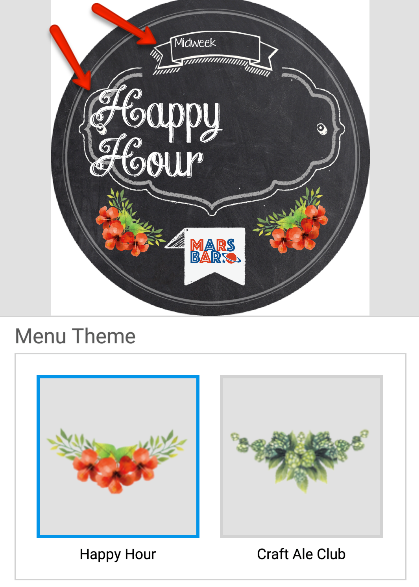
v. 9.2.4 is OK for this case, latest versions have this issues. I think the calculation of text tree is a bit incorrect
oleksandr-dziuban
on 11 Mar 2019
@msand Screenshot with v.9.2.4
Top text is single line with textAnchor="middle"
Main text is multiline with textAnchor="middle" with TSpans
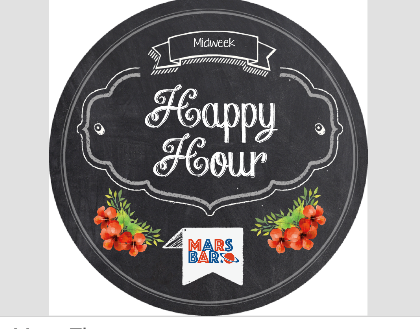
In all versions after v.9.2.4 top text is shifted a bit, and main text is shifted + TSpans are aligned like textAnchor="start".
oleksandr-dziuban
on 11 Mar 2019
@oleksandr-dziuban Could you provide a reproduction?
msand
on 11 Mar 2019
@msand This code is under NDA, but I will prepare a clean app maybe. It should be just a <Text> with textAnchor="middle" and x, y coords
oleksandr-dziuban
on 11 Mar 2019
Yeah a minimal reproduction would be great. The smaller the better.
msand
on 12 Mar 2019
@msand Hello, sorry for the delay, I prepared minimal reproduction. The problem exists on Android/iOS platforms. So when we use textAnchor='middle' and/or letterSpacing='<<more than 1>>' on Android whole multiline text is shifted to left side. Issue is visible especially for multiline text with TSpans.
On version 9.2.4 everything is OK (before your text position recalculation updates), on latest 9.3.5 issue is present on Android platform.
I have:
react-native: 0.59.1
react-native-svg: 9.3.5
MacOS: 10.14.3
Xcode: 10.1
To reproduce it use:
import React, { Component } from 'react';
import Svg, { Image, G, Text, TSpan }  from 'react-native-svg';

class App extends Component {
  render() {
    return (
      <Svg width='300' height='300' style={{ borderWidth: 2, margin: 10 }}>
        <G>
          <Text x='100' y='60' textAnchor='middle' letterSpacing='10'>
            <TSpan dy='20'>Test multiline</TSpan>
            <TSpan dy='20'>text. Test text</TSpan>
          </Text>
        </G>
      </Svg>
    )
  }
}
@oleksandr-dziuban Can you try with the develop branch? I think I've fixed it there
msand
on 21 Mar 2019
@oleksandr-dziuban Can you try with the develop branch? I think I've fixed it there
@msand Sure, will do, thanks
oleksandr-dziuban
on 21 Mar 2019
@msand I have double checked with latest develop branch, issues with multiline text are not resolved:
I have found 2 issues on both iOS/Android:
1) Multiline text is shifted to the left side when we use textAnchor
2) If we set textAnchor="start/middle/end" multiline text has shifted to the left side according anchor value, but all lines are still aligned "start" even when "middle" or "end" activated. Looks like alignment is ignored.
Let's check 1st case:
If you use this React Native code:
import React  from 'react';
import Svg, { G, Text, TSpan, Rect }  from 'react-native-svg';

const App = () => (
    <Svg width='300' height='300' style={{ margin: 10 }}>
      <G>
        <Rect x='0' y='20' width="300" height="300" stroke="green" stroke-width="6" fill="yellow" />
        <Text x='150' y='60' textAnchor='middle' letterSpacing='6' width={300} height={300}>
          <TSpan>Test multiline.</TSpan>
          <TSpan x='150' dy='20'>New line 1.</TSpan>
          <TSpan x='150' dy='20'>Another new line 2.</TSpan>
        </Text>
      </G>
    </Svg>
);
We can see this:
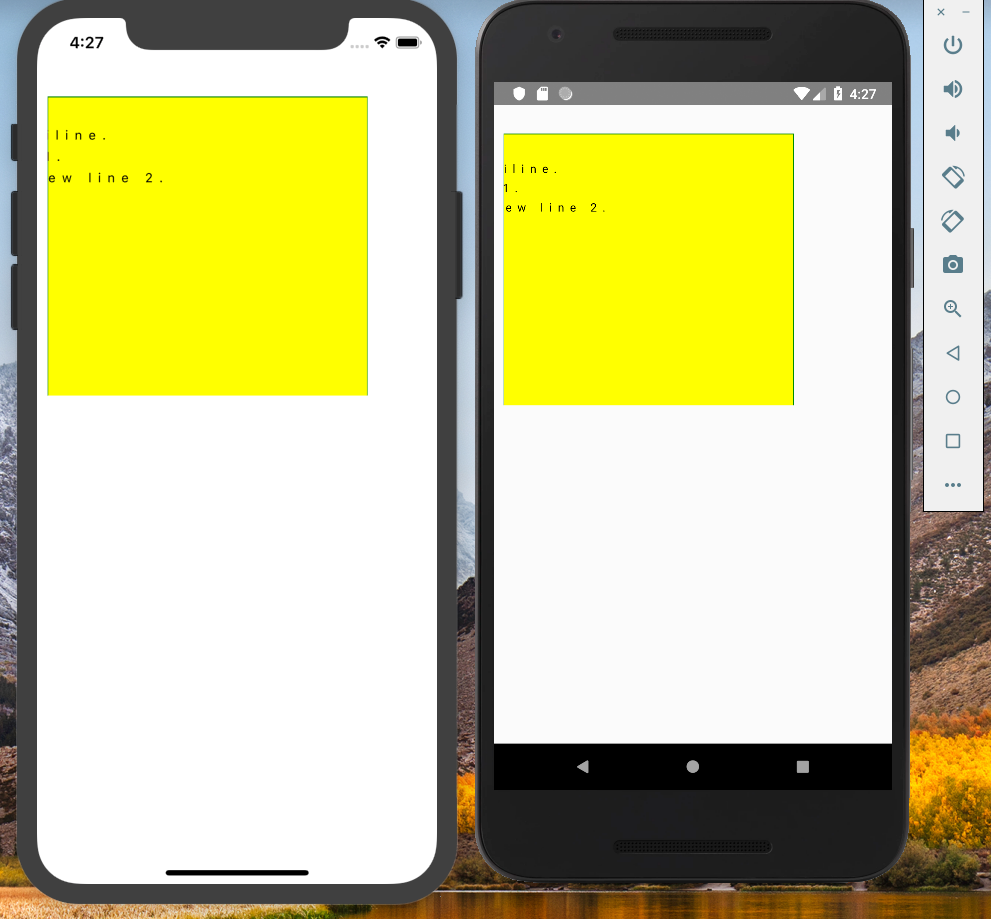
With the same WEB SVG code:
<svg xmlns="http://www.w3.org/2000/svg" width="300" height="300" version="1.1">
   <g>
      <rect x='0' y='20' width="300" height="300" stroke="green" stroke-width="6" fill="yellow" />
      <text x='150' y='60' text-anchor='middle' letter-spacing='2' width='300' height='300'>
        <tspan>Test multiline.</tspan>
        <tspan x='150' dy='20'>New line 1.</tspan>
        <tspan x='150' dy='20'>Another new line 2.</tspan>
      </text>
    </g>
</svg>
We can see correct position:

ISSUE: _We can see that in react-native apps multiline text is shifted to left too much._
Let's check 2nd case:
If you use this React Native code:
import React  from 'react';
import Svg, { G, Text, TSpan, Rect }  from 'react-native-svg';

const App = () => (
    <Svg width='600' height='300' style={{ margin: 10 }}>
      <Rect x='0' y='20' width="600" height="300" stroke="green" stroke-width="6" fill="yellow" />
      <G>
        <Text x='350' y='60' textAnchor='start' letterSpacing='1' width={600} height={300}>
          <TSpan>Test multiline #1.</TSpan>
          <TSpan x='350' dy='20'>New line 1.</TSpan>
          <TSpan x='350' dy='20'>Another new line 2.</TSpan>
        </Text>
      </G>
      <G>
        <Text x='350' y='150' textAnchor='middle' letterSpacing='1' width={600} height={300}>
          <TSpan>Test multiline #2.</TSpan>
          <TSpan x='350' dy='20'>New line 1.</TSpan>
          <TSpan x='350' dy='20'>Another new line 2.</TSpan>
        </Text>
      </G>
      <G>
        <Text x='350' y='240' textAnchor='end' letterSpacing='1' width={600} height={300}>
          <TSpan>Test multiline #3.</TSpan>
          <TSpan x='350' dy='20'>New line 1.</TSpan>
          <TSpan x='350' dy='20'>Another new line 2.</TSpan>
        </Text>
      </G>
    </Svg>
);
We can see this:
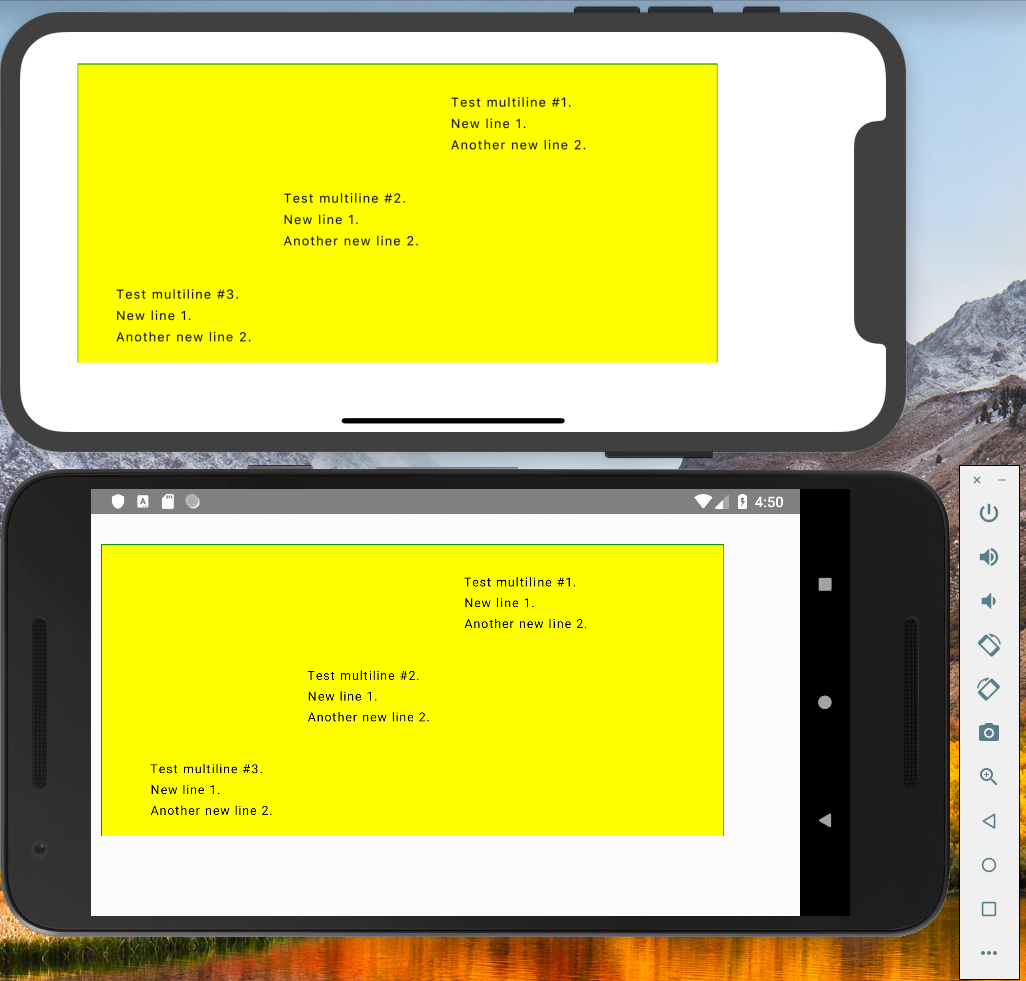
With the same WEB SVG code:
<svg xmlns="http://www.w3.org/2000/svg" width="600" height="300" version="1.1">
   <rect x='0' y='20' width="600" height="300" stroke="green" stroke-width="6" fill="yellow" />
   <g>
      <text x='350' y='60' text-anchor='start' letter-spacing='1' width='600' height='300'>
        <tspan>Test multiline #1.</tspan>
        <tspan x='350' dy='20'>New line 1.</tspan>
        <tspan x='350' dy='20'>Another new line 2.</tspan>
      </text>
    </g>
    <g>
      <text x='350' y='150' text-anchor='middle' letter-spacing='1' width='600' height='300'>
        <tspan>Test multiline #1.</tspan>
        <tspan x='350' dy='20'>New line 1.</tspan>
        <tspan x='350' dy='20'>Another new line 2.</tspan>
      </text>
    </g>
    <g>
      <text x='350' y='240' text-anchor='end' letter-spacing='1' width='600' height='300'>
        <tspan>Test multiline #1.</tspan>
        <tspan x='350' dy='20'>New line 1.</tspan>
        <tspan x='350' dy='20'>Another new line 2.</tspan>
      </text>
    </g>
</svg>
We can see correct alignment and shift:
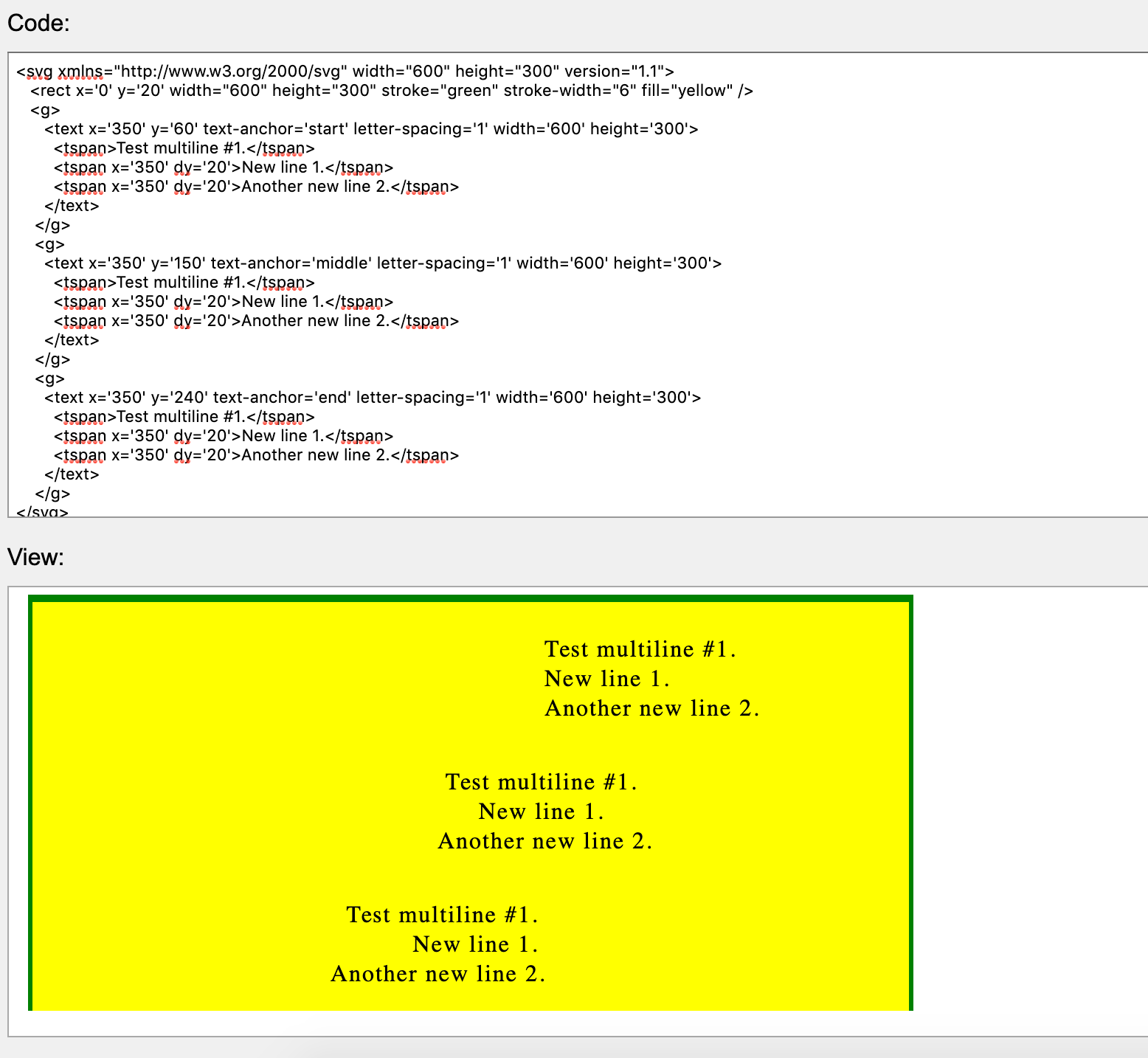
ISSUE: _We can see that in react-native apps the lines in multiline text are not aligned according textAnchor value._
As I mentioned previously in version 9.2.4 we didn't have these 2 issues, but had another issue with letterSpacing > 1 + textAlign="middle/end". Previous issue was resolved, but these 2 new issues are found:
v.9.3.5
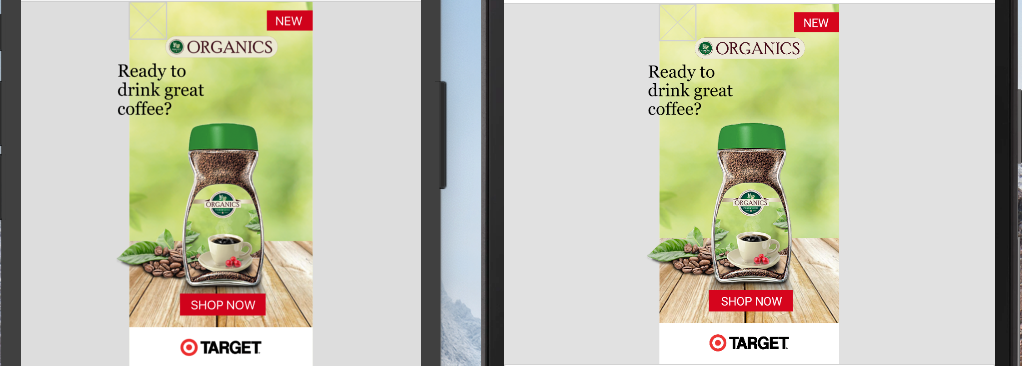
v.9.2.4
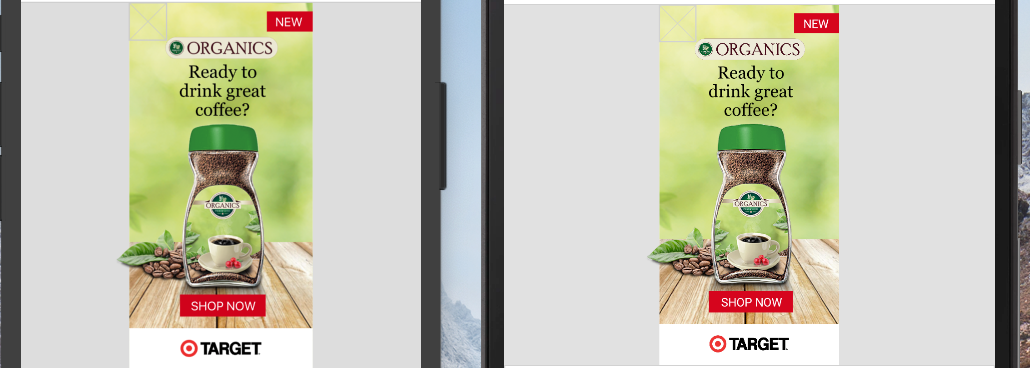
@msand Could you please check these 2 issues when you time? Our project is really blocked now with these text issues. Thank you very much.
Should I create a separate issue?
oleksandr-dziuban
on 21 Mar 2019
@oleksandr-dziuban Can you instead of using tspan elements inside a text element, use separate text elements to work around the issue for now? Essentially the code for finding the text-chunk for anchoring and calculating the shift is buggy. Ideally we would implement the svg 2.0 text layout algorithm: https://www.w3.org/TR/SVG/text.html#TextLayoutAlgorithm
But, already calculating the anchored chunks correctly and finding the left-(top-) most and right-(bottom-) most extents of the typographic characters within the anchored chunk would fix this.
msand
on 21 Mar 2019
@msand I will try, just I need to rewrote a lot of app logic and components, I have a deep React components tree.
Oh, regarding SVG 2.0, it will be very large trouble fo us :) Because we support only SVG 1.1 style accross whole product. We have shared rendering code between a few projects (WEB, Native, etc.) so everywhere we have 1.1 style.
If I understand correctly SVG 2.0 has different tags, attributes, behaviour, structure etc. ?
oleksandr-dziuban
on 21 Mar 2019
It deprecates a few things, but we would probably aim for svg 1.1 compatibility as far as possible as well. Mostly it clarifies the spec, defines previously undefined behavior, add some more attributes, values, allows attributes to be set using styles, etc. We already have support for several things from the svg 2.0 spec, and the text layout rendering is better defined there than in the 1.1 spec.
I'll try a small change, it might cover most of your needs for now, while still not being fully spec conformant.
msand
on 21 Mar 2019
@msand Great, thank you a lot! Maybe it will be possible to fix quickly, what I need, just to align lines correctly with textAnchor="middle/end" as in 9.2.4 and get rid of unnecessary big shift to the left. If 2nd is impossible I'll add a workaround on my side (playing with x coord). So main issue is alignment is not applied to lines. Thank you
oleksandr-dziuban
on 21 Mar 2019
@oleksandr-dziuban Can you try with the latest commit from the develop branch?
msand
on 21 Mar 2019
@oleksandr-dziuban Can you try with the latest commit from the develop branch?
@msand Sure, will do
oleksandr-dziuban
on 21 Mar 2019
@msand I don't know how you do that, but both issues are resolved!!! Multiline text works as expected! Great job 👍
oleksandr-dziuban
on 21 Mar 2019
Well, if you look at https://github.com/react-native-community/react-native-svg/commit/70ac80b297b0d39cad1e2f78f07429fbdc3258e8
You can see:
https://github.com/react-native-community/react-native-svg/blob/70ac80b297b0d39cad1e2f78f07429fbdc3258e8/ios/Text/RNSVGText.m#L258-L275
Where I added the disjunction with
node.positionX != nil
To the predicate which finds the element, from which it calculates the extent of the text.
This will work incorrectly for any tspan with several values in the x attribute, or for any tspan which doesn't have any x attribute, while some sibling element does. A correct algorithm would find each range of i..j in all the text of the text element, for which the anchor should adjust the initial/final text position, and find the extent for each of those ranges.
msand
on 21 Mar 2019
@msand But even with current fix it looks much better. I think we can publish patch version for now, because minimum feature is working
oleksandr-dziuban
on 21 Mar 2019
Published v9.3.6 now
msand
on 21 Mar 2019
Thank you
oleksandr-dziuban
on 21 Mar 2019
Related issues
 SudoPlz
·
35Comments
SudoPlz
·
35Comments
 raffaeler
·
117Comments
raffaeler
·
117Comments
 dsherida
·
34Comments
dsherida
·
34Comments
 joaom182
·
32Comments
joaom182
·
32Comments
 jskidd3
·
33Comments
jskidd3
·
33Comments