React-native-svg: Text translating/rendering x/y incorrectly when rotate > 0 from release 5.0.2+
Using react-native-svg 4.6.1:

Using react-native-svg 5.0.2:

Both using react-native 0.40.0.
Using this code snippet:
export default class rnsvgtest extends Component {
  render() {
    return (
      <View style={styles.container}>
        <ReactText style={styles.welcome}>
          react-native-svg testing
        </ReactText>
        <Svg
          height="300"
          width="300"
        >
          <Text
            fontSize="10"
            x="100"
            y="20"
            rotate="45"
            textAnchor="middle"
          >[100,20]</Text>
          <Text
            fontSize="10"
            x="150"
            y="20"
            rotate="45"
            textAnchor="middle"
          >[150,20]</Text>
          <Text
            fontSize="10"
            x="200"
            y="20"
            rotate="0"
            textAnchor="middle"
          >[200,20]</Text>
          <Text
            fontSize="10"
            x="250"
            y="20"
            rotate="0"
            textAnchor="middle"
          >[250,20]</Text>
        </Svg>
      </View>
    );
  }
}
 marzolfb
All 58 comments
+1
 ElieMyIdea
on 31 Aug 2017
ElieMyIdea
on 31 Aug 2017
@marzolfb @ElieMyIdea Have you tried this? https://github.com/react-native-community/react-native-svg/pull/430
 msand
on 3 Sep 2017
msand
on 3 Sep 2017
Unfortunatly,
I'm on RN 0.39.2 with react-native-svg 4.4.1 but same problem appear..
ElieMyIdea
on 4 Sep 2017
@ElieMyIdea Are you unable to upgrade RN? If you're able to get up to at least
"peerDependencies": {
"prop-types": "^15.5.10",
"react": ">=15.4.0",
"react-native": ">=0.40.0"
},
then you can use my "version": "5.1.7.3" from
https://github.com/msand/react-native-svg/tree/5.1.7.1
https://github.com/msand/react-native-svg/blob/5.1.7.1/package.json
by running one of:
npm install --save react-native-svg@https://github.com/msand/react-native-svg.git#2181798
yarn add react-native-svg@https://github.com/msand/react-native-svg.git#2181798
If you can get up to
"peerDependencies": {
"react-native": ">=0.46.0",
"react": "16.0.0-alpha.12",
"prop-types": "^15.5.8"
},
Then use my 5.4.1 or 6.0.0 by running one of:
npm install --save react-native-svg@https://github.com/msand/react-native-svg.git#5a01d67
yarn add react-native-svg@https://github.com/msand/react-native-svg.git#5a01d67
msand
on 14 Sep 2017
otherwise, if you get it to a version below 0.46 but not compatible with 5.1.7.3, then use 5.2.0 or 5.3.0 from my fork
msand
on 14 Sep 2017
@msand I see #403 got merged. Why is the problem still persisting?
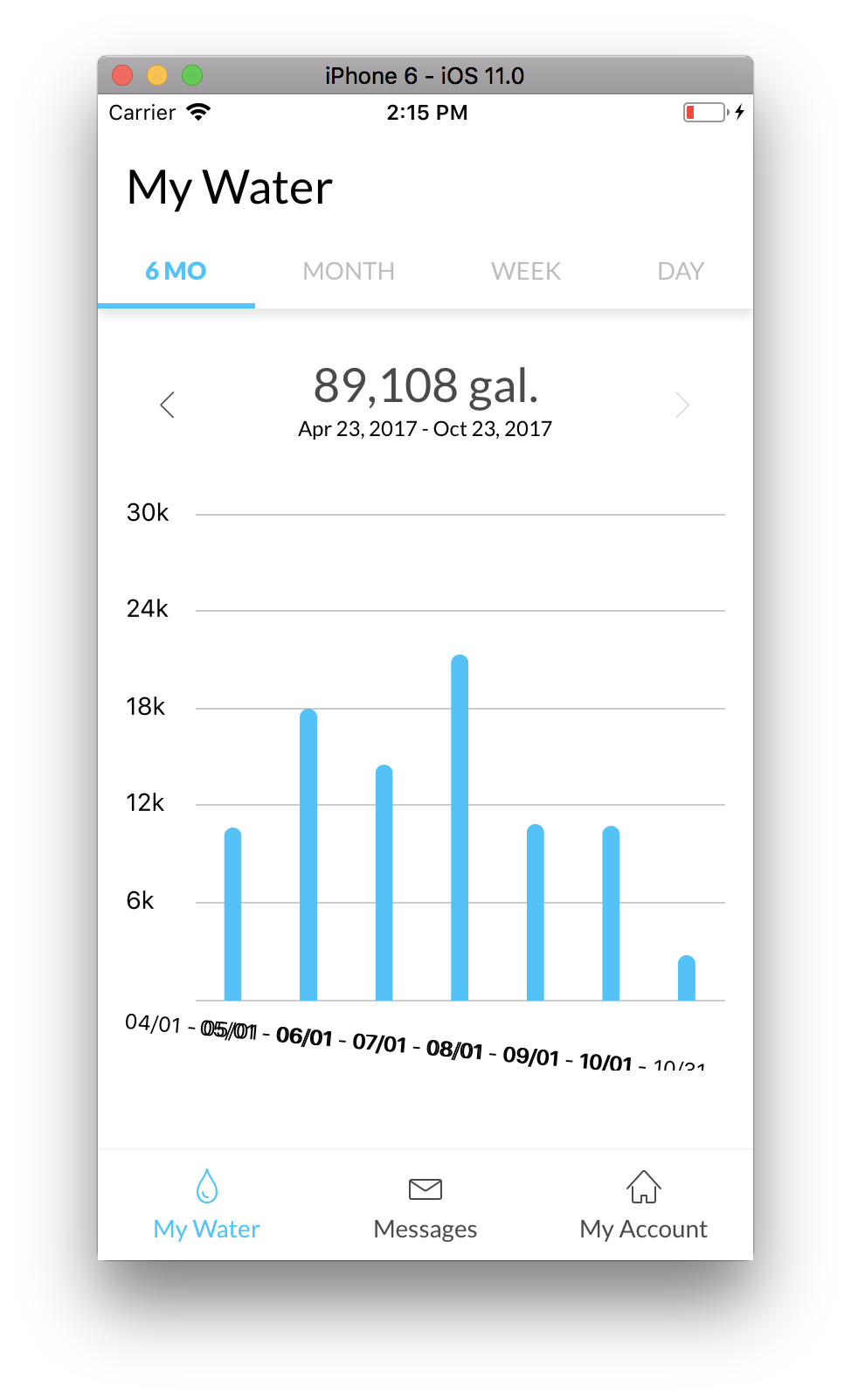
{labels.map(({ x, y, text }, i) => (
    <G
        key={`label-${i}`}
        rotate={5}
        origin={`0,0`}
    >
        <SVGText
            x={x}
            y={y + 5}
            fontSize={fontSize}
            fontWeight={fontWeight}
            textAnchor={`middle`}
        >
            {text.toUpperCase()}
        </SVGText>
    </G>
))}
packge.json
"react": "16.0.0-beta.5",
"react-native": "0.49.3",
"react-native-svg": "^5.4.2",
 dwilt
on 23 Oct 2017
dwilt
on 23 Oct 2017
@dwilt have you tried [email protected] ? The changes are merged into the 6.0.0 branch https://github.com/react-native-community/react-native-svg/tree/6.0.0
msand
on 23 Oct 2017
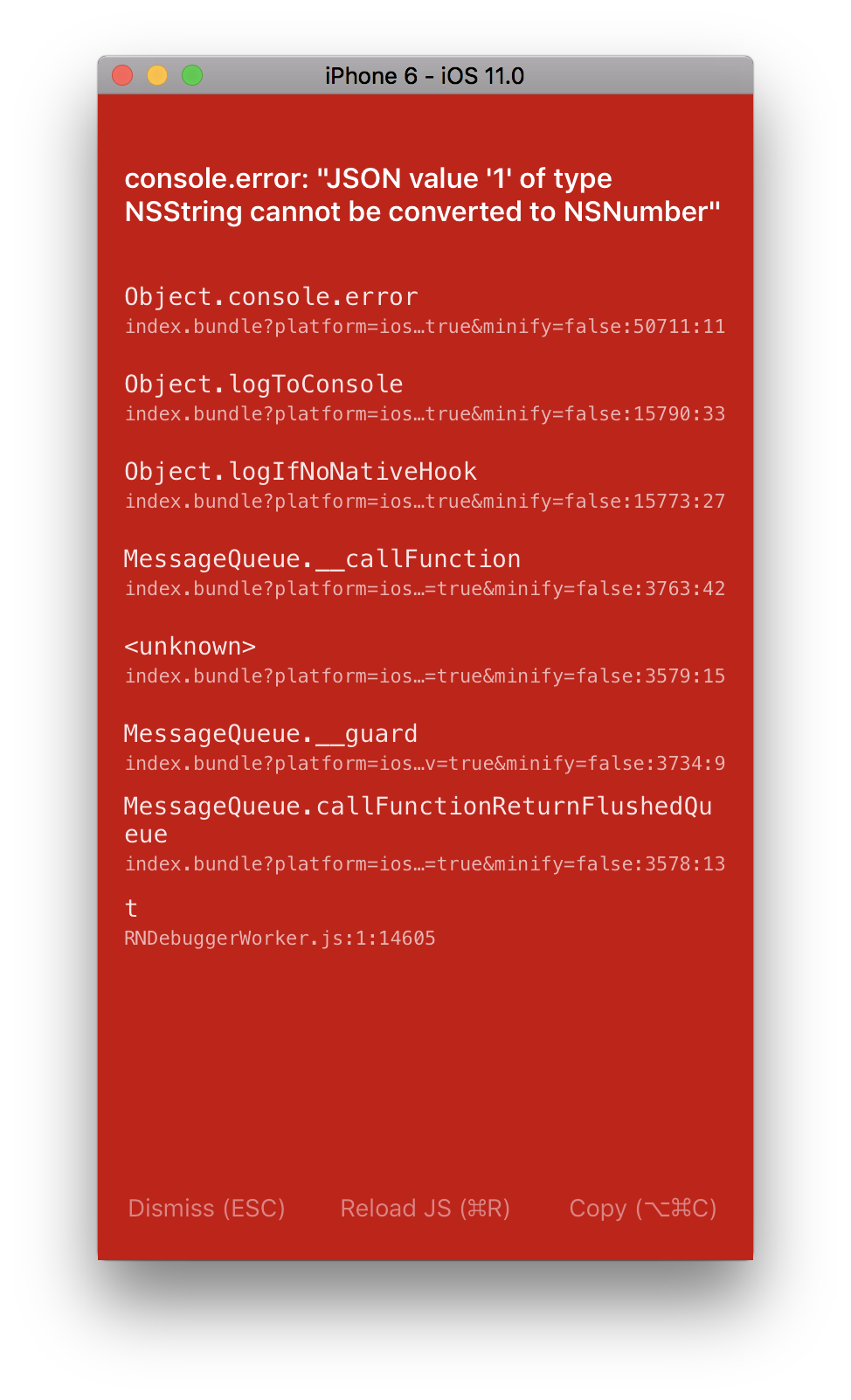
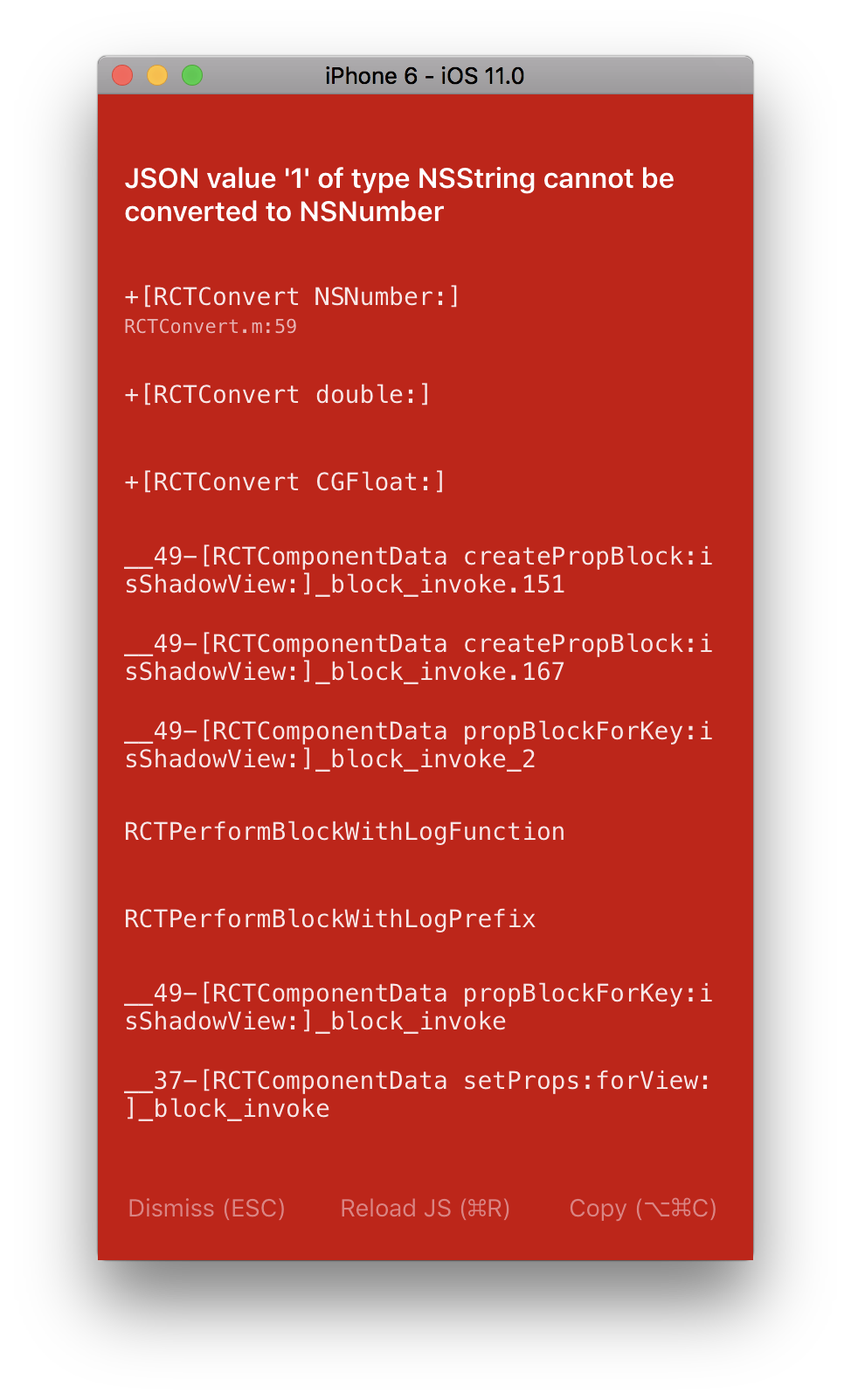
@msand Updated to 6.0.0-rc1 and now getting this:
dwilt
on 23 Oct 2017
Interesting, could you try to find some value which is set / calculated to the string '1' and change it to the number {1} instead?
msand
on 23 Oct 2017
@msand working on it..
dwilt
on 23 Oct 2017
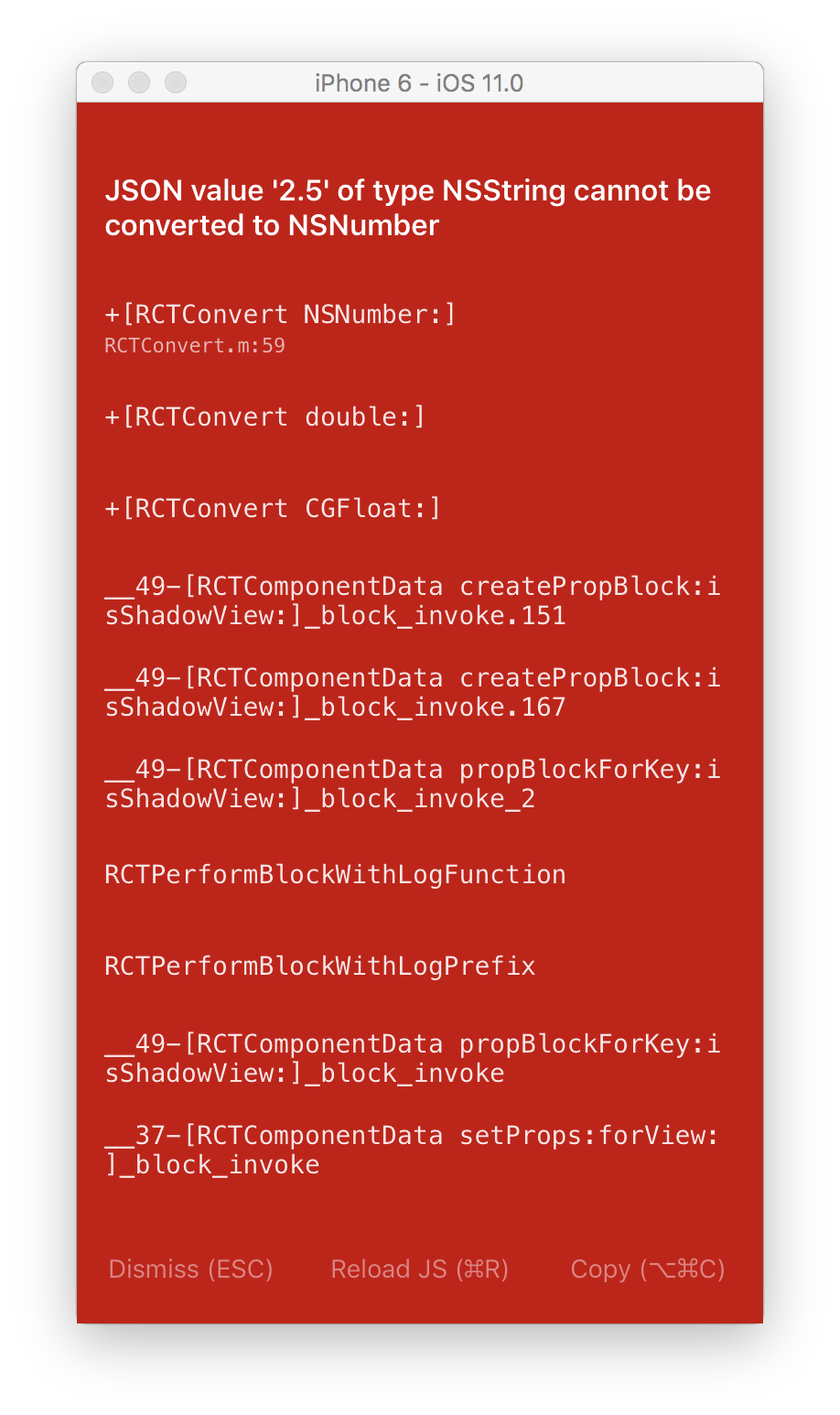
@msand I think we have a bug here. As a sanity check, cause I couldn't find my problem, I just updated my render method to this:
Note the strokeWidth="2.5"
render() {
    return (
        <Svg
            height={300}
            width={200}
        >
            <Circle
                cx="50"
                cy="50"
                r="45"
                stroke="blue"
                strokeWidth="2.5"
                fill="green"
            />
        </Svg>
    );
}
which gives me this:
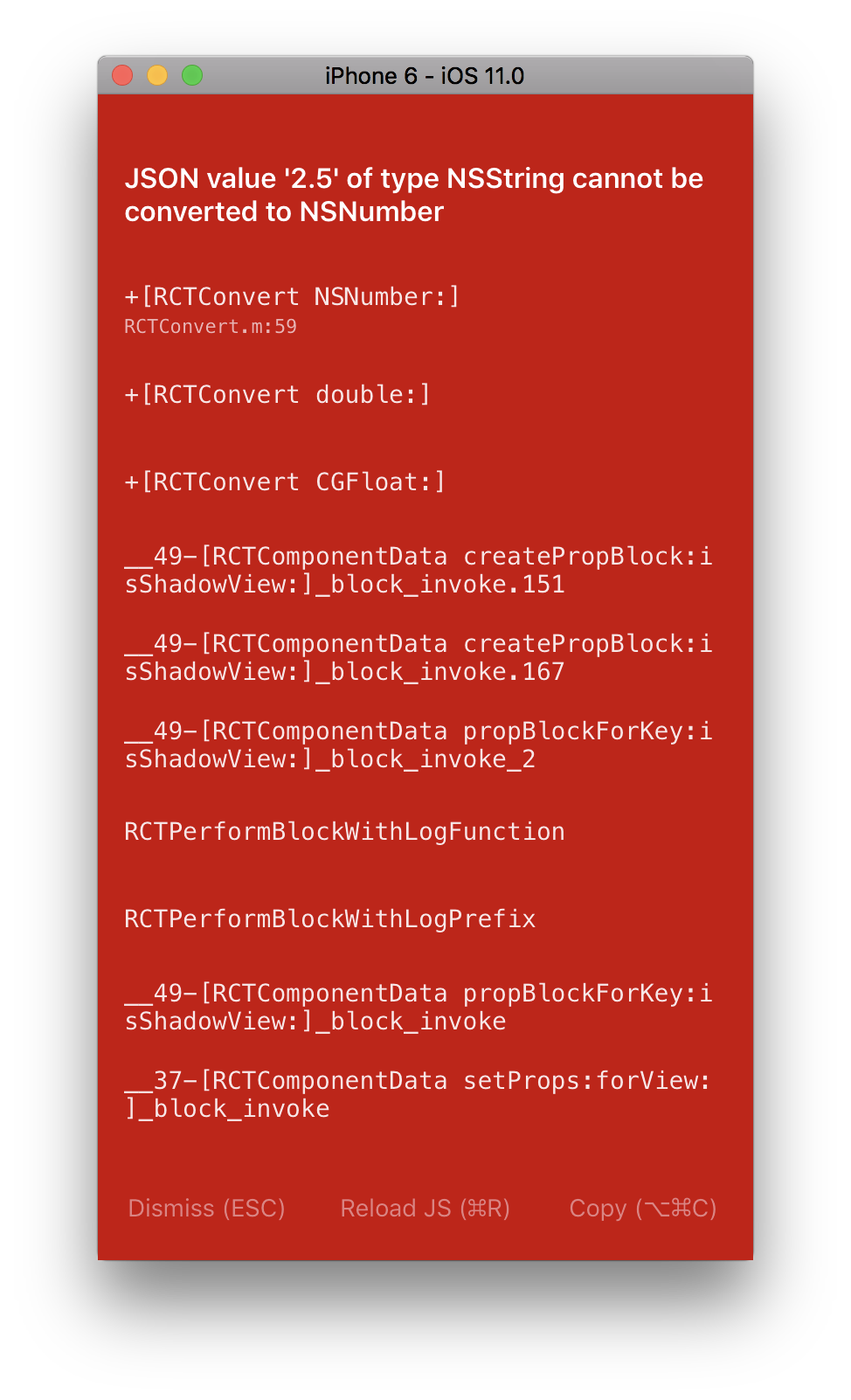
So I tried making it a number..
Note the strokeWidth={2.5}
render() {
    return (
        <Svg
            height={300}
            width={200}
        >
            <Circle
                cx="50"
                cy="50"
                r="45"
                stroke="blue"
                strokeWidth={2.5}
                fill="green"
            />
        </Svg>
    );
}
Same thing:
dwilt
on 23 Oct 2017
Kind of crazy:
render() {
    return (
        <Svg
            height={300}
            width={200}
        >
            <G></G>
        </Svg>
    );

}
dwilt
on 23 Oct 2017
Can you try cleaning your project in xcode,
shut down any react bundler
rm -rf node_modules
npm i
react-native run-ios
msand
on 23 Oct 2017
Cleaned in Xcode. Deleted node_modules, ran yarn and same thing. Also restarted the bundler
dwilt
on 23 Oct 2017
The latest commit in the 6.0.0 branch doesn't work with yarn, only with npm, because of a git submodule dependency which yarn doesn't install, try removing node_modules and install using npm instead of yarn
msand
on 23 Oct 2017
Otherwise, try to react-native init newproject and install [email protected] there
msand
on 23 Oct 2017
Or try cloning and testing using this https://github.com/msand/newproject/
msand
on 23 Oct 2017
I just tried npm i and still not working. Damn. Also, noticed this error on sim launch:
CompileC /Users/dwilt/Documents/GitHub/dropcountr-react-native/ios/build/Build/Intermediates.noindex/RNSVG.build/Debug-iphonesimulator/RNSVG.build/Objects-normal/x86_64/TextPathSpacing.o Text/TextPathSpacing.m normal x86_64 objective-c com.apple.compilers.llvm.clang.1_0.compiler
    cd /Users/dwilt/Documents/GitHub/dropcountr-react-native/node_modules/react-native-svg/ios
    export LANG=en_US.US-ASCII
    export PATH="/Applications/Xcode.app/Contents/Developer/Platforms/iPhoneSimulator.platform/Developer/usr/bin:/Applications/Xcode.app/Contents/Developer/usr/bin:/Users/dwilt/.nvm/versions/node/v8.2.1/lib/node_modules/npm/bin/node-gyp-bin:/Users/dwilt/Documents/GitHub/dropcountr-react-native/node_modules/.bin:/Users/dwilt/Library/Android/sdk/platform-tools:/Users/dwilt/Library/Android/sdk/tools:/Users/dwilt/.nvm/versions/node/v8.2.1/bin:/usr/local/bin:/usr/bin:/bin:/usr/sbin:/sbin"
    /Applications/Xcode.app/Contents/Developer/Toolchains/XcodeDefault.xctoolchain/usr/bin/clang -x objective-c -arch x86_64 -fmessage-length=0 -fdiagnostics-show-note-include-stack -fmacro-backtrace-limit=0 -std=gnu99 -fobjc-arc -fmodules -gmodules -fmodules-cache-path=/Users/dwilt/Documents/GitHub/dropcountr-react-native/ios/build/ModuleCache -fmodules-prune-interval=86400 -fmodules-prune-after=345600 -fbuild-session-file=/Users/dwilt/Documents/GitHub/dropcountr-react-native/ios/build/ModuleCache/Session.modulevalidation -fmodules-validate-once-per-build-session -Wnon-modular-include-in-framework-module -Werror=non-modular-include-in-framework-module -Wno-trigraphs -fpascal-strings -O0 -Wno-missing-field-initializers -Wno-missing-prototypes -Werror=return-type -Wunreachable-code -Wno-implicit-atomic-properties -Werror=deprecated-objc-isa-usage -Werror=objc-root-class -Wno-arc-repeated-use-of-weak -Wduplicate-method-match -Wno-missing-braces -Wparentheses -Wswitch -Wunused-function -Wno-unused-label -Wno-unused-parameter -Wunused-variable -Wunused-value -Wempty-body -Wuninitialized -Wconditional-uninitialized -Wno-unknown-pragmas -Wno-shadow -Wno-four-char-constants -Wno-conversion -Wconstant-conversion -Wint-conversion -Wbool-conversion -Wenum-conversion -Wno-float-conversion -Wno-non-literal-null-conversion -Wno-objc-literal-conversion -Wshorten-64-to-32 -Wpointer-sign -Wno-newline-eof -Wno-selector -Wno-strict-selector-match -Wundeclared-selector -Wno-deprecated-implementations -DDEBUG=1 -DOBJC_OLD_DISPATCH_PROTOTYPES=0 -isysroot /Applications/Xcode.app/Contents/Developer/Platforms/iPhoneSimulator.platform/Developer/SDKs/iPhoneSimulator11.0.sdk -fasm-blocks -fstrict-aliasing -Wprotocol -Wdeprecated-declarations -mios-simulator-version-min=7.0 -g -Wno-sign-conversion -Wno-infinite-recursion -Wno-comma -Wno-block-capture-autoreleasing -Wno-strict-prototypes -fobjc-abi-version=2 -fobjc-legacy-dispatch -index-store-path /Users/dw
ilt/Documents/GitHub/dropcountr-react-native/ios/build/Index/DataStore -iquote /Users/dwilt/Documents/GitHub/dropcountr-react-native/ios/build/Build/Intermediates.noindex/RNSVG.build/Debug-iphonesimulator/RNSVG.build/RNSVG-generated-files.hmap -I/Users/dwilt/Documents/GitHub/dropcountr-react-native/ios/build/Build/Intermediates.noindex/RNSVG.build/Debug-iphonesimulator/RNSVG.build/RNSVG-own-target-headers.hmap -I/Users/dwilt/Documents/GitHub/dropcountr-react-native/ios/build/Build/Intermediates.noindex/RNSVG.build/Debug-iphonesimulator/RNSVG.build/RNSVG-all-target-headers.hmap -iquote /Users/dwilt/Documents/GitHub/dropcountr-react-native/ios/build/Build/Intermediates.noindex/RNSVG.build/Debug-iphonesimulator/RNSVG.build/RNSVG-project-headers.hmap -I/Users/dwilt/Documents/GitHub/dropcountr-react-native/ios/build/Build/Products/Debug-iphonesimulator/include -I/Applications/Xcode.app/Contents/Developer/Toolchains/XcodeDefault.xctoolchain/usr/include -I../../React -I../../React/cjs -I../../React/umd -I/Users/dwilt/Documents/GitHub/dropcountr-react-native/ios/build/Build/Products/Debug-iphonesimulator/usr/local/include -IPerformanceBezier -IQuartzBookPack -IQuartzBookPack/Bezier -IQuartzBookPack/Drawing -IQuartzBookPack/Geometry -IQuartzBookPack/Image -IQuartzBookPack/TextDrawing -IQuartzBookPack/Utility -I/Users/dwilt/Documents/GitHub/dropcountr-react-native/ios/build/Build/Intermediates.noindex/RNSVG.build/Debug-iphonesimulator/RNSVG.build/DerivedSources/x86_64 -I/Users/dwilt/Documents/GitHub/dropcountr-react-native/ios/build/Build/Intermediates.noindex/RNSVG.build/Debug-iphonesimulator/RNSVG.build/DerivedSources -F/Users/dwilt/Documents/GitHub/dropcountr-react-native/ios/build/Build/Products/Debug-iphonesimulator -MMD -MT dependencies -MF /Users/dwilt/Documents/GitHub/dropcountr-react-native/ios/build/Build/Intermediates.noindex/RNSVG.build/Debug-iphonesimulator/RNSVG.build/Objects-normal/x86_64/TextPathSpacing.d --serialize-diagnostics /Users/dwilt/Documents/GitHub/dropcountr-react-native/ios/build/Build/Intermediates.noindex/RNSVG.build/Debug-iphonesimulator/RNSVG.build/Objects-normal/x86_64/TextPathSpacing.dia -c /Users/dwilt/Documents/GitHub/dropcountr-react-native/node_modules/react-native-svg/ios/Text/TextPathSpacing.m -o /Users/dwilt/Documents/GitHub/dropcountr-react-native/ios/build/Build/Intermediates.noindex/RNSVG.build/Debug-iphonesimulator/RNSVG.build/Objects-normal/x86_64/TextPathSpacing.o


** BUILD FAILED **


The following build commands failed:

    CompileC /Users/dwilt/Documents/GitHub/dropcountr-react-native/ios/build/Build/Intermediates.noindex/RNSVG.build/Debug-iphonesimulator/RNSVG.build/Objects-normal/x86_64/RNSVGTSpan.o Text/RNSVGTSpan.m normal x86_64 objective-c com.apple.compilers.llvm.clang.1_0.compiler
(1 failure)

Installing build/Build/Products/Debug-iphonesimulator/DropcountrReactNative.app
Launching com.dropcountr.dev
com.dropcountr.dev: 27505

Process finished with exit code 0
Which is odd cause the app still fired up.
dwilt
on 23 Oct 2017
Just a thought.. a react-native init installs with yarn. So wouldn't that theoretically not work then?
dwilt
on 23 Oct 2017
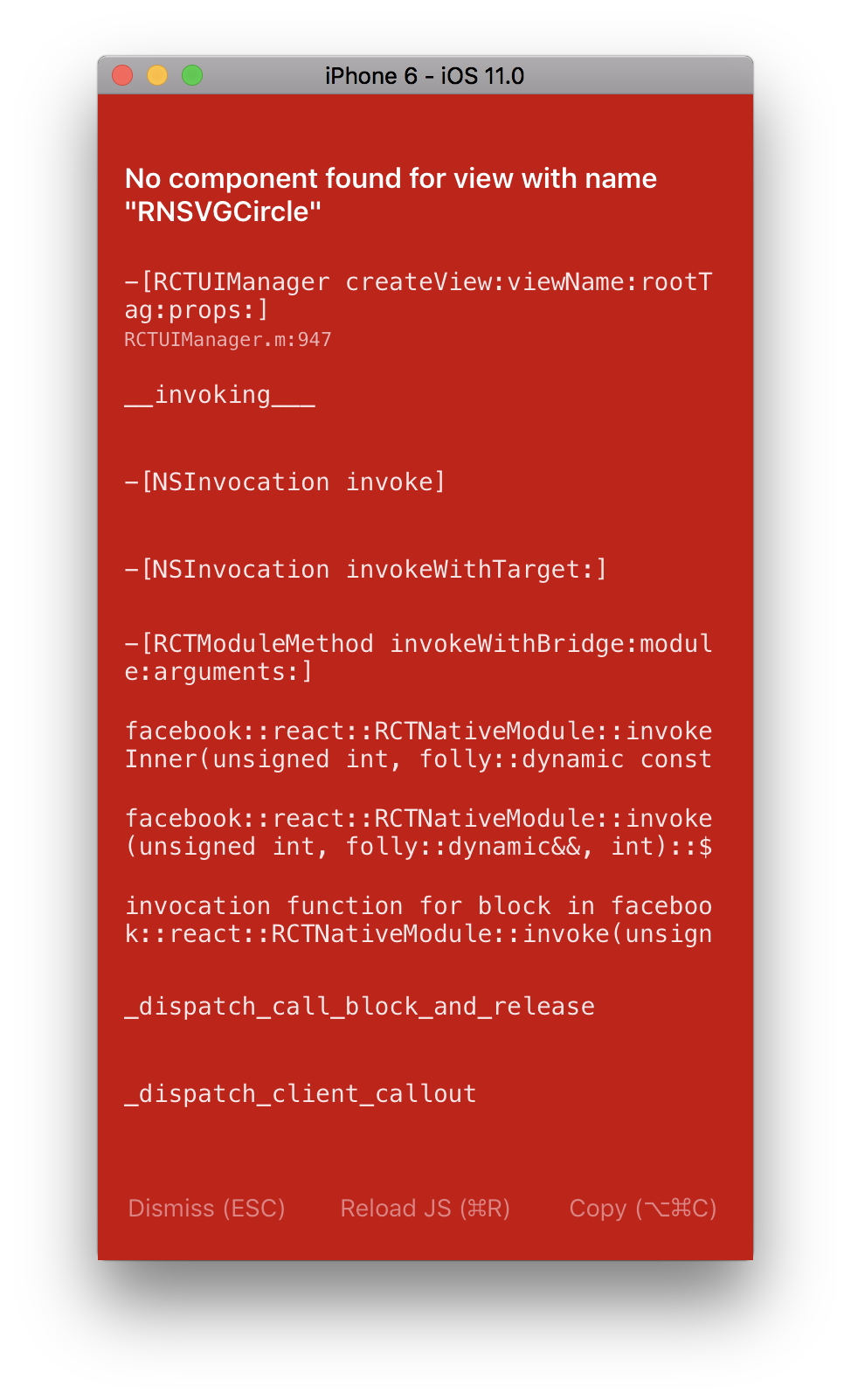
Just tried a react-native init and then added [email protected] and it built succesfully. Add this markup:
import Svg, {
    G,
    Circle,
    Text as SVGText
} from 'react-native-svg';

export default class App extends Component<{}> {
    render() {
        return (
            <View style={styles.container}>
                <Text style={styles.welcome}>
                    Welcome to React Native!
                </Text>
                <Svg
                    height={300}
                    width={200}
                >
                    <Circle
                        cx="50"
                        cy="50"
                        r="45"
                        stroke="blue"
                        strokeWidth="2.5"
                        fill="green"
                    />
                    <G
                        rotate={45}
                    >
                        <SVGText>
                            Hey
                        </SVGText>
                    </G>
                    <G
                        rotate={45}
                    >
                        <SVGText>
                            You
                        </SVGText>
                    </G>
                </Svg>
            </View>
        );
    }
}
And I'm getting this:
dwilt
on 24 Oct 2017
@dwilt what version of react-native is that? is it a 0.50-rc? can you try this:
npm install --save react-native-svg@https://github.com/msand/react-native-svg.git#ec35a1e
msand
on 24 Oct 2017
Did you try running
git clone https://github.com/msand/newproject/
cd newproject
npm i
npm run start
npm run next
?
(next runs the web version of the universal setup)
msand
on 24 Oct 2017
@msand Here's the package.json after react-native init test:
{
    "name": "test",
    "version": "0.0.1",
    "private": true,
    "scripts": {
        "start": "node node_modules/react-native/local-cli/cli.js start",
        "test": "jest"
    },
    "dependencies": {
        "react": "16.0.0-beta.5",
        "react-native": "0.49.3",
        "react-native-svg": "6.0.0-rc1"
    },
    "devDependencies": {
        "babel-jest": "21.2.0",
        "babel-preset-react-native": "4.0.0",
        "jest": "21.2.1",
        "react-test-renderer": "16.0.0-beta.5"
    },
    "jest": {
        "preset": "react-native"
    }
}
I did not try cloning your newproject. I will try that now.
dwilt
on 24 Oct 2017
I'm wondering, did you run react-native link after installing react-native-svg?
msand
on 24 Oct 2017
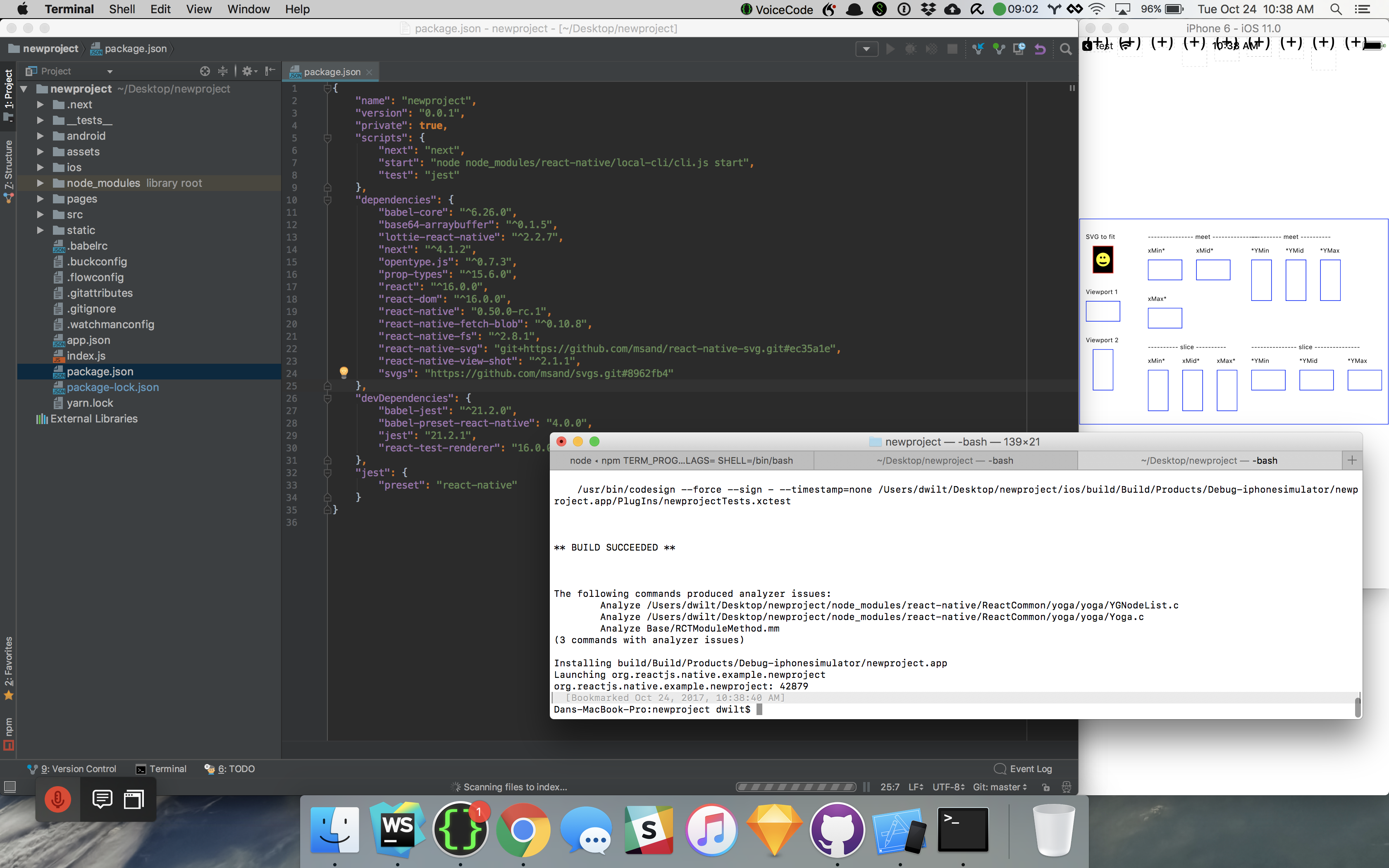
@msand newproject worked for me:
dwilt
on 24 Oct 2017
@msand shit, no I forgot that. Will redo that now. Didn't think of it cause we already had it installed.
dwilt
on 24 Oct 2017
Not sure if this matters...
rnpm-install info Android module react-native-svg is already linked
rnpm-install info iOS module react-native-svg is already linked
Going to give it a shot now
dwilt
on 24 Oct 2017
Otherwise, verify that libRNSVG.a is in the list of linked libraries in the xcode project
msand
on 24 Oct 2017
And, as you already got the newproject building and starting, you can test your use case there at least.
msand
on 24 Oct 2017
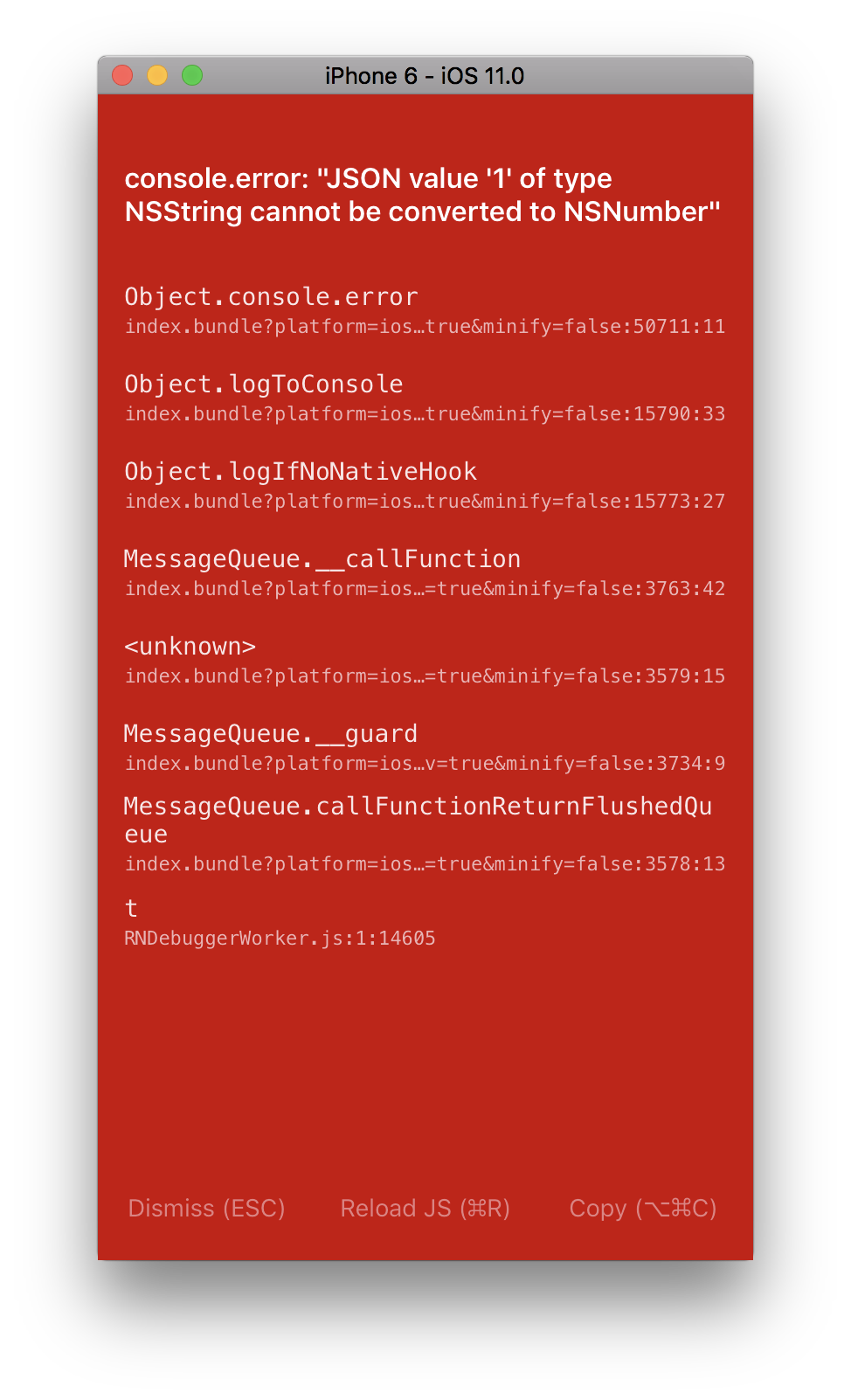
Still getting this after the react-native link:
** BUILD FAILED **


The following build commands failed:
    CompileC /Users/dwilt/Documents/GitHub/dropcountr-react-native/ios/build/Build/Intermediates.noindex/RNSVG.build/Debug-iphonesimulator/RNSVG.build/Objects-normal/x86_64/RNSVGTSpan.o Text/RNSVGTSpan.m normal x86_64 objective-c com.apple.compilers.llvm.clang.1_0.compiler
(1 failure)

Installing build/Build/Products/Debug-iphonesimulator/DropcountrReactNative.app
Launching com.dropcountr.dev
com.dropcountr.dev: 48923
Can you try with this instead (should also work with yarn):
npm install --save react-native-svg@https://github.com/msand/react-native-svg.git#5a01d67
msand
on 24 Oct 2017
Still same error:
dwilt
on 25 Oct 2017
Try with the latest commit from the 6.0.0 branch:
npm i -S react-native-svg@https://github.com/react-native-community/react-native-svg.git#6.0.0
or
npm i -S react-native-svg@https://github.com/react-native-community/react-native-svg.git#be8797b
As I have in my fork of the git submodule example repo:
https://github.com/msand/react-native-svg-example/blob/6.0.0/package.json
msand
on 26 Oct 2017
At some point I had a similar issue, but can't remember specific reason, either changing commit or clearing packager cache, or cleaning the native build. I think some old code was used by xcode or the ios js side at least, can remember which one. Do you have the same issue in android?
msand
on 26 Oct 2017
Might have to restart xcode after installing using npm as well, the project might not be correctly loaded otherwise.
msand
on 26 Oct 2017
With [email protected] rotated text is in the correct position relative to its anchor, but is rotated incorrectly. Rather than the entire string being rotated as expected, rotations seem to be applied to each individual character:
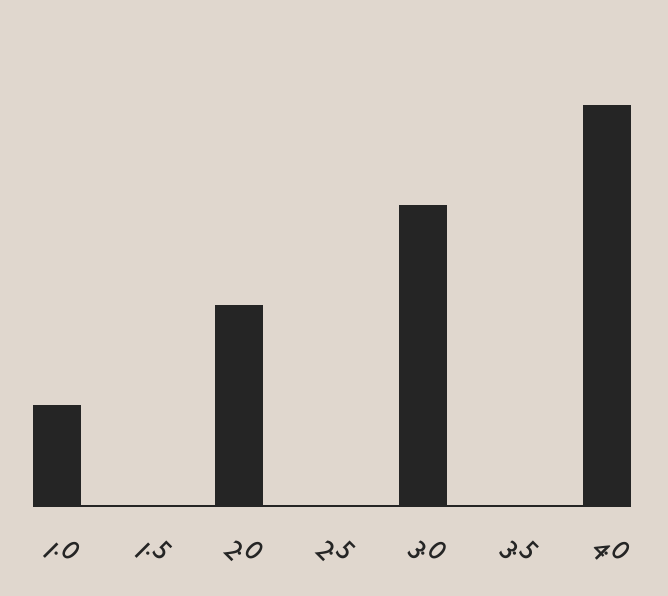
I'm rendering like so:
<Text {...props} (...transform}>
  <TSpan {...moreProps}>
    {content}
  </TSpan>
</Text>
Still impacting https://github.com/FormidableLabs/victory-native/issues/103
 boygirl
on 9 Nov 2017
boygirl
on 9 Nov 2017
@boygirl It seems you might be mixing up the rotate attribute on text elements (per glyph list of rotation angles) https://www.w3.org/TR/SVG11/text.html#TSpanElementRotateAttribute
and the transform attribute (a list of transform definitions) https://www.w3.org/TR/SVG/coords.html#TransformAttribute
try changing to something like:
<Text {...props} transform={transform}>
  <TSpan {...moreProps}>
    {content}
  </TSpan>
</Text>
@msand Thanks for your help! Unfortunately, that change puts me back in the previous situation, where a translation seems to also be applied. In this case it moves the elements off the screen.
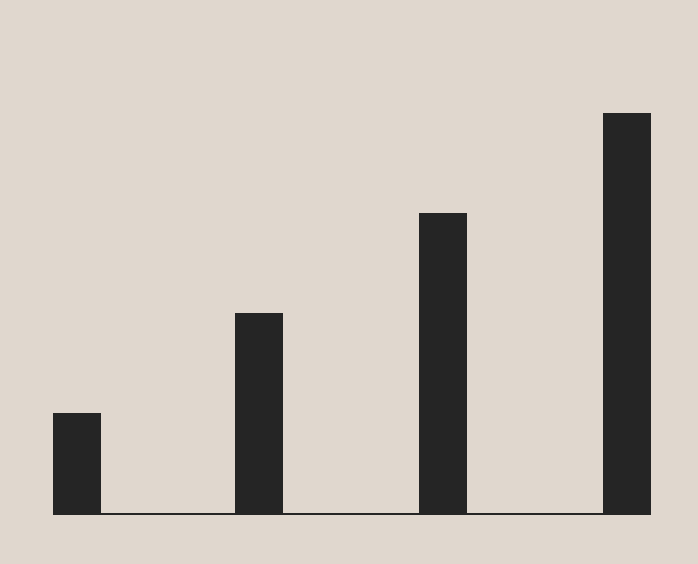
that is with hardcoded transform="rotate(45)". Is that the correct usage? I've also tried with explicit cx and cy values like transform={rotate(45, ${x}, ${y})}
boygirl
on 9 Nov 2017
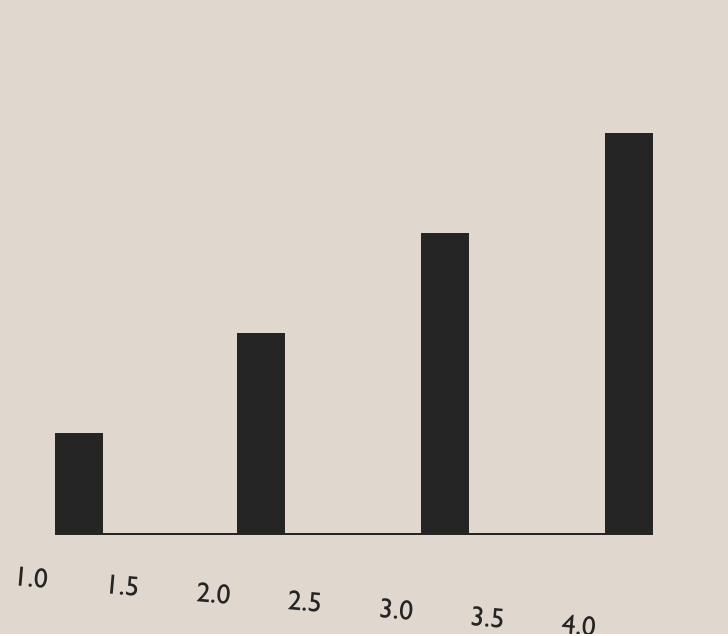
Easier to see what's going on with a 5 degree rotation:
boygirl
on 9 Nov 2017
@boygirl You probably want a text/tspan element per label, rotate them while in the correct position relative to the origin, and then translate them into the correct positions / set their final origin.
msand
on 9 Nov 2017
msand
on 9 Nov 2017
@msand Yes, I already have a one text/tspan element per label which is positioned using x, y, dx and dy attributes. The props provided to the text and tspan elements are identical to those I am using to position labels in web version of the charting library I'm working on. Unfortunately, in the native version, adding a rotation to the text is also causing an unwanted translation. The situation is as described in the original issue, I was just under the impression that it was fixed in v6.0.0.
boygirl
on 9 Nov 2017
@boygirl At least in my tests it seems to be spec conformant, can you try making the same in a jsfiddle, git repo, Expo or something? https://jsfiddle.net/m126Lrqu/
In my RNSvgTests I have three examples of rotation:
https://github.com/msand/RNSvgTests/blob/master/src/components/Nested.js
https://github.com/msand/RNSvgTests/blob/master/src/components/baseline.js
https://github.com/msand/RNSvgTests/blob/master/src/components/RotateScale.js
They're implemented as cross-platform svg, using the svgs library, (server-side) rendering using next.js for the web and react-native for ios and android. So it's easy to ensure that the same svg structure and attribute values create the expected output in the evergreens.
msand
on 9 Nov 2017
@msand I notice that none of your examples have a rotation and an x and y greater than zero. I think that may be the failure case.
boygirl
on 9 Nov 2017
@msand here's a reproduction in a fiddle: https://jsfiddle.net/onm20qp2/
boygirl
on 9 Nov 2017
This might help demonstrate what I think it going wrong... For polar charts I'm translating everything to the origin of the chart. You can see how all the label rotations end up being rotations around that center point, even when I explicitly provide cx and cy to my rotations. Here are 0, 45, and 90 degree rotations _applied to each individual label, not the group_
zero degrees
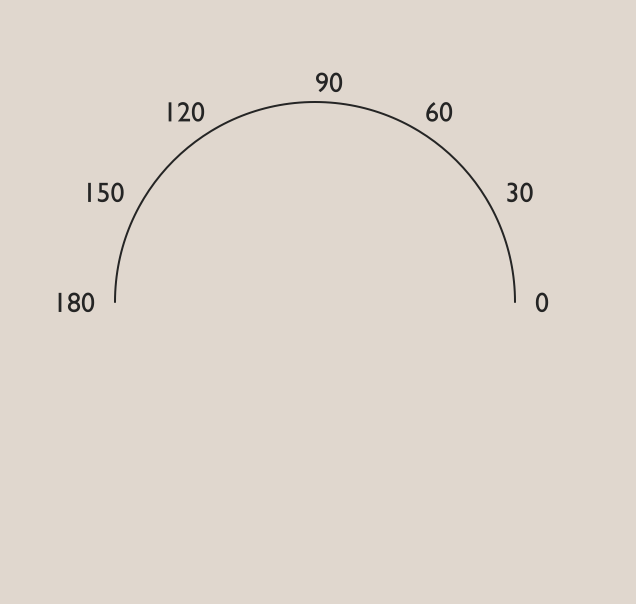
45 degrees
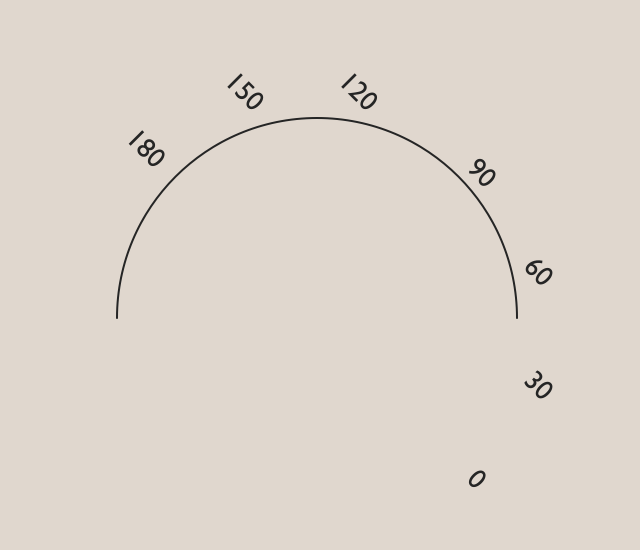
90 degrees
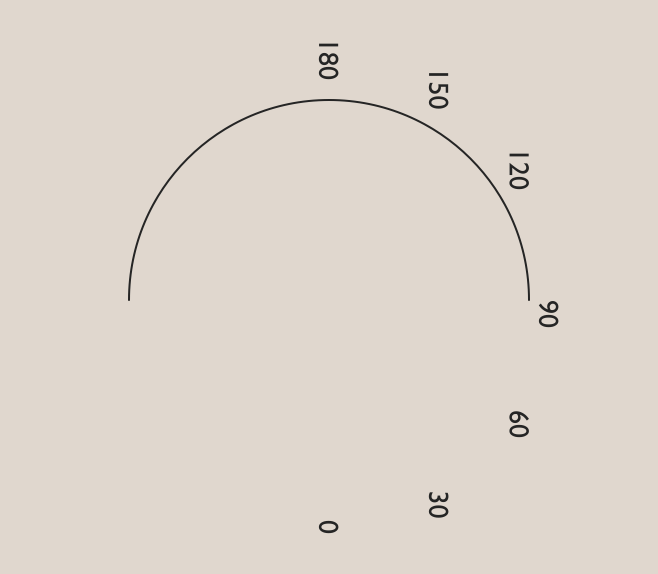
boygirl
on 9 Nov 2017
Ah, I think the optional parameters for rotate aren't supported yet, so you will have to use this manual pattern replacement rotate(a x y) = translate(x, y) rotate(a) translate(-x, -y). And I think support for several instances of one type of transform definition in one transform attribute value string might be sketchy as well, so best to put that in three different nested elements / transform attribute. Or simply implement support for it in the javascript transform parser: https://github.com/react-native-community/react-native-svg/blob/master/lib/extract/extractTransform.js
Alternatively, set x and y for the labels to 0, rotate them while at the origin using a transform rotate, and use a wrapping G element with a transform translate to put it into place.
msand
on 9 Nov 2017
The TransformParser needs to be rewritten https://github.com/react-native-community/react-native-svg/blob/master/lib/extract/extractTransform.js#L18-L63
It should split the string per definition, reduce over them with an initial value of the identity matrix, and for each transform definition, multiply the accumulated matrix with a matrix corresponding to the transform, and warn if any definitions cannot be parsed.
msand
on 9 Nov 2017
At least the images correspond to rotate without the optional parameters, so, rotating about the (centered) origin 0, 45 and 90 degrees.
msand
on 9 Nov 2017
Is this the effect you're looking for?
https://jsfiddle.net/onm20qp2/1/
msand
on 9 Nov 2017
Same with one transform definition per element: https://jsfiddle.net/onm20qp2/2/
msand
on 9 Nov 2017
Phew, okay thanks! I thought I was going nuts. I'll use an explicit matrix transform for now. Thanks!
boygirl
on 9 Nov 2017
Great! Happy I could help. nested & combined transforms can be a bit tricky at first, but, once you think of them as affine transforms in 3d using matrices and what order they're multiplied, it suddenly becomes almost trivial. Just have to get the order right ;)
msand
on 9 Nov 2017
@msand Thanks again for your help. This difference between rnsvg and the web svg spec really should be documented, IMO.
boygirl
on 9 Nov 2017
@boygirl I've made a pull request with a new transform parser, could you try it out, I haven't tested it properly yet. https://github.com/react-native-community/react-native-svg/pull/507
msand
on 14 Nov 2017
@msand yes, I'll try right now. Thank you so much!
boygirl
on 14 Nov 2017
@msand Yes, the new parser works correctly for me with rotations in the form rotate(angle, x, y) 🎉
boygirl
on 14 Nov 2017
Related issues
 dsherida
·
34Comments
dsherida
·
34Comments
 raffaeler
·
38Comments
raffaeler
·
38Comments
 kay-is
·
35Comments
kay-is
·
35Comments
 IljaDaderko
·
30Comments
IljaDaderko
·
30Comments
 prashantchothani
·
33Comments
prashantchothani
·
33Comments