React-native-svg-charts: Question: XAxis word wrap
More of a question: is there a way to ask labels on an xAxis to wrap. We'd like to display two lines label.
 otusweb
All 2 comments
Hi @otusweb, I came across the same issue today and found a solution which I thought I'd share for future reference.
You can use TSpan elements from react-native-svg to draw multiple lines of text in SVG. Just supply the formatLabel prop of the XAxis with a function which returns your text, wrapped in two TSpan elements, one for each line as so:
import { TSpan } from "react-native-svg";

const formatLabel = (value) => (
    <>
      <TSpan>Some text on line 1</TSpan>
      <TSpan dx="-4.3em" dy="1.2em">
        Some text on line 2
      </TSpan>
    </>
  );
This then gets rendered as two lines within the underlying SVGText element. You may have to fiddle with dx and dy, which adjust the relative position of the second TSpan to the first. Credit to this SO post for the solution.
Hope that helps!
 lawrencejberry
on 15 Apr 2020
lawrencejberry
on 15 Apr 2020
Good day
@lawjb
Thanks for the solution, but I could not use it
When i use it, i got error:
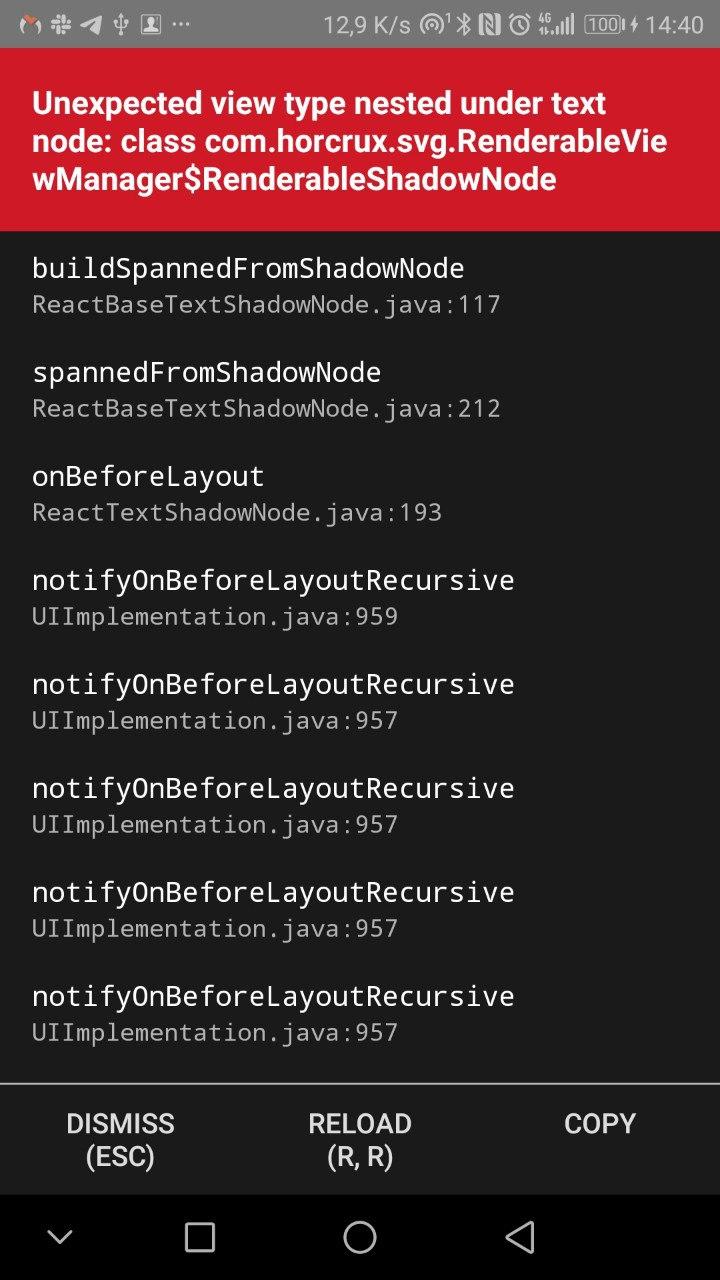
My environment
   "react-native": "0.59.10",
   "react-native-svg": "^9.3.7",
   "react-native-svg-charts": "^5.2.0", // (5.4.0 also tried)
failed on android 8, ios - not tested
XAxis using
          <XAxis
            key="xAxis"
            svg={{ fill: '#818894', fontSize: 9 }}
            data={metrics}
            contentInset={{ top: 0, left: 32, right: 20, bottom: 20 }}
            style={[styles.xAxis, { width: chartWidth }]}
            formatLabel={this.formatLabel}
          />
formatLabel method's code
  formatLabel = (_, index) => {
    const { metrics } = this.state;

    return (
      <>
        <TSpan x="0" dy="11">
          {metrics[index].weekday}
        </TSpan>
        <TSpan x="0" dy="11">
          {metrics[index].day}
        </TSpan>
      </>
    );
  };
do you have any ideas?
can i display two items of XAxis (dirty hack)?
Thanks
 Ryabchikus
on 10 Jul 2020
Ryabchikus
on 10 Jul 2020
Related issues
otusweb
·
6Comments
 andrienpecson
·
5Comments
andrienpecson
·
5Comments
 zeroed-tech
·
4Comments
zeroed-tech
·
4Comments
 vjsingh
·
6Comments
vjsingh
·
6Comments
 jfr3000
·
5Comments
jfr3000
·
5Comments
Most helpful comment
Hi @otusweb, I came across the same issue today and found a solution which I thought I'd share for future reference.
You can use TSpan elements from react-native-svg to draw multiple lines of text in SVG. Just supply the formatLabel prop of the XAxis with a function which returns your text, wrapped in two TSpan elements, one for each line as so:
This then gets rendered as two lines within the underlying SVGText element. You may have to fiddle with dx and dy, which adjust the relative position of the second TSpan to the first. Credit to this SO post for the solution.
Hope that helps!