React-native-share: How to make Instagram post to feed?
Ask your Question
I'm trying to post to Instagram, but I can't make it work properly on either platform.
Here's my call:
Share.shareSingle({
    url: 'https://myserver.url',
    social: Share.Social.INSTAGRAM,
})
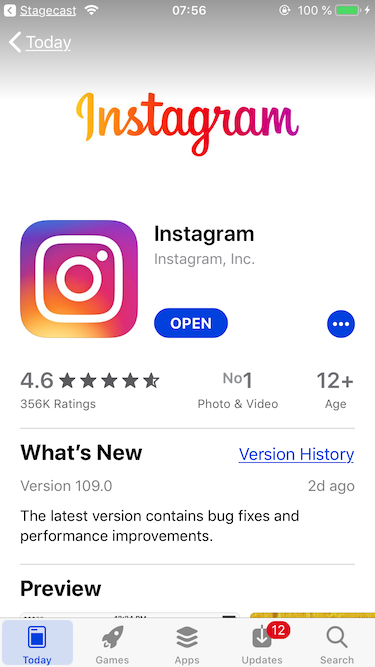
What happens on iOS
Device: iPhone 6S, iOS 12.2
It opens AppStore.
What happens on Android
Device: Sony Xperia Z5 Compact, Android 7.1.1
It opens the app, but in DMs.

 fredrik-jarnbrost
All 3 comments
Did you tried sharing a url to see if this opens the feed?
 MateusAndrade
on 6 Sep 2019
MateusAndrade
on 6 Sep 2019
Ok, so I think I figured it out. Instagram needs image upload (NOTE: it needs to be jpeg as well!) so giving a remote link like I did above does not work.
I use https://github.com/joltup/rn-fetch-blob to download the file then I put the local path as the url (url: 'file://' + response.path()). Then it works.
fredrik-jarnbrost
on 6 Sep 2019
🎉4
That's great!
 jgcmarins
on 6 Sep 2019
jgcmarins
on 6 Sep 2019
Was this page helpful?
0 / 5 - 0 ratings
Related issues
 a-koka
·
3Comments
a-koka
·
3Comments
 andyfen
·
4Comments
andyfen
·
4Comments
 byk04712
·
3Comments
byk04712
·
3Comments
 kunalnagar
·
3Comments
kunalnagar
·
3Comments
 vikjovanov
·
3Comments
vikjovanov
·
3Comments
Most helpful comment
Ok, so I think I figured it out. Instagram needs image upload (NOTE: it needs to be jpeg as well!) so giving a remote link like I did above does not work.
I use https://github.com/joltup/rn-fetch-blob to download the file then I put the local path as the url (
url: 'file://' + response.path()). Then it works.