React-native-screens: Outdated packages warning
Getting that new warning after upgrading to 2.14.0 on every page navigation:
"It appears that you are using old version of react-navigation library. Please update @react-navigation/bottom-tabs, @react-navigation/stack and @react-navigation/drawer to version 5.10.0 or above to take full advantage of new functionality added to react-native-screens"
All my @react-navigation packages are up to date, list is below:
"@react-navigation/bottom-tabs": "^5.11.1",
"@react-navigation/compat": "^5.3.9",
"@react-navigation/material-bottom-tabs": "^5.3.9",
"@react-navigation/material-top-tabs": "^5.3.9",
"@react-navigation/native": "^5.8.9",
"@react-navigation/stack": "^5.12.6",
"react-native-screens": "^2.14.0",
"react-native": "^0.63.3",
"react": "^16.13.1",
Is there something I'm missing that is triggering that message?
 adamawang
All 18 comments
Can you provide a repo/snack with minimal configuration needed to reproduce the issue?
 WoLewicki
on 12 Nov 2020
WoLewicki
on 12 Nov 2020
I am encountering this problem too:
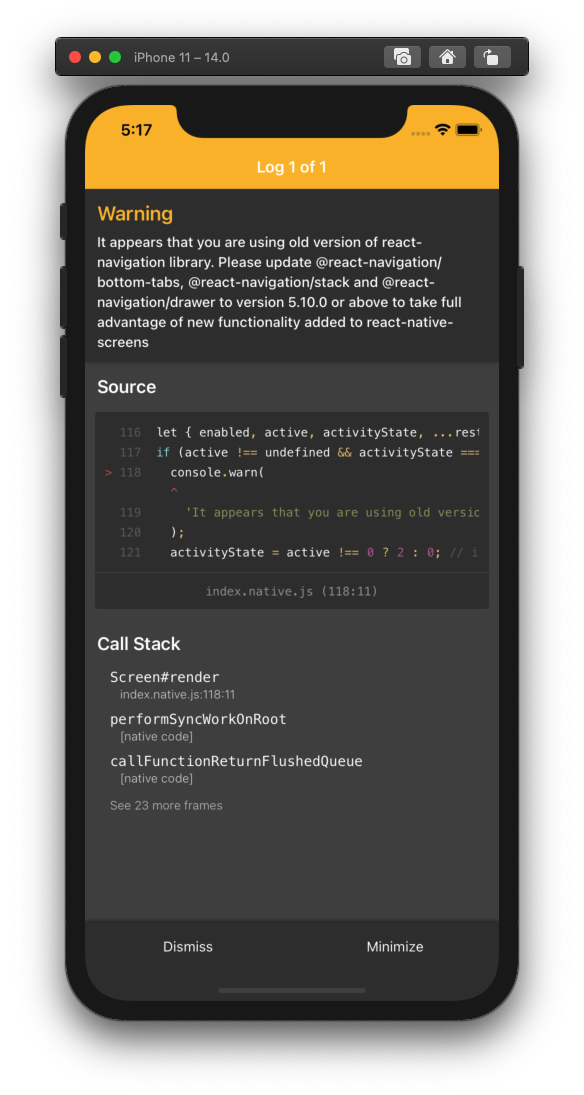
Just cannot figure out where's the cause.
 kockok
on 14 Nov 2020
kockok
on 14 Nov 2020
@kockok can you post here the versions of your packages? The warn should present if you are using old react-navigation with the newest react-native-screens.
WoLewicki
on 16 Nov 2020
@kockok can you post here the versions of your packages? The warn should present if you are using old
react-navigationwith the newestreact-native-screens.
"react-native-screens": "^2.14.0",
    "@react-navigation/bottom-tabs": "^5.11.1",
    "@react-navigation/native": "^5.8.9",
    "@react-navigation/stack": "^5.12.6",
p.s. I use ncu -u frequently to update the packages.
kockok
on 16 Nov 2020
@kockok this warning should not appear with those versions of packages iirc. Can you provide a repo with a minimal configuration where this warning appears?
WoLewicki
on 16 Nov 2020
I am encountering this, too.
I believe this has nothing to do with the 'versions' of the packages.
the problem is with the IOS emulator, because sometimes the app runs normally, and sometimes I get this warning.
p.s. the app works just fine on the Android emulator. it is so weird
 HassanAbbas198
on 17 Nov 2020
HassanAbbas198
on 17 Nov 2020
The warning appears here: https://github.com/software-mansion/react-native-screens/blob/master/src/index.native.js#L102 and it appears when using versions of react-navigation's navigators that do not include the new API provided by react-native-screens. These packages for react-navigation v5 are all of the navigators before version 5.10.0, at least it should be like that if there is no bug in the code. Please provide a repo where the above is not applied, otherwise, there is not much I can do.
WoLewicki
on 18 Nov 2020
I use this bottom tab third party library. Could that be a reason?
kockok
on 19 Nov 2020
@kockok yes, it uses old prop (active): https://github.com/torgeadelin/react-native-animated-nav-tab-bar/blob/master/src/ResourceSavingScene.js#L12, you need to change it to activityState if you are using react-native-screens 2.14.0 or higher.
WoLewicki
on 19 Nov 2020
@kockok yes, it uses old prop (
active): https://github.com/torgeadelin/react-native-animated-nav-tab-bar/blob/master/src/ResourceSavingScene.js#L12, you need to change it toactivityStateif you are usingreact-native-screens2.14.0 or higher.
simply changing active to activityState would kick away the warning, however, the touch activity of the WHOLE screen would not function.
E.g. the button will not work, the onPress function cannot be called.
I had to revert back to
<Screen active={isVisible ? 1 : 0} {...rest} />;
I am sorry, I forgot to mension that after the introduction of activityState, you have to change the values too, since now 1 has different meaning. It should rather be like this then: activityState={isVisible ? 2 : 0}. Can you check if this fixes the issue?
WoLewicki
on 23 Nov 2020
Can I help you any more with this or can I close this issue then?
WoLewicki
on 23 Nov 2020
Can confirm adding activity state fixes the warnings. Thanks @WoLewicki
adamawang
on 23 Nov 2020
@adamawang, Still issue is there.
This issue is reproducible (checked in android) - https://snack.expo.io/@viveksc1994/outdated-packages-warning
 viveksc1994
on 21 Dec 2020
viveksc1994
on 21 Dec 2020
I cannot repro it in the snack you provided @viveksc1994. Maybe it is because the version with the proper code has been released. Can you check again?
WoLewicki
on 28 Dec 2020
Thanks for looking into,
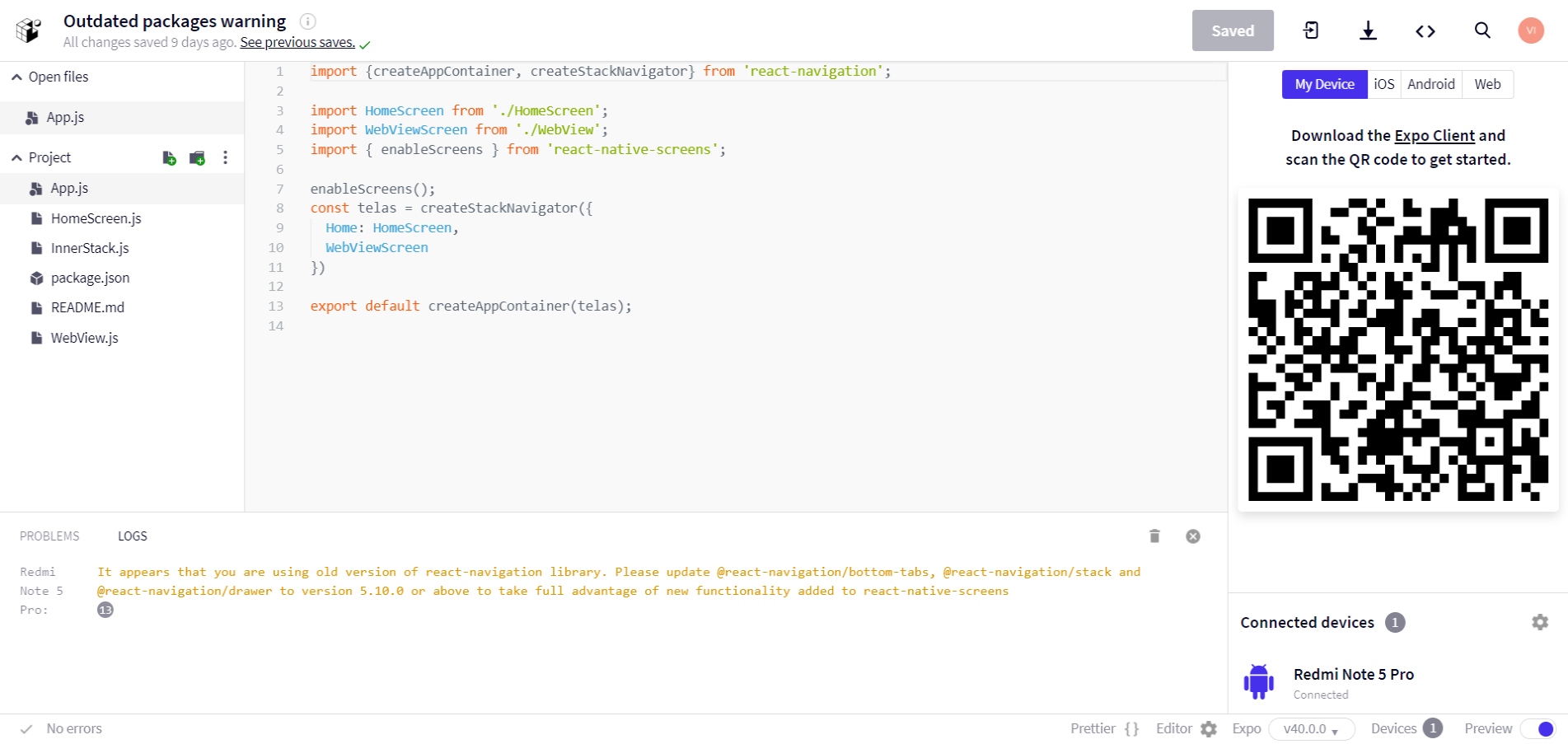
device android version 9
expo client version 2.18.4 (supported expo 40)
Is there anything I missed? (in the code or for an update)
viveksc1994
on 30 Dec 2020
Oh, it is my fault, I was not looking at the right logs. I will investigate it further.
WoLewicki
on 30 Dec 2020
It may come from using react-navigation v.3. It is deprecated and may raise such warnings because it is not updated to use the latest versions of navigators. The only solution seems to be to upgrade to v4/v5. Can I help you more with this?
WoLewicki
on 30 Dec 2020
Related issues
 ArekChr
·
5Comments
ArekChr
·
5Comments
 Kinark
·
4Comments
Kinark
·
4Comments
 chengsokdara
·
3Comments
chengsokdara
·
3Comments
 bartzy
·
3Comments
bartzy
·
3Comments
 ukasiu
·
4Comments
ukasiu
·
4Comments
Most helpful comment
I am sorry, I forgot to mension that after the introduction of
activityState, you have to change the values too, since now1has different meaning. It should rather be like this then:activityState={isVisible ? 2 : 0}. Can you check if this fixes the issue?