React-native-screens: Redundant space between StatusBar and Stack header on Android
Hi, after updating the expo to the version 38, I encountered with a strange issue on Android device. (Before SDK 38, everything worked as expected)
Whenever I use the StatusBar component from ReactNative it adds additional space between stack header and status bar.
With StatusBar component
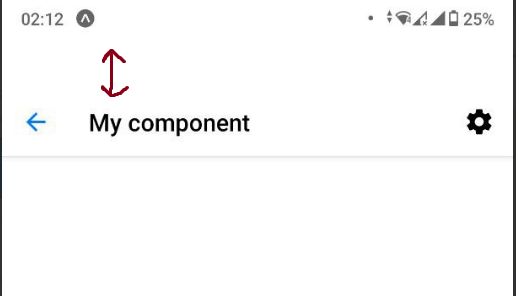
Without StatusBar component

The source code looks like this
const Stack = createNativeStackNavigator();

export default App() {
  return (
    <SafeAreaProvider initialMetrics={initialWindowMetrics}>
      <StatusBar />
      <Stack.Navigator>
        <Stack.Screen name='Screen1' component={Screen1} />
      </Stack.Navigator>
    </SafeAreaProvider>
  )
}
I'm not sure if this kind of issue is related to the react-native-screens or to the react-navigation with react-native-safe-area-context.
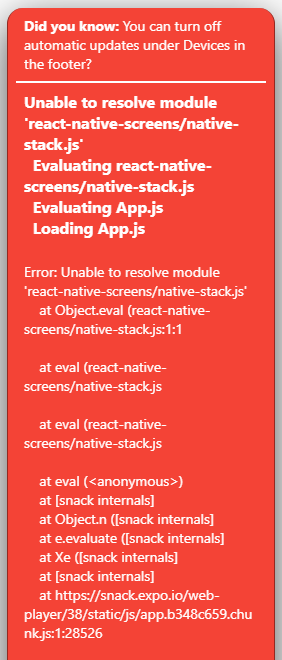
I was trying to create snack example but faced with issue which complains about react-native-screens imports.
 enheit
>All comments
I resolved my question by reading the release notes of the react-native-screens.
It also adds #545 by @brentvatne, which introduces additional padding to the header, which is a BREAKING CHANGE and will cause the header to have too much top padding in case of not having a translucent status bar.
See https://github.com/software-mansion/react-native-screens/releases/tag/2.9.0
So, I just set the translucent prop to true on the StatusBar component.
const Stack = createNativeStackNavigator();

export default App() {
  return (
    <SafeAreaProvider initialMetrics={initialWindowMetrics}>
      <StatusBar translucent={true} /> {/* <--- Here */}
      <Stack.Navigator>
        <Stack.Screen name='Screen1' component={Screen1} />
      </Stack.Navigator>
    </SafeAreaProvider>
  )
}
I close this issue
enheit
on 16 Jul 2020
Related issues
 thomasgosse
·
4Comments
thomasgosse
·
4Comments
 thorbenandresen
·
4Comments
thorbenandresen
·
4Comments
 joshua-augustinus
·
4Comments
joshua-augustinus
·
4Comments
 ukasiu
·
4Comments
ukasiu
·
4Comments
 Kinark
·
4Comments
Kinark
·
4Comments
Most helpful comment
I resolved my question by reading the release notes of the
react-native-screens.See https://github.com/software-mansion/react-native-screens/releases/tag/2.9.0
So, I just set the
translucentprop totrueon theStatusBarcomponent.I close this issue