React-native-screens: 🦸🏻♂️ Hero/Shared Element Animation for Native Stack Navigator
Intro
Hi!
I'm currently using react-navigation-shared-element to create shared element transitions between screens, which uses the StackNavigator from react-navigation under the hood (so not the native one from react-native-screens, there's an issue for this here) and therefore suffers from bad performance. (It is an awesome library though!)
Approach
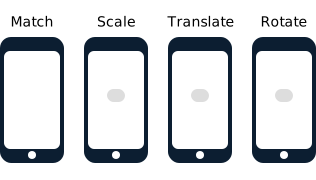
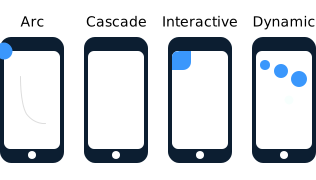
So I'm trying to come up with performant alternatives. I have thought about creating a Native Module/library which wraps the Hero library and an Android alternative, so you can declare React Components like this:
<Hero id="image1">
  <Image source={source} ... />
</Hero>
... wrap those in a Native Stack Navigator and let the library automatically create Shared Element / Hero Transitions for you on each navigation (props.navigation.navigate(...)).
So why am I opening this issue?
I wanted to ask first before I try to dig around the source code and eventually waste a lot of time:
- How is the Native Stack Navigator implemented, does it essentially create multiple View Controllers between routes?
- If it does, do I have access to those View Controllers? (That wouldn't be the biggest problem, since I can use
parentResponderin a View to go up the View tree anyway) - Do you have any advice I should look out for?
If it does not create multiple View Controllers, then I guess there would be no way of getting the Hero library to work, since that requires navigation between multiple View Controllers.
Thanks!
 mrousavy
All 9 comments
hey @mrousavy – Thanks for putting some thought into that. We'd be open to collaborating on that together. In fact we already had some plans to work in this in the near future.
As for the idea of using hero – as much as I like the library and its API I'd imagine it being difficult to integrate. The biggest issue here IMO is that it hides a lot of complexity exposing a set of available transitions. It makes a lot of sense when you use it in swift as it is very easy to use the built-in options. However, if we wanted to use it from React Native we'd have to expose the available options. This may not be too difficult, but then when we'd want to adapt it to Android we'd need to replicate each of those effects to make it work consistently across different platforms. The preferred approach would be to expose a way to control transition using the existing animation libraries (e.g. Animated or Reanimated). This way the API surface would be much smaller and we'd defer the implementation of certain transition to APIs that already work across all supported platforms.
Answering your questions:
- Native Stack renders a UINavigationViewController and each of the screen that is rendered on the stack is encapsulated in a UIVIewController. The VC structure is exactly as the one that would've been created in a objc or a swift app.
- Yes, there are two "container types". One is called "ScreenCintainer" and the second is "ScreenStack". Container just uses UIViewController directly whereas Stack uses UINavController. From the native side we operate on those controllers and can access all the children controllers when necessary. Each "Screen" is a UIViewController with a UIView that render the content. They are interlinked together so you can access controller from the view and vice versa.
- There is a lot of good stuff here done by @IjzerenHein here https://github.com/IjzerenHein/react-native-shared-element – definitely worth checking out. The only aspect is that RNSE lib does not rely on the concept of UIViewControllers. Not sure how it'd behave if views are shared across different VC's.
 kmagiera
on 21 Jul 2020
kmagiera
on 21 Jul 2020
@kmagiera Thanks for your reply. After I initially posted my question, I've begun to dig around the source code and tried some things in a sandbox app. I managed to get a really wacky solution working with a "fire and forget" animation concept, but to get this working fully I will need to do a lot of polishing. Also, not sure if I want to have absolutely no control over the animation after I start it. I'm thinking we can't get around exposing an animated value which you can then use to interpolate on. see #317
mrousavy
on 21 Jul 2020
There is a lot of good stuff here done by @IjzerenHein here https://github.com/IjzerenHein/react-native-shared-element – definitely worth checking out. The only aspect is that RNSE lib does not rely on the concept of UIViewControllers. Not sure how it'd behave if views are shared across different VC's.
There are really two important parts here. Firstly the measuring part, where RNSE needs to figure out the start and ending positions of the elements. When using ViewControllers, you'd need to be able to calculate the ending position relative to the new view-controller. And secondly, the rendering. RNSE relies on rendering the visual content in front of the other views. So al long as both those things can be achieved, it should be possible.
 IjzerenHein
on 22 Jul 2020
IjzerenHein
on 22 Jul 2020
@IjzerenHein The react-native-shared-element renders infront of a single ViewController as of right now, right?
mrousavy
on 22 Jul 2020
@mrousavy That's up to you. It renders in whatever <View> you provide it.
IjzerenHein
on 22 Jul 2020
So would you say react-native-shared-element is compatible with this lib? @IjzerenHein
 zachgibson
on 22 Oct 2020
zachgibson
on 22 Oct 2020
Just checking, has anyone managed to get shared element transitions to work with native-stack, either with RNSE or a different solution?
Thanks!
 nandorojo
on 1 Dec 2020
nandorojo
on 1 Dec 2020
@nandorojo I've tried a different approach. I switched to the wix/react-native-navigation library and tried the shared element transitions. They had a lot of issues at first, but at least a foundation was implemented. I decided to create some issues, which later turned into me creating PRs and now I'm a maintainer over there. With the incredible help of the other maintainers, we managed to get shared element transitions fully working, in just about 2-3 months. Fully working means:
- Fully native, 60 FPS
- Custom interpolation/easing implementations (E.g.: Spring)
- Border Radius Support
- Image and FastImage support
- Text support
- (WIP) different resizeMode for Images support
I posted a demo on my Twitter
mrousavy
on 1 Dec 2020
I appreciate the detailed and quick response. I'm pretty deep into using React Navigation (and managed Expo), so this solution unfortunately won't work for me.
The video on your Twitter looks awesome though, congrats! Glad you were able to solve it for your app.
For now, I'll keep trying to figure this one out. I'd love to use it with native stack if possible.
nandorojo
on 1 Dec 2020
Related issues
 beetlebum
·
5Comments
beetlebum
·
5Comments
 pvinis
·
5Comments
pvinis
·
5Comments
 OmarBasem
·
4Comments
OmarBasem
·
4Comments
 harrisrobin
·
3Comments
harrisrobin
·
3Comments
 dotconnor
·
5Comments
dotconnor
·
5Comments
Most helpful comment
I appreciate the detailed and quick response. I'm pretty deep into using React Navigation (and managed Expo), so this solution unfortunately won't work for me.
The video on your Twitter looks awesome though, congrats! Glad you were able to solve it for your app.
For now, I'll keep trying to figure this one out. I'd love to use it with native stack if possible.