React-native-reanimated-bottom-sheet: Bottomsheet auto opens when screen load
I implemented the bottomsheet on my main screen but issue is that it auto opens whenever the main screen load. I don't want it to be like that. I want bottomsheet to be controlled.
i aslo tried with initialSnap={0} but still its not working. Kindly guide me how to fix this
 burhanahmed92
All 6 comments
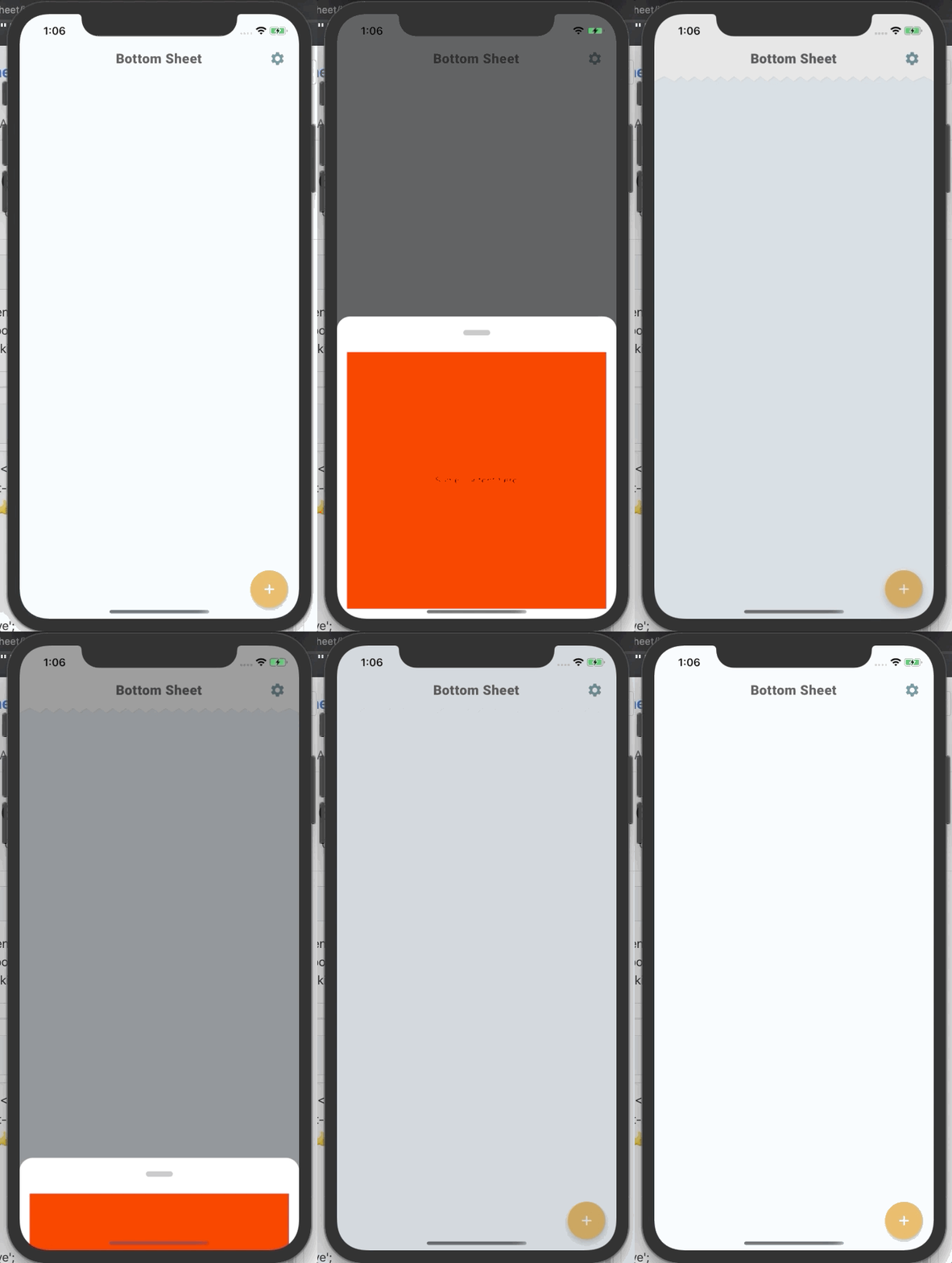
I had a similar query. I solved it by wrapping the <BottomSheet/> in a <Modal/> (see https://github.com/react-native-community/react-native-modal). That way you can control the modal visibility directly using its isVisible prop 👍 .
import React from 'react';
import { View, StyleSheet, Text } from 'react-native';
import BottomSheet from 'reanimated-bottom-sheet';
import Modal from 'react-native-modal';

interface Props {
  isVisible: boolean;
  onDismiss: () => void;
}

export default function SheetModal({ isVisible, onDismiss }: Props): React.ReactElement | null {
  return (
    <Modal
      style={styles.modal}
      isVisible={isVisible}
      onDismiss={onDismiss}
      onBackdropPress={onDismiss}>
      <View style={styles.container} pointerEvents="box-none">
        <BottomSheet
          initialSnap={0}
          snapPoints={['50%', 0]}
          onCloseEnd={onDismiss}
          renderHeader={() => (
            <View style={styles.sheetHeader}>
              <View style={styles.panelHeader}>
                <View style={styles.panelHandle} />
              </View>
            </View>
          )}
          renderContent={() => (
            <View style={styles.sheetContent}>
              <View
                style={{
                  backgroundColor: 'red',
                  height: '100%',
                  justifyContent: 'center',
                  alignItems: 'center',
                }}>
                <Text>Some content here</Text>
              </View>
            </View>
          )}
        />
      </View>
    </Modal>
  );
}

const styles = StyleSheet.create({
  modal: {
    margin: 0,
  },
  container: {
    flex: 1,
  },
  sheetHeader: {
    backgroundColor: '#fff',
    paddingTop: 20,
    borderTopLeftRadius: 20,
    borderTopRightRadius: 20,
  },
  sheetContent: {
    backgroundColor: '#fff',
    padding: 15,
  },
  panelHeader: {
    alignItems: 'center',
  },
  panelHandle: {
    width: 40,
    height: 8,
    borderRadius: 4,
    backgroundColor: '#00000040',
    marginBottom: 10,
  },
});
 mrbrentkelly
on 15 Jun 2020
mrbrentkelly
on 15 Jun 2020
If you have more that one snap point (and you probably have), then initialSnap={0} won't work, because you're snapping to wrong point. Let's say you have snap points like @mrbrentkelly ['50%', 0]. To prevent auto opening on load you need to have initialSnap={1} instead of {0}, because snap point 0, so closed bottom sheet, has index 1 in array of snap points.
 aank4871
on 23 Jun 2020
aank4871
on 23 Jun 2020
I am able to close BottomSheet initially by initialSnap={1}.
My snapPoints are snapPoints={[450, 0]}.
To close BottomSheet, I simply do sheetRef.current.snapTo(0);
 bimalgrg519
on 27 Aug 2020
bimalgrg519
on 27 Aug 2020
@bimalgrg519 can you attach you entire code. I am also tying to same as you but still I am facing the same issue. It's always gets open by default on first loading. Even If I am trying to use snapPoints={[450,0]} it's itself giving error.
 ashumantoo
on 28 Aug 2020
ashumantoo
on 28 Aug 2020
Just set initialSnap to 2 .. its worked for me ...
example:
<BottomSheet
        ref={sheetRef}
        snapPoints={[450, 300, 0]}
        borderRadius={10}
        renderContent={renderContent}
        enabledContentTapInteraction={true}
        initialSnap={2}
      />
 newshow321
on 24 Sep 2020
newshow321
on 24 Sep 2020
@burhanahmed92
Just set
initialSnapto 2 .. its worked for me ...
example:
<BottomSheet ref={sheetRef} snapPoints={[450, 300, 0]} borderRadius={10} renderContent={renderContent} enabledContentTapInteraction={true} initialSnap={2} />
newshow321
on 24 Sep 2020
Related issues
 Arjun-aks
·
4Comments
Arjun-aks
·
4Comments
 ardyfeb
·
5Comments
ardyfeb
·
5Comments
 Janak-Nirmal
·
3Comments
Janak-Nirmal
·
3Comments
 ShaikIrfan1739
·
3Comments
ShaikIrfan1739
·
3Comments
 fadhlisulaimi
·
5Comments
fadhlisulaimi
·
5Comments
Most helpful comment
I had a similar query. I solved it by wrapping the
<BottomSheet/>in a<Modal/>(see https://github.com/react-native-community/react-native-modal). That way you can control the modal visibility directly using itsisVisibleprop 👍 .