React-native-paper: FAB not responding if at least once disabled [working with RN 0.59.8 but not with 0.60.4]
If problematically set disabled prop to false then afterwords the FAB never responds with disabled={true}. FAB is greyed out properly according to whether disabled or not but completely freezes if once disabled.
TRIED WITH MULTIPLE PROJECTS USING RN 0.60.4 - GOT SAME RESULTS
Here is my code:-
import React, {Component} from 'react';
import {
    StyleSheet,
    View,
    Text,
    Button,
    Alert
} from 'react-native';

import { FAB } from 'react-native-paper';

export default class FabComponent extends Component {
    state = {
        disableFab: false
    }

    handleFabPress = () => {
        Alert.alert(
            'Alert Title',
            'You pressed the floating button',
            [
              {
                text: 'Cancel',
                onPress: () => console.log('Cancel Pressed'),
                style: 'cancel',
              },
              {text: 'OK', onPress: () => console.log('OK Pressed')},
            ],
            {cancelable: false},
          );
    }

    render() {
        return (
            <View style={styles.container}>
                <View style={{flex: 1, justifyContent: 'center', alignItems: 'center'}}>
                    <Button
                        onPress={() => {
                                this.setState((prevState) => {
                                    return {
                                        disableFab: ! prevState.disableFab
                                    }
                                })
                            }
                        }
                        title={this.state.disableFab? 'Enable FAB' : 'Disable FAB'}
                        color="#488c51"
                    />
                </View>

                <FAB
                    style={styles.fab}
                    small={false}
                    icon="add"
                    disabled={this.state.disableFab}
                    onPress={this.handleFabPress}
                />
            </View>
        )
    }
}

const styles = StyleSheet.create({
    container: {
        flex: 1,
    },
    fab: {
        position: 'absolute',
        margin: 16,
        right: 0,
        bottom: 0,
      },
  });
the repo is here - https://github.com/devsrv/rnpaper-fab
 devsrv
All 7 comments
It must be something with accessibility. @pan-pawel Can you check it?
 Trancever
on 1 Aug 2019
Trancever
on 1 Aug 2019
normal Button component acts like this as well.
 mahdinabi
on 4 Aug 2019
mahdinabi
on 4 Aug 2019
Hello @devsrv!
Can you please try upgrade react-native-paper to 3.0.0-alpha.3?
My fix touchable-ripple-toggling-disable-prop was merged there
The problem occurs with RN > 0.60, There were some changes with accessibility 0.59 -> 0.60 and they causing this issue.
 pan-pawel
on 4 Aug 2019
pan-pawel
on 4 Aug 2019
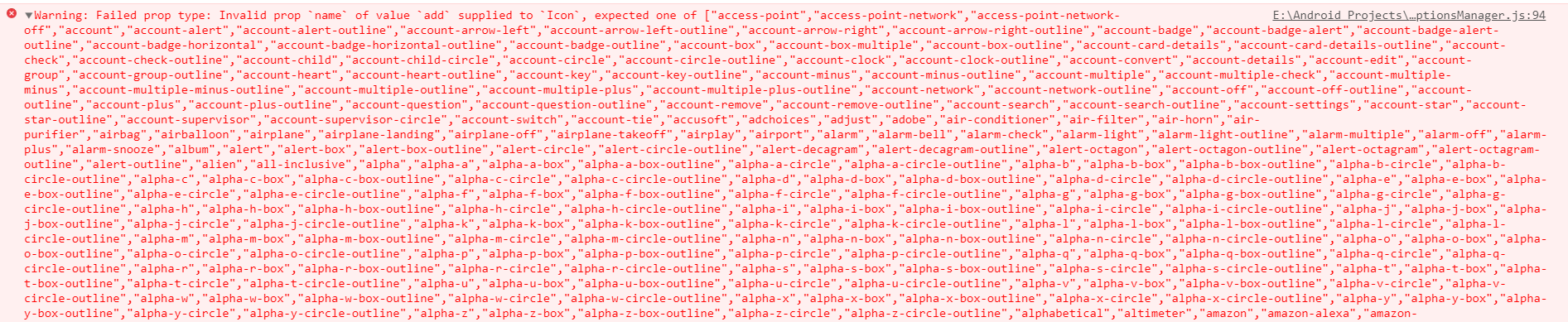
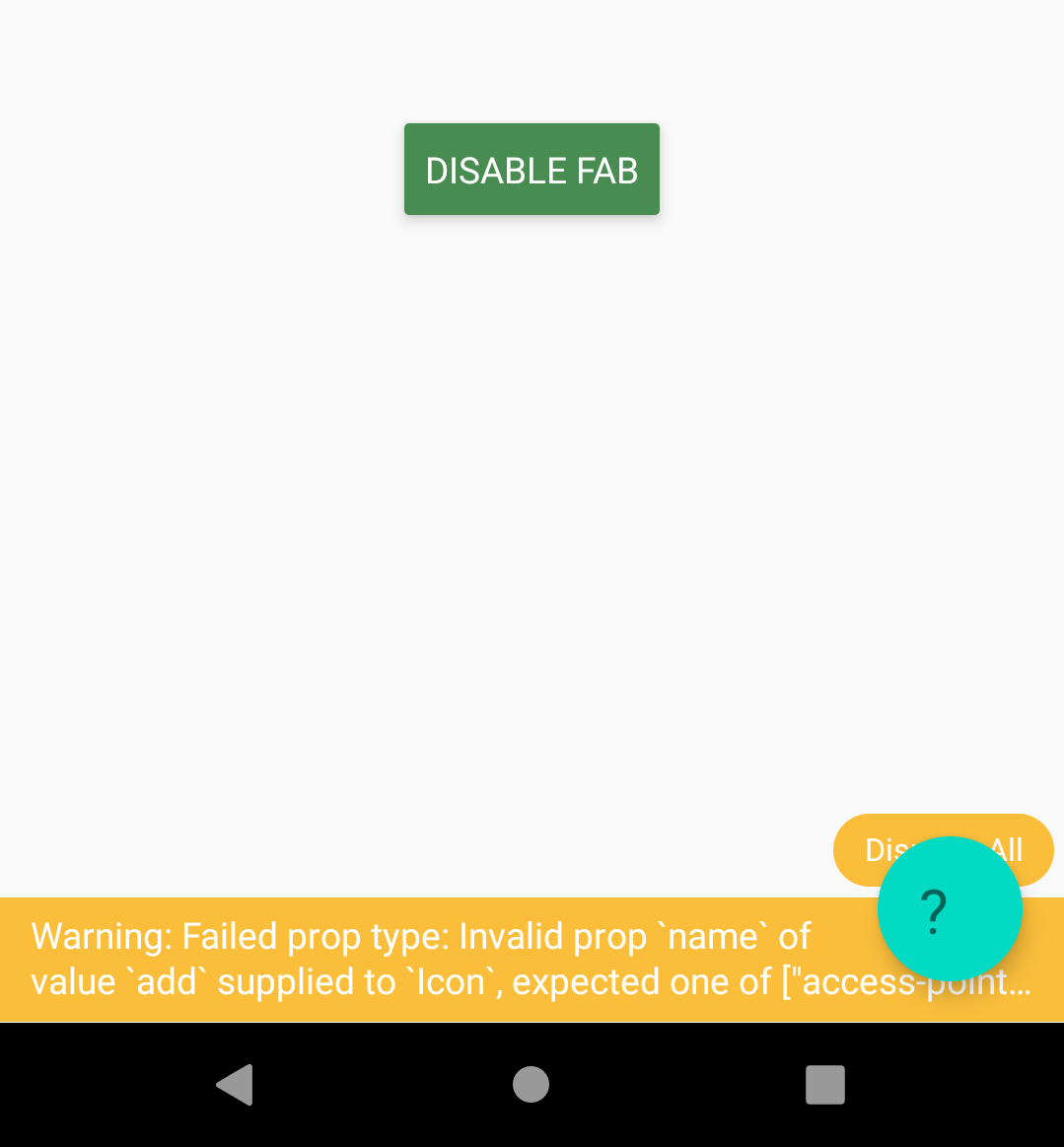
the problem is fixed in 3.0.0-alpha.3 however getting a prop error warning & the icon is not appearing on the FAB.
devsrv
on 11 Aug 2019
@Trancever This is related to icon problems in paper 3?
pan-pawel
on 12 Aug 2019
@devsrv Paper v3 uses react-native-vector-icons/Material-Community-Icons instead of react-native-vector-icons/Material-Icons by default so you need to update name of the icon or use old Icon component via settings prop on PaperProvider. You can see how to do it here
Trancever
on 12 Aug 2019
fixed 🥳
devsrv
on 12 Aug 2019
Related issues
 brunohkbx
·
14Comments
brunohkbx
·
14Comments
 khaledBou
·
50Comments
khaledBou
·
50Comments
 huytran123
·
17Comments
huytran123
·
17Comments
 Steffi3rd
·
21Comments
Steffi3rd
·
21Comments
 reddo
·
24Comments
reddo
·
24Comments
Most helpful comment
@devsrv Paper v3 uses
react-native-vector-icons/Material-Community-Iconsinstead ofreact-native-vector-icons/Material-Iconsby default so you need to update name of the icon or use old Icon component via settings prop on PaperProvider. You can see how to do it here