React-native-navigation: [v2] [Android] Adding marginLeft or marginRight to rightButtons causes title to collapse
Issue Description
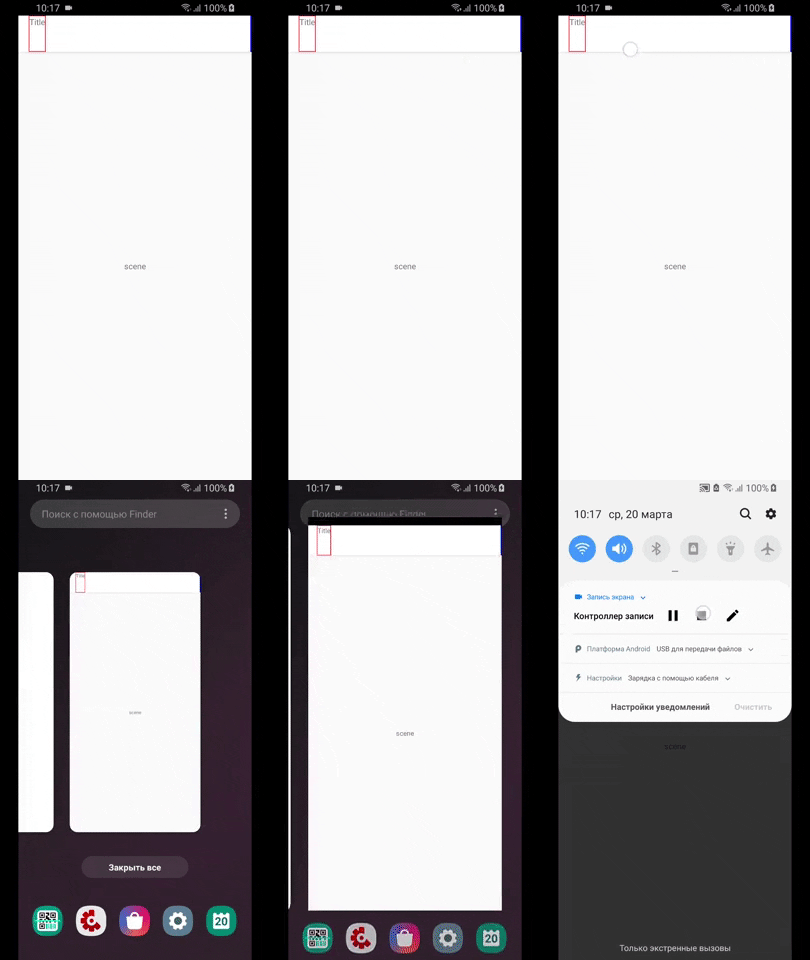
When adding custom components as buttons on topBar->rightButtons, it causes the topBar to glitch and collapse the title.
Steps to Reproduce / Code Snippets / Screenshots
Both topBar and rightButtons were custom components. It did not appear to collapse when using a standard text component as the title.
topBar-->rightButtons (components)
topBar-->title (component)
Environment
- React Native Navigation version: 2.13.1
- React Native version: 0.59.0
- Platform(s) (iOS, Android, or both?): Android
- Device info (Simulator/Device? OS version? Debug/Release?): Poco F1 - LineageOS 16 (Debug)
 harveyconnor
All 16 comments
 retyui
on 19 Mar 2019
retyui
on 19 Mar 2019
@retyui
Nah that's not it.
Here's what you should try, attempt to create a custom component for your right button, and a custom component for your title.
options: {
  topBar: {
      title: {
        component: {} // Insert a custom title component here, obviously register it first and use the appropriate component name e.g. <View><Text>Title</Text></View>
      },
      rightButtons: [
        {
           id: '1',
           component: {} // Apply a marginRight to the component's root <View>
        },
      ],
   }
}
I update the example https://gist.github.com/retyui/16a275c8cb3c322dab4dd858515d457f
And here is the result:
retyui
on 20 Mar 2019
I get the same behavior. RNN 2.8.0, RN 57.4 , Android Sim.
 juddey
on 20 Mar 2019
juddey
on 20 Mar 2019
@retyui yep, that's exactly what happens. iOS is completely fine. My solution was just to add
paddingRight: 10
instead of marginRight
harveyconnor
on 20 Mar 2019
@harveyconnor Did paddingRight exhibit strange behaviour for you?
I distinctly remember adding this attribute and what happened was that the element I had slid left and bumped up against the title...
kind of like a skater going across the ice, a nice effect but not what I was _really_ after. :wink:
juddey
on 20 Mar 2019
@juddey This is what I have:
container: {
    ...Platform.select({
      android: {
        paddingRight: 16,
        marginLeft  : 8,
      },
    }),
  },
On iOS the marginRight is in there natively
harveyconnor
on 21 Mar 2019
Hmmm.
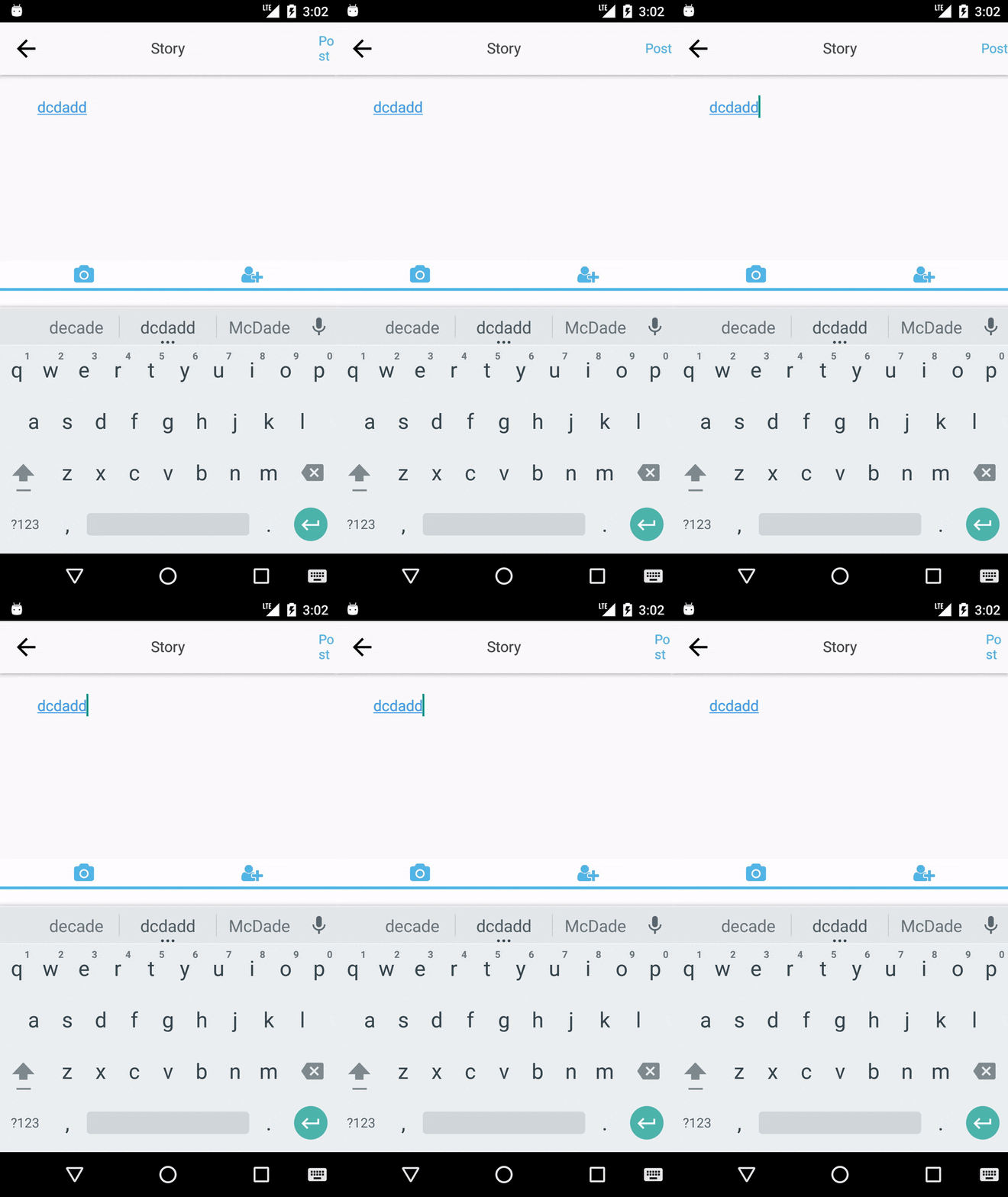
Variation on your problem then:
juddey
on 21 Mar 2019
yeah that was the original issue I had
harveyconnor
on 21 Mar 2019
This issue has been automatically marked as stale because it has not had recent activity. It will be closed if no further activity occurs.
If you believe the issue is still relevant, please test on the latest Detox and report back. Thank you for your contributions.
![stale[bot] picture](https://avatars.githubusercontent.com/in/1724?v=4&s=40) stale[bot]
on 20 Apr 2019
stale[bot]
on 20 Apr 2019
This is still an issue (2.17)
juddey
on 21 Apr 2019
This issue has been automatically marked as stale because it has not had recent activity. It will be closed if no further activity occurs.
If you believe the issue is still relevant, please test on the latest Detox and report back. Thank you for your contributions.
stale[bot]
on 21 May 2019
No no no no no stalebot, this is still a problem. :robot:
juddey
on 22 May 2019
This issue has been automatically marked as stale because it has not had recent activity. It will be closed if no further activity occurs.
If you believe the issue is still relevant, please test on the latest Detox and report back. Thank you for your contributions.
stale[bot]
on 21 Jun 2019
The issue has been closed for inactivity.
stale[bot]
on 28 Jun 2019
Still existing on 3.0.0
 xxRockOnxx
on 19 Aug 2019
xxRockOnxx
on 19 Aug 2019
Related issues
 henrikra
·
3Comments
henrikra
·
3Comments
 EliSadaka
·
3Comments
EliSadaka
·
3Comments
 zhanguangao
·
3Comments
zhanguangao
·
3Comments
 bjacog
·
3Comments
bjacog
·
3Comments
 ghost
·
3Comments
ghost
·
3Comments
Most helpful comment
This is still an issue (2.17)