React-native-navigation: [V2] Navigation.push is crashing my application
Issue Description
My project uses React Native Navigation V2 and whenever I setRoot with a stack and then try to push to it, the application crashes with an error of 'NSInvalidArgumentException'.
Exact Error: Terminating app due to uncaught exception 'NSInvalidArgumentException', reason: '* -[__NSPlaceholderDictionary initWithObjects:forKeys:count:]: attempt to insert nil object from objects[0]'
Steps to Reproduce / Code Snippets / Screenshots
This is how i set my root.

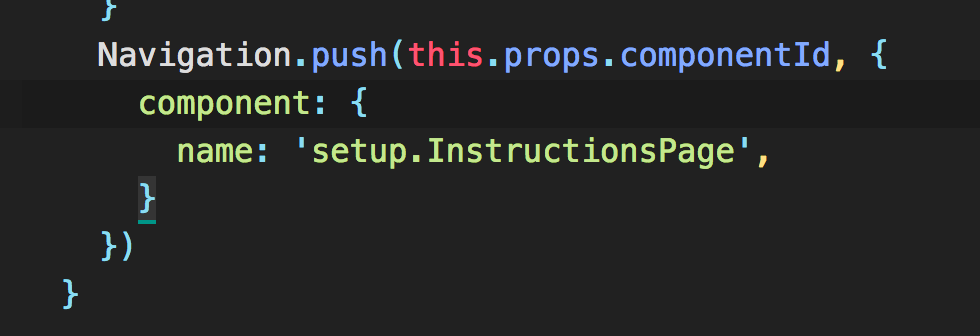
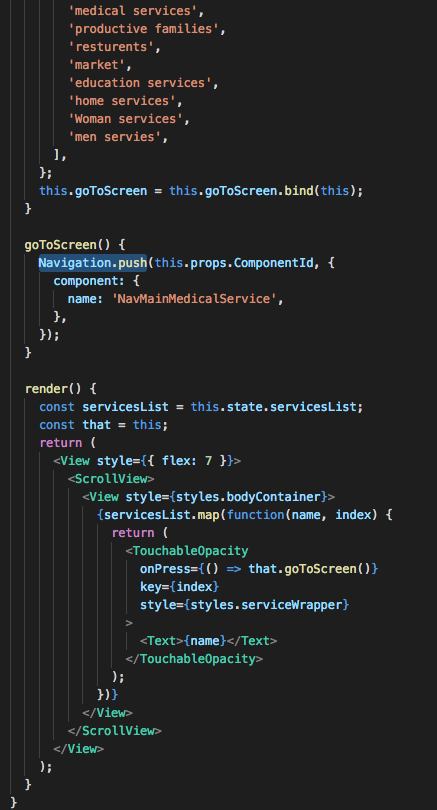
This is how I am calling push.
This is how im registering my component:
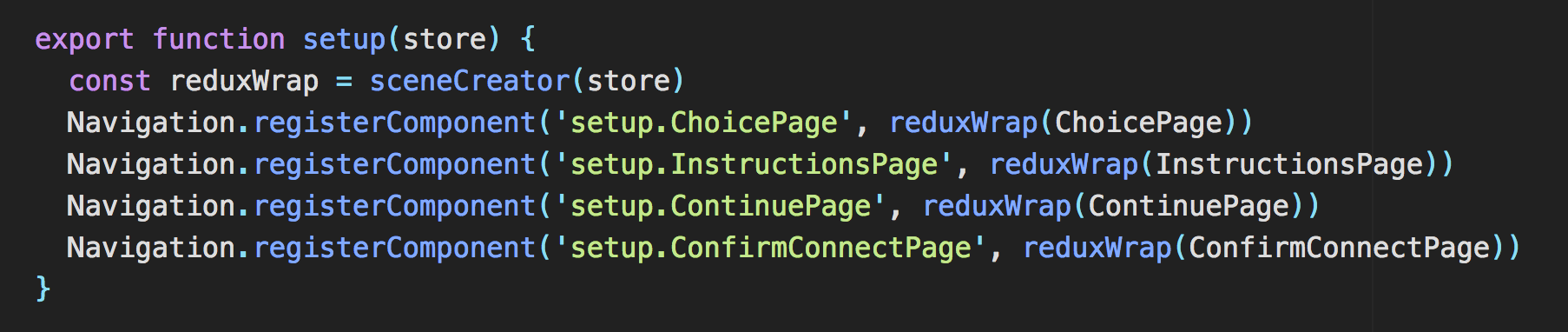
This is my redux wrapper due to the new way of implementing redux in V2:

Environment
- React Native Navigation version: 2.0.2367
- React Native version: 0.55.4
- Platform(s) (iOS, Android, or both?): IOS
- Device info (Simulator/Device? OS version? Debug/Release?): Iphone 8 Simulator, IOS 11.3, Debug Version
 TylerNRobertson
All 7 comments
Managed to solve this issue by Making sure i have Navigation.events().registerAppLaunchedListener(() => { }) Listener fire before set Root.
TylerNRobertson
on 21 Jun 2018
@TylerNRobertson, can you share your code for the solution? I think i might have the same issue...
 mcampsall
on 10 Dec 2018
mcampsall
on 10 Dec 2018
@mcampsall I would recommend not looking at this issue. It is about an out of date/older version of RNN V2. I definitely have spent lots of time with this library though and probably could help out if I saw your code thats causing issues? Also what RNN (react native navigation) version and RN (react native) version are you using?
TylerNRobertson
on 12 Dec 2018
@TylerNRobertson
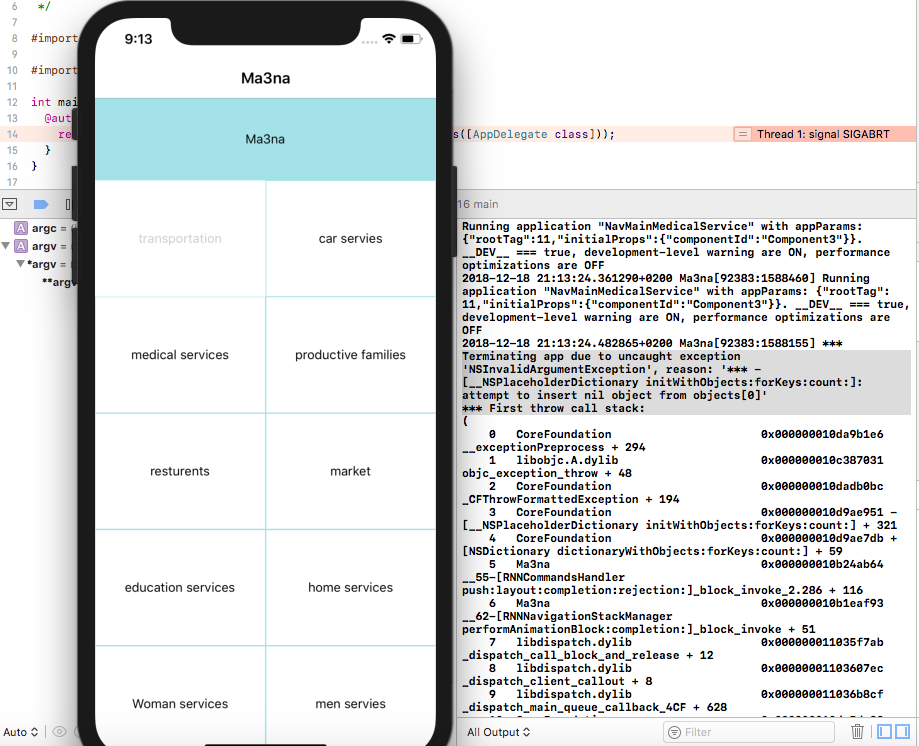
I got the same problem with RNN and I try to re-install several versions (2.2.0 /2.2.1 / 2.2.2 / 2.2.3 /2.2.4 / 2.2.5 ) but this not working too, in addition to node_modules error in tsconfig.ts "can't find type definition file for 'jest'"
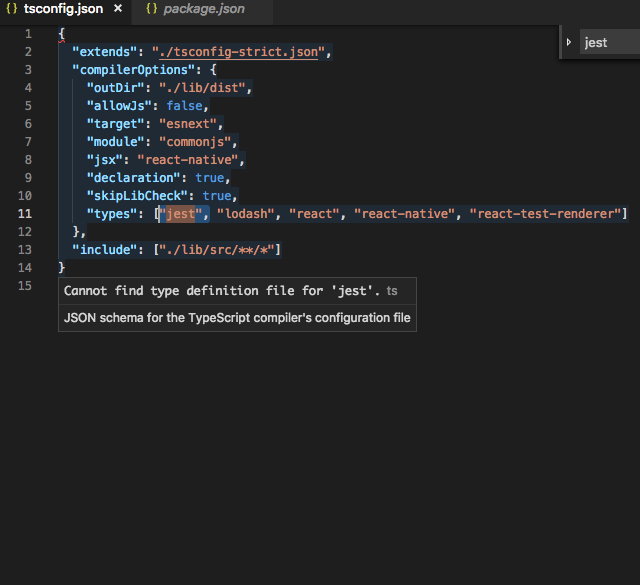
Also when I try to Navigation.push I the simulator is freeze and this error is printed out " Terminating app due to uncaught exception 'NSInvalidArgumentException', reason: '* -[__NSPlaceholderDictionary initWithObjects:forKeys:count:]: attempt to insert nil object from objects[0]'
* First throw call stack:"
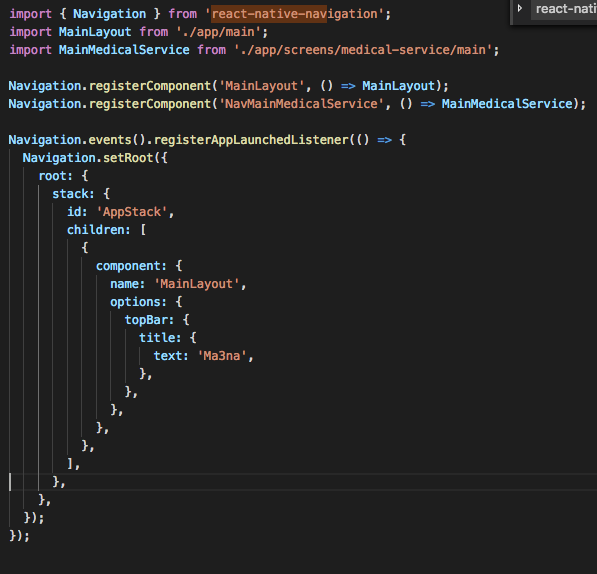
This is my code
@index.js
@calling navigation
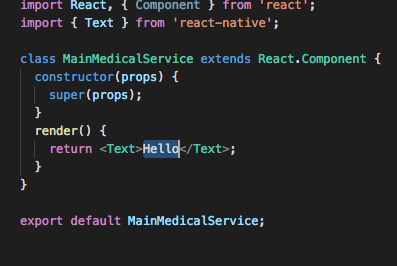
@the next page
I check the code hundred time and read the docs and search it GitHub issues but nothing work
Thank you in advance :)
 hadeel36
on 18 Dec 2018
hadeel36
on 18 Dec 2018
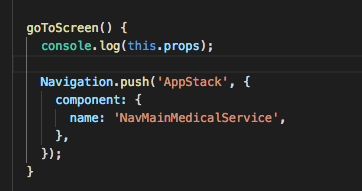
I just found that the componentId is undefined so I pass it an a string
And it work
hadeel36
on 19 Dec 2018
@hadeel36 That worked for me. The props are indeed not being passed which results in componentId being undefined.
 MakhouT
on 17 May 2019
MakhouT
on 17 May 2019
@hadeel I have the same issue. Not passing any undefined values. How did you solve the issue in node_modules
 asithakuruppu
on 25 Oct 2019
asithakuruppu
on 25 Oct 2019
Related issues
 bdrobinson
·
3Comments
bdrobinson
·
3Comments
 EliSadaka
·
3Comments
EliSadaka
·
3Comments
 yayanartha
·
3Comments
yayanartha
·
3Comments
 zagoa
·
3Comments
zagoa
·
3Comments
 tmaly1980
·
3Comments
tmaly1980
·
3Comments
Most helpful comment
I just found that the componentId is undefined so I pass it an a string

And it work