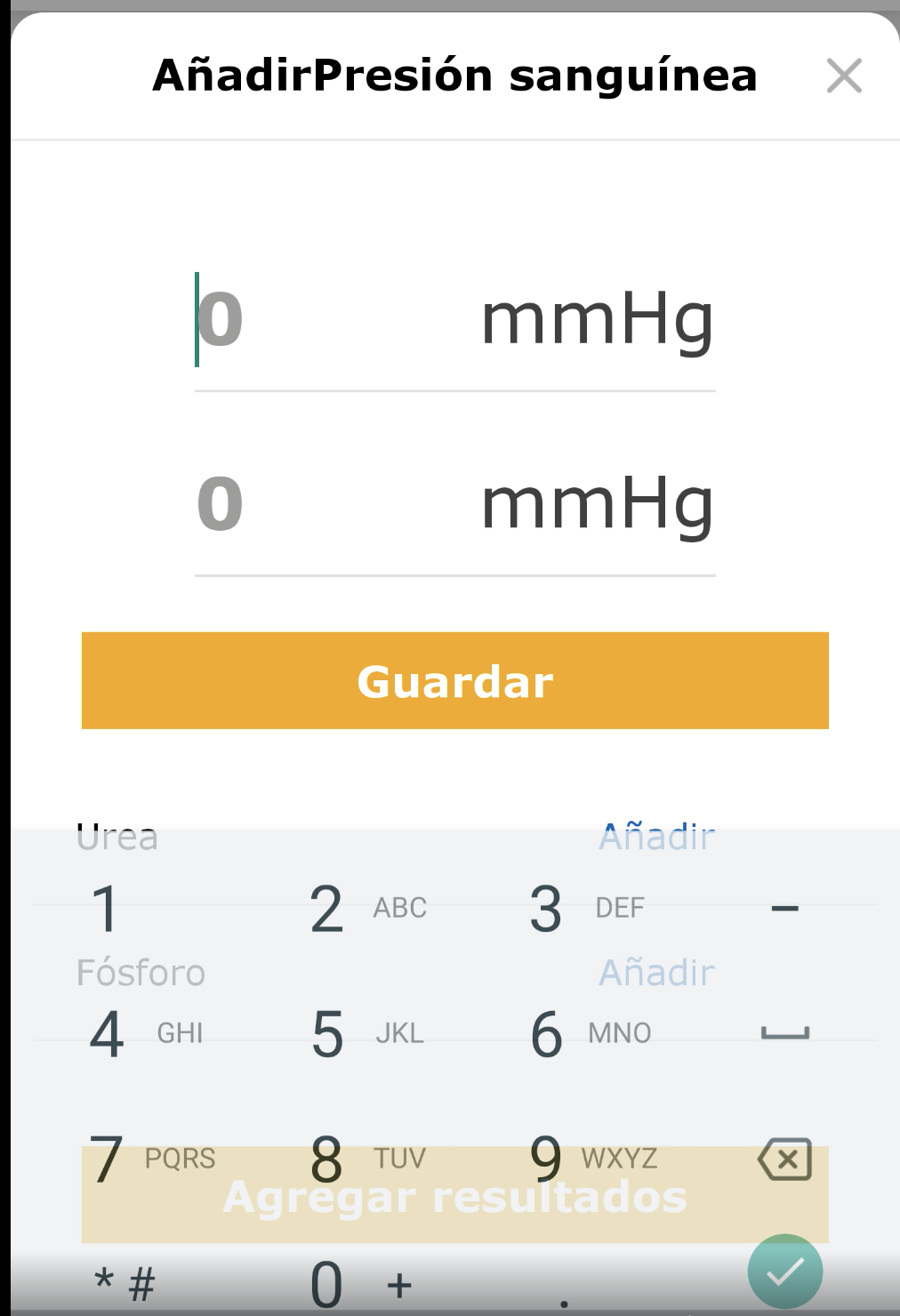
React-native-modal: Previous component visible, when keyboard opens on Modal, Only in Android
`
<View>
      <Modal
        isVisible={showModal}
        style={{
          justifyContent: 'flex-end',
          margin: 0,
        }}>
        <View style={style.container}>
          <HeaderUserType
            title='Header'
            showBackButton
            showCrossButton={false}
            onBackButtonPress={handleBackButtonPress}
          />
          <KeyboardAwareScrollView
            contentContainerStyle={{ alignItems: 'center', flexGrow: 1 }} showsVerticalScrollIndicator={false}>
            <Text
              style={[
                style.validationTitleText,
                { marginTop: heightScale(30) },
              ]}>
              {''}
            </Text>
            <Text
              style={[
                style.validationTitleText,
                {
                  fontFamily: fontFamily.verdanaBold,
                  marginTop: heightScale(10),
                },
              ]}>
              {strings.PLEASE_PROVIDE_THE_FOLLOWING_INFORMATION}
            </Text>
            <TextField
              onFocus={() => setIdFocused(true)}
              onBlur={() => setlIdFocused(false)}
              containerStyle={{ marginTop: heightScale(50) }}
              placeholderLabel={strings.ID}
              label={strings.ID}
              showLabel={IdFocused || Id.length > 0}
              onChangeText={setId}
              value={Id}
            />
            <TextField
              onFocus={() => setNameFocused(true)}
              onBlur={() => setNameFocused(false)}
              containerStyle={{ marginTop: heightScale(20) }}
              placeholderLabel={strings.YOUR_FULL_NAME}
              label={strings.YOUR_FULL_NAME}
              showLabel={nameFocused || name.length > 0}
              onChangeText={setName}
              value={name}
            />
            <View style={[style.bottomButtonsView, { bottom: bottom }]}>
              <Button
                title=''click"
                isDisabled={!enableButton}
                onButtonClick={sendDataToServer}
                customStyle={{ opacity: enableButton ? 1 : 0.5 }}
              />
            </View>
          </KeyboardAwareScrollView>
        </View>
      </Modal>
    </View>
"react-native-modal": "^11.5.6",
"react": "16.9.0",
"react-native": "0.61.5",
 TaraSinghDanu
All 3 comments
Getting the same error :(
 shivam05aggarwal
on 5 May 2020
shivam05aggarwal
on 5 May 2020
Anyone else facing the same issue?
TaraSinghDanu
on 23 May 2020
in my case is previous component still appear there 1s or 2s then disappear when I press close modal
 15110011
on 29 May 2020
15110011
on 29 May 2020
Related issues
 haveamission
·
3Comments
haveamission
·
3Comments
 levelingup
·
3Comments
levelingup
·
3Comments
 psycura
·
4Comments
psycura
·
4Comments
 HoaiHuynh
·
3Comments
HoaiHuynh
·
3Comments
 dcarrot2
·
4Comments
dcarrot2
·
4Comments
Most helpful comment
Getting the same error :(