React-native-modal: Paddings in the modal
Hello, and thank you for this awesome plugin.
When i use this modal, i have strange behavior - my content window inside the modal itself have paddings around the content.
Even if i add style to my content with full width and height , the padding still exist.
Why is this happen?
invalid
 psycura
All 4 comments
wrap your content window inside a view and give that view style of flex:1
 imjaad9090
on 14 Mar 2018
imjaad9090
on 14 Mar 2018
doesnt help
my component:
`return (
<View style={{ flex: 1 }}>
<Container width='100%' height='100%' bg={black} flex={1} column justify='space-between'
alignItems='stretch'>
<Container height='93%' width='100%' column>
<Button bg={black} onPress={toggleModal}
width='100%'>
<Icon name='md-close' size={40} color='#fff'/>
</Button>
<ScrollView style={styles.menuList}>
{
map ( menuList, item => <MenuItem item={item} onClick={navigateTo} key={item.title}/> )
}
<Item onPress={onExit} marginBottom={20} color='#414042'>
<Language string='exit' fontSize={25} color='#fff' style={{ alignSelf: 'flex-end' }}/>
</Item>
</ScrollView>
</Container>
<Footer/>
</Container>
</View>
);`
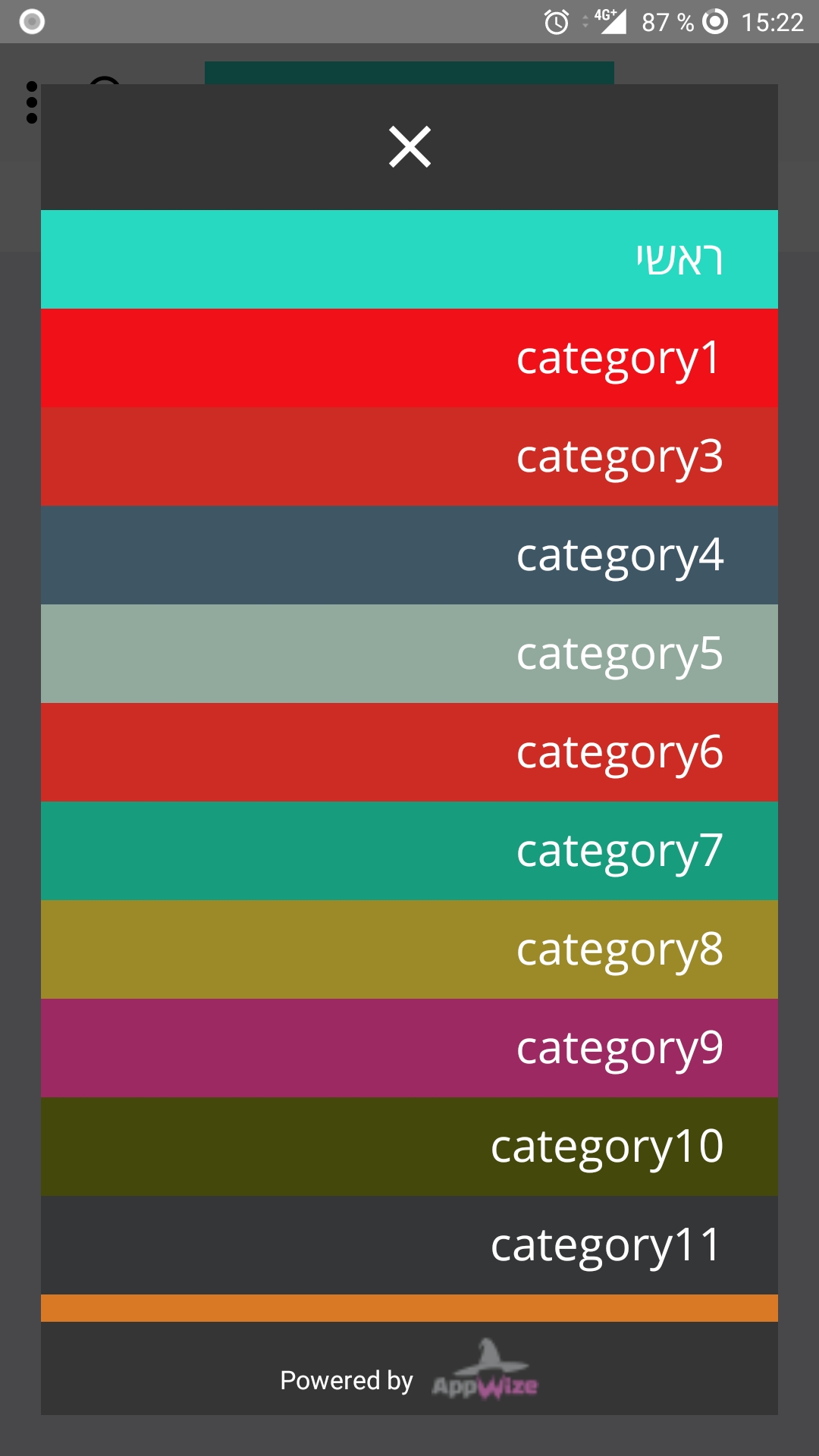
psycura
on 18 Mar 2018
It seems strange but it's a margin, use style property:
<Modal style = {{  margin: 0 }}>
  <View style = {{ flex: 1 }}>
    ...
 bitlab-code
on 21 Mar 2018
bitlab-code
on 21 Mar 2018
👍26
❤13
😄1
@bitlab-code solution should work (thanks btw!)
The "issue" is caused by this line where I setup a minimal default margin of the modal (based on the device size).
I know that it might sound weird to add a margin reset style but changing the default behaviour now would probably be a breaking change.
 mmazzarolo
on 21 Mar 2018
mmazzarolo
on 21 Mar 2018
Was this page helpful?
0 / 5 - 0 ratings
Related issues
 levelingup
·
3Comments
levelingup
·
3Comments
 onfuns
·
3Comments
onfuns
·
3Comments
 kientux
·
3Comments
kientux
·
3Comments
 TaraSinghDanu
·
3Comments
TaraSinghDanu
·
3Comments
 ethanyuwang
·
4Comments
ethanyuwang
·
4Comments
Most helpful comment
It seems strange but it's a margin, use style property: