React-native-mapbox-gl: Coordinates not respected for ShapSource
Refactoring a use of PointAnnotation, I have been trying to follow examples for custom icons for a while and couldn't ever get anything to render. Finally in desperation I guess I zoomed out all the way and saw this in the middle of the Pacific:
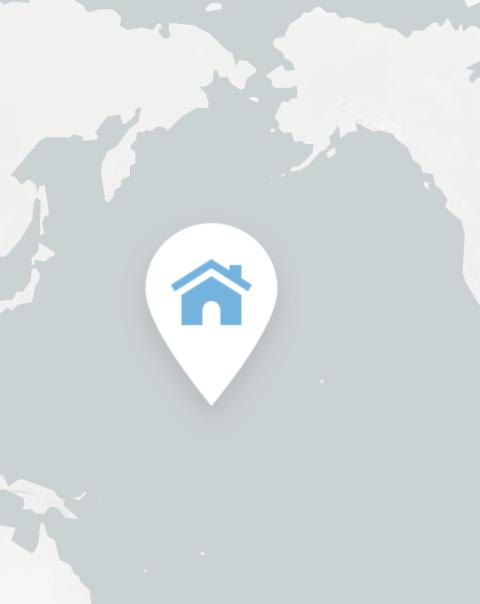
I am only using code directly copied from the playground, the coordinate should be the center of Vermont. I've tried versions 6.1.3-6.1.0 and all have the same issue. This affects iOS and Android. I thought maybe the image size was an issue but using the example image even from this repo has the same behavior.
Finally, the icon only appears at a very zoomed out level, basically almost max zoom.
import React from 'react';
import { View } from 'react-native';
import MapboxGL from '@mapbox/react-native-mapbox-gl';
/* Use your own custom image and bundle it with your project's assets */
import customMarker from '../../resources/images/mapPin.png';

class Markers extends React.Component {
  get markers() {
    /* Source: A data source specifies the geographic coordinate where the image marker gets placed. */
    return {
      type: 'FeatureCollection',
      features: [
        {
          type: 'Feature',
          geometry: {
            type: 'Point',
            coordinates: ['-72.451472', '43.8717545'],
          },
        },
      ],
    };
  }

  /* Map: This represents the map in your application. */
  /* Style layer: A style layer ties together the source and image and specifies how they are displayed on the map. */
  /* Image: An image is loaded and added to the map. */
  render() {
    return (
      <View style={{ flex: 1 }}>
        <MapboxGL.MapView
          zoomLevel={6.0}
          centerCoordinate={[-72.45147, 43.87175]}
          style={{ flex: 1 }}
          styleURL="mapbox://styles/mapbox/light-v9">
          <MapboxGL.ShapeSource id="marker-source" shape={this.markers}>
            <MapboxGL.SymbolLayer
              id="marker-style-layer"
              style={{ iconImage: customMarker, iconSize: 0.5 }}
            />
          </MapboxGL.ShapeSource>
        </MapboxGL.MapView>
      </View>
    );
  }
}

export default Markers;
 alburdette619
All 5 comments
@nitaliano sorry to tag you but I would like some feedback on this issue. If it is something I'm doing wrong I'd like to know but it seems that it is not given I'm using code generated by MapBox.
alburdette619
on 30 Nov 2018
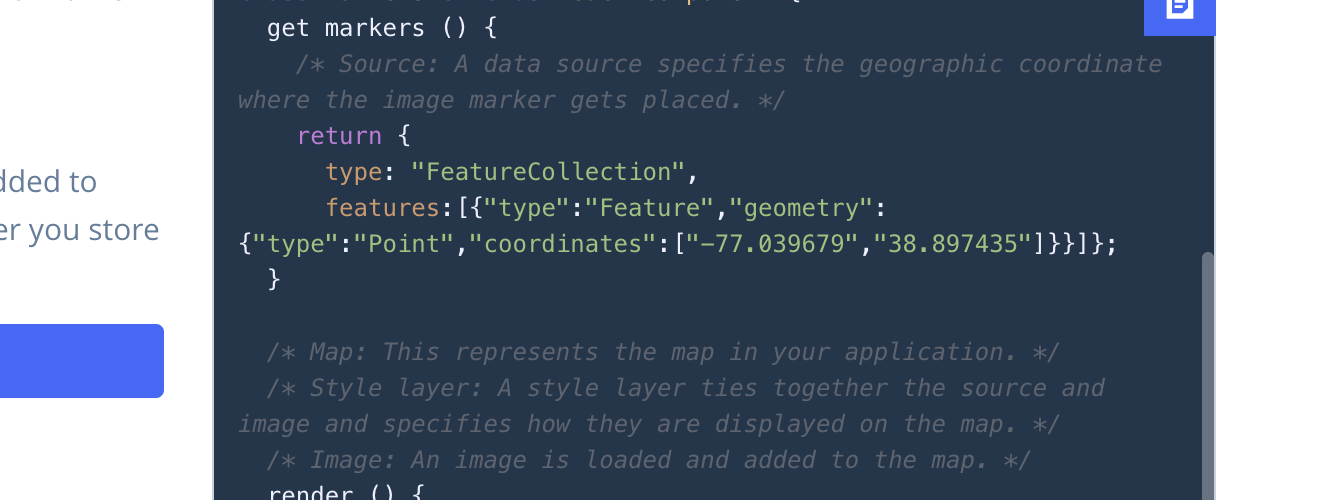
your coordinates in your GeoJSON are strings could you try making them numbers?
{
      type: 'FeatureCollection',
      features: [
        {
          type: 'Feature',
          geometry: {
            type: 'Point',
            coordinates: [-72.451472, 43.8717545],
          },
        },
      ],
}
 nitaliano
on 30 Nov 2018
nitaliano
on 30 Nov 2018
@nitaliano thanks so much! I would communicate to whoever runs the playground for Mapbox that this is how it is generated for RN
.
alburdette619
on 30 Nov 2018
Also not sure if I followed a guide to construct my original GeoJSON when attempting this with my own code, but I apparently had the same issue.
alburdette619
on 1 Dec 2018
Also just for clarity here, and I should probably open a new issue, the getter and the style not being part of a MapBox style is mandatory.
alburdette619
on 1 Dec 2018
Related issues
 lernerbot
·
3Comments
lernerbot
·
3Comments
 yaduc
·
3Comments
yaduc
·
3Comments
 Maxence-Machu
·
3Comments
Maxence-Machu
·
3Comments
 VentsislavDinev
·
3Comments
VentsislavDinev
·
3Comments
 lucasbento
·
3Comments
lucasbento
·
3Comments
Most helpful comment
your coordinates in your GeoJSON are strings could you try making them numbers?