React-native-mapbox-gl: Map is shown without buildings
Hi everyone !
I'm looking for rendering 3D Buildings extrusion in a React-Native app using github /mapbox/react-native-mapbox-gl
I created a custom map in MapBox Studio,added the following line into the style.json and uploaded the map in Mapbox Studio
{
    "id": "buildings",
    "type": "fill-extrusion",
    "source": "composite",
    "source-layer": "building",
    "minzoom": 15,
    "filter": [
        "all",
        [
            "==",
            "extrude",
            "true"
        ],
        [
            ">",
            "height",
            1
        ]
    ],
    "paint": {
        "fill-extrusion-color": "hsl(206, 7%, 61%)",
        "fill-extrusion-height": {
            "type": "identity",
            "property": "height"
        },
        "fill-extrusion-base": {
            "type": "identity",
            "property": "min_height"
        },
        "fill-extrusion-opacity": 1,
        "fill-extrusion-translate-anchor": "viewport"
    }
}
The buildings are rendered as expected in mapbox-studio but when I go back in my React-Native App the map is shown but without the buildings.
Do you guys have any idea about how to display buildings in 3D with the react-native-mapbox-gl sdk ?
Thanks.
 Maxence-Machu
All 3 comments
UPDATE:
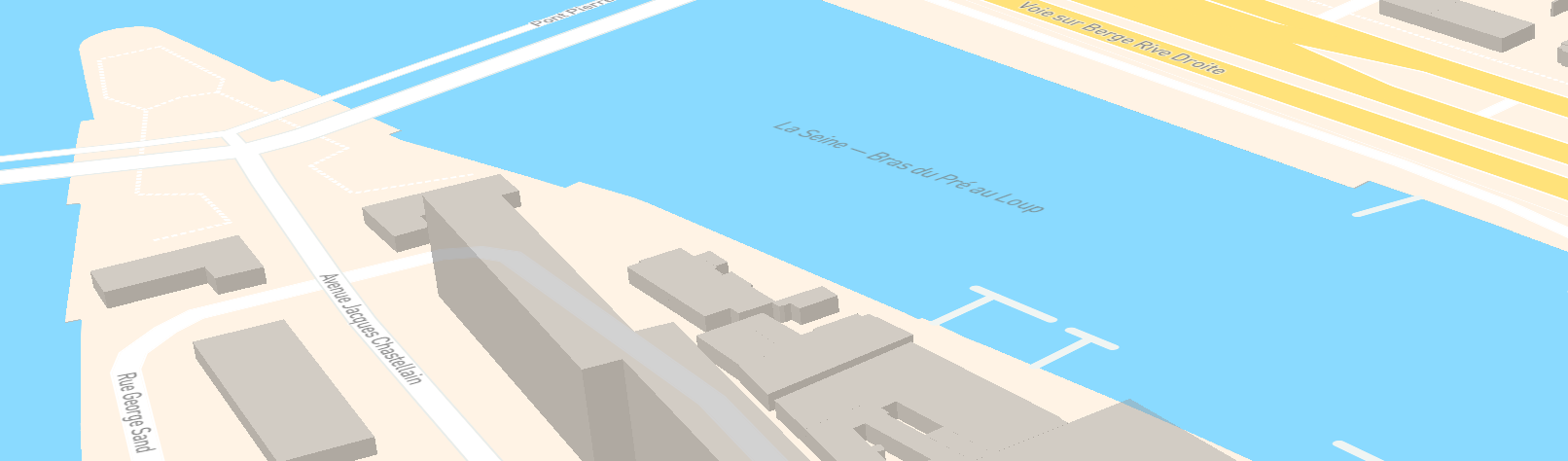
Screenshot of the MapBox Studio Map
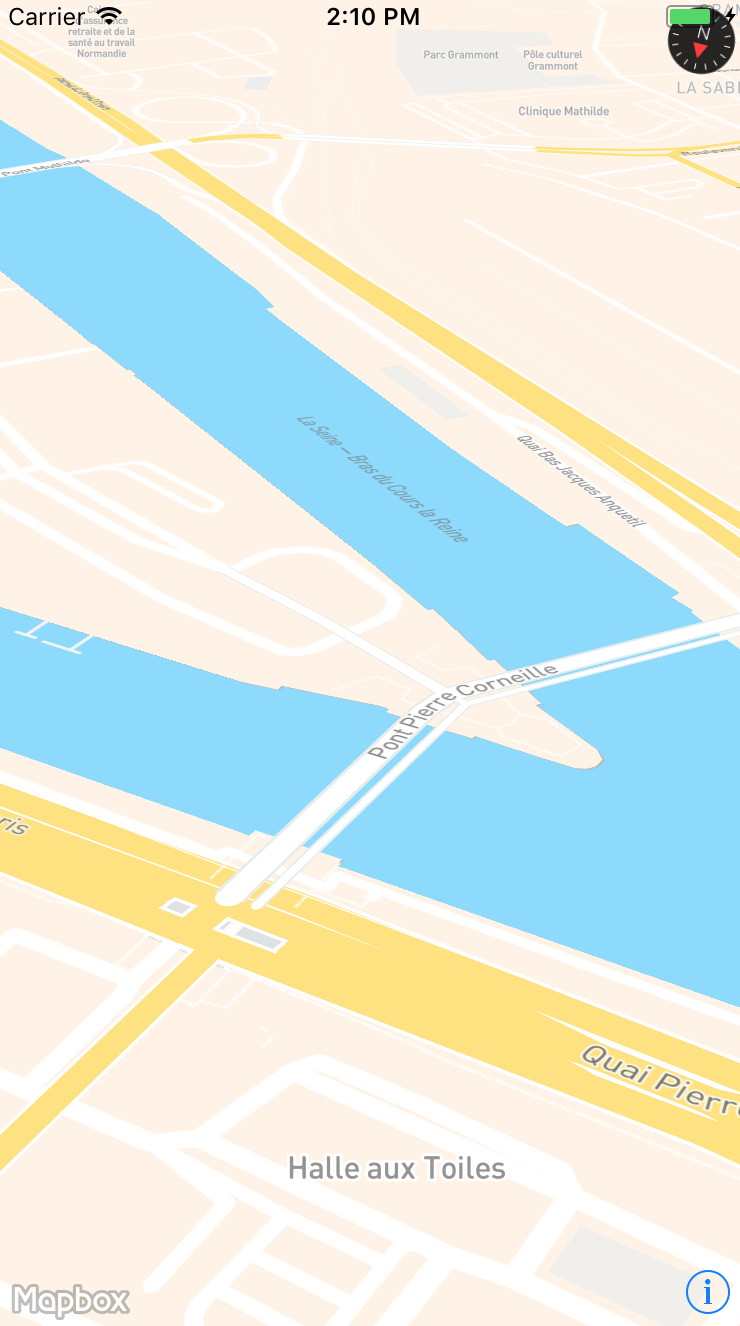
Screenshot of the App with react-native-mapbox-gl
Maxence-Machu
on 27 Jul 2017
This is supported in the version 6 alpah - https://blog.mapbox.com/our-react-native-gl-library-is-in-alpha-7456f2af685
 nitaliano
on 19 Oct 2017
nitaliano
on 19 Oct 2017
How to use following code :
fill-extrusion-height": {
            "type": "identity",
            "property": "height"
        },
        "fill-extrusion-base": {
            "type": "identity",
            "property": "min_height"
        },
Anyone have idea? Because above code is not with latest react native mapbox
 ansarikhurshid786
on 12 Apr 2020
ansarikhurshid786
on 12 Apr 2020
Related issues
 olofd
·
3Comments
olofd
·
3Comments
 glennverschooren
·
4Comments
glennverschooren
·
4Comments
 Craytor
·
3Comments
Craytor
·
3Comments
 alexisohayon
·
4Comments
alexisohayon
·
4Comments
 Amalp
·
3Comments
Amalp
·
3Comments
Most helpful comment
UPDATE:


Screenshot of the MapBox Studio Map
Screenshot of the App with react-native-mapbox-gl