React-native-keychain: Android only prompting for biometric the first time
Hi
When I run KeychainExample with biometric access control on Android (my OnePlus 5T), the authentication prompt is only shown the first time I try to get the stored values. The following gif shows the flow: Press save => values saved => press load => authenticate => values loaded => delete loaded value from input field => press load => values loaded
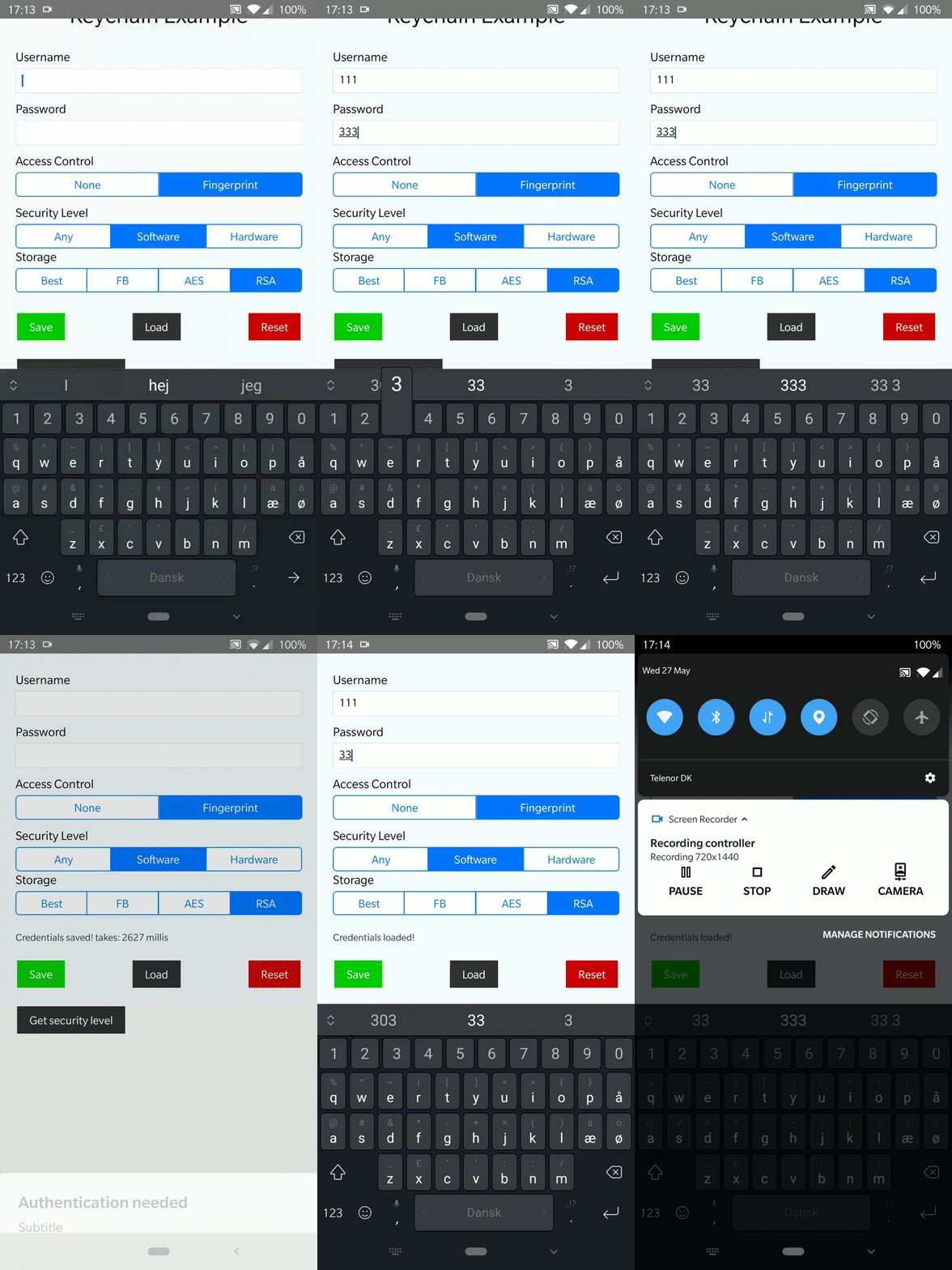
I would expect the authentication prompt to be shown every time the user requests values in the secure storage. I would like to use this for biometric login, but right now I can't use it on Android. It works fine on iOS.
Is this expected behaviour, am I doing something wrong, or is this a bug in the library?
Best regards
Jens
 jenskuhrjorgensen
All 2 comments
I see this too and am on a One Plus 5T like you. If you run the demo via an android emulator I am pretty sure you only get prompted once on that too. I noticed this changed between versions 5.0.1 and 6.0.0 but for me I had issues with Face Id on 5.0.1 so upgraded to 6.0.0 which fixed Face Id but seemed to cause this behaviour.
 joelnewton
on 28 May 2020
joelnewton
on 28 May 2020
@joelnewton I looked into the code, and found out that getGenericPassword also uses accessControl even though I can't find that in the documentation.
So what works for me is:
import * as Keychain from "react-native-keychain"

Keychain.getGenericPassword({
  accessControl: Keychain.ACCESS_CONTROL.BIOMETRY_CURRENT_SET,
  authenticationPrompt: {
    title: "Fingerprint",
    cancel: "Cancel",
  },
})
Now I'm prompted for fingerprint on each getGenericPassword().
jenskuhrjorgensen
on 28 May 2020
Related issues
 retailos
·
4Comments
retailos
·
4Comments
 binkumar
·
6Comments
binkumar
·
6Comments
 donzthefonz
·
8Comments
donzthefonz
·
8Comments
 Mike-Van
·
3Comments
Mike-Van
·
3Comments
 pani7
·
5Comments
pani7
·
5Comments
Most helpful comment
@joelnewton I looked into the code, and found out that
getGenericPasswordalso usesaccessControleven though I can't find that in the documentation.So what works for me is:
Now I'm prompted for fingerprint on each
getGenericPassword().