React-native-gifted-chat: iOS InputAccessoryView coming with RN v0.55 release
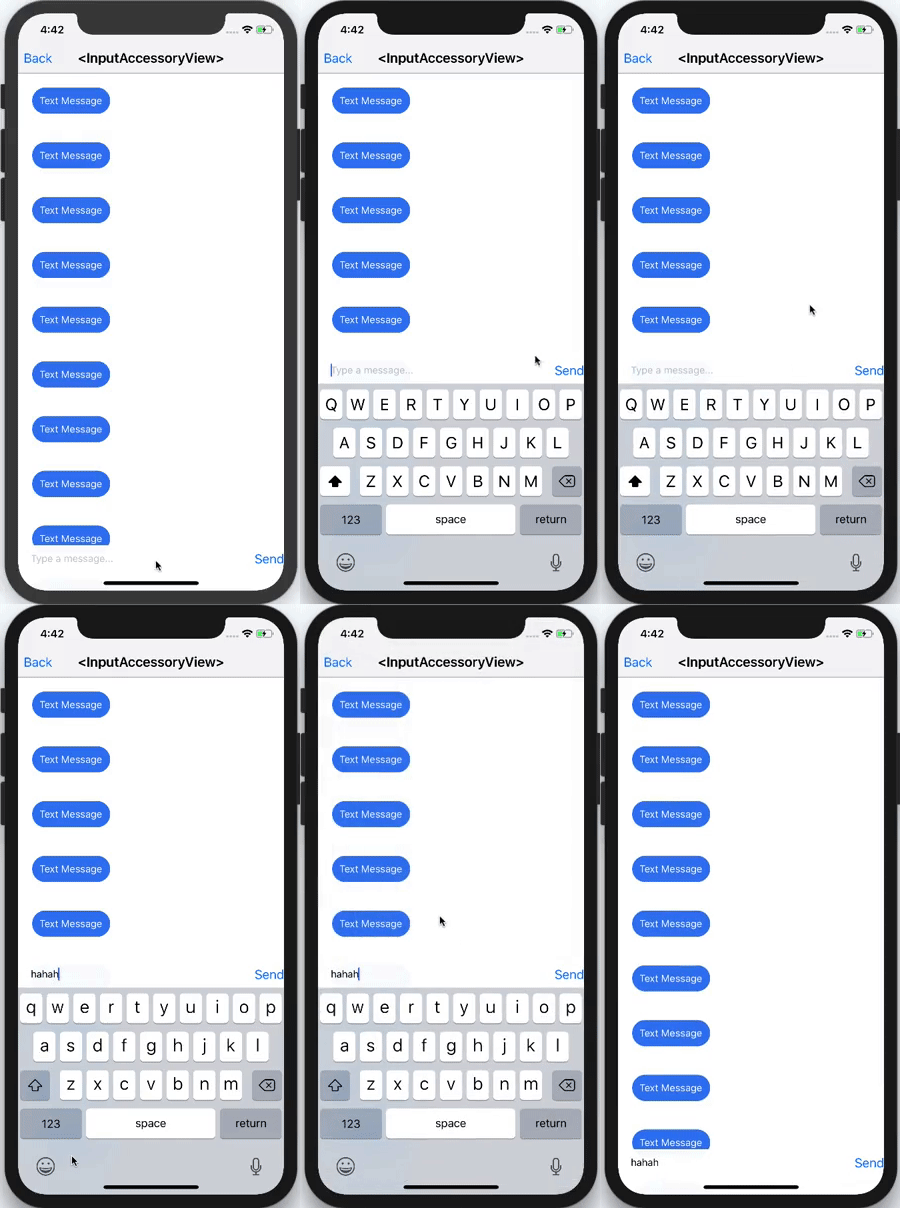
With the next major release of React Native the InputAccessoryView from iOS will be able to used. It would make some nice changes to the GiftedChat.
 mafiusu
All 10 comments
+1
Came here to post the same thing.
Sadly it's iOS only for now.
 brunolemos
on 23 Mar 2018
brunolemos
on 23 Mar 2018
@mafiusu Hi, Mafiusu. I'm sorry for getting out of context, but how do you adjust gifted chat navbar and input toolbar for iPhone X? Thank you!
 catherinepricillas
on 12 Apr 2018
catherinepricillas
on 12 Apr 2018
hello @catherinepricillas did you try using the React Native SafeAreaView? https://www.youtube.com/watch?v=C5gMteV-4-Y
mafiusu
on 12 Apr 2018
@mafiusu yes I have, but I have this problem where there is a space between the text input and keyboard.

catherinepricillas
on 13 Apr 2018
I will make some prototyping on this at evening but it should work anyway because the example above (gif) makes that right.
For now lets discuss in context of the GiftedChat. We could implement it after the integration of FlatList if it's required
mafiusu
on 14 Apr 2018
@mafiusu I've just got the same problem with bottom margin. Did you find any workaround?
 igorarkhipenko
on 16 Apr 2018
igorarkhipenko
on 16 Apr 2018
hi, @igorarkhipenko, do you find any solution to the problem? thankyou
catherinepricillas
on 21 Apr 2018
hi @catherinepricillas
Yeah, I've got one. For some reason SafeAreaView doesn't work well when it wraps GiftedChat component completely. But it does how it is supposed to when you render custom InputToolbar wrapped into SafeAreaView.
renderInputToolbar = (props) => {
return (
<SafeAreaView>
<InputToolbar {...props} />
</SafeAreaView>
);
}
...
render() {
const toolbarProps = IS_IPHONE_X
? { renderInputToolbar: props => this.renderInputToolbar(props) }
: {}
return (
<GiftedChat
{...othersProps}
{...toolbarProps}
/>
}
The reason why I added additional checking for Iphone X is that SafeAreaView creates margin for others models too which shouldn't be there for sure.
Hope it will help you.
igorarkhipenko
on 21 Apr 2018
The problem still exists on iPhone X.
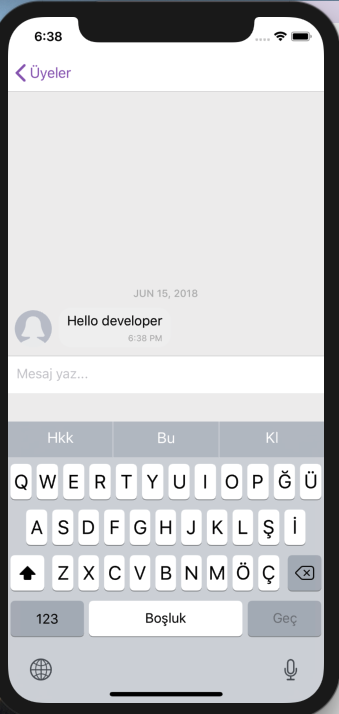
Wrapping InputToolbar with a SafeAreaView causes other problems.
EDIT: @catherinepricillas Ok. I finally solved this problem.
What I did was just using bottomOffset property.
<View>
   <GiftedChat bottomOffset={ifIphoneX(36, 0)} />
    {
      isIphoneX() &&
      <View style={{ height: 36 }} />
    }
</View>
 cihancil
on 15 Jun 2018
cihancil
on 15 Jun 2018
This issue has been automatically marked as stale because it has not had recent activity. It will be closed if no further activity occurs. Thank you for your contributions.
![stale[bot] picture](https://avatars.githubusercontent.com/in/1724?v=4&s=40) stale[bot]
on 12 Feb 2019
stale[bot]
on 12 Feb 2019
Related issues
 tafelito
·
3Comments
tafelito
·
3Comments
 yazhengwang
·
3Comments
yazhengwang
·
3Comments
 Fr33maan
·
3Comments
Fr33maan
·
3Comments
 luisar
·
3Comments
luisar
·
3Comments
 cassioseffrin
·
3Comments
cassioseffrin
·
3Comments
Most helpful comment
The problem still exists on iPhone X.
Wrapping InputToolbar with a SafeAreaView causes other problems.
EDIT: @catherinepricillas Ok. I finally solved this problem.
What I did was just using bottomOffset property.