React-native-gifted-chat: Gifted chat is disappeared after adding a header component
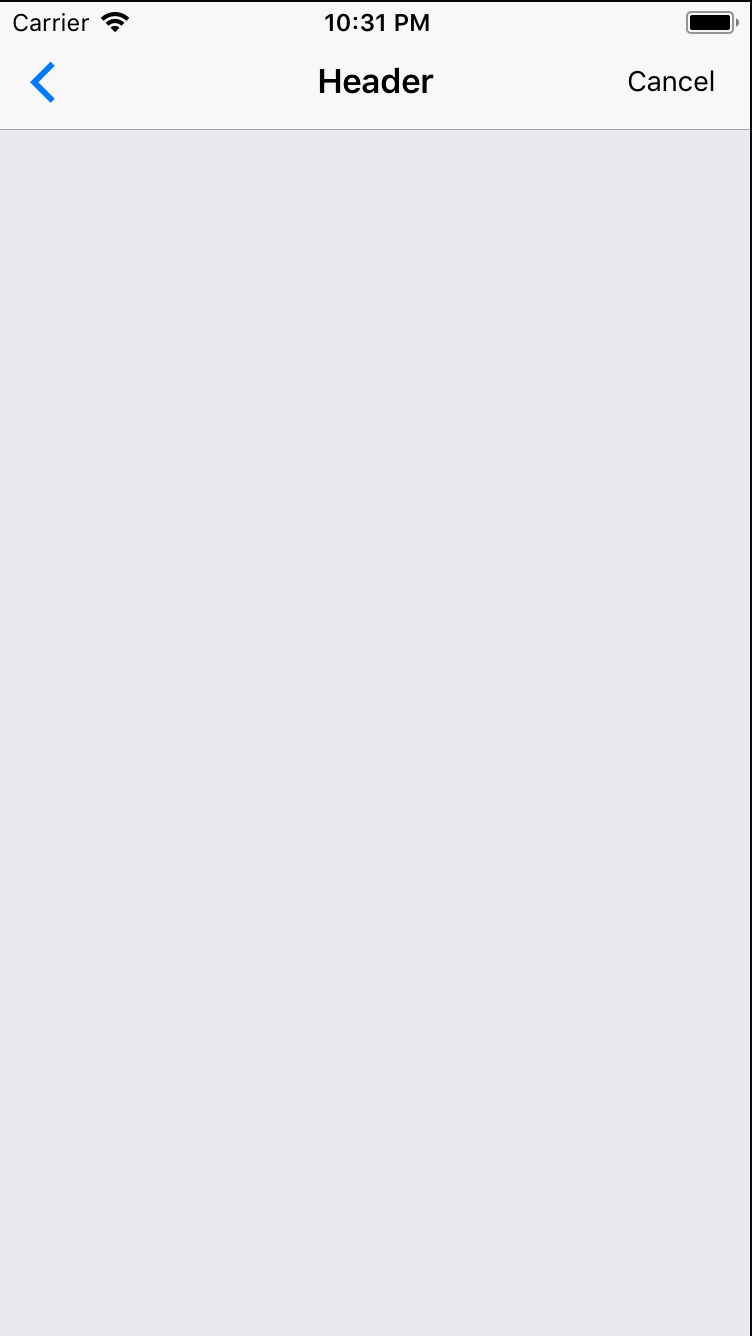
We are trying to use the example of gifted chat. It doesn't have a header. When we've tried to implement native-base header chat was disappeared and only header left on the screen. How can this problem be solved?
Here is the customized part of code from the example:
render() {
  return (
    <View>
      <Header>
        <Left>
          <Button transparent>
            <Icon name='arrow-back' />
          </Button>
        </Left>
        <Body>
          <Title>Header</Title>
        </Body>
        <Right>
          <Button transparent>
            <Text>Cancel</Text>
          </Button>
        </Right>
      </Header>
      <GiftedChat
        messages={this.state.messages}
        onSend={this.onSend}
        loadEarlier={this.state.loadEarlier}
        onLoadEarlier={this.onLoadEarlier}
        isLoadingEarlier={this.state.isLoadingEarlier}
        user={{
          _id: 1, // sent messages should have same user._id
        }}
        renderActions={this.renderCustomActions}
        renderBubble={this.renderBubble}
        renderSystemMessage={this.renderSystemMessage}
        renderCustomView={this.renderCustomView}
        renderFooter={this.renderFooter}
      />
    </View>
  );
}
 Hayko1994
All 3 comments
@Hayko1994
When you wrap these components in a View set the flex to 1. The view you are giving it has no size and therefore the child components are inheriting their size from the parent (which is 0),
This worked for me:
<View style={{flex: 1}}>
<Header {props...} />
<GiftedChat {props...} />
</View>
 VeeShostak
on 22 Nov 2017
VeeShostak
on 22 Nov 2017
@Hayko1994
make sure your most outer <View> has a flex: 1 style:
render() {
  return (
    <View style={{ flex: 1 }}>
      ...
    </View>
  )
}
If you're using the other NativeBase components you can add the GiftedChat like this:
render() {
  return (
    <Container style={{ flex: 1 }}>
      <Header>
      </Header>
      <View style={{ flex: 1 }}>
        <GiftedChat
          // add the chat settings at your hearts desire
        />
      </View>
    </Container>
  );
}
 gianpaj
on 22 Jan 2018
gianpaj
on 22 Jan 2018
This issue has been automatically marked as stale because it has not had recent activity. It will be closed if no further activity occurs. Thank you for your contributions.
![stale[bot] picture](https://avatars.githubusercontent.com/in/1724?v=4&s=40) stale[bot]
on 12 Feb 2019
stale[bot]
on 12 Feb 2019
Related issues
 cerberusv2px
·
3Comments
cerberusv2px
·
3Comments
 emilkarl
·
3Comments
emilkarl
·
3Comments
 inceptivetech
·
3Comments
inceptivetech
·
3Comments
 yazhengwang
·
3Comments
yazhengwang
·
3Comments
 luisar
·
3Comments
luisar
·
3Comments
Most helpful comment
@Hayko1994
make sure your most outer
<View>has aflex: 1style:If you're using the other NativeBase components you can add the GiftedChat like this: