React-native-gifted-chat: Show status seen message outside the bubble
I want show status of message if it seen as example 10:05 既読
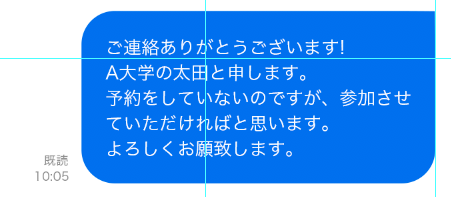
Help me!Thanks!
- React Native version: 0.50.2
- react-native-gifted-chat version: 0.3.0
- Platform(s) : both Android and iOS
 hoanganhbk94
All 9 comments
You can write your own bubble component (for example extend Bubble from lib)
I copy render method of Bubble and change some moments. You can open library sources and compare with my version. Results on screens.
I recommend set minHeight in wrapper style 40 and more (second screen)
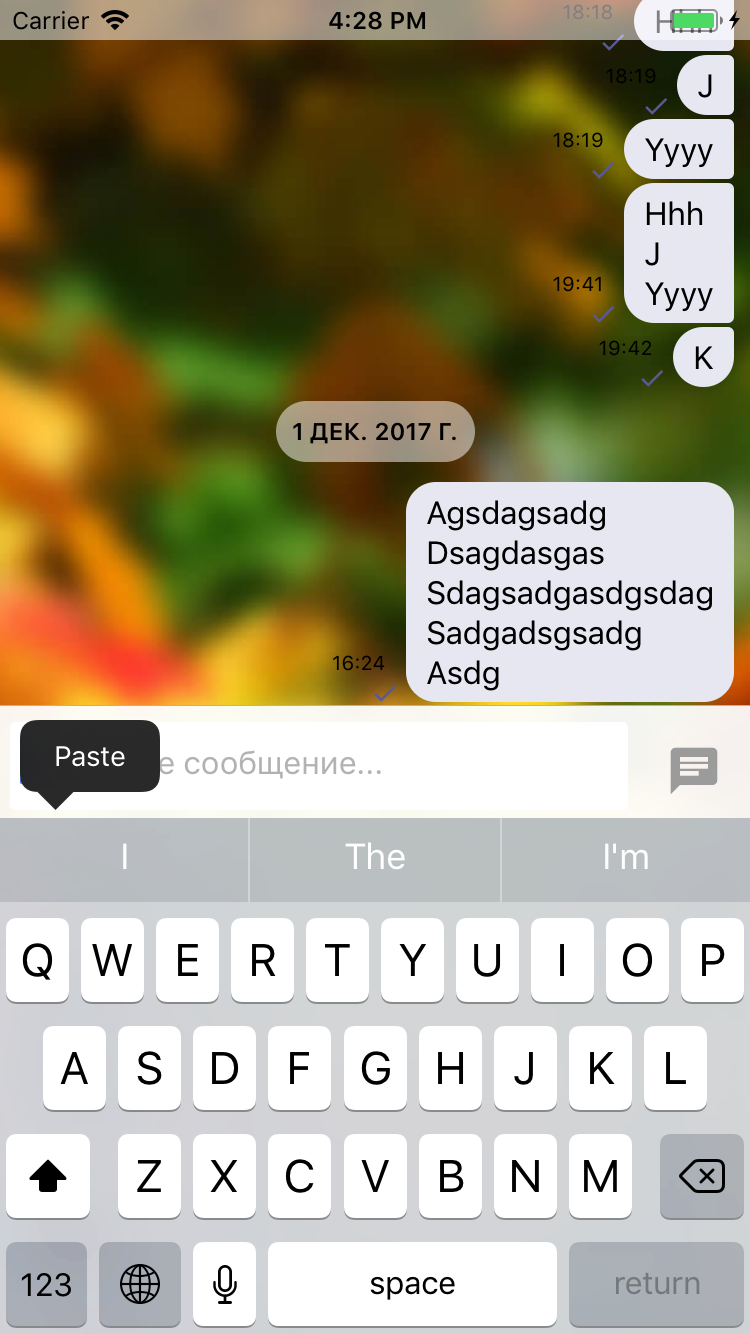
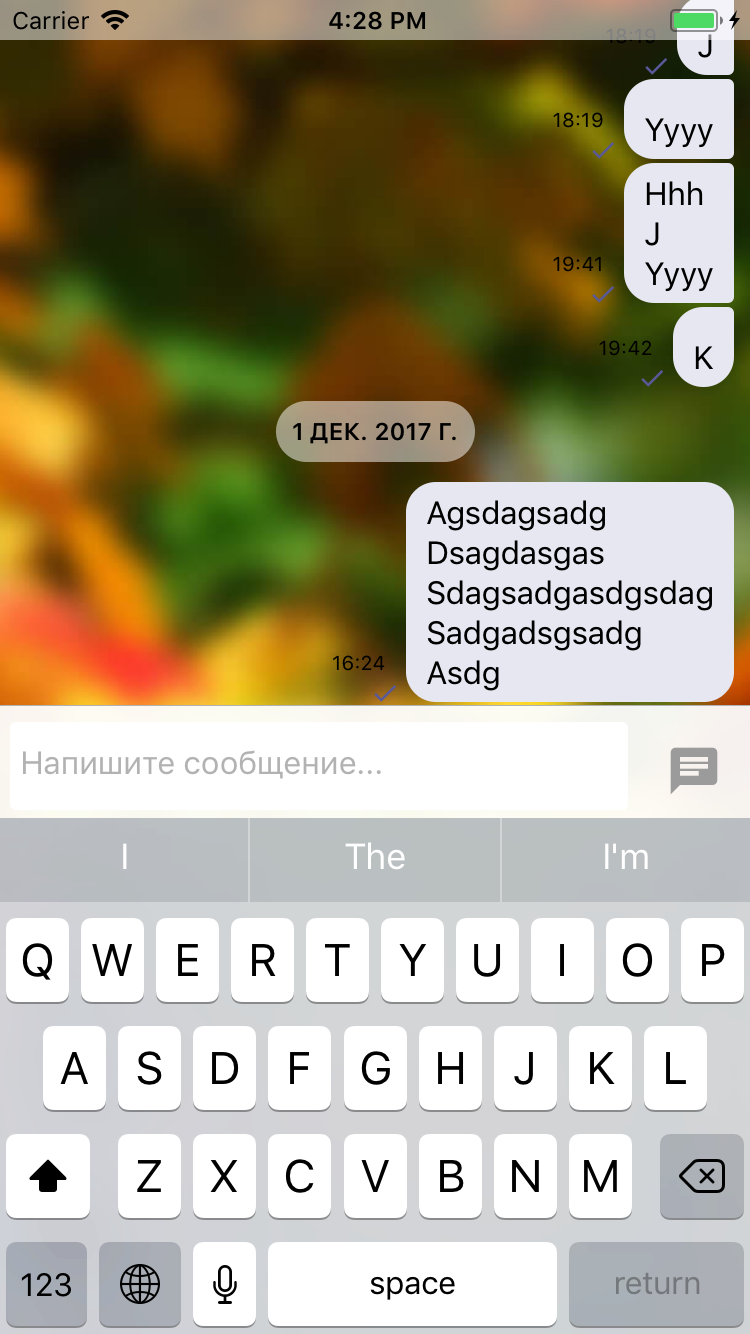
Also you can customize time and ticks if you need.
It is my code for this task.
export default class MyBubble extends Bubble {
render() {
this.props.currentMessage.sent = true
let status = (<View style={[styles.bottom, this.props.bottomContainerStyle[this.props.position]]}>
{this.renderTime()}
{this.renderTicks()}
</View>);
return (
<View style={[styles[this.props.position].container, this.props.containerStyle[this.props.position]]}>
<View style={{
flexDirection: 'row',
alignItems: 'flex-end',
}}>
{this.props.position == 'left'? null: status}
<View style={[
styles[this.props.position].wrapper, this.props.wrapperStyle[this.props.position],
this.handleBubbleToNext(), this.handleBubbleToPrevious(),
]}>
<TouchableWithoutFeedback
onLongPress={this.onLongPress}
accessibilityTraits="text"
{...this.props.touchableProps}
>
<View>
{this.renderCustomView()}
{this.renderMessageImage()}
{this.renderMessageText()}
</View>
</TouchableWithoutFeedback>
</View>
{this.props.position == 'right'? null: status}
</View>
</View>
);
}
}
// styles from Bubble.js with some changes
const styles = {
left: StyleSheet.create({
container: {
flex: 1,
marginRight: 60, // move from wrapper
alignItems: 'flex-start',
},
wrapper: {
borderRadius: 15,
backgroundColor: '#f0f0f0',
//marginRight: 60, remove
minHeight: 20,
justifyContent: 'flex-end',
},
containerToNext: {
borderBottomLeftRadius: 3,
},
containerToPrevious: {
borderTopLeftRadius: 3,
},
}),
right: StyleSheet.create({
container: {
flex: 1,
alignItems: 'flex-end',
marginLeft: 60, // move from wrapper
},
wrapper: {
borderRadius: 15,
backgroundColor: '#0084ff',
// marginLeft: 60, remove
minHeight: 40,
justifyContent: 'flex-end',
},
containerToNext: {
borderBottomRightRadius: 3,
},
containerToPrevious: {
borderTopRightRadius: 3,
},
}),
bottom: {
// before:
// flexDirection: 'row',
// justifyContent: 'flex-end',
alignItems: 'flex-end'
},
tick: {
fontSize: 10,
backgroundColor: 'transparent',
color: 'white',
},
tickView: {
flexDirection: 'row',
marginRight: 10,
},
};
 ownikss
on 1 Dec 2017
ownikss
on 1 Dec 2017
thanks @ownikss , this works as intended however I'm wondering why including
{this.renderMessageVideo()}
{this.renderUsername()}
seem to fail even though they both exist on the Bubble component? The error when trying to use those is "TypeError: undefined is not a function(evaluating 'this.renderMessageVideo()')"
 Faolain
on 8 Dec 2018
Faolain
on 8 Dec 2018
@Faolain I think you need to check gifted-chat version. Seems like its a new features. You can check code in node_modules to be sure that functions is not exist.
Updating is able to fix your issue
ownikss
on 8 Dec 2018
Update: @ownikss I decided to do this as is shown in the following method after some thinking
renderBubble = (props) => {
return (
<View style={{paddingRight: 12}}>
<View style={{position: 'absolute', right: -1, bottom: 0}}>
<MessageStatusIndicator messageStatus={props.currentMessage.messageStatus} />
</View>
<Bubble {...props} />
</View>
)
}
it seems cleaner and doesn't require extra files no? Am I missing something?
Faolain
on 8 Dec 2018
@Faolain Ah, I was thinking of doing something like this too, to render a custom attachment. Glad to know it works!
 rubencodes
on 26 Dec 2018
rubencodes
on 26 Dec 2018
is there a way to not show timestamp on messages?
 nandiniparimi1107
on 31 Dec 2018
nandiniparimi1107
on 31 Dec 2018
is there a way to not show timestamp on messages?
Yes! You have to provide a renderTime prop to the GiftedChat component and there you have to return null to not show the time. For example:
<GiftedChat
        messages={this.state.messages}
        onSend={messages => this.onSend(messages)}
        user={{
          _id: 1,
        }}
        renderTime={() => {return(null)}}
/>
 mafiusu
on 31 Dec 2018
mafiusu
on 31 Dec 2018
mafiusu Thanks that works!
Also, could you please let me know if there is a way to add backgroundImage on chat Bubble?
I need to use different images for two users
nandiniparimi1107
on 31 Dec 2018
This issue has been automatically marked as stale because it has not had recent activity. It will be closed if no further activity occurs. Thank you for your contributions.
![stale[bot] picture](https://avatars.githubusercontent.com/in/1724?v=4&s=40) stale[bot]
on 1 Mar 2019
stale[bot]
on 1 Mar 2019
Related issues
 arayaryoma
·
3Comments
arayaryoma
·
3Comments
 yazhengwang
·
3Comments
yazhengwang
·
3Comments
 emilkarl
·
3Comments
emilkarl
·
3Comments
 radvc
·
3Comments
radvc
·
3Comments
 xcxooxl
·
3Comments
xcxooxl
·
3Comments
Most helpful comment
Yes! You have to provide a renderTime prop to the GiftedChat component and there you have to return null to not show the time. For example: