React-native-chart-kit: renderDotContent is not aligned to dot
My code:
            <LineChart
                data={{labels, datasets}}
                width={Dimensions.get('window').width * 0.8}
                height={220}
                chartConfig={{...}}
                bezier
                fromZero
                style={{padding: 10}}
                renderDotContent={({x, y, index}) => <Text>{y}</Text>}
            />
Results in the dot text floating without any correlation to the chart:
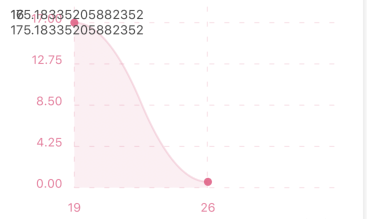
Is there any config I'm missing?
 ReallyLiri
All 11 comments
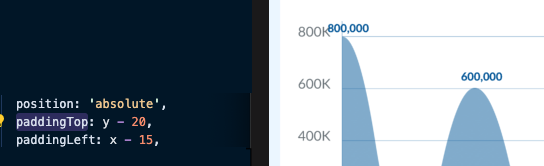
you can use absolute to set the position of points:
 fung199609
on 20 Mar 2020
fung199609
on 20 Mar 2020
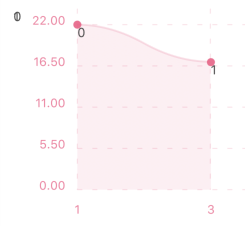
Thanks, it almost works, I'm getting the render method called twice with same input but one is placed on the far left for some reason
 liiri
on 22 Mar 2020
liiri
on 22 Mar 2020
the second instance just seem to ignore the style, I'm guessing if it was always there but with same style the duplicates would just hide each other
renderDotContent={({x, y, index}) => <Text style={{position: 'relative', top: y, left: x, backgroundColor: 'red'}}>{index === 0 ? `(${x}, ${y}, ${index})` : ''}</Text>}

liiri
on 22 Mar 2020
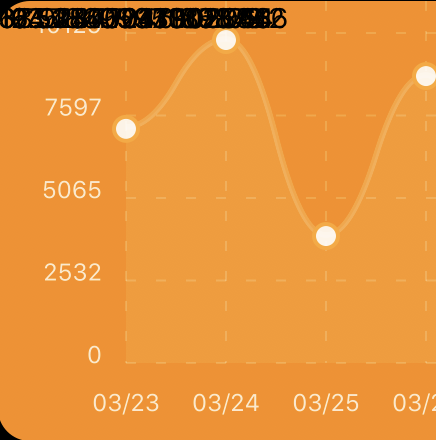
Im getting the same problem even though i'm using position: 'absolute'.
My code:
renderDotContent={({ x, y }) => <Text key={x + y} style={{ position: 'absolute', top: y, left: x }}>{y}</Text>}
 MaxDagerbratt
on 3 Apr 2020
MaxDagerbratt
on 3 Apr 2020
@fung199609 Facing the same problem, tried position: 'absolute'.
 Kevzz81517
on 15 May 2020
Kevzz81517
on 15 May 2020
same, have solved? :(
 hoanglam10499
on 18 May 2020
hoanglam10499
on 18 May 2020
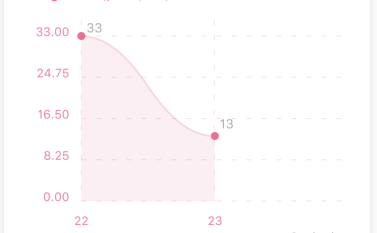
I think I solved it
Before:
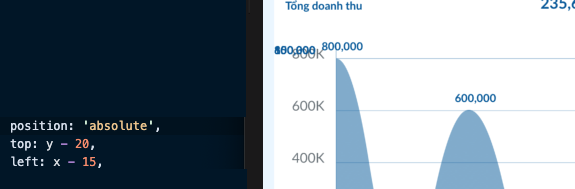
After:
hoanglam10499
on 19 May 2020
Works great thanks!
ReallyLiri
on 19 May 2020
how did you pick the y axis value in renderDotContent?
 kunalgandhi28
on 4 Jun 2020
kunalgandhi28
on 4 Jun 2020
 <LineChart
  data={{labels, datasets}}
  renderDotContent={({x, y, index}) => <DotContent key={index} x={x} y={y} value={datasets[0].data[index]}/>}
  ...
</LineChart>
None of the above worked for me. I am using version 5.6.1 and after many hours of attempts I got the following to work as needed:
import {Svg, Text as TextSVG}                                   from 'react-native-svg';

//LineChart
              //...
              bezier
              style={{
                marginLeft: chartMarginLeft,
                paddingTop: 30
              }}
              renderDotContent={({x, y, index}) => {
                return (
                      <TextSVG
                        key={index}
                        x={x}
                        y={y - 10}
                        fill="black"
                        fontSize="16"
                        fontWeight="normal"
                        textAnchor="middle">
                        {chartDataMock[index]}
                      </TextSVG>
                );
              }}
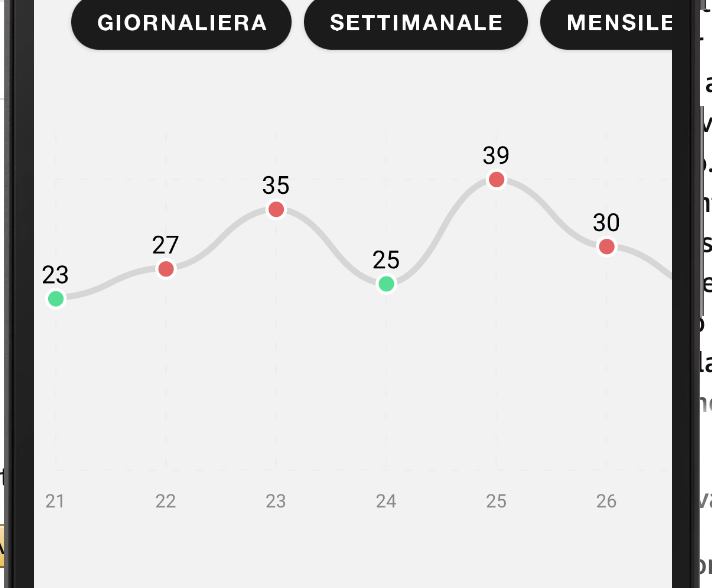
 azuxx
on 27 Oct 2020
azuxx
on 27 Oct 2020
Related issues
 azui007
·
6Comments
azui007
·
6Comments
 dahudson88
·
5Comments
dahudson88
·
5Comments
 vedika96
·
4Comments
vedika96
·
4Comments
 ighormartins
·
3Comments
ighormartins
·
3Comments
 NS-BOBBY-C
·
5Comments
NS-BOBBY-C
·
5Comments
Most helpful comment
I think I solved it


Before:After: