React-native-calendars: Agenda's CalendarList Header is invisible on initial render, visible only after scrolling or opening CalendarList
Description
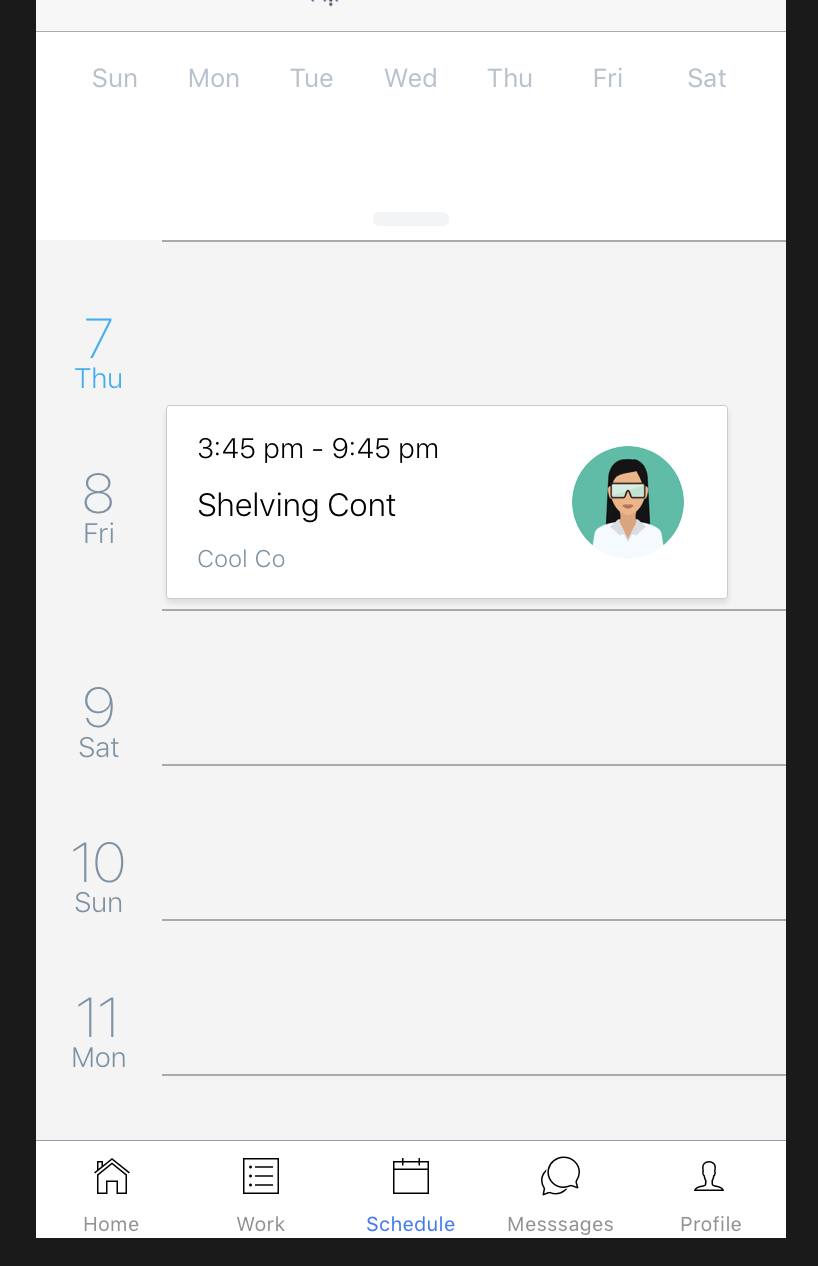
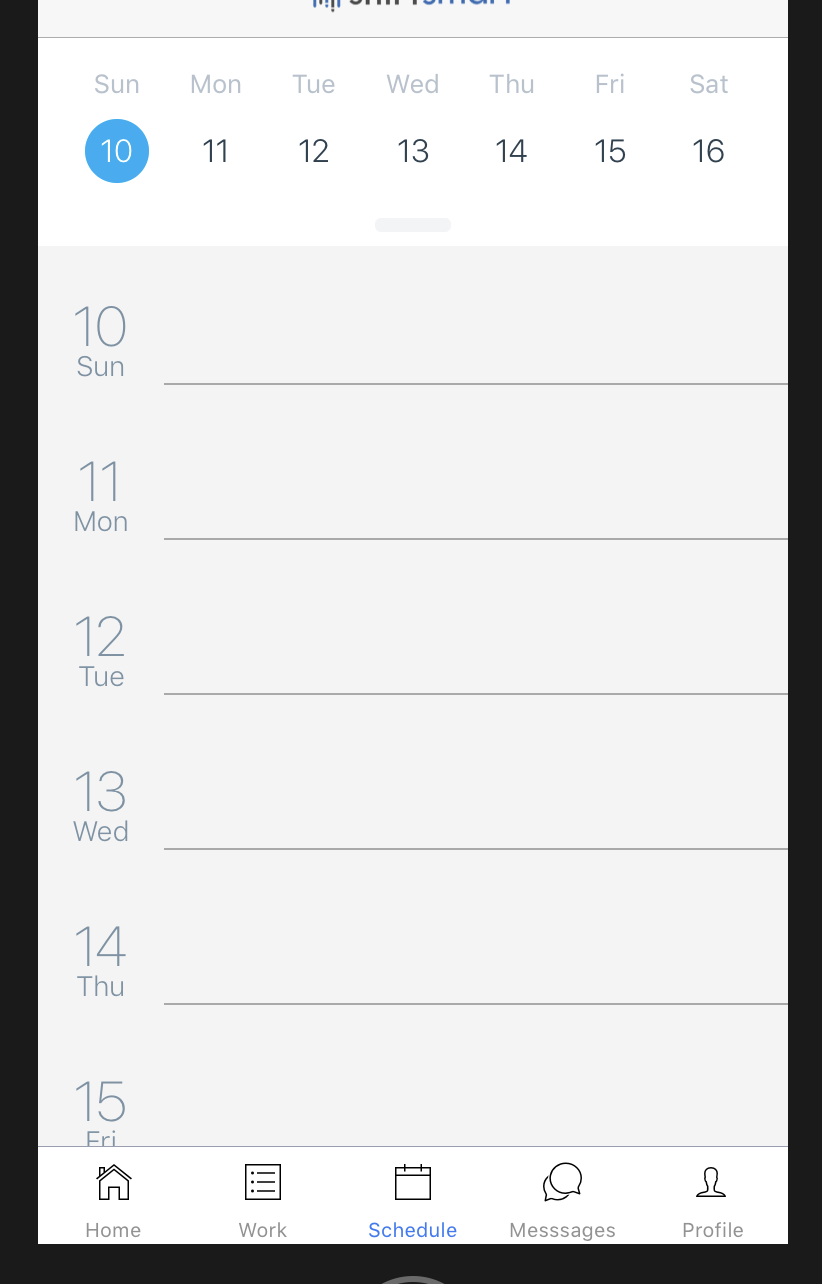
Agenda component's CalendarList header is not displaying dates at the top, on initial render. The header dates only become visible when opening the CalendarList and manually selecting a date, or scrolling down the Agenda components days until I scroll to a day on the next row of weeks (when the srcollAmount is adjusted in CalendarList's scrollToDay.
This occurs in our app on iOS and android devices, but does not occur in the Agenda example listed.
Expected Behavior
The Agenda component should render the CalendarList's header on initial load, without any user interaction.
Observed Behavior
CalendarList is not rendering until specific user interaction- whether the current day has an event or is an empty array.
Likely similar to #405 or #485 , but while issue was marked as solved in v1.19.2, it persists and the temporary solution does not work.
Environment
npm ls react-native-calendars:
└── [email protected]npm ls react-native:
└── [email protected]
- Phone/emulator/simulator & version:
Simulator iOS 11.2 - iPhone 6s
Screenshot
On inital load:
After scrolling to new week:
Reproducible Demo
Below is an example of the data we are feeding the items prop, for both empty and non-empty dates. Function loadScheduleItems makes a request to our database to fetch events for the current month, the previous month, and the next month-- the results are served in an object or arrays, like below:
const schedules.events = {
          2018-05-01: [],
          2018-05-02: [],
          2018-05-02: [
                  {company: 'string',
                  endDate : {Moment object},
                  id: 'string',
                  imageURL: 'string',
                  startDate: {Moment object},
          ]
   };
<Agenda
      items={schedules.events}
      loadItemsForMonth={this.loadScheduleItems}
      selected={startingDate.toDate()}
      renderItem={this.renderEvent}
      renderEmptyDate={this.renderEmptyDate}
      rowHasChanged={this.rowHasChanged}
  />
 lizalopez
All 7 comments
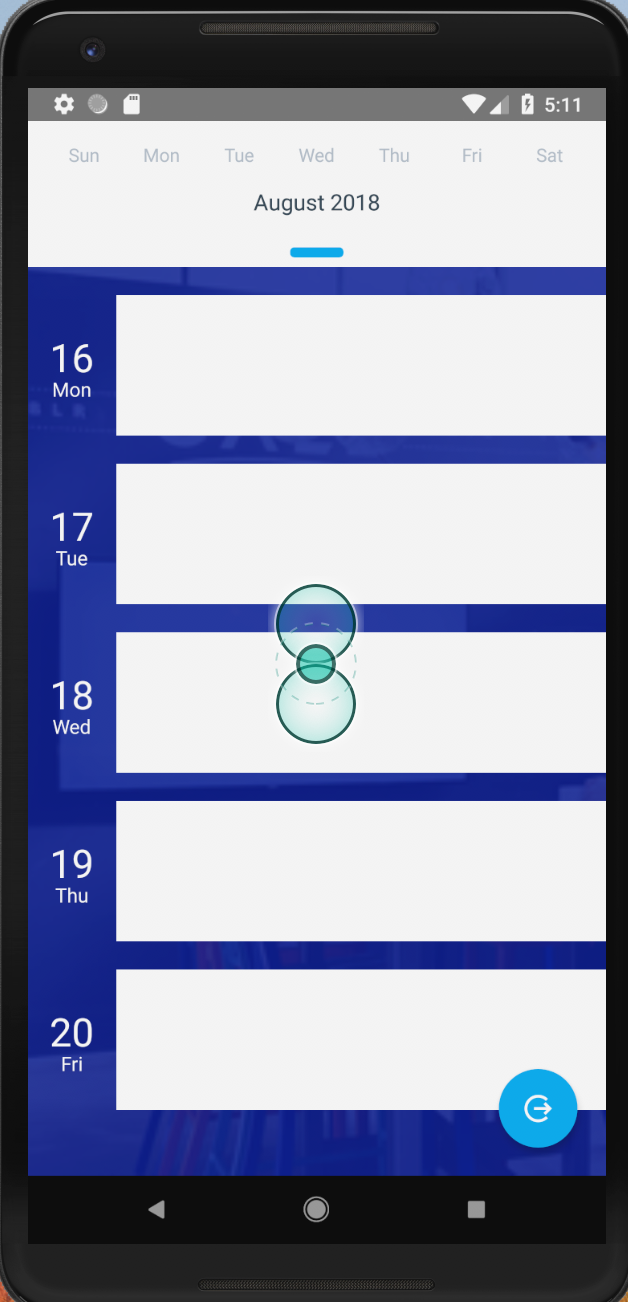
The header is not visible if pastScrollRange = {1} and futureScrollRange = {1} for previous and next months only in case of android.
 asaxena1237
on 29 Aug 2018
asaxena1237
on 29 Aug 2018
I found that scroll view cannot scroll to negative offset like ios. I fixed it by margin top in android when having negative offset and set it to 0 when offset > 0. i have forked and fixed it: https://github.com/vuthanhtrung0504/react-native-calendars
 vuthanhtrung0504
on 25 Jan 2019
vuthanhtrung0504
on 25 Jan 2019
@vuthanhtrung0504 can you please share with me the changes to fix this or share me the commit name/id.
 narender2031
on 21 Apr 2020
narender2031
on 21 Apr 2020
@asaxena1237 same issue with IOS
narender2031
on 21 Apr 2020
@narender2031 i think this 2 commits may help you https://github.com/vuthanhtrung0504/react-native-calendars/commit/4fa054af5fbd02ef9f7874c28590714ed183709b https://github.com/vuthanhtrung0504/react-native-calendars/commit/113273f56f02e0ad90b1e51ffda46e8819cf2014
vuthanhtrung0504
on 21 Apr 2020
@vuthanhtrung0504 existing code is changed. can you please take a look again
narender2031
on 21 Apr 2020
This issue has been automatically marked as stale because it has not had recent activity. It will be closed if no further activity occurs. Thank you for your contributions.
![stale[bot] picture](https://avatars.githubusercontent.com/in/1724?v=4&s=40) stale[bot]
on 22 Aug 2020
stale[bot]
on 22 Aug 2020
Related issues
 srichallamalla935
·
4Comments
srichallamalla935
·
4Comments
 Yandamuri
·
4Comments
Yandamuri
·
4Comments
 filippoitaliano
·
3Comments
filippoitaliano
·
3Comments
 idlework
·
4Comments
idlework
·
4Comments
 ercpereda
·
4Comments
ercpereda
·
4Comments
Most helpful comment
The header is not visible if pastScrollRange = {1} and futureScrollRange = {1} for previous and next months only in case of android.
