React-native-calendars: Agenda it's showing half of the day number at first load
Hello guys, first I want to thank for the great work you're doing...
Description
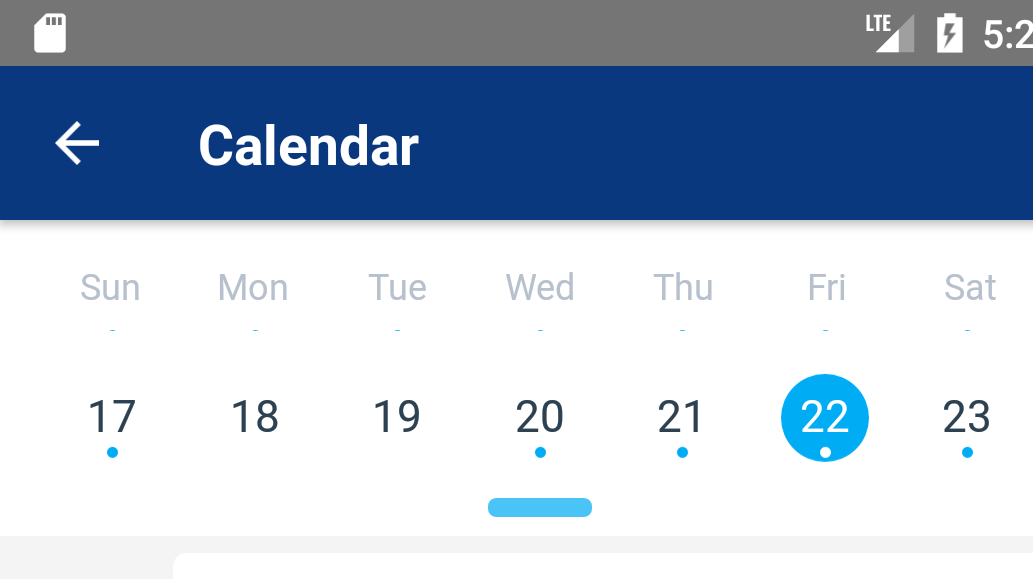
I Just updated to "react-native-calendars": "1.15.0" then when I load the Agenda the first time y see the half of the day number, but if open the months view and select a specific day it looks ok.
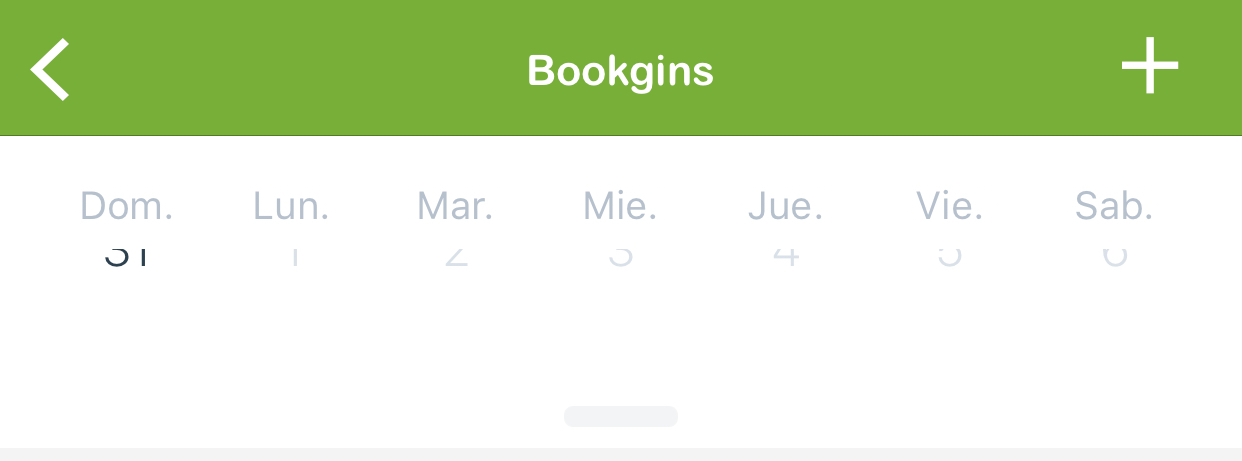
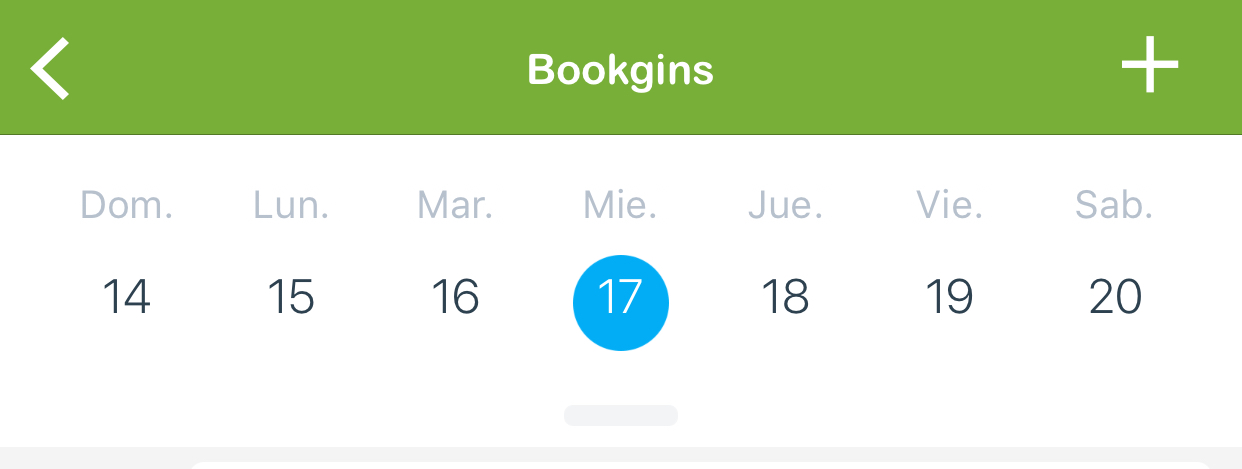
Thanks
 juanviola
All 15 comments
Hey, could you give code snippet that would help reproduce this problem? I don't see such behavior in library example project
 tautvilas
on 10 Dec 2017
tautvilas
on 10 Dec 2017
Hey @tautvilas, thanks for reply...
index.js
import React, { Component } from 'react';
import { Text, View } from 'react-native';
import { NavigationActions } from 'react-navigation';
import { Button, Spinner } from 'native-base';
import { List, ListItem, Icon } from 'react-native-elements'
import { Agenda, LocaleConfig } from 'react-native-calendars';
import { doCalendarRequest, getSubCalendars } from './calendar_actions';
import { read, save } from '../../lib/storage';
import CalendarAdd from './calendar_add';
import Moment from 'moment';
import { remove } from 'lodash';
import styles from './styles';
import CalendarItem from './calendar_item';
import CalendarEmptyItem from './calendar_empty_item';
export default class AgendaScreen extends Component {
static navigationOptions = ({ screenProps, navigation }) => ({
headerStyle: { backgroundColor: screenProps.headerBg },
headerTintColor: 'white', // color for the title
headerTitle: <Text style={styles.header_title}>Bookgins</Text>,
headerRight: <Icon
type='ionicon'
containerStyle={{ width: 25, marginRight: 18 }}
underlayColor='transparent'
color='white'
size={30}
name='md-add'
onPress={() => {
navigation.navigate('ReservationAddNewScreen', {
calendarSetState: navigation.state.params.calendarSetState,
markedDates: navigation.state.params.markedDates,
events: navigation.state.params.events,
selected_date: navigation.state.params.selected_date
})
}}
/>,
tabBarLabel: false,
tabBarIcon: ({ tintColor }) => (
<Icon name='md-menu' type='ionicon' color={tintColor} />
),
});
constructor(props) {
super(props);
this.state = {
showProgress: false,
deletingEvent: false,
active: false,
selected_date: Moment().format('YYYY-MM-DD').toString(),
min_date: Moment().format('YYYY-MM') + '-01',
max_date: Moment().add(12, 'months').format('YYYY-MM-DD'),
today: Moment().format('YYYY-MM-DD'),
events: {},
markedDates: {},
subcalendars: [],
subcalendars_updated: null,
setup: null,
};
this.tracker = [];
this.events = {};
this.debug = true;
this.subcalendars = null;
}
componentDidMount(){
this.props.navigation.setParams({
calendarSetState: this.setState.bind(this),
markedDates: this.state.markedDates,
events: this.state.events,
selected_date: this.state.selected_date
});
this._parseSubcalendars();
}
render() {
return (
<View style={{flex:1}}>
<Agenda
selected={this.state.today}
items={this.state.events}
pastScrollRange={0}
futureScrollRange={12}
minDate={this.state.min_date}
maxDate={this.state.max_date}
loadItemsForMonth={ console.log('triggered') }
renderItem={ (item, firstItemInDay) => console.log(item) }
renderEmptyDate={(date) => {
return (
<CalendarEmptyItem
date={date}
calendarSetState={this.setState.bind(this)}
{...this.props} />
)
}}
rowHasChanged={this.rowHasChanged.bind(this)}
markedDates={this.state.markedDates}
hideKnob={false}
onDayPress={(day) => this.selectDay(day) }
onDayChange={(day) => this.selectDay(day) }
/>
</View>
)
}
rowHasChanged(r1, r2) {
return r1.id !== r2.id;
}
}
calendar_empty_item.js
import React, { Component } from 'react';
import { View, TouchableHighlight } from 'react-native';
import styles from './calendar_empty_item_styles';
import Moment from 'moment';
export default class CalendarEmptyItem extends Component {
render() {
return(
<TouchableHighlight onPress={ () => {
this.props.navigation.navigate('ReservationAddNewScreen', {
calendarSetState: this.props.calendarSetState,
markedDates: this.props.navigation.state.params.markedDates,
events: this.props.navigation.state.params.events,
selected_date: Moment.utc(this.props.date.toString()).format('YYYY-MM-DD'),
selected_hour: Moment.utc().format('HH:mm').toString(),
})
}
}
underlayColor='transparent'>
<View style={styles.item_container} />
</TouchableHighlight>
)
}
}
can you reproduce same behavior in example module? if not can you try to identify the difference between your code?
tautvilas
on 11 Dec 2017
Hey all!
I've manage to find what's causing the problem: the header from react-navigation! Once I remove it, the view starts to work correctly. Not sure if we are doing something wrong with the header, or the calendar views.
F.
 dfsis
on 17 Dec 2017
dfsis
on 17 Dec 2017
can you set the linear gradient color for agenda calendar pls help me
 gopinathrpt
on 5 Jan 2018
gopinathrpt
on 5 Jan 2018
Getting the same problem. Did someone find a solution for that?
Hurts a lot since rnrf is the most solid navigator over there.
 igorarkhipenko
on 11 Jan 2018
igorarkhipenko
on 11 Jan 2018
Same here :(
 andresespinosapc
on 9 Apr 2018
andresespinosapc
on 9 Apr 2018
Get similar issue. The header is not showing the days on initial load. After I scroll down agenda and scroll up, the days are shown.
 LongicornYu
on 20 Apr 2018
LongicornYu
on 20 Apr 2018
I've spent some time looking into this one. The main issue I've been seeing is upon using "back" navigation (react-navigation). I haven't seen this on iOS, only on Android. I am using a fairly old version of react navigation - which may be the culprit.
It appears that the onLayout event is firing from the calendar list, with agenda subsequently calling the scrollToDay to fire. I suspect this is occurring during the navigation transition and one of the calculations is slightly off. Similarly I'd suspect that others may be having issues caused by header size.
Initial testing of adding a slight delay to the onLayout event appears to have resolved the issue on my end. (20 ms settimeout wrapping the call to props.onLayout)
 RobertBisson
on 21 Jun 2018
RobertBisson
on 21 Jun 2018
@juanviola @tautvilas @dfsis @RobertBisson
I'm using the Agenda component in my project and this bug is happening, including in iOS.
I don't use the react-navigation header.
Did you find any solution to this or a workaround that I can make?
 williamquintas
on 19 Feb 2019
williamquintas
on 19 Feb 2019
hello every one! I am facing the same issue on ios! I tried the delay proposed by @RobertBisson, it's work only if I open the calendar page first, but the problem persist when I make some navigation before the calendar ! any solutions please!
 XemaA
on 22 Feb 2019
XemaA
on 22 Feb 2019
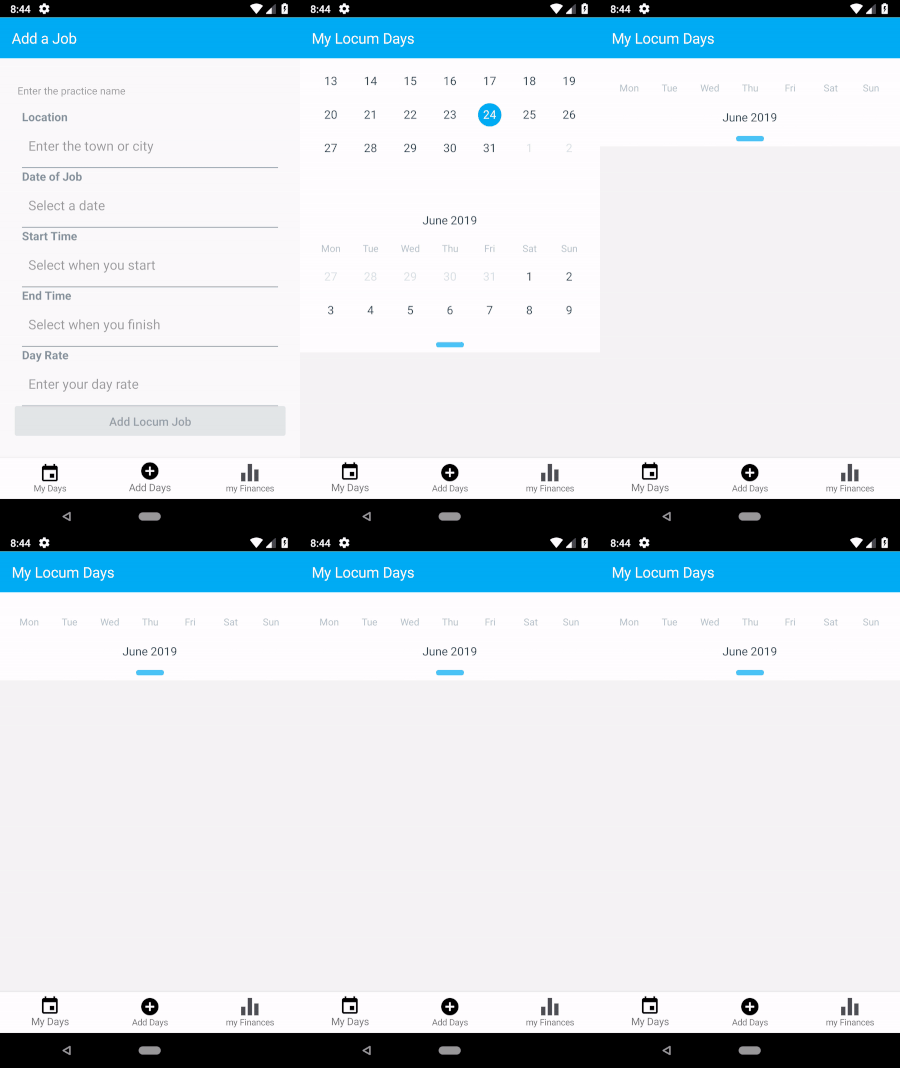
Me too! Same issue, but this time no numbers they seem to be hidden. Its funny because it only seems to happen when I do the following:
- navigate to another tab
- select the text input field and the android keyboard pops up
- then go back to the first tab with the agenda component
 Ru5habh5hah
on 24 May 2019
Ru5habh5hah
on 24 May 2019
So a little searching on these forums and i found a temp fix until this PR #486 is merged.
- By adding the commented line in the below code:
node_modules/react-native-calendars/src/agenda/index.js file:
 onLayout(event) {
    this.viewHeight = event.nativeEvent.layout.height;
    this.viewWidth = event.nativeEvent.layout.width;
    this.calendar.scrollToDay(this.state.selectedDay.clone(), this.calendarOffset(), false); //by adding this line
    this.forceUpdate();
  }
- Adding a setTimeout as suggested by @RobertBisson in the above thread
node_modules/react-native-calendars/src/calendar-list/index.js file:
  onLayout(event) {
    if (this.props.onLayout) {
      setTimeout(() => {
          this.props.onLayout(event);
      }, 1);
    }
  }
Hope this hack helps someone, seems to work for me on Android.
Ru5habh5hah
on 25 May 2019
@juanviola
I too faced similar issue.
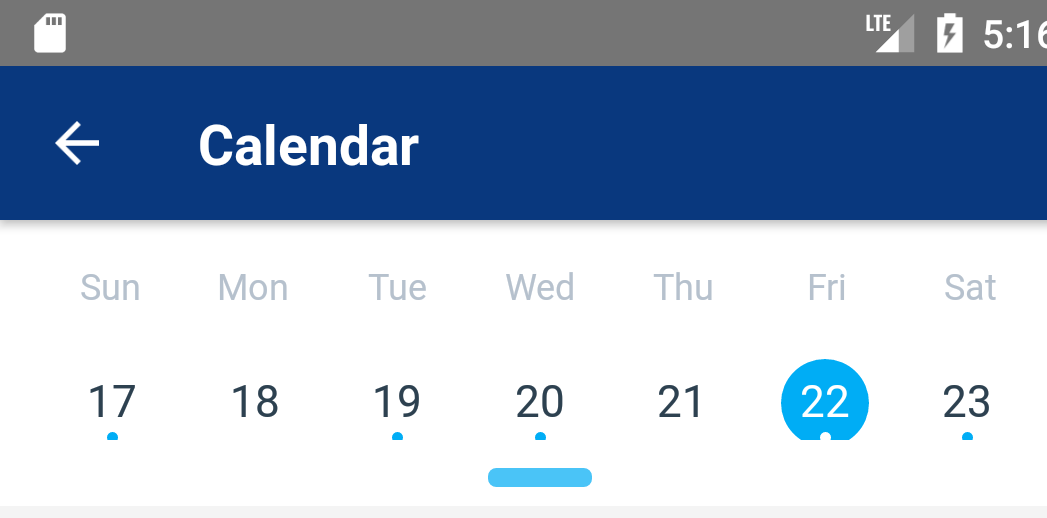
After increasing header height(HEADER_HEIGHT) in node_modulesreact-native-calendars\src\agenda\index.js, I could overcome the issue.
Thank you
 VijayJoshua02
on 22 Nov 2019
VijayJoshua02
on 22 Nov 2019
Put the Agenda component in the View container and give it a fixed height using for example Dimensions and useHeaderHeight to calc it.
```
import { Dimensions, View } from 'react-native';
import { useHeaderHeight } from '@react-navigation/stack';
const headerHeight = useHeaderHeight();
const { height } = Dimensions.get('screen');

return (
    <View style={{ height: height - headerHeight }}>
        <Agenda
            loadItemsForMonth={loadItems}
            items={items} ..........
```
 VadimDyliko
on 11 Sep 2020
VadimDyliko
on 11 Sep 2020
Related issues
 microwin168
·
4Comments
microwin168
·
4Comments
 kewin1807
·
4Comments
kewin1807
·
4Comments
 anishtr4
·
3Comments
anishtr4
·
3Comments
 Yandamuri
·
4Comments
Yandamuri
·
4Comments
 AleksandrZhukov
·
3Comments
AleksandrZhukov
·
3Comments
Most helpful comment
So a little searching on these forums and i found a temp fix until this PR #486 is merged.
node_modules/react-native-calendars/src/agenda/index.js file:
node_modules/react-native-calendars/src/calendar-list/index.js file:
Hope this hack helps someone, seems to work for me on Android.