React-native-calendars: How do I get the selected day background to center on the date?
See this screenshot:
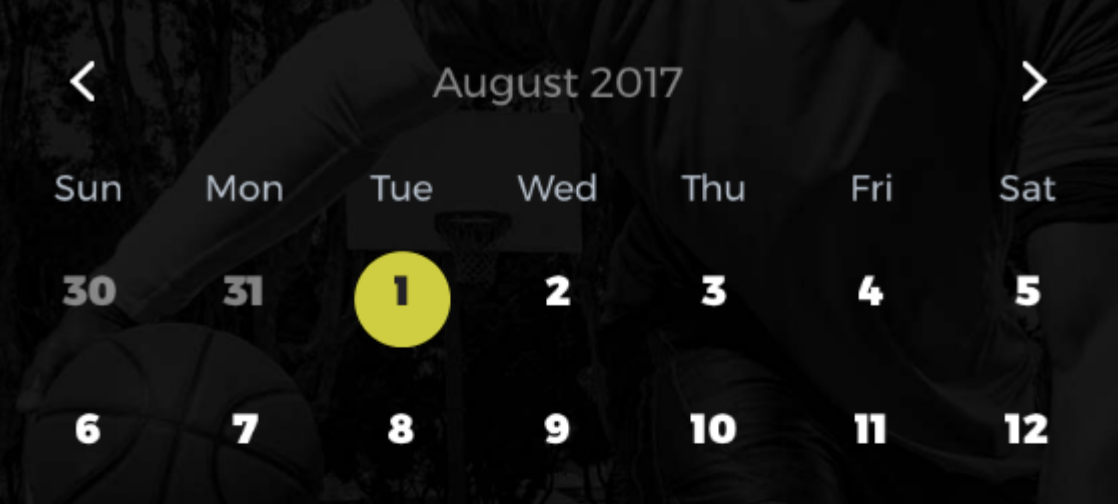
The selected date background is circular, but it is offset from the date. I assume this is because when a day is "marked" the dot appears under the number and then the selected background state is centered around the whole thing, but when I'm not using that, how do I get it to center properly?
Feature request
 ryanvanderpol
All 2 comments
Currently there is no way to center, but this might be fixed later.
 tautvilas
on 8 Aug 2017
tautvilas
on 8 Aug 2017
Currently you can hack this with advanced styling options:
theme={{
  'stylesheet.day.basic': {
    text: {
      marginTop: 4, // specify the margin you want
      ...otherTextStyles
    }
  }
}}
👍3
🎉2
Was this page helpful?
0 / 5 - 0 ratings
Related issues
 nickitatkach
·
4Comments
nickitatkach
·
4Comments
 Yandamuri
·
4Comments
Yandamuri
·
4Comments
 sommeshEwall
·
3Comments
sommeshEwall
·
3Comments
 anishtr4
·
3Comments
anishtr4
·
3Comments
 henrikra
·
3Comments
henrikra
·
3Comments
Most helpful comment
Currently you can hack this with advanced styling options: