React-native-calendars: inputRange must be monotonically increasing
I receive "inputRange must be monotonically increasing 0,-104" error when using wix react native navigation tabs with the Agenda component. However, if I put the agenda component in the screen assigned to the first tab I do not get this error.
 EdwardNelson
All 7 comments
It is late here, but as a quick starting point as to where the problem might be I did this:
Changed
https://github.com/wix/react-native-calendars/blob/master/src/agenda/index.js#L88-L90
to
initialScrollPadPosition() {
    if(this.viewHeight > HEADER_HEIGHT) {
      return this.viewHeight - HEADER_HEIGHT;
    }

    return 0
}
@overengineered if this is hard to fix maybe we can just make draggable agenda optional for now?
 tautvilas
on 11 Jul 2017
tautvilas
on 11 Jul 2017
I don't think its hard, @EdwardNelson probably provided correct solution, it might be incomplete though.
 overengineered
on 11 Jul 2017
overengineered
on 11 Jul 2017
@overengineered Is there anything I can do to speed up a resolution to this?
Is it a case of doing the same check in these places?
https://github.com/wix/react-native-calendars/blob/master/src/agenda/index.js#L88-L90
https://github.com/wix/react-native-calendars/blob/master/src/agenda/index.js#L247
EdwardNelson
on 11 Jul 2017
I will look into this problem this evening, I expect it to be fixed tomorrow
overengineered
on 11 Jul 2017
fixed in 1.5.1
tautvilas
on 12 Jul 2017
       <Carousel

        autoplay
        autoplayTimeout={5000}
        loop
        index={0}
        showsPageIndicator={ false }
         pageSize={BannerWidth}
        height={250}
        itemWidth={sliderWidth}
  itemHeight={itemHeight}
    >
    {

      this.props.data.banner.map((image, index) => {
        if(image !== null){
      console.log("carousel started to render"+image)
      return(
        <View key={index}>
      {                          console.log("The image url is "+image.BannerUrl)
       }
          <Image source={{uri: image.BannerUrl}} style={{flex:1,width: BannerWidth, height: BannerHeight,resizeMode:'contain'}}/>
        </View>
      )}
    })}
    </Carousel>
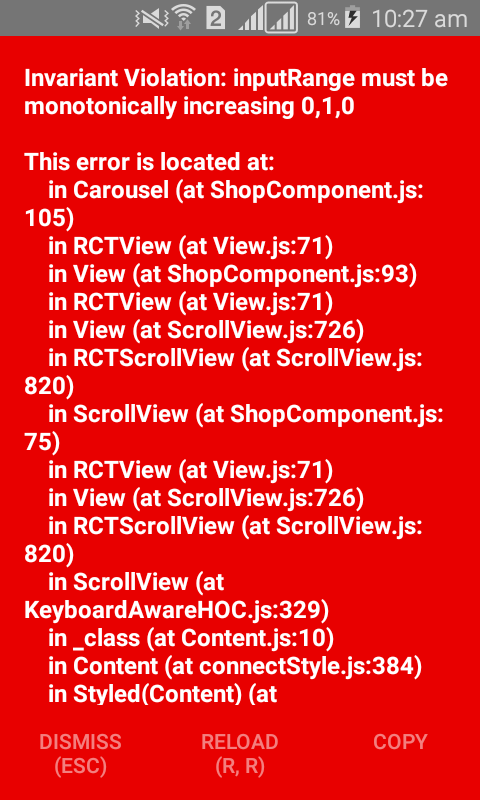
this.props.data.banner=[{BannerUrl:'..',..},{...},{....}]
I want to render the images in a BannerUrl to this Carousel.I can't fix it from yesterday and also can't understand the problem here.Plz someone tell me.Thanks
 Johncy1997
on 8 Mar 2018
Johncy1997
on 8 Mar 2018
Related issues
 moiiiiit
·
4Comments
moiiiiit
·
4Comments
 kewin1807
·
4Comments
kewin1807
·
4Comments
 dobiedad
·
4Comments
dobiedad
·
4Comments
 chapeljuice
·
3Comments
chapeljuice
·
3Comments
 filippoitaliano
·
3Comments
filippoitaliano
·
3Comments
Most helpful comment
I will look into this problem this evening, I expect it to be fixed tomorrow