React-native-app-auth: Got undefined is not an object (evaluating 'RNAppAuth.authorize')
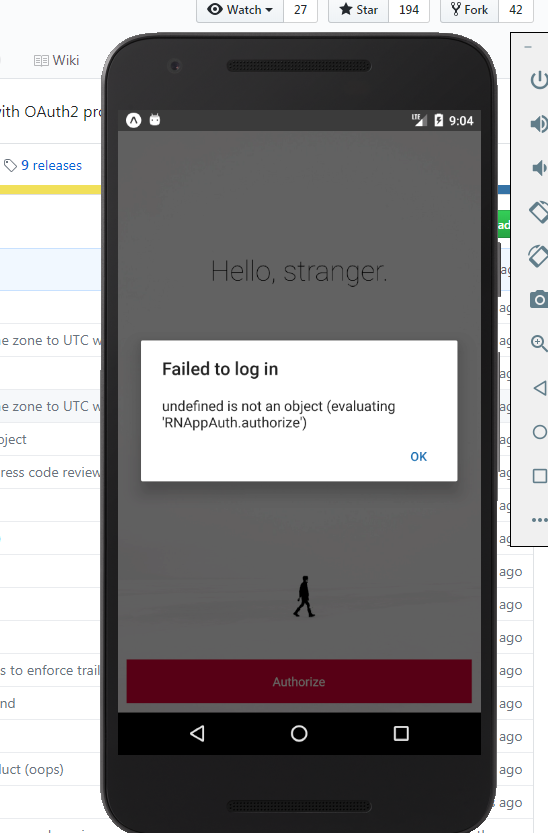
I have followed all the mentioned steps but got above(tittle) issue..i did https://github.com/FormidableLabs/react-native-app-auth#manual-installation.. but unable to resolve it..
i am using
"react": "16.2.0",
"react-native": "0.52.0",
"react-native-app-auth": "^2.4.1",
Kindly help me..any suggestions would be greatly appreciate.
1.) C:\Projects\My-app-name\android\app\src\main\java\com\easyb2b_app\MainApplication.java
package com.easyb2b_app;
import android.app.Application;
import com.facebook.react.ReactApplication;
import com.reactlibrary.RNAppAuthPackage;
import com.facebook.react.ReactNativeHost;
import com.facebook.react.ReactPackage;
import com.facebook.react.shell.MainReactPackage;
import com.facebook.soloader.SoLoader;
import java.util.Arrays;
import java.util.List;
public class MainApplication extends Application implements ReactApplication {
private final ReactNativeHost mReactNativeHost = new ReactNativeHost(this) {
@Override
public boolean getUseDeveloperSupport() {
return BuildConfig.DEBUG;
}
@Override
protected List
return Arrays.
new MainReactPackage(),
new RNAppAuthPackage()
);
}
}
2.) C:\Projects\My-app-name\android\settings.gradle
rootProject.name = 'My-app-name'
include ':react-native-app-auth'
project(':react-native-app-auth').projectDir = new File(rootProject.projectDir, '../node_modules/react-native-app-auth/android')
include ':app'
3.) C:\Projects\My-app-name\android\app\build.gradle
android {
compileSdkVersion 25
buildToolsVersion "23.0.1"
defaultConfig {
    applicationId "com.easyb2b_app"
    minSdkVersion 16
    targetSdkVersion 22
    versionCode 1
    versionName "1.0"
    ndk {
        abiFilters "armeabi-v7a", "x86"
    }
    /*manifestPlaceholders = [
        appAuthRedirectScheme: 'io.identityserver.demo'
    ]*/
}
splits {
    abi {
        reset()
        enable enableSeparateBuildPerCPUArchitecture
        universalApk false  // If true, also generate a universal APK
        include "armeabi-v7a", "x86"
    }
}
buildTypes {
    release {
        minifyEnabled enableProguardInReleaseBuilds
        proguardFiles getDefaultProguardFile("proguard-android.txt"), "proguard-rules.pro"
    }
}
// applicationVariants are e.g. debug, release
applicationVariants.all { variant ->
    variant.outputs.each { output ->
        // For each separate APK per architecture, set a unique version code as described here:
        // http://tools.android.com/tech-docs/new-build-system/user-guide/apk-splits
        def versionCodes = ["armeabi-v7a":1, "x86":2]
        def abi = output.getFilter(OutputFile.ABI)
        if (abi != null) {  // null for the universal-debug, universal-release variants
            output.versionCodeOverride =
                    versionCodes.get(abi) * 1048576 + defaultConfig.versionCode
        }
    }
}
}
dependencies {
compile project(':react-native-app-auth')
compile fileTree(dir: "libs", include: ["*.jar"])
compile "com.android.support:appcompat-v7:25.3.1"
compile "com.facebook.react:react-native:+" // From node_modules
}
4.) C:\Projects\My-app-name\android\build.gradle
buildscript {
repositories {
jcenter()
}
dependencies {
classpath 'com.android.tools.build:gradle:2.2.3'
    // NOTE: Do not place your application dependencies here; they belong
    // in the individual module build.gradle files
}
}
allprojects {
repositories {
mavenLocal()
jcenter()
google()
maven {
// All of React Native (JS, Obj-C sources, Android binaries) is installed from npm
url "$rootDir/../node_modules/react-native/android"
}
}
}
 nainishmodi
All 13 comments
Getting the same error. Following instructions in the README religiously and yet still get this error every time I try to call authorize(). Any help is appreciated!
 sam-warren
on 1 Jun 2018
sam-warren
on 1 Jun 2018
Hmm, this error generally means that JavaScript cannot find the native module for some reason.
To be clear:
Are you trying to run the Example in this repo, or adding the library to your own project?
Are you running it via Android Studio or with react-native run-android?
 kadikraman
on 3 Jun 2018
kadikraman
on 3 Jun 2018
@kadikraman
1.) No i m adding library in my own project.
2.) I am not using react-native run-android..i have created AVD (Android virtual machine) in android studio and via expo i am running my app using npm start run command.
nainishmodi
on 4 Jun 2018
Changed project structure and ran with react-native run-android, update java & JDK/JRE and resolved many other issues that prompted while building application..Thankx @kadikraman for giving hint..
nainishmodi
on 5 Jun 2018
For the guys who stuck with this issue as me, the solution is to perform react-native link to include native modules in the project.
 elatonsev
on 19 Jun 2018
elatonsev
on 19 Jun 2018
I tried everything mentioned by still got the error....iOS
 frostless
on 12 Jan 2019
frostless
on 12 Jan 2019
I tried everything mentioned by still got the error....iOS
Same... 🙁
 talyh
on 14 Jan 2019
talyh
on 14 Jan 2019
I tried everything mentioned by still got the error....iOS
Same... 🙁
I've started from scratch and got it working. Both times I was following https://developer.okta.com/blog/2018/03/16/build-react-native-authentication-oauth-2, but on the first one I forgot to link, and only did it after changing AppDelegate.h and AppDelegate.m. Linking it before seems to have done the trick.
(It still seems weird that changing -> linking -> rebuilding didn't do it, but at least it's working now)
talyh
on 15 Jan 2019
@talyh Have you created your project using react-native init command?
nainishmodi
on 1 Feb 2019
@frostless Have you created your project using react-native init command?
nainishmodi
on 1 Feb 2019
@nainishmodi
I finally got it working by react-native eject
Interestingly the project was created by using react-native init. I dont know why I have to eject again.
I double check the previously not working project, it definitely been ejected, because it has the native module RNSVG.
frostless
on 1 Feb 2019
Any tips for getting this to work with 'expo start' ?
 jalchr
on 9 Mar 2019
jalchr
on 9 Mar 2019
This library includes native code, so it can only be used in ejected expo apps.
kadikraman
on 9 Mar 2019
Related issues
 jevakallio
·
5Comments
jevakallio
·
5Comments
 titoff002
·
7Comments
titoff002
·
7Comments
 timeinvestgroup
·
8Comments
timeinvestgroup
·
8Comments
 Electrofenster
·
4Comments
Electrofenster
·
4Comments
 sattaman
·
3Comments
sattaman
·
3Comments
Most helpful comment
For the guys who stuck with this issue as me, the solution is to perform
react-native linkto include native modules in the project.