React-map-gl: viewport-mercator-project assertion failed
I realise that the title relates to another Uber project - viewport-mercator-project, however it looks rather quiet there and I'm using this package within my React app, I thought here might be a better option.
I've tried to render a Map within a Create React App project:
react v: 16.5.2
react-map-gl v: 4.0.2
When navigating to the page with the Map component, it resulted in this error in the Chrome console
0efa13d7437878dc03536a9dedddbbf1a8d59712.js:1 Error: viewport-mercator-project: assertion failed.
    at C (0efa13d7437878dc03536a9dedddbbf1a8d59712.js:1)
    at 0efa13d7437878dc03536a9dedddbbf1a8d59712.js:1
    at t.value (0efa13d7437878dc03536a9dedddbbf1a8d59712.js:1)
    at t.value (0efa13d7437878dc03536a9dedddbbf1a8d59712.js:1)
    at 0efa13d7437878dc03536a9dedddbbf1a8d59712.js:1
    at eo (0efa13d7437878dc03536a9dedddbbf1a8d59712.js:1)
    at ko (0efa13d7437878dc03536a9dedddbbf1a8d59712.js:1)
    at Io (0efa13d7437878dc03536a9dedddbbf1a8d59712.js:1)
    at pa (0efa13d7437878dc03536a9dedddbbf1a8d59712.js:1)
    at la (0efa13d7437878dc03536a9dedddbbf1a8d59712.js:1)
The React Map component:
import React, { PureComponent } from "react";
import PropTypes from "prop-types";
import { merge } from "ramda";
import MapGL, { Marker } from "react-map-gl";
import Pin from "./Pin";

class LocationMap extends PureComponent {
  static displayName = "LocationMap";
  static propTypes = {
    lat: PropTypes.number,
    lng: PropTypes.number,
    zoom: PropTypes.number,
    pinSize: PropTypes.number
  };
  static defaultProps = {
    pinSize: 20
  };

  state = {
    viewport: {
      width: "100%",
      height: 400,
      latitude: 53.795231,
      longitude: -1.54511300000001,
      zoom: 15
    }
  };

  render() {
    const { pinSize } = this.props;
    const propsData = { latitude: this.props.latitude, longitude: this.props.longitude };
    const mapConfig = merge(this.state.viewport, propsData);

    return (
      <MapGL
        mapboxApiAccessToken={process.env.REACT_APP_MAPBOX_TOKEN}
        onViewportChange={viewport => this.setState({ ...viewport, width: "100%" })}
        {...mapConfig}
      >
        <Marker latitude={this.props.latitude} longitude={this.props.longitude}>
          <Pin size={pinSize} />
        </Marker>
      </MapGL>
    );
  }
}

export default LocationMap;
Does anyone have any ideas about how to resolve this? Perhaps fixing the version of react-map-gl to "^3.." ?
 tmhn
tmhn
All 25 comments
The problem is likely due to setting the viewport width to a string instead of a number.
 jcready
on 6 Dec 2018
jcready
on 6 Dec 2018
Your propTypes specify lng lat but your render method is using latitude longitude. Can you log the mapConfig object to make sure all fields are valid?
 Pessimistress
on 6 Dec 2018
Pessimistress
on 6 Dec 2018
@jcready Using string for width is allowed in v4.0. Although in the above code sample, the onViewportChange callback is not updating state.viewport but flattening all viewport props into state. An easier way to do the override is just
<MapGL
  mapboxApiAccessToken={process.env.REACT_APP_MAPBOX_TOKEN}
    onViewportChange={viewport => this.setState({viewport})}
    {...mapConfig}
    width="100%"
>
@Pessimistress Thanks for the great suggestion, I did try this, but then the map doesn't render quite properly within the parent div and breaks over from the styling of that div.
When I log out mapConfig:
altitude: 1.5
bearing: 0
height: 400
latitude: 53.79137
longitude: -1.53104
maxPitch: 60
maxZoom: 24
minPitch: 0
minZoom: 0
pitch: 0
transitionDuration: 0
transitionEasing: ƒ transitionEasing(t)
transitionInterpolator: LinearInterpolator {propNames: Array(5), around: undefined}
transitionInterruption: 1
width: "100%"
zoom: 15
__proto__: Object
Unless I'm missing something, it looks fairly standard and expected...
tmhn
on 10 Dec 2018

I'm running my React app on Netlify and had enabled minification, bundling and optimisation of the JS & Images. I've turned off the additional performance upgrades, and this is the console error that I've found
tmhn
on 10 Dec 2018
am also having a similar problem!
EDIT: Never mind! Had the wrong order on (latitude, longitude).
 gurbraj
on 10 Dec 2018
gurbraj
on 10 Dec 2018
@gurbraj Did you find that swapping the order of latitude & longitude successfully fixed it? Do you have a code sample to show what you've altered?
tmhn
on 10 Dec 2018
@Tmhn, Yes it seems to have fixed it on my end.
Given that you can render the map at all without any Markers, an equivalent change would be to change
const propsData = { latitude: this.props.latitude, longitude: this.props.longitude };
to
const propsData = { latitude: this.props.longitude, longitude: this.props.latitude };
(Of course, if this fixes it, the switch of ordering would come higher up = )
gurbraj
on 10 Dec 2018
It's important latitude doesn't go outside -90 and 90 and longitude outside -180 and 180.
 shaunwarman
on 29 Dec 2018
shaunwarman
on 29 Dec 2018
Invalid latitude value passed to Marker is likely causing the problem. The error message is not very helpful - I can add a sanity check.
Pessimistress
on 8 Jan 2019
In my case this happens when using a string for width/height:
          width="100%"
          height="100%"
using a number instead of a string removes the error:
          width={100}
          height={100}
But sadly doesn't solve my issue because I need a 100% dimension vor height and width
 mightym
on 17 Jan 2019
mightym
on 17 Jan 2019
Accidentally swapping latitude and longitude was my problem as well!
 timendez
on 21 Jan 2019
timendez
on 21 Jan 2019
@mightym I had the same issue when trying to fit bounds using new WebMercatorViewport(viewport) with viewport having a width: '100%' and height: '100%' (which are fed directly to <MapGL> component).
I fixed it by replacing the width and height of viewport with the current offsetWidth & offsetHeight of the parent element of the map.
I don't know if it can help you, but if it does, beware that accessing offsetWidth causes a reflow of the page (use sparingly).
 LoicUV
on 28 Feb 2019
LoicUV
on 28 Feb 2019
I was running into this because I was passing a null lat/lng pair. FWIW, I'm using version 6.1.1 of viewport-mercator-project, which includes https://github.com/uber-common/viewport-mercator-project/pull/91, but I was still just seeing the assertion failed error message.
 ajsharp
on 7 Apr 2019
ajsharp
on 7 Apr 2019
In my case this happens when using a string for width/height:
          width="100%"
          height="100%"
using a number instead of a string removes the error:
          width={100}
          height={100}
But sadly doesn't solve my issue because I need a
100%dimension vor height and width
Were you able to find a solution for this? Would appreciate any help
 BenBach
on 10 Apr 2019
BenBach
on 10 Apr 2019
Maybe it'll help someone:
I was getting this error because width and height were both 0 in some instances. Especially in shallow rendering with Enzyme.
 0vidiu
on 2 May 2019
0vidiu
on 2 May 2019
@tmhn i got a similar issue with you and error rooted from the Marker. In your case, seems like your marker is accessing props latitude and longitude while your component has propTypes lat and lng.
 jovanialferez
on 15 Jun 2019
jovanialferez
on 15 Jun 2019
I got similar issue. Just converted the latitude and longitude I've received to a number.
 aosvaldtRS
on 13 Jul 2019
aosvaldtRS
on 13 Jul 2019
had the same issue, for me it was because I was providing a padding too big compared to my width.
.fitBounds(bounds, { padding: 50 });
 romische
on 20 Sep 2019
romische
on 20 Sep 2019
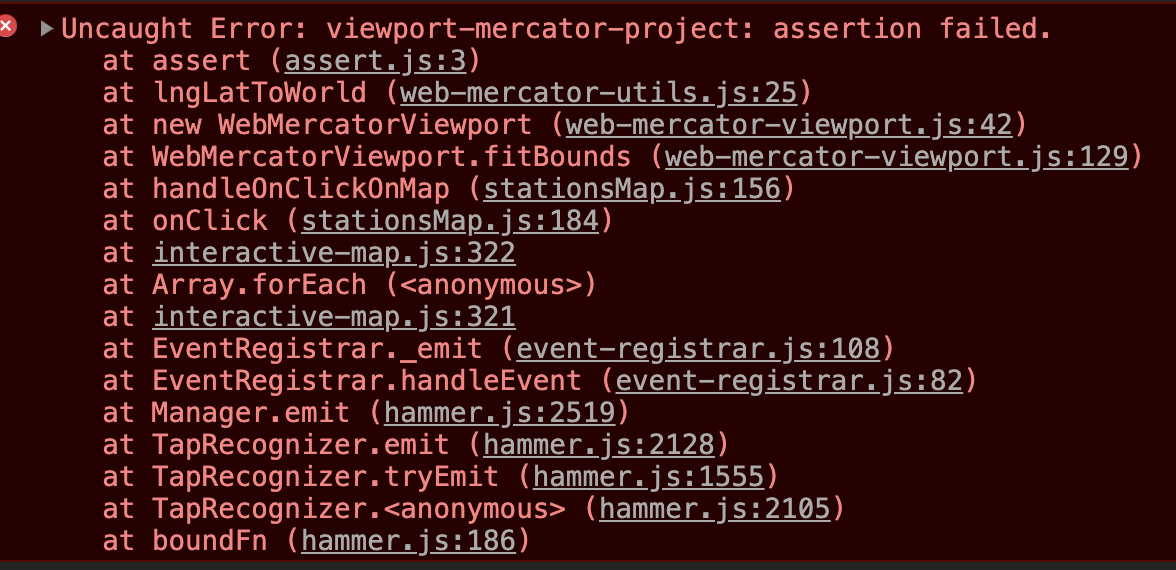
The image below is the viewport object I feed into the WebMercatorViewport constructor

After reading all the above comments and made all adjustments, I am still seeing the error below.
 alexsinfarosa
on 18 Nov 2019
alexsinfarosa
on 18 Nov 2019
After reading all the above comments and made all adjustments, I am still seeing the error below.
you should Try this .. it is working for me before i was getting same error
const mapViewportBounds = mapViewport.fitBounds([
[parseFloat(south), parseFloat(west)],
[parseFloat(north), parseFloat(east)],
]);
 gauravverma029
on 15 Jan 2020
gauravverma029
on 15 Jan 2020
@math.gl/web-mercator: assertion failed.
i get this when I change route or when state changes
 chiho13
on 19 May 2020
chiho13
on 19 May 2020
@chiho13 same for me - turns out I was specifying height as a string, which works fine in development, but something about the production pipeline makes it throw @math.gl/web-mercator: assertion failed.
 daf
on 27 May 2020
daf
on 27 May 2020
I was getting the same error. Turning Number(parseFloat(latitude)) into Number(latitude) solved the error.
 ArifSanaullah
on 23 Jun 2020
ArifSanaullah
on 23 Jun 2020
I also had the problem with the relative height/width so I checked them before my fitToBounds function:
  const viewportMercator = new WebMercatorViewport(viewport);
  //because we gave the map relative sizes, we have to make sure it rendered before zooming.
  if (viewportMercator.width !== 1) {
       const { longitude, latitude, zoom } = viewportMercator.fitBounds(...);
...
 weisssean
on 25 Aug 2020
weisssean
on 25 Aug 2020
Related issues
 ibgreen
·
27Comments
ibgreen
·
27Comments
 testower
·
15Comments
testower
·
15Comments
 woss
·
20Comments
woss
·
20Comments
 mitchellsimoens
·
12Comments
mitchellsimoens
·
12Comments
 schlesingermatthias
·
14Comments
schlesingermatthias
·
14Comments
Most helpful comment
had the same issue, for me it was because I was providing a padding too big compared to my width.