React-dates: Incorrect greyed-out date when using isOutsideRange
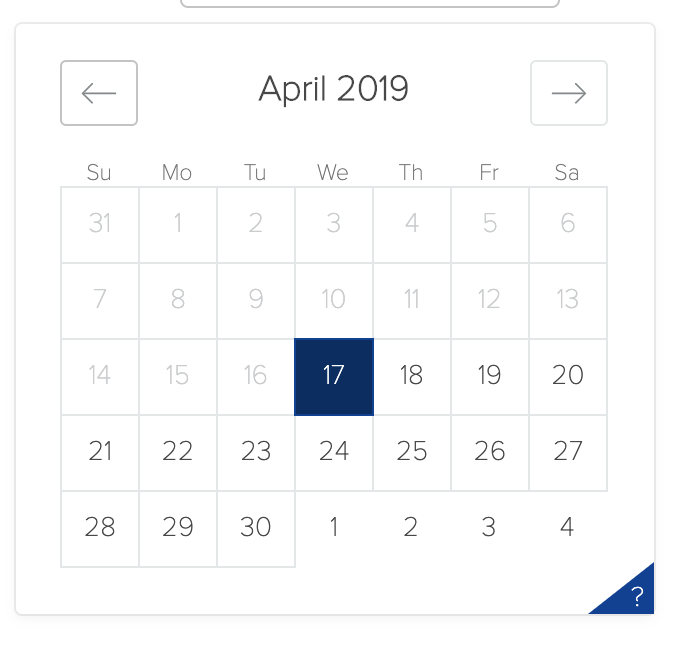
When using react-dates with isOutsideRange, the wrong start date is greyed out. I'm trying to limit the selection of a date to any day from tomorrow, into the future. the selection is for a single day, rather than a 'start date' and 'end date' When i use
isOutsideRange={(day) => day.isBefore(moment().add(1, 'days'))}
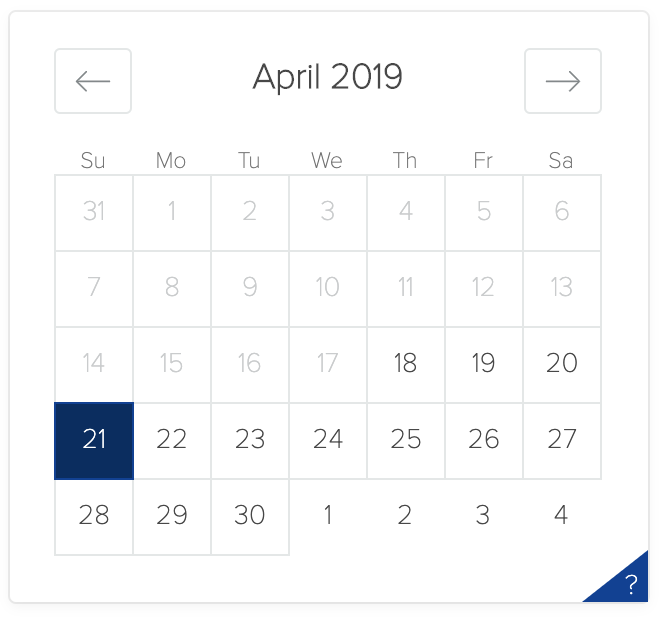
with the default date being tomorrow, after i select any day besides tomorrow it greys tomorrow out and visually appears to only allow a date selection from +2 days onwards. The greyed out day is still selectable however.
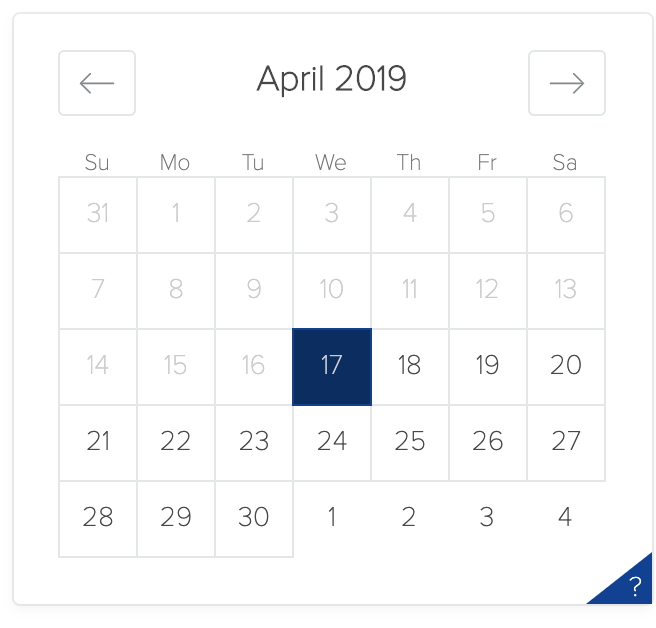
as an example, today is the 16th, date selection is limited to the 17th onwards. upon opening the calendar, the default date selected is the 17th. if i select any other day, the 21st for example, the 17th square becomes greyed out but is still re-selectable.
Expected result: any day from the 17th onwards is selectable, but the 17th does not become greyed out when picking another day.
state = {
    date: moment().add(1, "days")
}
<DayPickerSingleDateController
                date={this.state.date}
                onDateChange={date => this.setState({ date })}
                focused={this.state.focused}
                onFocusChange={({ focused }) => this.setState({ focused })}
                isOutsideRange={(day) => day.isBefore(moment().add(1, 'days'))}
                numberOfMonths={1}
                enableOutsideDays={true}
              />
running IOS and Chrome
no custom CSS is being applied besides changing the base colour of the calendar.
No custom methods are being used, it's essentially a completely default date picker limited to a one
month view. It's entirely possible that i'm not doing something correctly, but all that exists in this
component is the table, the state declaration, and the onChange handler (which only sets the date
selected to the state). I'm using a date picker in another part of my application and limiting the date
range to any time in the past->>two months from the current day, and it is working exactly as
expected.
 DRsabadash
>All comments
I may have a solution for this since I also recently discovered the day picker was not correctly highlighting when using isOutsideRange.
Whilst investigating a bug in our application we found the day supplied to isOutsideRange is actually a full datetime with the time set to midday.
So for the current day in the morning, the day picker was not highlighting the current day since my day.isAfter calculations comparing with now failed, but after 12:00:00 the comparison succeeds.
Using .startOf('day') on theday` given to the callback fixes the comparison.
 baileyandy
on 30 Aug 2019
baileyandy
on 30 Aug 2019
Related issues
 prztrz
·
3Comments
prztrz
·
3Comments
 ekohanyi
·
3Comments
ekohanyi
·
3Comments
 mrseanbaines
·
3Comments
mrseanbaines
·
3Comments
 AsasinCree
·
3Comments
AsasinCree
·
3Comments
 aishwarya-bote
·
3Comments
aishwarya-bote
·
3Comments
Most helpful comment
I may have a solution for this since I also recently discovered the day picker was not correctly highlighting when using
isOutsideRange.Whilst investigating a bug in our application we found the
daysupplied toisOutsideRangeis actually a full datetime with the time set to midday.So for the current day in the morning, the day picker was not highlighting the current day since my
day.isAftercalculations comparing withnowfailed, but after12:00:00the comparison succeeds.Using
.startOf('day') on theday` given to the callback fixes the comparison.