React-admin: autocomplete is blocked (happens in demo app to)
What you were expecting:
Being able to type in the autocompleteinput
What happened instead:
autocompleteinput is blocked, i can not change the value. this also happens in the demo application.
Steps to reproduce:
<ReferenceInput label="Company" source="companyId" reference="companies" filterToQuery={searchText => ({ name: searchText })}>
    <AutocompleteInput optionText="name" optionValue="id"/>
</ReferenceInput>
Environment
- React-admin version: 2.3.1
- React version: 16.5.2
- Browser: chrome
- Stack trace (in case of a JS error): no error
 TomJannes
All 9 comments
2.3.2 aswell
We are experiencing this since a week approx. (even in production :crying_cat_face: )
Demo (try to select a customer):
https://marmelab.com/react-admin-demo/#/commands
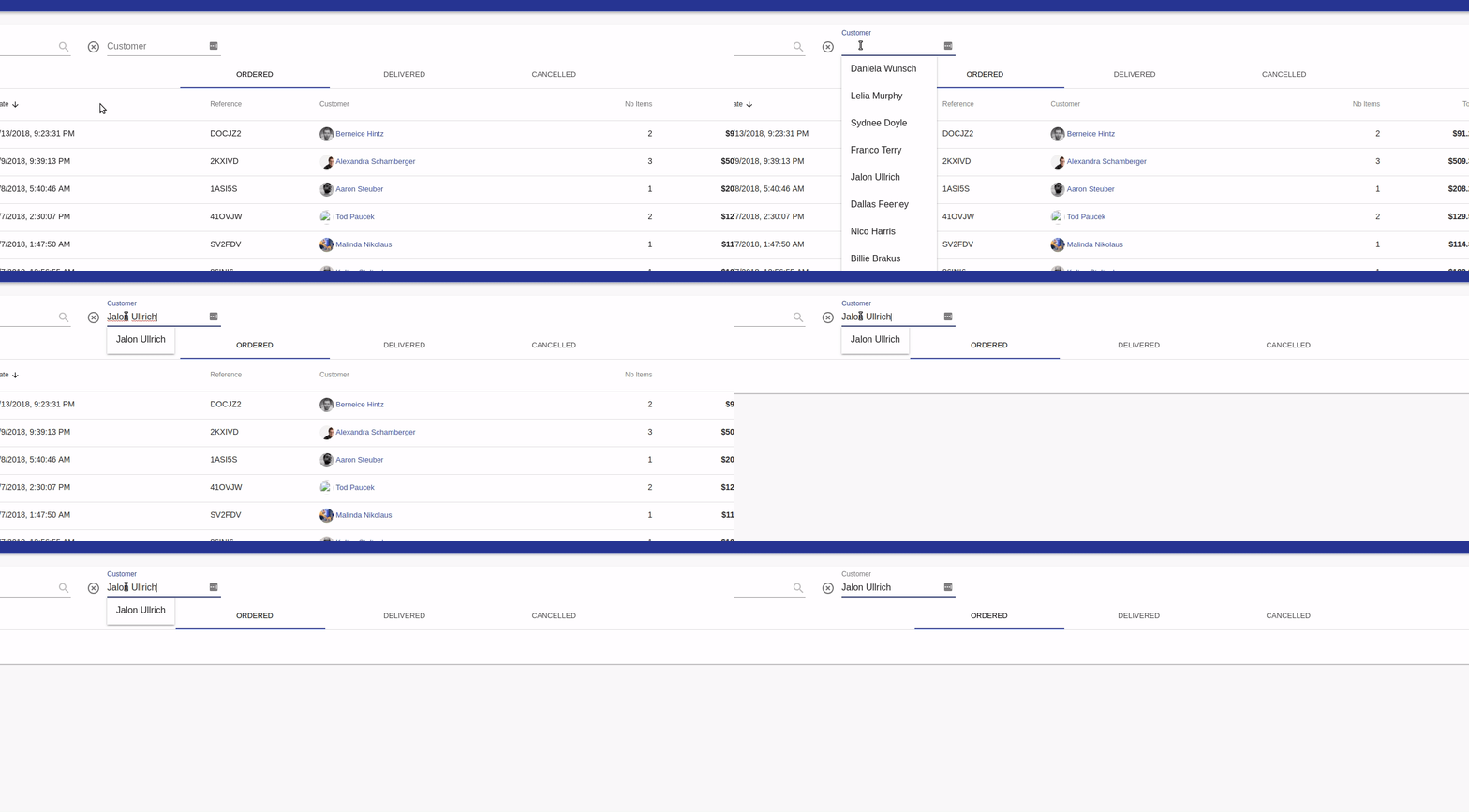
@valours @ArnaudD
 AkselsLedins
on 21 Sep 2018
AkselsLedins
on 21 Sep 2018
in our case, this helped
<AutocompleteInput inputValueMatcher={() => null}/>
 kamil-borecki
on 21 Sep 2018
kamil-borecki
on 21 Sep 2018
@kamil-borecki Thank you it helped
AkselsLedins
on 21 Sep 2018
Solved my problem, thanks!
TomJannes
on 21 Sep 2018
@fzaninotto @djhi I am also in need to change this behavior because I cannot type anything else if one item is already matched. This feels kind of buggy for our end users.
So, I will have to Find/Replace all <AutocompleteInput> to add this custom function.
It is easy to do, but since this will be a common request by others (I believe so), can we have a different behavior there? Like inputValueMatcher = {false} (just for easier documentation).
Still, I would prefer to be the opposite and have the false as a default but I understand that this would break previous implementations. If the false was the default instead, then the user would have to explicitly specify the inputValueMatcher either as {true} (i.e. to use the default function that you already have) OR as {() => {\\do different things here}}.
 afilp
on 24 Nov 2018
afilp
on 24 Nov 2018
Still have this problem in 2.4.4 Is anyone working on this? It's a very annoying bug. Some other problems with the AutocompleteInput component, too. I'll list a few here. The problems are present when I have the input inside a ReferenceInput. I only use autocomplete inside reference, so not sure where the problem lies.
When you have selected a value, basically the only way to get back to the "autocomplete mode" is to select the whole text and delete it - you cannot use backspace to remove some letters from the end. I think this is what the original issue referred to.
Sometimes when you are writing on the input, it randomly selects a value.
Sometimes the selections pop up on top of the input element and you can't access it and sometimes completely out of the screen (it was a while ago when this happened, not sure if it's a problem in the current version) - this is dependent on the screen size.
Also noticed just now, playing around with the input, it doesn't always work correctly - I get a list of names that don't include the text I wrote in the input at all. Actually this seems to be quite a constant problem. I was using the customer filter in https://marmelab.com/react-admin-demo/#/commands for this testing.
 jheiska
on 28 Nov 2018
jheiska
on 28 Nov 2018
@jheiska if you're in a hurry, I suggest you try and fix the bug in the react-admin code and submit a pull request. That's the beauty of open-source: you're never blocked by the editor / maintainers.
 fzaninotto
on 28 Nov 2018
fzaninotto
on 28 Nov 2018
@fzaninotto if I have the time, I will see if I can locate and/or fix the problem(s).
jheiska
on 3 Dec 2018
Fixed by #2833
fzaninotto
on 31 Jan 2019
Related issues
 nicgirault
·
3Comments
nicgirault
·
3Comments
 9747749366
·
3Comments
9747749366
·
3Comments
 waynebloss
·
3Comments
waynebloss
·
3Comments
 marknelissen
·
3Comments
marknelissen
·
3Comments
 alukito
·
3Comments
alukito
·
3Comments
Most helpful comment
in our case, this helped