I am trying to use SSH port tunneling to connect to Ray on a remote machine. This would be useful for accessing machines behind a firewall in a secure way.
When I try to connect to the Ray head through the SSH tunnel, I get a generic error message (included below). I'm attempting to forward the Redis port, but I suspect there's some hostname/port voodoo I'm missing.
First, I run a Ray head on machine 1:
$ ray start --head
Using IP address 192.168.1.124 for this node.
Waiting for redis server at 127.0.0.1:40452 to respond...
Waiting for redis server at 127.0.0.1:53790 to respond...
...

Started Ray on this node. You can add additional nodes to the cluster by calling

    ray start --redis-address 192.168.1.124:40452

from the node you wish to add. You can connect a driver to the cluster from Pyth
on by running

    import ray
    ray.init(redis_address="192.168.1.124:40452")
...
Then I forward port 40452 on machine 2 like so:
$ ssh -L 40452:localhost:40452 -p 2222 [email protected]
Finally, I try to connect to Ray on machine 2:
$ python3
>>> import ray
>>> ray.init(redis_address='localhost:40452')
Some processes that the driver needs to connect to have not registered with Redis, so retrying. Have you run 'ray start' on this node?
Some processes that the driver needs to connect to have not registered with Redis, so retrying. Have you run 'ray start' on this node?
...
I verified that my tunnel indeed works, and appears to connect to some kind of server:
$ telnet localhost 40452
Trying ::1...
Connected to localhost.
Escape character is '^]'.
aoeu
-ERR unknown command 'aoeu'
^]
telnet> Connection closed.
 unixpickle
All 13 comments
Does ray.init(redis_address='localhost:40452') work properly when run on machine 1? I've always been using 127.0.0.1 instead of localhost.
Based on the error message
Some processes that the driver needs to connect to have not registered with Redis, so retrying. Have you run 'ray start' on this node?
it looks like machine 2 is successfully connecting to Redis. However, to run ray.init(redis_addres=...) on a machine, it has to also connect to a few other processes (object store, object manager, and local scheduler) on the same machine (so machine 2 in this case) via Unix domain sockets. Those processes are started when you run ray start on a machine, so right now Ray expects ray start to be run on any machine where you are calling ray.init(redis_addres=...). Note that if you don't want any tasks to be scheduled on that machine, you can specify ray start --num-cpus=0.
In terms of ports that need to be opened, the object stores also communicate with each other over TCP. The port is chosen randomly but can be specified on each machine with ray start --object-manager-port=1234. Also, there are multiple Redis servers on the head node, so we need to be able to communicate with all of them. In this case 40452 and 53790. The IP address of the "primary" shard can be specified with ray start --redis-port=6379, but right now there is no way to specify the ports of the other shards.
Can you elaborate a bit on the use case? In particular, would it be possible to just run ray start on machine 2?
 robertnishihara
on 26 Sep 2017
robertnishihara
on 26 Sep 2017
Just tried running ray.init(redis_address='localhost:40452') on machine 1. Interestingly, it failed. Using 127.0.0.1 also failed. I had to explicitly use 192.168.1.124.
My use case is that I have two machines separated by a firewall that only allows port 22. Ideally, I'd be able to use both of these machines in a Ray cluster by communicating through SSH. It seems that this might not be possible right now, since Ray uses a ton of ports (some of which, as you've mentioned, are random and unconfigurable). The workaround might be to use some kind of VPN.
unixpickle
on 26 Sep 2017
It should be easy to make all of the ports configurable (right now the only unconfigurable ones are the redis shards other than the primary redis shard), so we can definitely do that if it helps. Though it sounds like that won't be sufficient in this case.
Using a VPN might work.
robertnishihara
on 26 Sep 2017
Going to close this issue since this is a fairly odd use case and I doubt it will be supported in the near future.
unixpickle
on 30 Sep 2017
Sounds good! If you try out the VPN approach, please share your experience about whether that worked or not.
robertnishihara
on 30 Sep 2017
For deployments in Docker and Kubernetes (or other orchestration engines e.x.: AWS), it is critical to control the ports that are exposed, so the developer can ensure proper connectivity.
@robertnishihara is there any plan to control the post-startup redis server ports?
- redis (primary shard) : static
- object-storage : static
- redis (other server ports) : dynamic
If we can specify a new port range (or understand the existing range), that would work.
 abrahamrhoffman
on 21 Feb 2018
abrahamrhoffman
on 21 Feb 2018
Yeah definitely. I'll see if I can put something together later today.
robertnishihara
on 22 Feb 2018
Fantastic! I can test it in my Kubernetes cluster right away.
abrahamrhoffman
on 22 Feb 2018
So after much fiddling I have managed to make this work.
Steps:
- On your head node: run
ray start --head --redis-port=6379 --redis--shard-ports=6380 --object-manager-port=2384
- On your head node: run
ssh -N -R head_node:6379:localhost:6379 -R head_node:6380:localhost:6380 -R head_node:2384:localhost:2384 worker_node
- On your worker node: run
ray start --redis-address="head_node:6379"
- In python on head or worker : run
import ray
ray.init(redis_address="172.23.0.38:6379")
But wait, there is an important caveat. If you are using a cluster with firewalls, it is likely that there will be an awkward network configuration with multiple network interfaces different naming schemes depending if you are on head nodes or worker nodes. In my situation, my head node had intranet network access (with one ip) and cluster subnet access (with another ip), and the worker node only having access to the cluster sub-net.
When ray start initialised its head it takes the first ip in the list, in this case the intranet ip. The worker node can not resolve this ip.
oh well, give the worker the correct ip address to redis i hear you say, this works to get a connection to redis. But all of IP address in redis for ray are now also incorrect, causing raylets to explode and python to complain.
Possible working solution:
https://github.com/ray-project/ray/blob/master/python/ray/scripts/scripts.py#L267
can become
if redis_address is not None:
    ray_params.update_if_absent(node_ip_address=redis_address)
Allowing for:
ray start --head --redis-address=(the correct ip) --redis-port=6379 --num-redis-shards=1 --redis-
shard-ports=6380 --object-manager-port=2384
And now it works. Although reusing that variable incorrectly, make me feel dirty.
I realise this is probably deserving of a separate issue, but this is so interlinked to this situation and quitte niche, I wanted to leave a clue for future traveller.
 phuicy
on 30 Jan 2019
phuicy
on 30 Jan 2019
@robertnishihara I also have two machines (_head-node_ and _worker-node_) located in separate private networks, which I would like to use to run Ray Tune. But I am having difficulties to setup Ray.
From _head-node_ I can connect to _worker-node_ via ssh like this:
ssh -R 6379:localhost:6379 -R 6380:localhost:6380 -R 13384:localhost:13384 -R 13385:localhost:133845 worker-node
To start Ray on both machines I have tried several things, but none of them work:
1) Start Ray in the _head-node_ with ray start --head --redis-port=6379 --redis-shard-ports=6380 --object-manager-port=13384 --node-manager-port=13385 and in the _worker-node_ with ray start --address="127.0.0.1:6379" --object-manager-port=13384 --node-manager-port=13385. (OBS! I had to modify the address_to_ip method in _services.py_ to allow the loopback address to be used as such). When doing this, everything is fine on the _head-node_ (i.e., running ray.init(address="127.0.0.1:6379") is fine). However, in the _worker-node_ I can see from the logs that the _raylet_ process is not able to connect to Redis: _"Failed to connect to Redis, retrying"_
So here, within _worker.py_ and _node.py_ Ray is able to connect to Redis (e.g., state._parse_client_table() succeeds). However, the _raylet_ process is not able to connect to Redis.
2) If I force the _head-node_ to use 127.0.0.1 as its IP address (i.e., adding --node-ip-address=address=127.0.0.1 when starting Ray), then the _raylet_ process in the _worker-node_ seems to be able to connect to Redis. The logs (_raylet.out_) look like this now:
I1105 09:33:37.362702 2101 stats.h:48] Succeeded to initialize stats: exporter address is 127.0.0.1:8888
I1105 09:33:39.605262 2101 redis_gcs_client.cc:145] RedisGcsClient::Connect finished with status OK
I1105 09:33:39.606454 2101 grpc_server.cc:26] ObjectManager server started, listening on port 13384
However, running ray.init(address="127.0.0.1:6379") in the _worker-node_ crashes:
ray.init(redis_address="127.0.0.1:6379")
E1105 09:34:36.420061 2120 raylet_client.cc:113] Retrying to connect to socket for pathname /tmp/ray/session_2019-11-05_10-33-11_500068_549/sockets/raylet (num_attempts = 1, num_retries = 5)
E1105 09:34:36.920861 2120 raylet_client.cc:113] Retrying to connect to socket for pathname /tmp/ray/session_2019-11-05_10-33-11_500068_549/sockets/raylet (num_attempts = 2, num_retries = 5)
E1105 09:34:37.421190 2120 raylet_client.cc:113] Retrying to connect to socket for pathname /tmp/ray/session_2019-11-05_10-33-11_500068_549/sockets/raylet (num_attempts = 3, num_retries = 5)
E1105 09:34:37.921571 2120 raylet_client.cc:113] Retrying to connect to socket for pathname /tmp/ray/session_2019-11-05_10-33-11_500068_549/sockets/raylet (num_attempts = 4, num_retries = 5)
F1105 09:34:38.421844 2120 raylet_client.cc:122] Could not connect to socket /tmp/ray/session_2019-11-05_10-33-11_500068_549/sockets/raylet
* Check failure stack trace: *
@ 0x7fe359a46fcd google::LogMessage::Fail()
@ 0x7fe359a48cec google::LogMessage::SendToLog()
@ 0x7fe359a46b29 google::LogMessage::Flush()
@ 0x7fe359a46d41 google::LogMessage::~LogMessage()
@ 0x7fe3596a03e9 ray::RayLog::~RayLog()
@ 0x7fe3595a43af RayletConnection::RayletConnection()
@ 0x7fe3595a4585 RayletClient::RayletClient()
@ 0x7fe35953cf2e ray::CoreWorker::CoreWorker()
@ 0x7fe35950cddc __pyx_tp_new_3ray_7_raylet_CoreWorker()
@ 0x5516f5 (unknown)
@ 0x5aa69c _PyObject_FastCallKeywords
@ 0x50ab53 (unknown)
@ 0x50c549 _PyEval_EvalFrameDefault
@ 0x5081d5 (unknown)
@ 0x50a020 (unknown)
@ 0x50aa1d (unknown)
@ 0x50d320 _PyEval_EvalFrameDefault
@ 0x5081d5 (unknown)
@ 0x50a020 (unknown)
@ 0x50aa1d (unknown)
@ 0x50d320 _PyEval_EvalFrameDefault
@ 0x5081d5 (unknown)
@ 0x50b3a3 PyEval_EvalCode
@ 0x635082 (unknown)
@ 0x4ad90a (unknown)
@ 0x4afd29 PyRun_InteractiveLoopFlags
@ 0x638ad3 PyRun_AnyFileExFlags
@ 0x639491 Py_Main
@ 0x4b0f60 main
@ 0x7fe35b796b97 __libc_start_main
@ 0x5b2eaa _start
Aborted (core dumped)
And in _raylet.err_ I can see the following:
E1105 09:33:39.606385836 2101 server_chttp2.cc:40] {"created":"@1572946419.606309823",
"description":"No address added out of total 1 resolved", "file":"external/com_github_grpc_grpc/src/core/ext/transport/chttp2/server/chttp2_server.cc", "file_line":348, "referenced_errors":[{"created":"@1572946419.606307576", "description":"Failed to add any wildcard listeners", "file":"external/com_github_grpc_grpc/src/core/lib/iomgr/tcp_server_posix.cc", "file_line":337, "referenced_errors":[{"created":"@1572946419.606286747", "description":"Address family not supported by protocol", "errno":97, "file":"external/com_github_grpc_grpc/src/core/lib/iomgr/socket_utils_common_posix.cc", "file_line":383, "os_error":"Address family not supported by protocol", "syscall":"socket", "target_address":"[::]:13384"}, {"created":"@1572946419.606306706", "description":"Unable to configure socket", "fd":20, "file":"external/com_github_grpc_grpc/src/core/lib/iomgr/tcp_server_utils_posix_common.cc", "file_line":217, "referenced_errors":[{"created":"@1572946419.606302982", "description":"Address already in use", "errno":98, "file":"external/com_github_grpc_grpc/src/core/lib/iomgr/tcp_server_utils_posix_common.cc", "file_line":190, "os_error":"Address already in use","syscall":"bind"}]}]}]}
* Aborted at 1572946419 (unix time) try "date -d @1572946419" if you are using GNU date
PC: @ 0x0 (unknown)
SIGSEGV (@0x0) received by PID 2101 (TID 0x7fa3527817c0) from PID 0; stack trace: *
@ 0x7fa35237a890 (unknown)
@ 0x5e8ee2 grpc::ServerInterface::RegisteredAsyncRequest::IssueRequest()
@ 0x482b38 ray::rpc::ObjectManagerService::WithAsyncMethod_Push<>::RequestPush()
@ 0x48eec3 ray::rpc::ServerCallFactoryImpl<>::CreateCall()
@ 0x506e41 ray::rpc::GrpcServer::Run()
@ 0x486330 ray::ObjectManager::StartRpcService()
@ 0x491fda ray::ObjectManager::ObjectManager()
@ 0x4384c5 ray::raylet::Raylet::Raylet()
@ 0x40f693 main
@ 0x7fa351451b97 __libc_start_main
@ 0x4207e1 (unknown)
I am not sure if these problems can be considered as bug-related, but I would appreciate any help on understanding what the actual problem is (i.e., how Ray works behind the scenes) so that I can try to fix it myself. Thanks!
 humcasma
on 5 Nov 2019
humcasma
on 5 Nov 2019
Sounds good! If you try out the VPN approach, please share your experience about whether that worked or not.
Hi there,
I tried with VPN and it failed...
Steps:
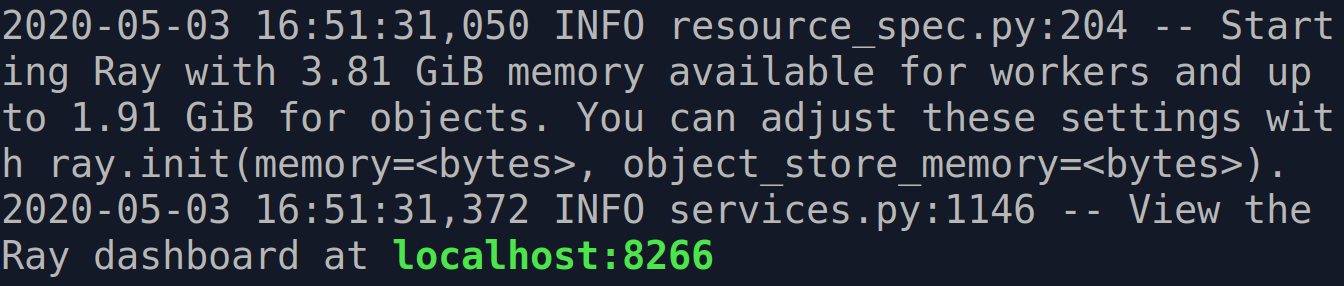
- On server (head) run:
$ ray start --head --redis-port=6379
- Check with
nmapthe communication from client to server:

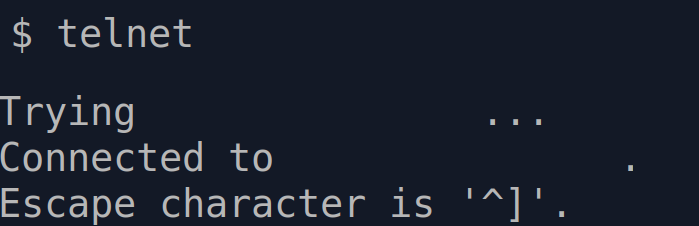
2.1. Also with telnet (double checked XD):
Ran my python script (trivial, do not include pic', output, none)...
Attach the client to the ray cluster:
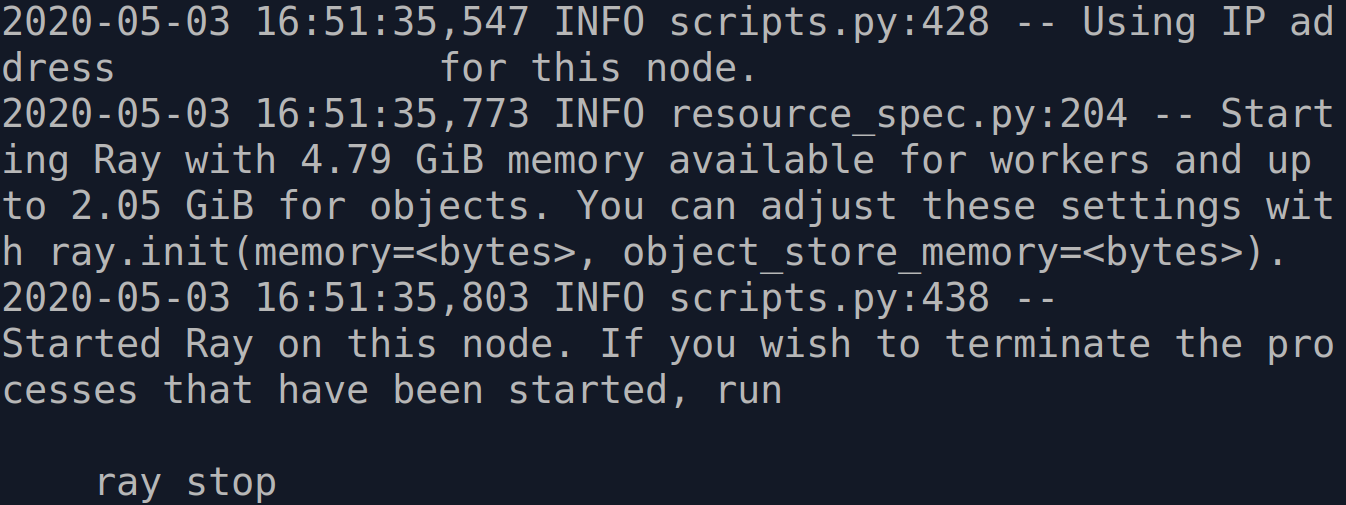
$ ray start --address=w.x.y.z:6379
(for security reasons I don't include the VPN IP)
Results:
- Ray dashboard shows the two nodes (host with IP 192.168.0.103 is the server/head), but only the server/head has workers up and running:
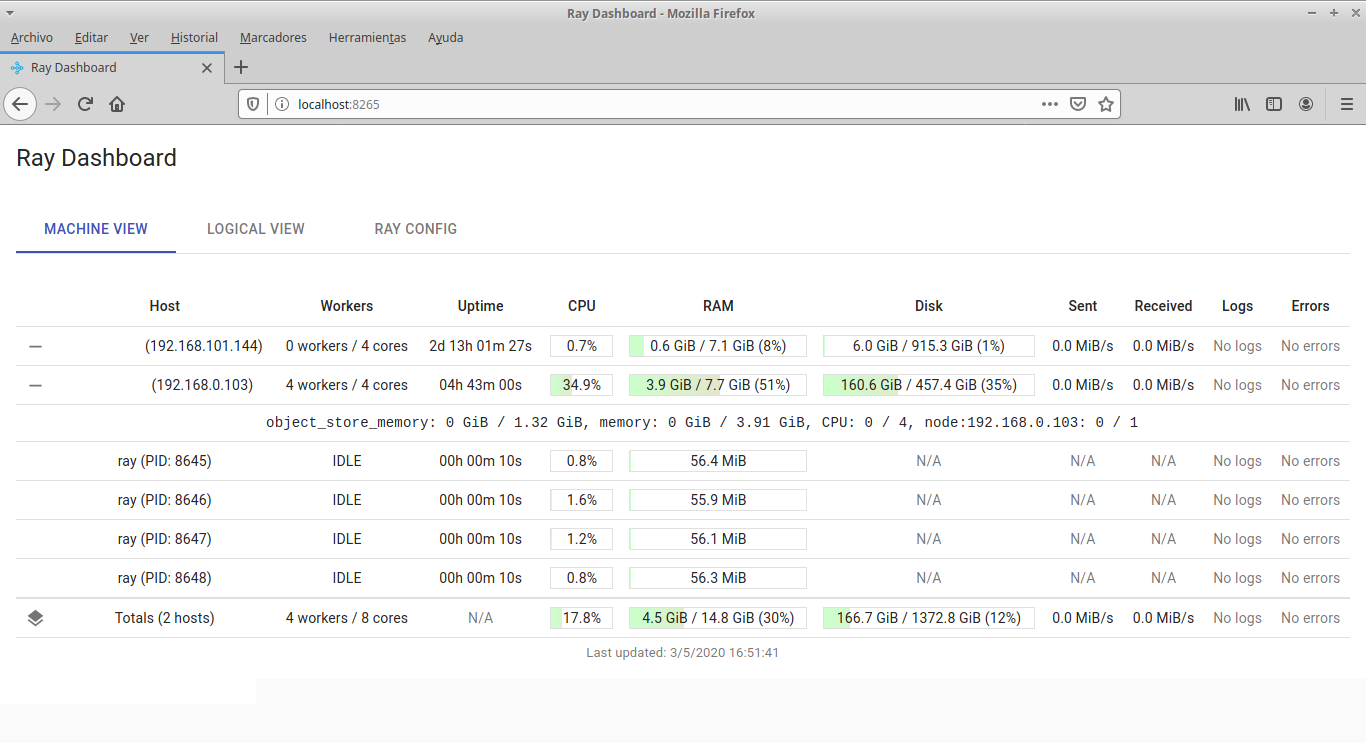
What did I miss? Do you have another experience with Ray working on VPNs?
 EDario333
on 4 May 2020
EDario333
on 4 May 2020
@EDario333 I just started trying Ray on VPN from local laptop to AWS. I'm having the same problem. Did you find a workaround?
 ediezh
on 27 Oct 2020
ediezh
on 27 Oct 2020
@EDario333 I just started trying Ray on VPN from local laptop to AWS. I'm having the same problem. Did you find a workaround?
Nothing! In fact, temporary I left the attempts, gotta work in other stuffs... Perhaps is something related with Ray, I would really love to support the project but I don't have enough time for that.
I'll keep an eye on this.
Best wishes!
EDario333
on 4 Nov 2020
Related issues
robertnishihara
·
3Comments
 coreylowman
·
3Comments
coreylowman
·
3Comments
 timonbimon
·
3Comments
robertnishihara
·
3Comments
robertnishihara
·
3Comments
timonbimon
·
3Comments
robertnishihara
·
3Comments
robertnishihara
·
3Comments
Most helpful comment
So after much fiddling I have managed to make this work.
Steps:
But wait, there is an important caveat. If you are using a cluster with firewalls, it is likely that there will be an awkward network configuration with multiple network interfaces different naming schemes depending if you are on head nodes or worker nodes. In my situation, my head node had intranet network access (with one ip) and cluster subnet access (with another ip), and the worker node only having access to the cluster sub-net.
When ray start initialised its head it takes the first ip in the list, in this case the intranet ip. The worker node can not resolve this ip.
oh well, give the worker the correct ip address to redis i hear you say, this works to get a connection to redis. But all of IP address in redis for ray are now also incorrect, causing raylets to explode and python to complain.
Possible working solution:
https://github.com/ray-project/ray/blob/master/python/ray/scripts/scripts.py#L267
can become
Allowing for:
And now it works. Although reusing that variable incorrectly, make me feel dirty.
I realise this is probably deserving of a separate issue, but this is so interlinked to this situation and quitte niche, I wanted to leave a clue for future traveller.