Ray: [raysgd] Resources needed to launch worker nodes
I'm not being able to launch worker nodes in Azure, even when using the example from @richardliaw's Medium article. It seems like Ray is only launching the head node and then only takes that node's local resources into consideration (i.e. can only use the head node's GPUs as workers).
For instance, using the script from the Medium article, if I use a setting of 2 workers (1 head node and 1 worker node) where each one has just 1 GPU (using this YAML file), it fails because apparently it can't find an available GPU to place the additional worker node, as you can see below.
Terminal:
WARNING worker.py:1090 -- The actor or task with ID fffffffffffffffff66d17ba0100 is pending and cannot currently be scheduled. It requires {CPU: 1.000000}, {GPU: 1.000000} for execution and {CPU: 1.000000}, {GPU: 1.000000} for placement, but this node only has remaining {node:10.136.0.4: 0.900000}, {CPU: 5.000000}, {memory: 67.236328 GiB}, {object_store_memory: 22.607422 GiB}. In total there are 0 pending tasks and 1 pending actors on this node. This is likely due to all cluster resources being claimed by actors. To resolve the issue, consider creating fewer actors or increase the resources available to this Ray cluster. You can ignore this message if this Ray cluster is expected to auto-scale.
Ray dashboard:
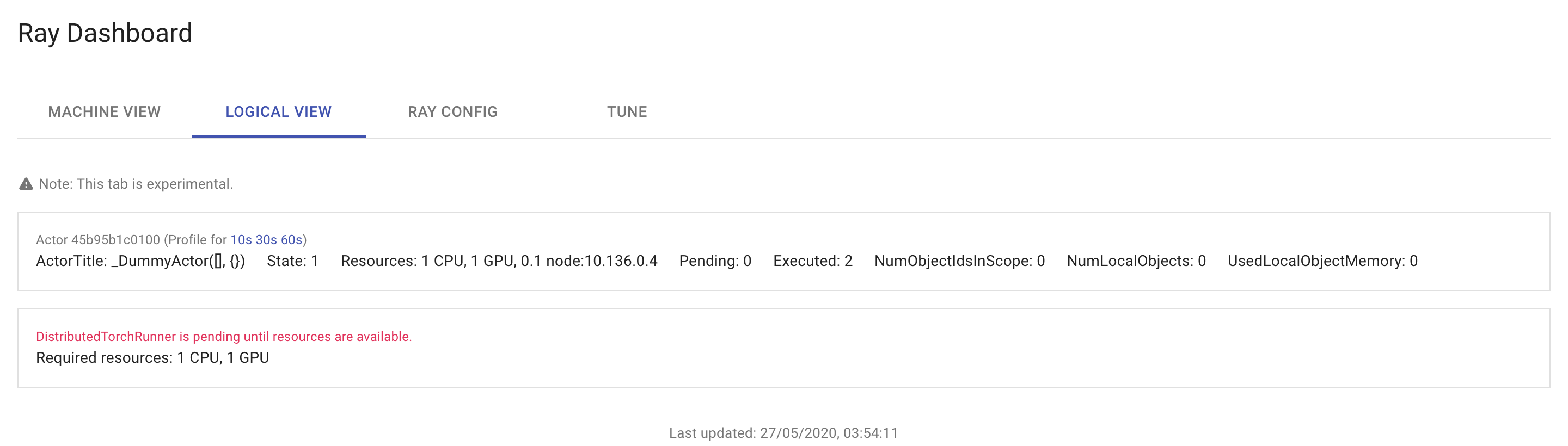
Having seen this, I naively tried to use a head node that had 2 GPUs, in the hope that the second GPU is somehow needed to place the worker node. For this, I just changed the head node's VM type. Now the code ran without a problem, except that no worker node was added. It seems like it just considered the head node's second GPU as the second worker. And if I increase the number of workers above 2, I get the same lack of resources error from the previous example.
Ray dashboard:
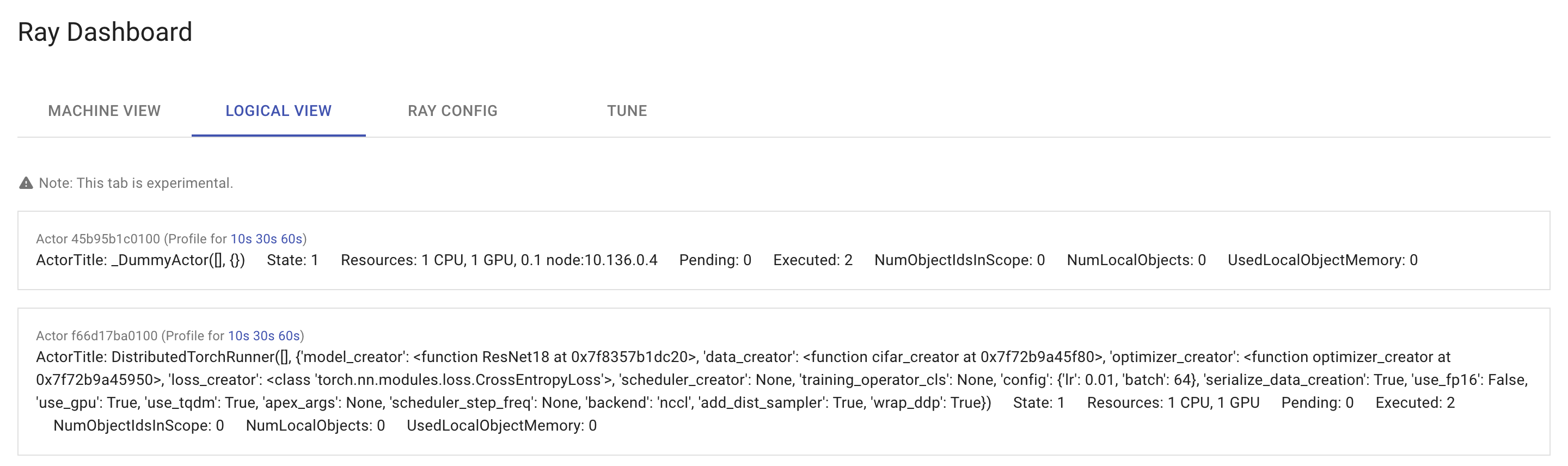
I am using Ray 0.8.5 and Python 3.6. Oddly, I think that I was able to spawn worker nodes in Ray 0.8.4, when I was first trying RaySGD. But now I'm not being able to do it.
Can someone please help me understand if I'm doing something wrong here or if there is any bug when using Azure clusters?
 AndreCNF
All 3 comments
Can someone please help me here? It might not be a bug with the Azure configuration on RaySGD and just be something that I'm missing or that I don't understand well enough. But I already have a lot of time invested in adapting my code to and learning RaySGD and I won't be able to use it if I can't make it add new worker nodes from Azure VMs. Any suggestions @richardliaw, since I'm presenting here the example from your Medium article?
AndreCNF
on 1 Jun 2020
Ah, sorry for the late response. After you start the ray cluster, can you run ray monitor {clusteryaml}? It might be that you have to wait a couple minutes for the worker node to join.
 richardliaw
on 1 Jun 2020
richardliaw
on 1 Jun 2020
Thanks for the help @richardliaw! Through ray monitor I received additional info on what was failing. Apparently, I must make sure that knack and azure-cli-core are properly installed to be able to create additional worker nodes in Azure. I just added yes Y | pip install -U knack azure-cli-core to the setup_commands list and now it works!
AndreCNF
on 2 Jun 2020
Related issues
 dragon28
·
3Comments
dragon28
·
3Comments
 WangYiPengPeter
·
3Comments
WangYiPengPeter
·
3Comments
 xudongliao
·
3Comments
xudongliao
·
3Comments
 Khalilsqu
·
3Comments
Khalilsqu
·
3Comments
 1beb
·
3Comments
1beb
·
3Comments