Rawtherapee: how can I test it with my own raw data?
I have raw datas which come from my own camera, which is developing at present, can it be processed by rawtherapee? I mean can the new raw format can be added to rawtherapee? the new raw format just include raw image data, but not metedata.
 Dorothy-2016
All 6 comments
Hi @Dorothy-2016, I am not sure what you mean. Which camera are you talking about? A custom built camera?
If you can provide a raw file, maybe we can take a look.
 Thanatomanic
on 22 Oct 2020
Thanatomanic
on 22 Oct 2020
Without metadata RT knows nothing about the CFA of your camera and also nothing about the raw data (is it compressed or uncompressed...). Maybe you can try to write a DNG-file with metadata. That would allow RT to open the file.
 heckflosse
on 22 Oct 2020
heckflosse
on 22 Oct 2020
Thanks for your guys' reply! @Thanatomanic @heckflosse
I upload a raw data and its corresponding jpg data herehttps://drive.google.com/drive/folders/19roS2EwnhhIN1FTtbwNkVBkpQXJHXzu2?usp=sharing
the raw data just include image data, which I can read by the following function:
`bool readRawData(std::string filePath, int iw, int ih, cv::Mat &dst)
{
unsigned short *buf = (unsigned short*)malloc(iw*ih*2);
FILE *fp;
fp = fopen(filePath.c_str(), "rb");

if(fp == NULL)
    return false;

fread(buf, 1, iw*ih*2, fp);

fclose(fp);

if(buf == NULL)
    return false;

dst.create(ih, iw, CV_16UC1);
dst.setTo(0);

memcpy(dst.data, buf, iw*ih*2);

free(buf);
return true;
}`
because the raw data is got from a self assembled camera, so it is not a normal camera which we can buy on the market. we want to test the raw data's performance in the rawtherapee, can this be achieved?
Dorothy-2016
on 23 Oct 2020
Cool, that's hard-core DIY :-)
I agree with @heckflosse , definitely create a DNG file, using a standard format has many advantages.
You can easily convert the raw file to a (mosaiced) tiff using the raw2tiff command (you can find it in the libtiff-tools package if you're using Fedora Linux) :
raw2tiff -M -d short -c none -w 4608 -l 3456 1.raw 1.tiff
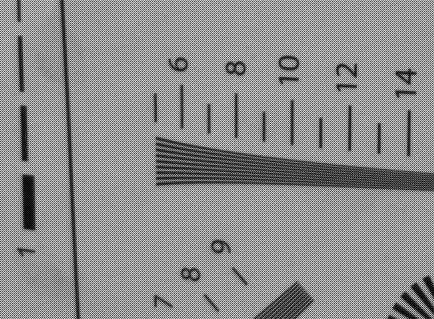
It looks like a normal 2x2 bayer pattern...
Now you can convert the tiff file to a DNG by using exiftool to add the proper metadata voodoo :-D
I don't remember the correct parameters right now, i'll see if i can find something later.
EDIT: i've added the -M in the raw2tiff command line above, since the conversion to DNG seems to swap byte order otherwise.
Now, rename the .tiff file to .dng, and run this command line to inject the minimal DNG metadata (looks like the filter pattern is RGGB) :
exiftool -DNGVersion=1.1.0.0 \
  -PhotometricInterpretation="Color Filter Array" \
  -IFD0:CFAPattern2="0 1 1 2" \
  -IFD0:CFARepeatPatternDim="2 2" \
  1.dng
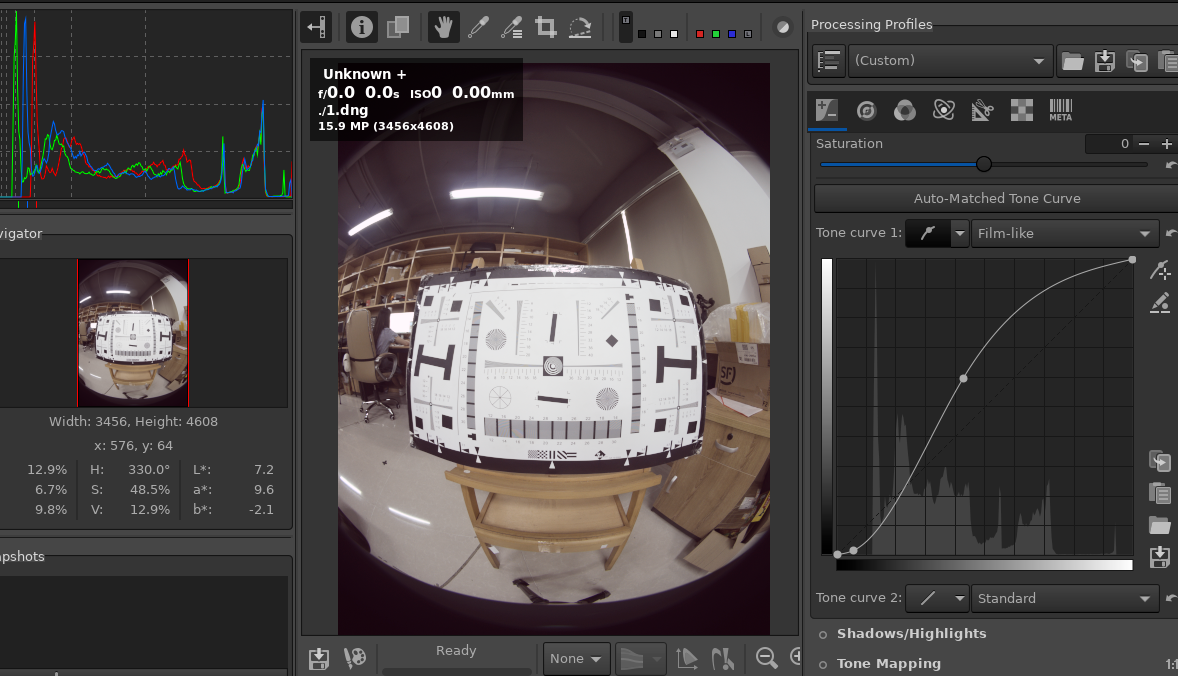
...and, here's your picture open in RT, rotated and with a nice tone curve applied:
With exiftool you can also add all the other metadata attributes that you need.
Happy hacking! ;-)
 rom9
on 23 Oct 2020
rom9
on 23 Oct 2020
Wow! Thank you so much! @rom9
I tried as you said, and it woks so well, we can enjoy RT now.
Thank you guys again!!
Dorothy-2016
on 26 Oct 2020
You're welcome, i'm glad it helped :-)
rom9
on 26 Oct 2020
Related issues
heckflosse
·
4Comments
heckflosse
·
3Comments
 Floessie
·
5Comments
Thanatomanic
·
3Comments
Floessie
·
5Comments
Thanatomanic
·
3Comments
 JIPG2
·
3Comments
JIPG2
·
3Comments
Most helpful comment
You're welcome, i'm glad it helped :-)