Rawtherapee: Panasonic Lumix DC-S1 raw support
These are raw files from Panasonic DC-S1
https://filebin.net/ugxofhllq0zh51ho/Panasonic-S1-NR-OFF.zip?t=xepqu64i
https://filebin.net/y7tzpq5r31yrxlen/Panasonic-S1-NR-ON.zip?t=10njyogo
Maybe RawTherapee will be the first converter to support this cool camera. :)
 ilya-varivchenko
All 36 comments
Ping @iliasg
 Beep6581
on 3 Mar 2019
Beep6581
on 3 Mar 2019
These are raw files from Panasonic DC-S1
If you have that camera, it would be great if you could contribute the full sample set to https://raw.pixls.us/
 LebedevRI
on 17 Mar 2019
LebedevRI
on 17 Mar 2019
I followed these instructions
http://rawpedia.rawtherapee.com/Adding_Support_for_New_Raw_Formats
what additional info is needed for camera support ?
ilya-varivchenko
on 18 Mar 2019
@ilya-varivchenko as far as RawTherapee is concerned the set you uploaded is fine. But RPU is a separate project which several open-source programs including RawTherapee benefit from, so it would be great if you uploaded a normal photo (not a clipped white-frame) to RPU. A description of what sort of photo(s) to upload can be found on the RPU site.
Beep6581
on 18 Mar 2019
This is ColorChecker shot in daylight
https://filebin.net/ubdjzh2f3pzrkx6u/P1032889.RW2?t=l5yibq26
ilya-varivchenko
on 23 Mar 2019
@ilya-varivchenko do you/could you also shoot the target in incandescent light? http://rawpedia.rawtherapee.com/How_to_create_DCP_color_profiles#Shooting_the_Color_Target
Beep6581
on 23 Mar 2019
Ping @ilya-varivchenko
Beep6581
on 2 Apr 2019
I have several samples made in incandescent light, but they are of poor quality. :(
I will upload these images later today.
ilya-varivchenko
on 3 Apr 2019
Try these ones pls:
https://drive.google.com/open?id=1wQEkXsAoD9aBkaBu2JhzCs-09-dt-g2N
ilya-varivchenko
on 3 Apr 2019
Hi @ilya-varivchenko
Indeed the shots are not usable, the issues are:
- The target is not lit evenly as the light source is too close to the target.
- Some of the shots have motion blur so the program cannot isolate dust spots and scratches - use a tripod.
- The wide angle is usable, but since the shots need to be re-taken I would advise using a longer focal length, to eliminate distortions and vignetting which intensify with wider angles of view.
Beep6581
on 3 Apr 2019
- The colors in the embedded JPEGs are really off. This could mean that the light was not StdA (make sure the lightbulb is tungsten, the glass is clear and that it's not shining through any translucent lamp shade or bouncing off any colored walls), or it could mean that the Panasonic Lumix DC-S1 has a very bad matrix for StdA and so you have much to gain by using a proper dual-illuminant input profile :)
Beep6581
on 3 Apr 2019
Unfortunately I have not camera already, so I can not make another samples in tungsten light.
ilya-varivchenko
on 4 Apr 2019
Found two more D65 samples, but they are also too far from perfect. :(
https://drive.google.com/open?id=1vqASeslajwtwRrYWwHV0O4ayIptTL-2l
https://drive.google.com/open?id=1FUqc8Cfixo8M_1r4nBszK3DwVJJDi_tI
ilya-varivchenko
on 7 Apr 2019
@ilya-varivchenko
Panasonic DC-S1 dual-illuminant DCP added, will be part of RawTherapee 5.6.
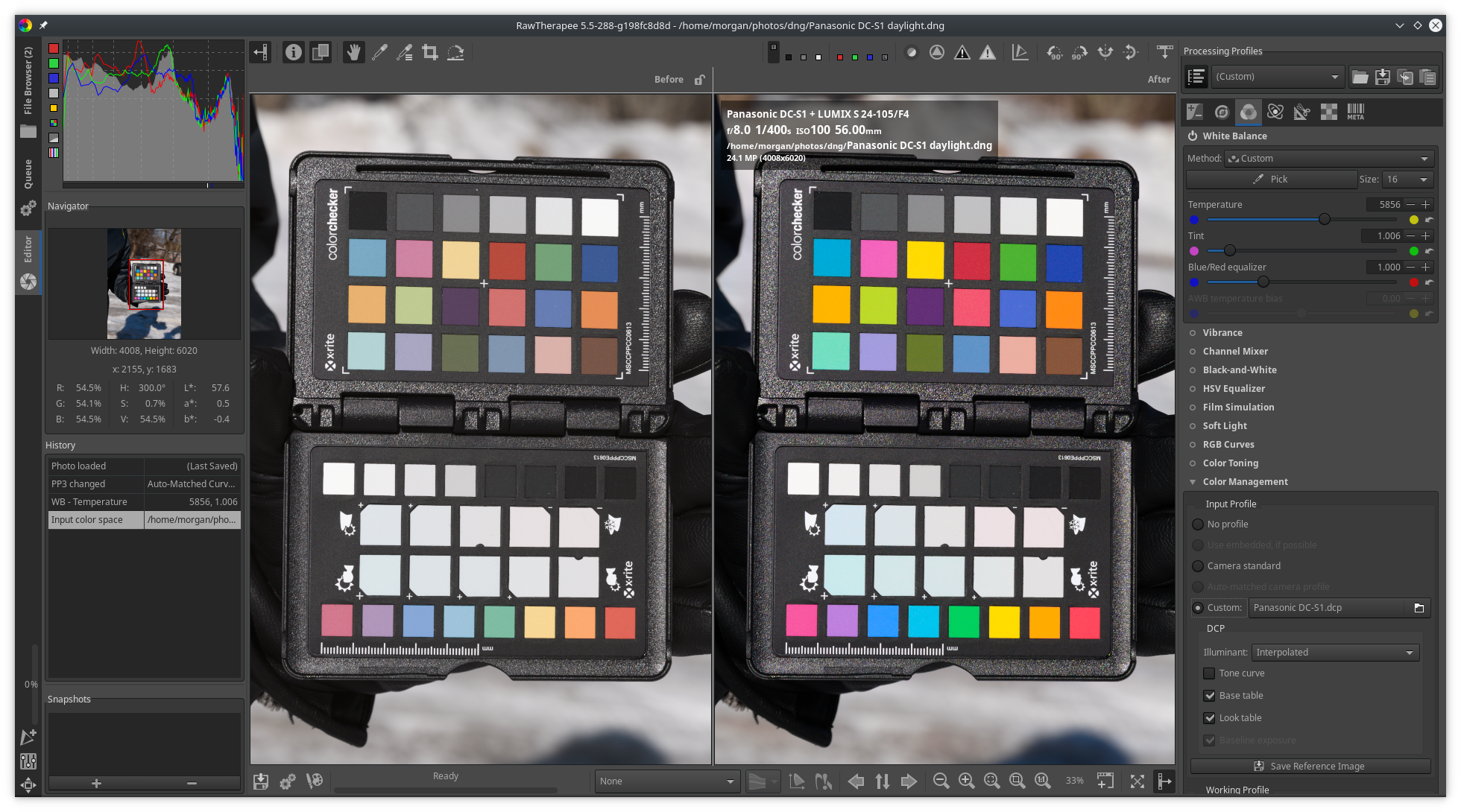

Issue stays open as RT does not yet support native Panasonic DC-S1 raw files, and white levels have not been measured yet.
Beep6581
on 8 Apr 2019
Mirror of white frames (bin in first post expired):
https://filebin.net/sr4s29v8vbg12tvj
Beep6581
on 8 Apr 2019
Hmm. New here. I use RT on Linux to do my raw processing and just purchased a Lumix S1R. Found out I have no way to develop my raw files! =(
Does this thread cover the DC-S1R as well as the DC-S1? The resolutions of the sensors are quite different (47.3MP vs 24.2MP). I'm unfamiliar with what you need as far as files, but I'd be very happy to contribute some S1R raw files to help get support into RT. Is there someplace I can find guidelines on what you need??
 jbcaramar
on 24 May 2019
jbcaramar
on 24 May 2019
Hi @jbcaramar
Yes, there are in fact three sets of images that will help:
- A set of white frames, http://rawpedia.rawtherapee.com/Adding_Support_for_New_Raw_Formats
- A photo of a color target (we created the profile from that ourselves), http://rawpedia.rawtherapee.com/How_to_create_DCP_color_profiles
- A set of images for and as defined by RPU, https://raw.pixls.us/
Please open a new issue for your camera.
Beep6581
on 24 May 2019
I took a bunch of photos as described for New Raw Format support. Here is the link if they will be helpful to anybody. Thank you.
https://filebin.net/quwpbapsrsv3ch8m
Looking forward to getting some RAW support for my new camera. Let me know if I can provide anything further.
 AlexanderDyer
on 18 Jun 2019
AlexanderDyer
on 18 Jun 2019
The histograms in @ilya-varivchenko 's images were all very similar and clear, both LENR on and off, with data in the blue channel from around 15940 onward and the red and green channels at 16336. The lack of histogram "noise" in the LENR samples was probably because the exposure time was too short, e.g. at 1/8s. @AlexanderDyer 's LENR images used 2.5s for LENR and had the expected "noise".
    { // Quality B, issue #5204, no samples at wide-open aperture
        "make_model": [ "Panasonic DC-S1" ],
        "dcraw_matrix": [ 9744, -3905, -779, -4899, 12807, 2324, -798, 1630, 5827 ] // ColorMatrix2 from Adobe DNG Converter 11.4
        "ranges": {
            "white": [
                { "iso": [ 100, 125, 160, 200, 250 ], "levels": 16100 }, // R=G=16320, B=16100
                { "iso": [ 320, 400, 500, 640, 800, 1000, 1250, 1600, 2000, 2500, 3200, 4000, 5000, 6400, 8000 ], "levels": 16100 },
                { "iso": [ 10000, 12800, 16000 ], "levels": 15900 },
                { "iso": [ 20000, 25600, 32000, 40000, 51200 ], "levels": 16336 }
            ]
        }
    },
RawTherapee 5.7 won't support the DC-S1 yet, as the files aren't correctly decoded.
Beep6581
on 5 Sep 2019
Hi, I have a Panasonic S1R. Would additional files help at this point?
 noticket
on 27 Sep 2019
noticket
on 27 Sep 2019
@Beep6581 What can we (DC-S1 users) do to help S1's support being added to RT?
 bzhmurov
on 2 Nov 2019
bzhmurov
on 2 Nov 2019
I took a look the other day, and S1 (appears to) use the same new compression algorithm
as the S1R.
(It begs the question why panasonic desided to replace it's compression algo
the very next year after just replacing it).
I didn't look, but supposedly LibRaw's latest source snapshot contains the necessary code, so.
LebedevRI
on 2 Nov 2019
Yes, the latest LibRaw's snapshot supports S1 and it works, I can see S1's RAW files with Gnome's Shotwell, for example.
bzhmurov
on 3 Nov 2019
@bzhmurov nothing more needed from users for now, now it's up to someone to code support for the DC-S1 into RawTherapee.
Beep6581
on 4 Nov 2019
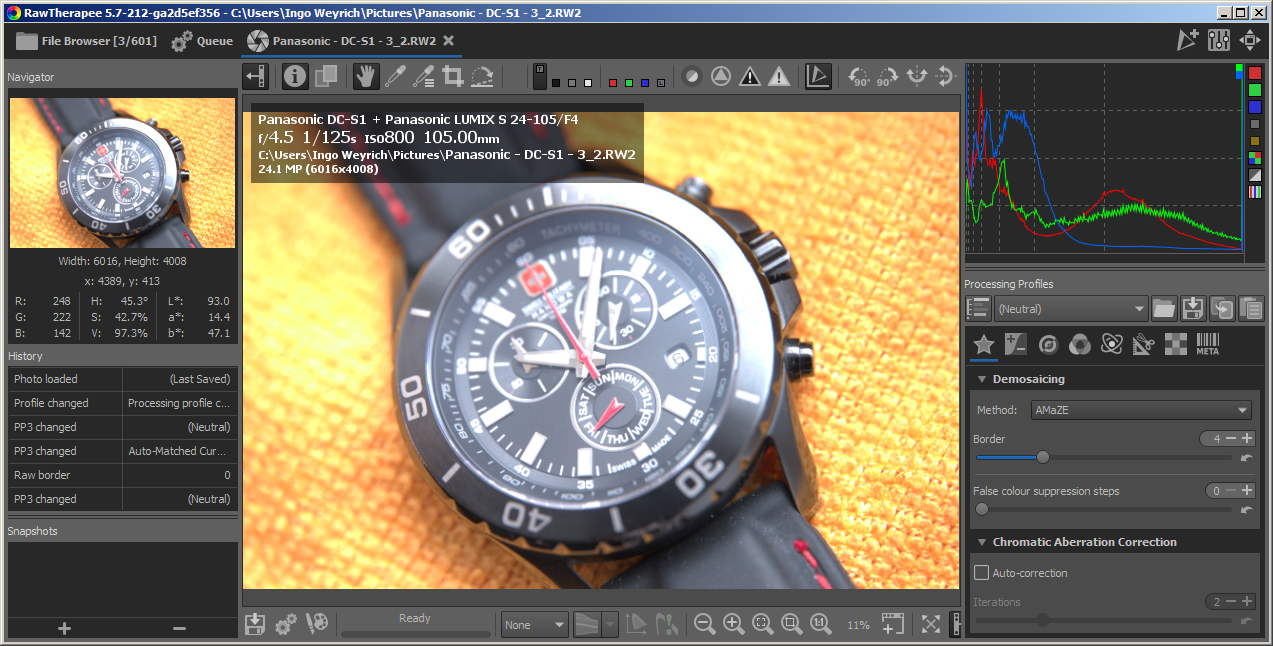
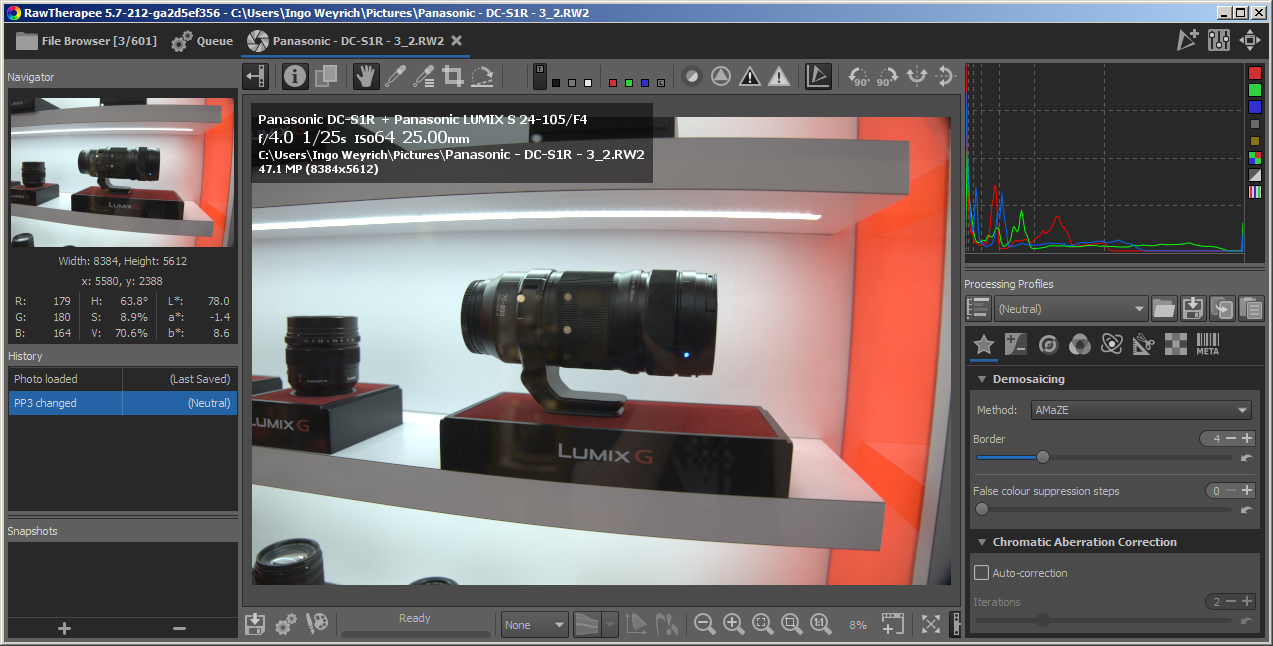
DC-S1 and DC-S1R are working now (will push soon). First screenshots:
 heckflosse
on 6 Nov 2019
heckflosse
on 6 Nov 2019
Pixelshift rw2 files from DC-S1 are not yet working. Can someone provide such a file? I have one, but it may be broken...
heckflosse
on 6 Nov 2019
Hello @heckflosse
If "Pixelshift" is what Panasonic calls "High Resolution mode", then please find two my samples here:
http://kernelpanic.ru/S1.zip
F/5.6 and F/8, just in case.
Legal notice. I give all possible rights for both samples (P1010931.RW2 and P1010933.RW2) to anyone. Anyone can use those files for any purposes. It is public domain, those files are absolutely free for any kind of usage.
bzhmurov
on 6 Nov 2019
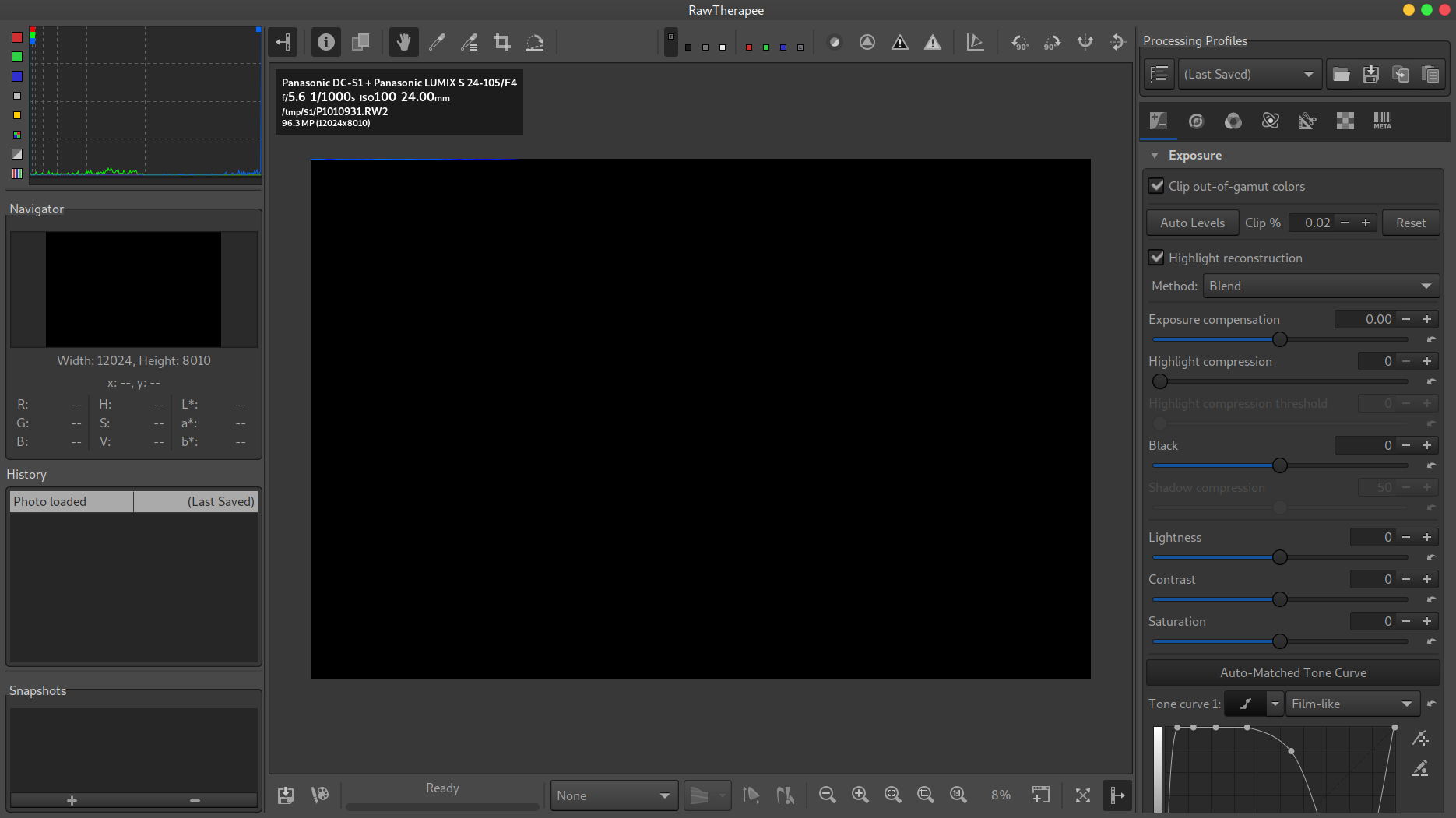
@heckflosse I have just built the panasonic_dc-s1 branch and can confirm that RT can decode regular Panasonic's RAW files (yay!), but Pixelshift ones not so much :)
I use Debian Linux 10 (gcc 8.3.0, glibc-2.28)
bzhmurov
on 6 Nov 2019
@bzhmurov Pixelshift decode is still wip...
heckflosse
on 6 Nov 2019
Done with 5235a82
heckflosse
on 9 Nov 2019
@jbcaramar @noticket you can help improve quality of DC-S1R raw files by opening a new issue with a link to sample white frames shot as described here:
http://rawpedia.rawtherapee.com/Adding_Support_for_New_Raw_Formats
Most importantly provide a complete "set 1" (as described in RawPedia) -- make sure to include shots for ISO 50, 64 and 80. Including "set 2" would be a bonus. No need for set 3.
Beep6581
on 10 Nov 2019
@ilya-varivchenko @AlexanderDyer @bzhmurov you could improve support of the DC-S1 by providing samples at ISO 50, 64 and 80, with LENR off and on. When shooting with LENR on, make sure the exposure time is at least 2 seconds, no less, else LENR does not kick in, even though enabled.
Beep6581
on 10 Nov 2019
@Beep6581 @heckflosse
Here is the requested samples with the extended iso features (plus iso100, just in case): http://kernelpanic.ru/S1-EISO.zip
(as usual, no copyrights on those ones, feel free to do whatever you need to do with them, I give you all possible rights)
P.S. I'm already using the most resent -dev branch's snapshot on my Linux system, everything works perfect with my S1, including "High resolution mode" enabled. Many thanks.
bzhmurov
on 11 Nov 2019
@Beep6581 You forgot to mention, that the shots should be completely overexposed...
@bzhmurov Can you please provide a a set of completely overexposed shots at ISO 50, 64 and 80, with LENR off and on? Sorry for the trouble
heckflosse
on 11 Nov 2019
@heckflosse
http://kernelpanic.ru/S1-EISO2.zip
could you please try those ones? Please let me know if they are not overexposed enough, I tried my best, but the camera were not quite happy about it :)
bzhmurov
on 11 Nov 2019
@bzhmurov Thanks for the files. I used them to estimate the following white levels:
                { "iso": 50, "levels": 8425 },
                { "iso": 64, "levels": 10525 },
                { "iso": 80, "levels": 13120 },
@Beep6581 please confirm or finetune
heckflosse
on 11 Nov 2019
Related issues
 Desmis
·
140Comments
Desmis
·
140Comments
 Hombre57
·
91Comments
Hombre57
·
91Comments
 ion12
·
109Comments
Desmis
·
167Comments
heckflosse
·
76Comments
ion12
·
109Comments
Desmis
·
167Comments
heckflosse
·
76Comments