Rawtherapee: Allow blur of flat regions
As we have the sharpening contrast mask now, it's very easy to implement a blur of flat regions.
Branch follows at the weekend.
 heckflosse
All 22 comments
:+1: :+1: :+1:
Basically what I asked for in the dual mosaic issue (AFAIR). Though I asked for coupling the low-contrast-demoasicker with noise reduction and called the median filter a blur filter - LOL!
[You mentioned there that a contrast threshold for the median filter might be possible. Do you still plan to implement that? Might help better with noisy images where dual demosaic auto-TH=0]
Thank you very much, can't wait for the branch to checkout! :+1:
 ff2000
on 8 Dec 2018
ff2000
on 8 Dec 2018
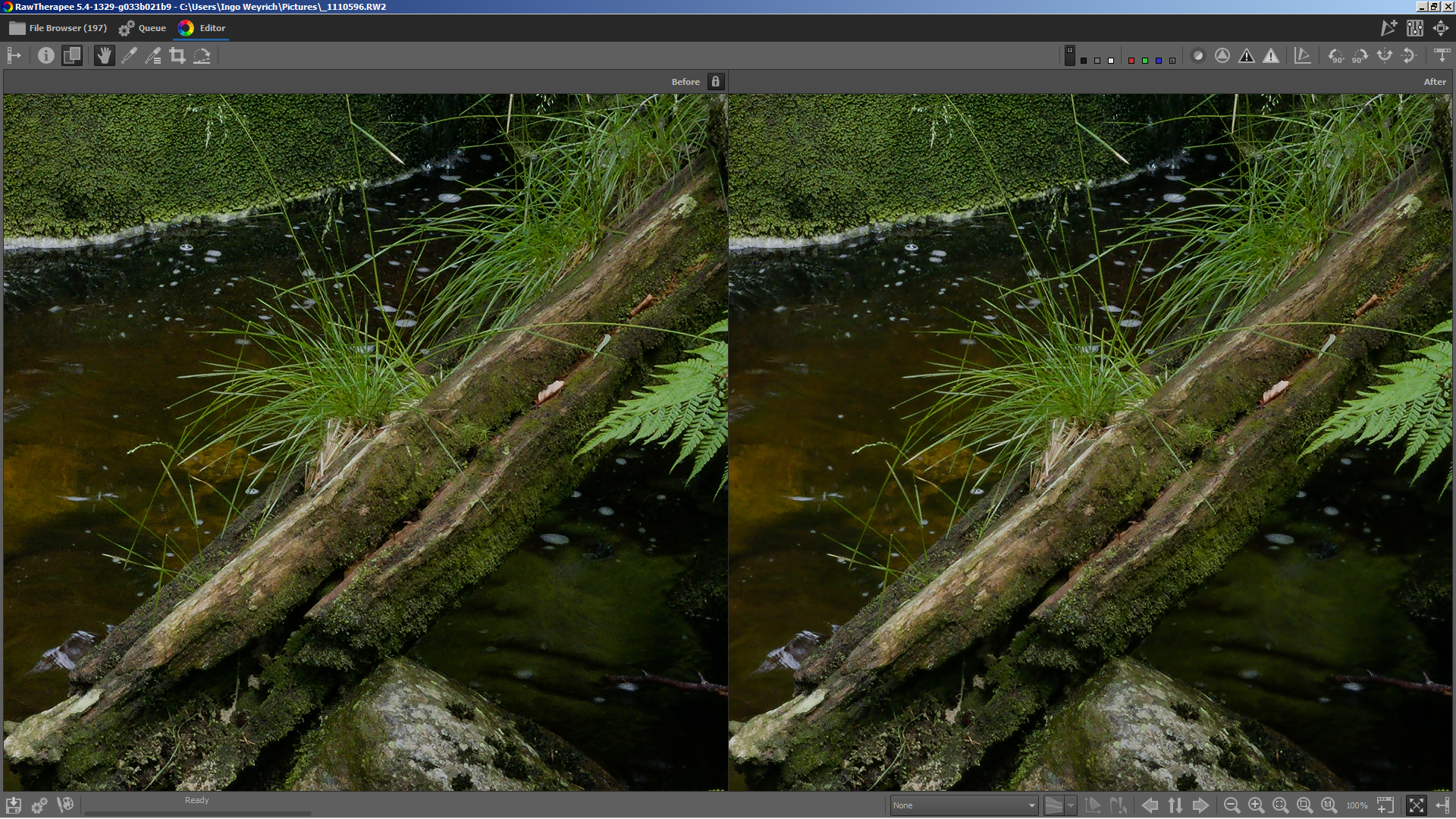
@ff2000 First example using one of your files
left without flat region blur, right with
Still working on the branch...
heckflosse
on 8 Dec 2018
Thank you! Looks promising!
If you need some noisy images to play with:
https://www.dropbox.com/s/166jl22z71act58/_1120659.RW2?dl=0
https://www.dropbox.com/s/166jl22z71act58/_1120659.RW2?dl=0
And one with some blotches in flat areas:
https://www.dropbox.com/s/8otut0j4q34ecki/_1090195.RW2?dl=0
ff2000
on 8 Dec 2018
Branch is live. Happy testing :)
I forgot to mention that a blur value of 0.2 means no blur.
heckflosse
on 8 Dec 2018
@ff2000 The first two links in your post point to the same destination
heckflosse
on 9 Dec 2018
@ff2000 The first two links in your post point to the same destination
Sorry, I wanted to post this one:
https://www.dropbox.com/s/rpmf9ig9kjhrfi6/_1110099.RW2?dl=0
ff2000
on 9 Dec 2018
From playing around with some files:
- it is definitely useful and helps managing noise :+1:
- I like it more than Median Filter!
- I get better results if I dial back sharpening threshold so some noise gets visible and then dial in a slightly bigger blur radius. This helps to keep details and blur uniform areas more.
- Sharpening has to be done more carefully, especially RL-deconvolution can lead to noisy halos (probably just on some more contrasty edges)
- I had photos that I didn't want to sharpen but just apply some blur to uniform areas. Do you think it is possible to decouple the blur tool from the sharpening tool and add a seperate TH adjuster with a "Link with sharpening TH" checkbox (just like wavelet denoise)? Of course I can always dial down sharpening amount, but still... ;)
But I also had a photo where I wanted a different value for blur and sharpen as the blur ate details I wanted to keep but not sharpen.
I will post samples but ATM I have no access to the computer with the photos.
THX A LOT @heckflosse - managing noise gets better and better!
ff2000
on 9 Dec 2018
@ff2000 Thanks for testing :+1:
But I also had a photo where I wanted a different value for blur and sharpen as the blur ate details I wanted to keep but not sharpen.
Yes, that's because currently the blend of the blurred region is the last step. Means if the internal blend factor (the mask value) is 0.5, we get 0.5 * blurred + 0.25 * original + 0.25 * sharpened.
I will see how to improve that...
heckflosse
on 9 Dec 2018
OK, here some comparison shots. BottomRight="old" 5.4-amaze. BL+=sharpening threshold, TR+=Dual Demosaic (+auto TH), TL+=blur.
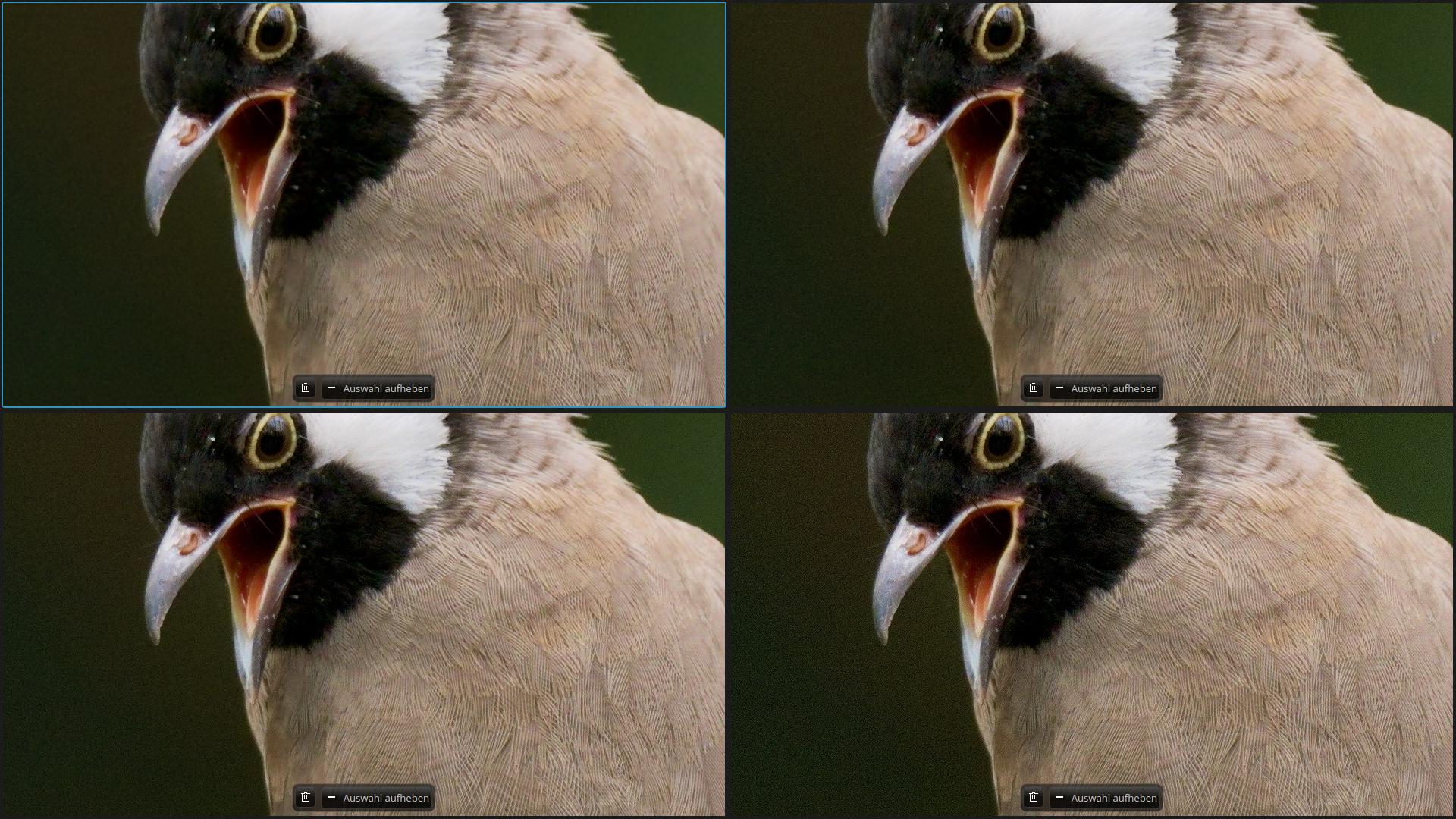
Besides some minor loss of feather detail on the head (I think due to Dual auto TH) it shows the progress really well.
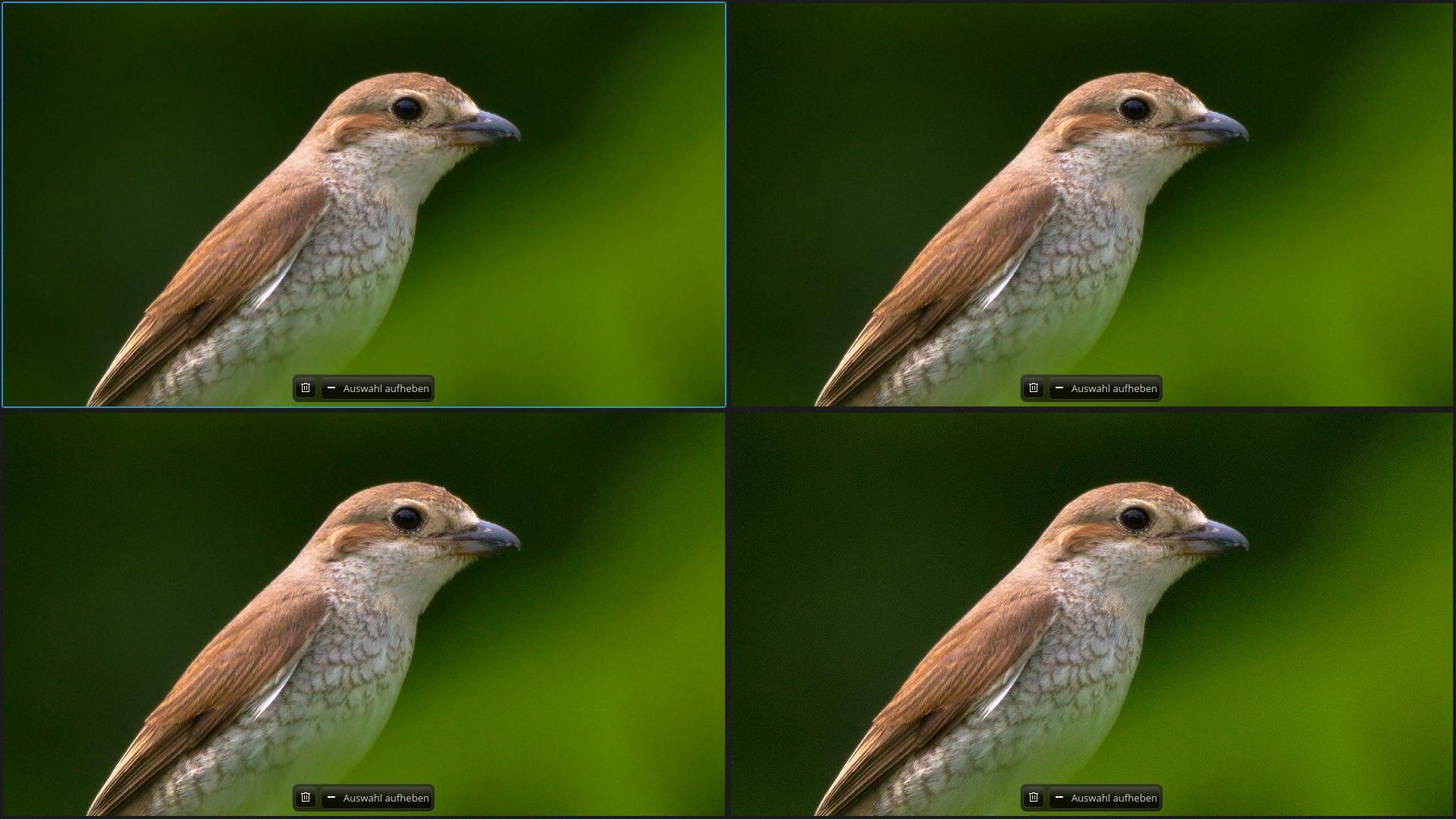
Here you can see slight noisy halos on the back - zoom in. They are there in all four versions but with the clean background with blur it stands out better.
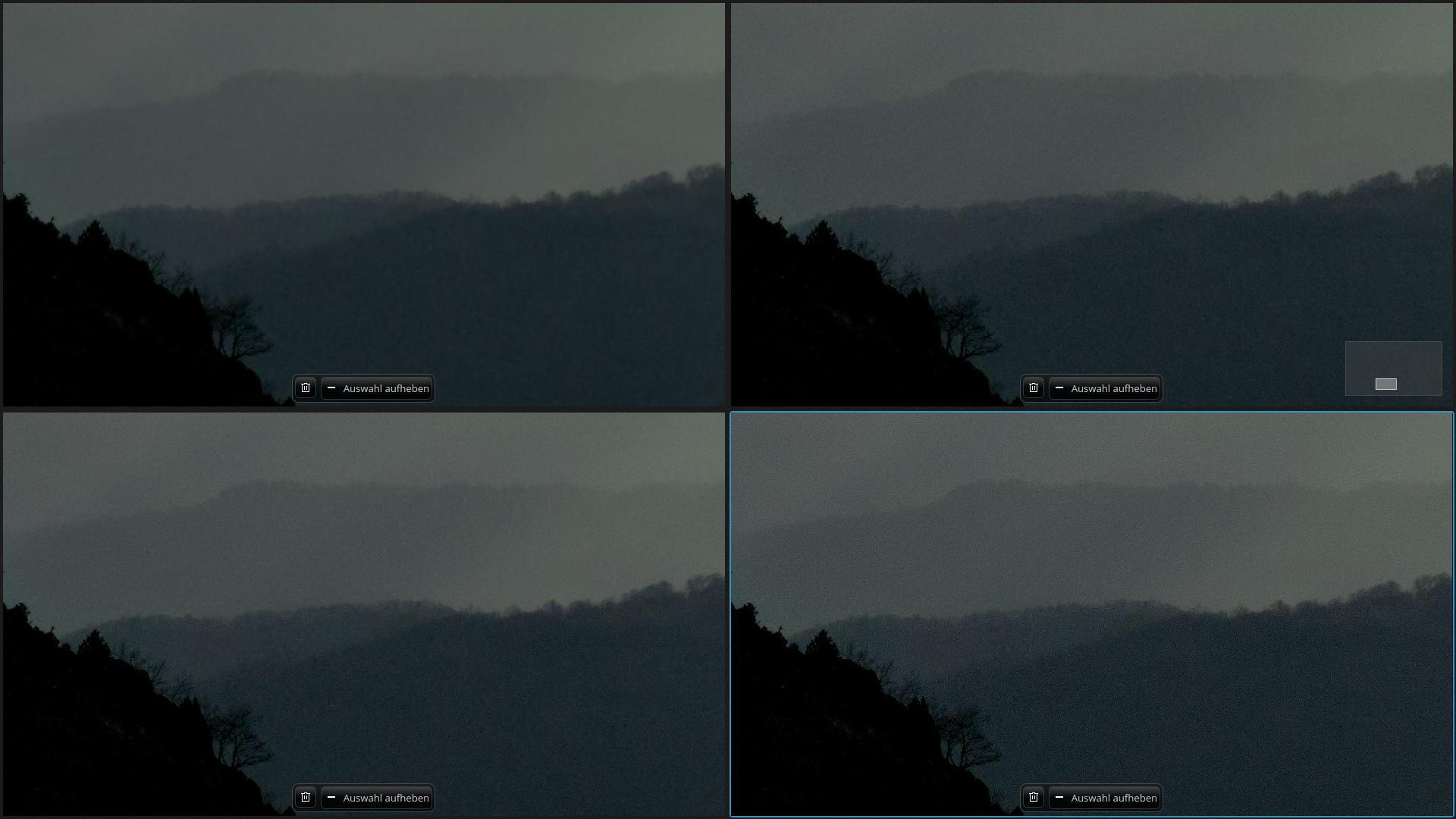
This was probably too much underexposed. I am happy with the result, loss of detail in the trees in the far away hills didn't bother me at all. It's all about atmosphere:
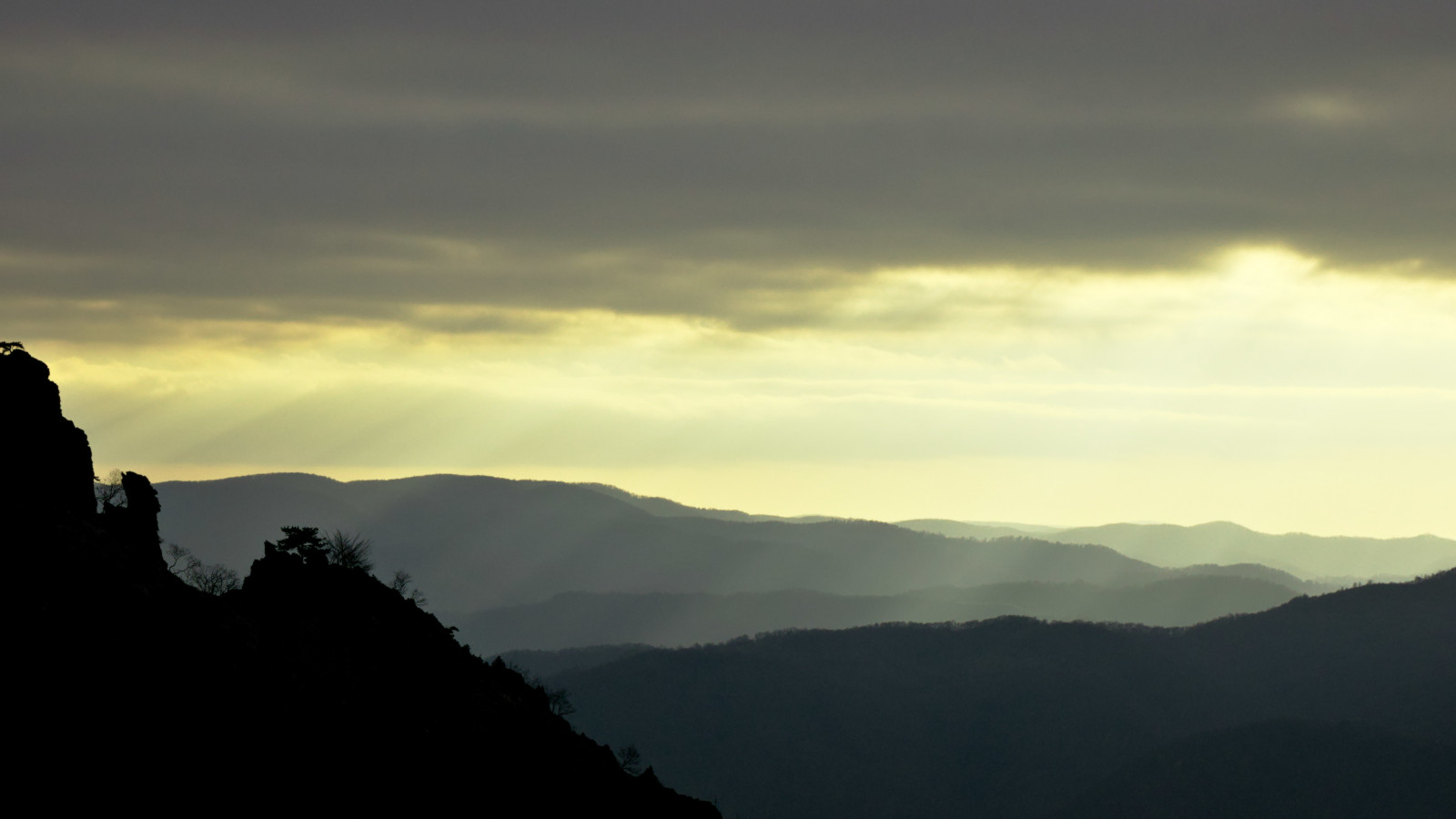
I spent long time in gimp with manual masks and different layers with different blur and NR settings and never was happy. Now this was a matter of minutes if at all just in RT!
Thx!
ff2000
on 9 Dec 2018
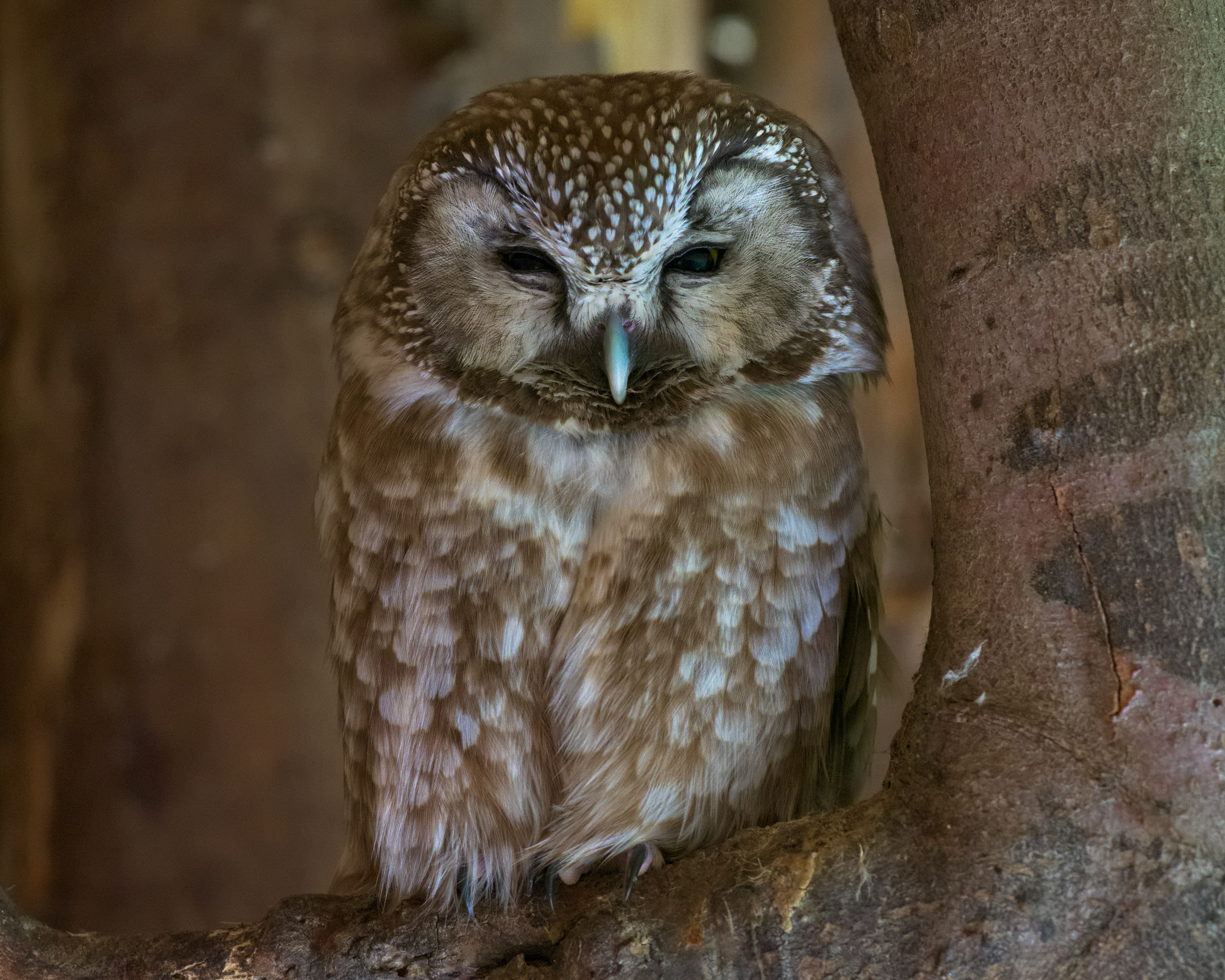
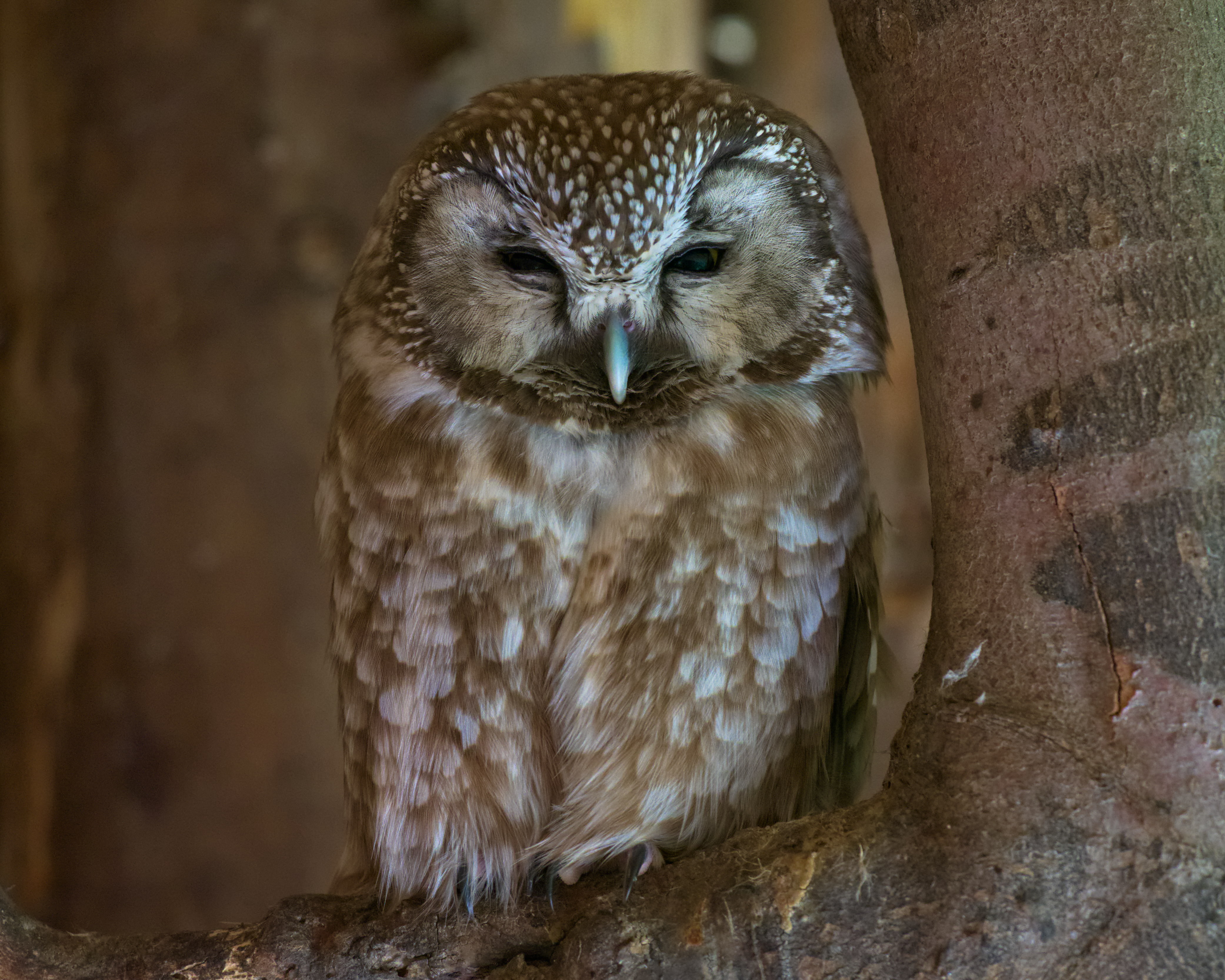
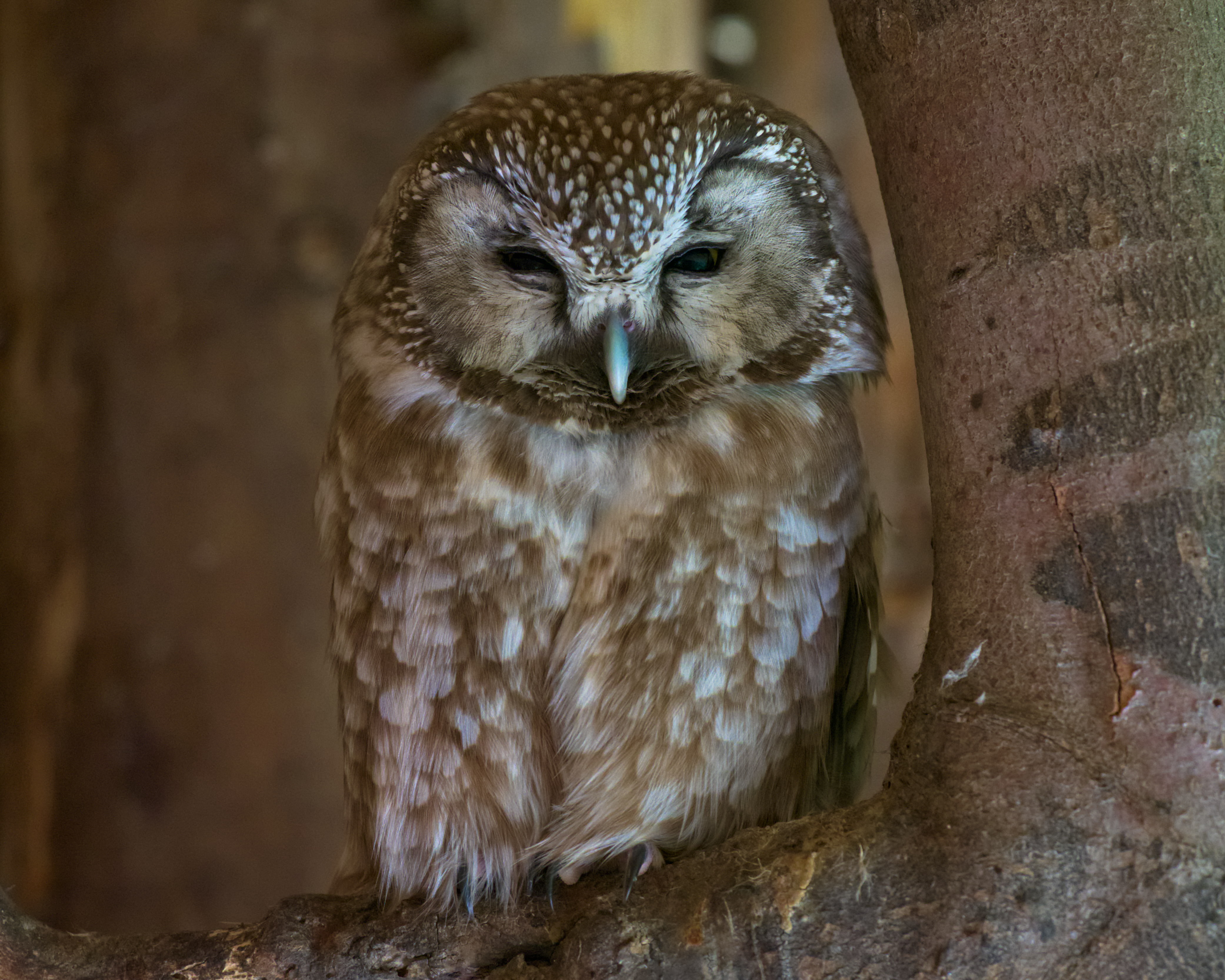
And three versions of the boreal owl (https://www.dropbox.com/s/rpmf9ig9kjhrfi6/_1110099.RW2?dl=0)
Without blur:
With blur:
And without blur but Median Filter:
ff2000
on 9 Dec 2018
@ff2000 Very good examples :+1:
I also think two contrast threshold adjusters (one for sharpening and one for blur) or one which allows to set two values using a single adjuster, would be useful. Though visualizing the contrast mask would get more complicated then...
heckflosse
on 9 Dec 2018
Though visualizing the contrast mask would get more complicated then...
Code-wise or just how to make them distinguishable?
For the latter: Slightly tint the blur mask e.g. with blue. The overlapping area could be striped.
For editing one mask it should be possible to just show the mask for the slider your mouse currently is hovering/pressing/moving (whatever is easiest in GTK).
AFAIR lightroom only shows the mask when you press ALT (or was it SHIFT?) while pulling the slider - could be another option.
Or give the sharpening mask visualizer button a dropdown menu where one could select which mask to show (switch through the options via mouse wheel?).
ff2000
on 10 Dec 2018
I changed the blend.
Let b be the blend factor in range [0;1] where 0 means take the blurred and 1 means take the sharpened.
Old version calculated
result = (b * sharpened + (1 - b) * original) * b + (1 - b) * blurred
which was nonsense.
Example:
assume b is 0.8, means more on the sharp side
then
result = (0.8 * sharpened + 0.2 * original) * 0.8 + 0.2 * blurred
       = 0.64 * sharpened + 0.16 * original + 0.2 * blurred
means blurred had more weight then original, though at value 0.8 it should not
new version calcalutes
result = b * (b * sharpened + (1 - b) * original) + (1 - b) * (b * original + (1 - b) * blurred)
which for b = 0.8 gives
result = 0.8 * (0.8 * sharpened + 0.2 * original) + 0.2 * (0.8 * original + 0.2 * blurred)
       = 0.64 * sharpened + 0.16 * original + 0.16 * original  + 0.04 * blurred
       = 0.64 * sharpened + 0.32 * original + 0.04 * blurred
I don't know if it is intended, but when I dial back sharpening amount while blur radius is >0.2 the image gets really blurry (stronger than with blur=0.2) with the strongest blur at amount=1. As soon as sharpening amount drops to 0 the image looks "sharp" as it wasn't sharpened at all.
ff2000
on 16 Dec 2018
@ff2000 I will have a look
heckflosse
on 16 Dec 2018
@ff2000 Fixed with 988d598
heckflosse
on 17 Dec 2018
Thx, fix confirmed. In the evening I hopefully have more time to test it with other photos.
ff2000
on 17 Dec 2018
@heckflosse
Ingo
I have test this branch, and
1) I have implemented this function in "locallab" (RL Deconvolution)
2) I think perhaps there is a dysfunction with "RL Deconvolution" in branch "blur-flat-regions"
- With "Unsharp mask" all works fine
- With "RL Deconvolution", the blurr is huge, too huge with the same settings as "Unsharp mask"
For example set "Contrat threshold" to 150, and "Blur radius" to 1.52. - With "Unsharp mask" we end up with a fairly important blur, but detail in image are always visible
- With "RL deconvolution" blur is huge, no details in image are visible (flat)
jacques
 Desmis
on 26 Dec 2018
Desmis
on 26 Dec 2018
@Desmis Jacques, I can not reproduce
Left is Unsharp mask, right is RL Deconvolution
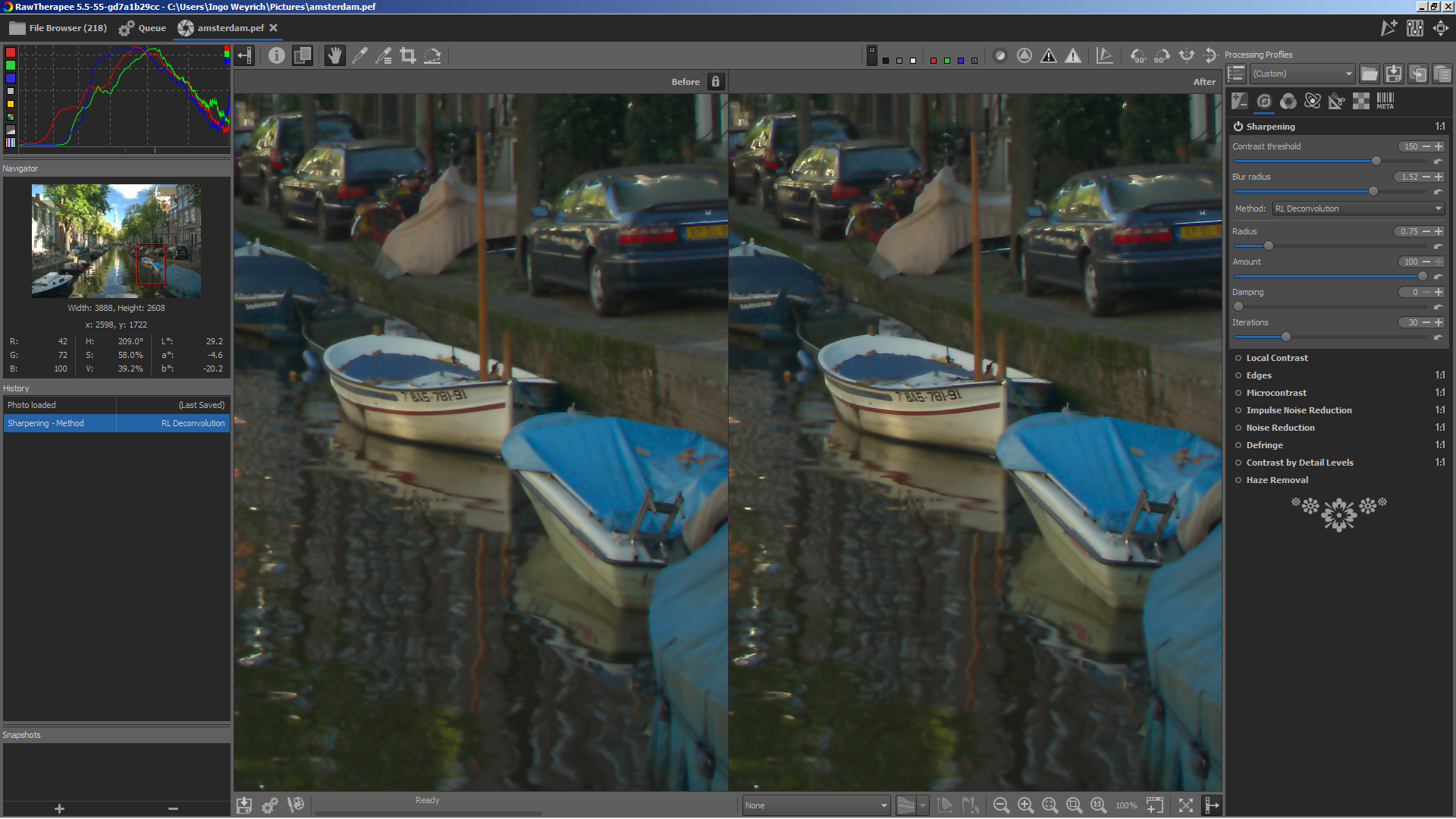
heckflosse
on 27 Dec 2018
@heckflosse
Hello Ingo
Merry Christmas and happy new year
For blur, try with "blue horse" ==> 2010_MONTR_033.NEF
In locallab, I have sligtly modified code, and now "RT Deconvolution" and "Unsharp mask" have the "same" response
jacques
Desmis
on 27 Dec 2018
@Desmis Jacques
Merry Christmas and happy new year :smile:
I tested using blur-flat-regions branch on blue_horse.nef
Still can not reproduce
Again left usm and right rl
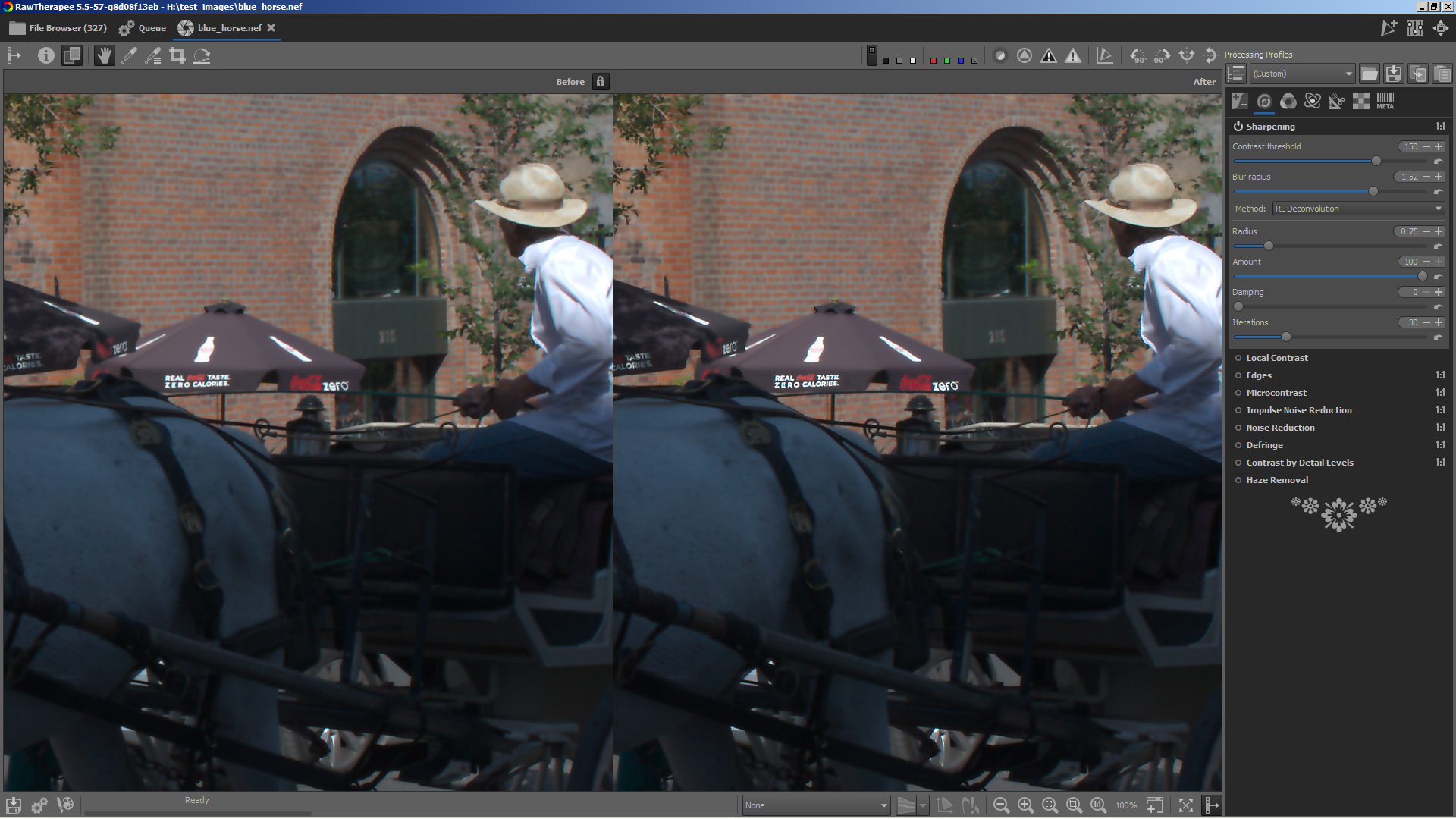
heckflosse
on 27 Dec 2018
@heckflosse
Ingo
I create a new clone, compile, and now all works fine !
I don't understand why ?
So, in conclusion no problems, Sorry !
Jacques
Desmis
on 27 Dec 2018
Related issues
 jade-nl
·
4Comments
heckflosse
·
3Comments
jade-nl
·
4Comments
heckflosse
·
3Comments
 Lawrence37
·
3Comments
heckflosse
·
5Comments
heckflosse
·
3Comments
Lawrence37
·
3Comments
heckflosse
·
5Comments
heckflosse
·
3Comments
Most helpful comment
I changed the blend.
Let b be the blend factor in range [0;1] where 0 means take the blurred and 1 means take the sharpened.
Old version calculated
which was nonsense.
Example:
assume b is 0.8, means more on the sharp side
then
means blurred had more weight then original, though at value 0.8 it should not
new version calcalutes
which for b = 0.8 gives