Rawtherapee: Strange color artifacts in Jupiter
RT version: rawtherapee-5.4-5.7.x86_64 in fully updated Fedora 28 (distro RPM package).
When I open this ORF image of Jupiter with RawTherapee,
http://luis.impa.br/photo/lixo/Dated_JN-180601-B_21202.orf
RT shows lots of color artifacts, independently of the demosaicing algorithm.
The same RAW file processed with Darktable or Dcraw (through UFRAW) shows no artifacts (see attached jpg crops at 800%).
I have only observed all these artifacts with astrophotography of planets, and only recently. It seems old RT versions did not show this problem.


 luisfl
All 75 comments
are you using auto-ca correction by any chance? (just guessing)
 agriggio
on 5 Jun 2018
agriggio
on 5 Jun 2018
That doesn't seem to matter. I tested this on the latest build and I can reproduce the weird behaviour with all demosaicing modes and with everything else off...
 Thanatomanic
on 5 Jun 2018
Thanatomanic
on 5 Jun 2018
VNG4 seems OK
 gaaned92
on 5 Jun 2018
gaaned92
on 5 Jun 2018
darktable uses PPG by default for .orf files.
 Beep6581
on 5 Jun 2018
Beep6581
on 5 Jun 2018
Color aside: At least you can spot Ganymed on the RT rendition. :grin:
 Floessie
on 5 Jun 2018
Floessie
on 5 Jun 2018
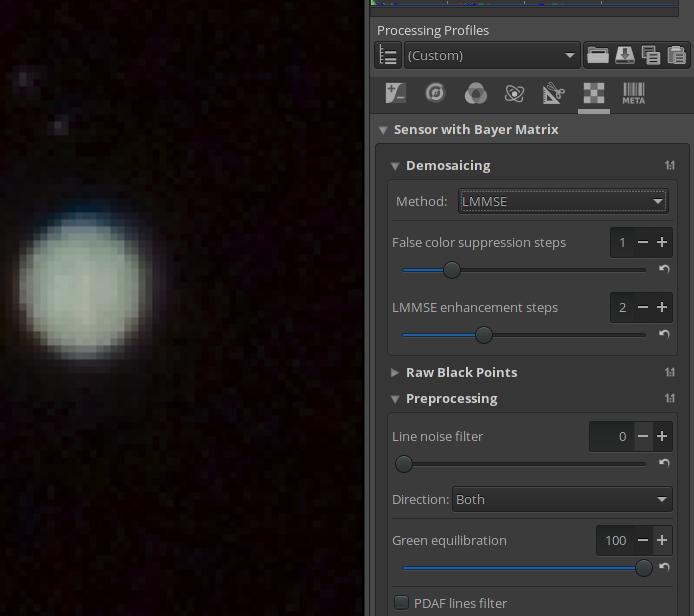
Try with green equilibration set to 100% and a couple of steps of false colour suppression:
AMaZe:

LMMSE:
agriggio
on 5 Jun 2018
@luisfl could you upload some other shots from this camera - both astro and non-astro?
Beep6581
on 5 Jun 2018
Neutral profile + following patch gives this
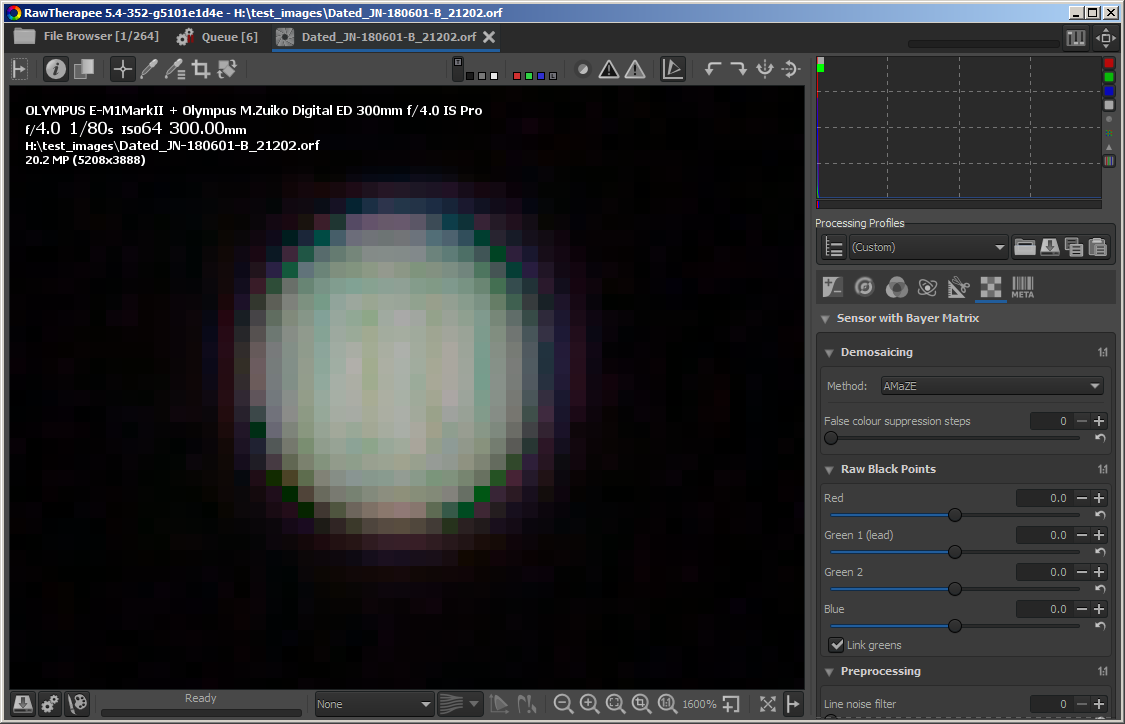
diff --git a/rtengine/green_equil_RT.cc b/rtengine/green_equil_RT.cc
index 934b7df4a..9706b06c1 100644
--- a/rtengine/green_equil_RT.cc
+++ b/rtengine/green_equil_RT.cc
@@ -46,13 +46,14 @@ void RawImageSource::green_equilibrate_global(array2D<float> &rawData)

     for (int i = border; i < H - border; i++) {
         double avgg = 0.;
-
+        int ng = 0;
         for (int j = border + ((FC(i, border) & 1) ^ 1); j < W - border; j += 2) {
-            avgg += rawData[i][j];
+            if(rawData[i][j] > 0.f) {
+                avgg += rawData[i][j];
+                ng++;
+            }
         }

-        int ng = (W - 2 * border + (FC(i, border) & 1)) / 2;
-
         if (i & 1) {
             avgg2 += avgg;
             ng2 += ng;
 heckflosse
on 5 Jun 2018
heckflosse
on 5 Jun 2018
@heckflosse seems good to me! :+1:
agriggio
on 5 Jun 2018
Though I'm wondering whether this new sensor needs the global green equilibration at all...
agriggio
on 5 Jun 2018
Sorry for the delay. Answering the comments (some users appear twice, please read until the end):
@Thanatomanic : Precisely. Everything off.
@gaaned92 : VNG4 is quite bad. It unacceptably blurs fine detail.
@Beep6581 (first comment): Amaze in Darktable gives even better results, showing two bands of clouds in jupiter(!) (and no color artifacts of any kind, everything turned off).
@agriggio (first comment): Sorry, but I think yours is the worst possible solution. I have seen many times RT false color suppression introducing lots of false color artifacts. I don't even look anymore to that option. About green equilibration, it seems to me it just blurs the artifacts. I can see horrible color halos.
@Beep6581 (second comment): Sure (I'm posting the moon shot since I see lots of color artifacts lately with RT, even at lowest ISO setting):
http://luis.impa.br/photo/lixo/teque-teque_SE-180330-B_17480.orf
http://luis.impa.br/photo/lixo/lua_JN-180424-B_19844.orf
@heckflosse : I still see lots of color artifacts, although certainly much better. Darktable and DCRAW still show a much cleaner image. I am not sure that applying green equilibration (as in your patch) is the solution to this bug...? You could have also applied defringle. I'm not sure the bug should be closed.
@agriggio (second comment): I have never used it. This bug was introduced in the last version(s?) of RT.
luisfl
on 5 Jun 2018
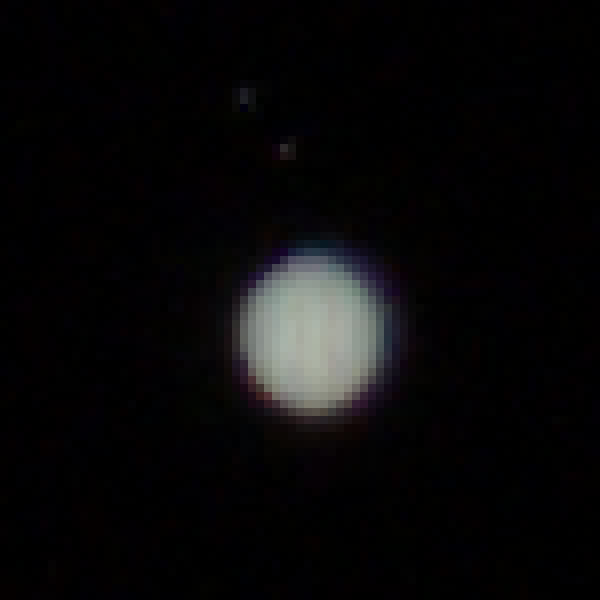
Please, let me show an "everything off" version processed with darktable (AMAZE); observe the two vertical bands of clouds in jupiter, more noticeable than in the RT version:
luisfl
on 5 Jun 2018
@luisfl
I am not sure that applying green equilibration (as in your patch) is the solution to this bug...?
My patch does not apply greeen equilibration. It just fixes a bug in green equilibration for the case an image is mostly black. Green equilibration is applied per default for all Olympus E cameras.
As @agriggio already mentioned, we could discuss that (but preferably in a new issue)
This bug was introduced in the last version(s?) of RT.
It's the same already in 5.3
heckflosse
on 5 Jun 2018
@luisfl Your moon shot works fine without applying automatic global greeen equilibration while my latest patch introduces artifacts. As a hotfix I reverted my latest patch now and disabled the automatic global green equilibration for OLYMPUS E-M1MarkII (I did that in amaze_vng4 branch because that's the branch I'm currently working on and it is ahead of dev).
Then we can see whether further improvements are possible...
heckflosse
on 5 Jun 2018
@luisfl I'm sure you didn't mean it, but your post turned out quite aggressive (to my perception, at least). please note that I didn't want to dismiss your report, I was just trying to investigate. otherwise, I would have closed the issue. the same applies to the others, I suppose...
agriggio
on 5 Jun 2018
@luisfl
@gaaned92 : VNG4 is quite bad. It unacceptably blurs fine detail.
Honestly, your DT example in first post does not show more details than the RT VNG4 one...
heckflosse
on 5 Jun 2018
@luisfl @agriggio @Beep6581 @gaaned92 .....
Let's start from scratch:
In first post @luisfl correctly showed that current dev introduced artifacts in his shot. That's clearly a valid bug report, though the examples @luisfl showed from other raw processors in first post don't show the detail he mentioned later...
I guess we all want to improve the output of RT (at least I hope so) for this example file of jupiter.
How Jupiter colours should be in such a small crop? I think it's more on the reddish/bwronish side with two stripes.
Neither of the results shown here corresponds to my expectation. In my opinion we currently compare bullshit from other raw processors with bullshit from rt....
heckflosse
on 5 Jun 2018
I might be wrong, but I don't think you can see anything but a yellowish blob for Jupiter, unless you are using a very powerful telescope... or your camera is on the voyager :-) if I'm wrong, I'll be very happy though
agriggio
on 5 Jun 2018
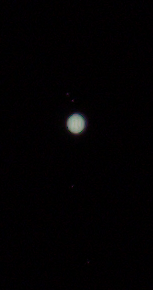
@agriggio Alberto, I can see two stripes in this 100% view and also some objects which could be moons of Jupiter (though I'm not an expert, It could also be artifacts, the stripes and the moons)
heckflosse
on 5 Jun 2018
the 4 major moons are easily visible with a small telescope like that of Galileo. regarding stripes or other details of the surface, I think you need some decent telescope -- but I'm not an expert either, I'm just going from memory from my teenager days when I was playing with little telescopes and such. I could very well be wrong!
agriggio
on 5 Jun 2018
Again, answering several in one:
@heckflosse (1): I see. But why are there still several pixels badly off colorwise?
@heckflosse (2): This is my experience with both green equilibration and false color suppression in RT: they introduce false color artifacts, to the point that I never use them. I don't have a clue why.
@agriggio (1): I'm very sorry if I somehow sounded aggressive. I had no intention at all. Being one myself, I deeply appreciate the work of developers for free software. Again, please, don't take my words that way.
@heckflosse (3): Please, forget the first DT processing. It was a quick VNG processing without any care just to show the lack of color artifacts, and it's rubbish. Stay with the last one, where no filters were applied and AMAZE was used. Sorry.
@heckflosse (4): I don't think we should try to look at the global tone of the processed pictures. That may be even affected by how each software handles white balance, for example. The problem is not the global color tint. The problem is the presence of strong color artifacts at pixel level, specially the very strange "mesh" in the current RT version.
@agriggio (2): I have better shots of jupiter with a long telephoto camera, but you are right, not much better. Good atmosphere condition is essential. The above picture was just to see how the atmosphere conditions where (and they were awful).
@heckflosse (5): If you push the files, you can see the 4 Galilean moons, and 2 strip of clouds. Sometimes even the Big Red Spot, all with a long telephoto. Jupiter is much brighter than its moons, so the usual technique is to take two shots, one exposed for the planet, and another for the moons, and you get a nice composition. This was taken like that, and with a cheap P&S old camera (yet with a good lens):
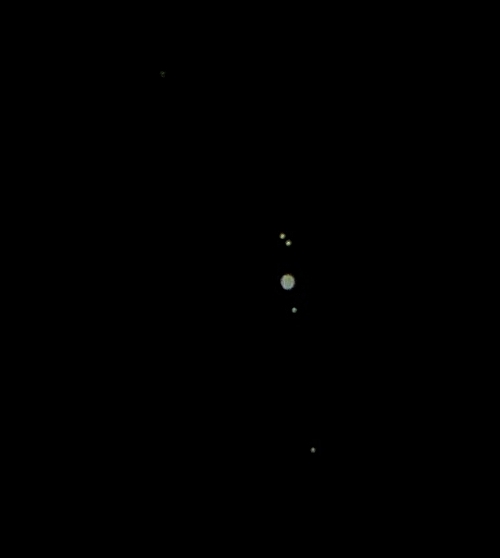
I only posted here the shot exposed for the planet (the other shows no artifacts, just a clipped white disk).
@agriggio : Correct. To get more details on the clouds besides strips and the BRS, you need more. This is a single exposure (look how faint the moons look) I took with a Meade LX90 8" telescope on a polluted city (downsized 30%, and very badly processed):
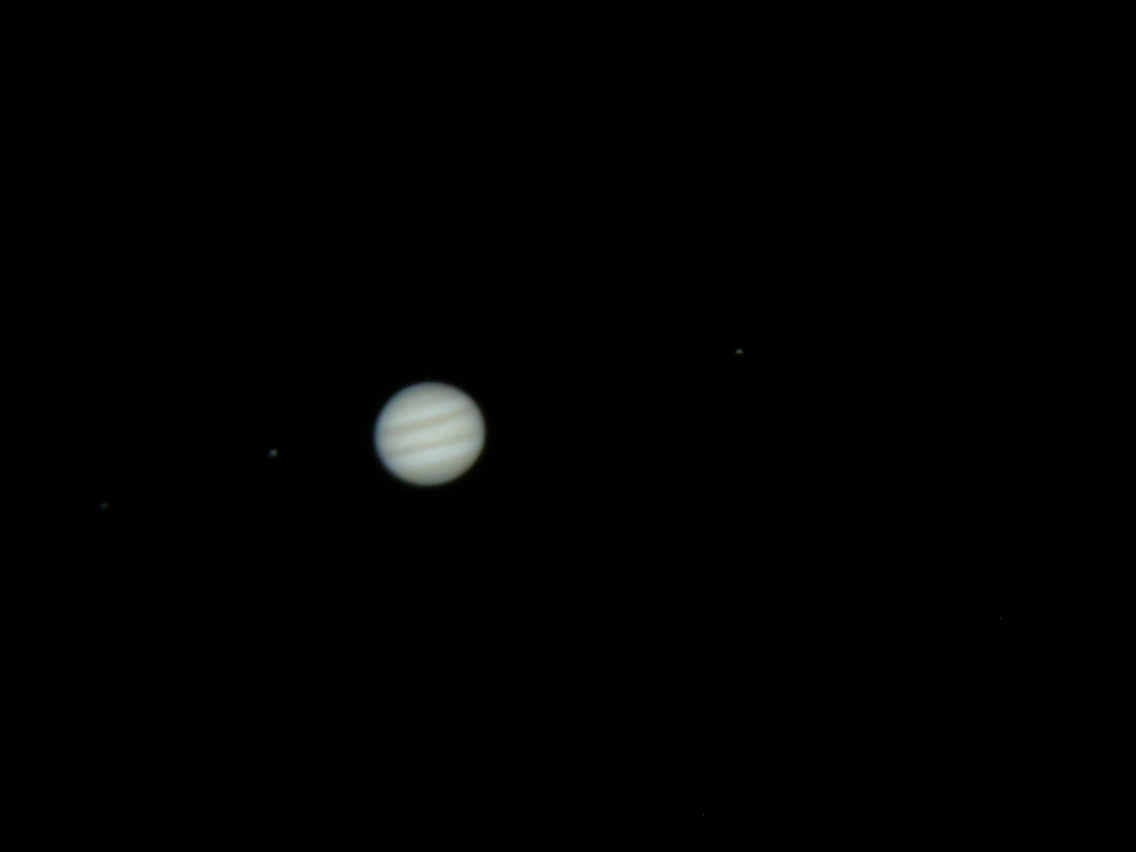
luisfl
on 5 Jun 2018
@luisfl all right! thanks for your comments, let's try to understand what is going on...
agriggio
on 5 Jun 2018
This bug was introduced in the last version(s?) of RT.
It's the same already in 5.3
If @luisfl could tell us a good starting point, where everything was still fine from his point of view, we could probably bisect it from there...
Floessie
on 6 Jun 2018
@luisfl (and others), how about this?

Looks the same as darktable, do you agree? What I did:
- turn off the global green equilibration
- use the camera wb instead of the auto computed "reference wb" for demosaicing
My current proposal to "fix" this, without changing too much:
- move the choice of whether to always apply a global pass of green equilibration to
camconst.json, instead of having a set of camera models hardcoded inrawimagesource.cc. - add a checkbox "use camera WB" in the demosaicing tool
What do you think? Ping @heckflosse @Floessie @Beep6581
agriggio
on 6 Jun 2018
- move the choice of whether to always apply a global pass of green equilibration to camconst.json, instead of having a set of camera models hardcoded in rawimagesource.cc.
:+1: No further questions. :smiley:
- add a checkbox "use camera WB" in the demosaicing tool
Hm, another switch for trial-and-error testing to get the optimal output...
Floessie
on 6 Jun 2018
Hm, another switch for trial-and-error testing to get the optimal output...
@Floessie, the "proper" solution would be to apply WB before demosaicing, but this requires some major (or at least no-so-minor :-) changes to the way RT works now. That's why I proposed to add the checkbox. I know it's not optimal, but if you have never encountered such problems, you can probably live with the current default (i.e. use an auto-computed WB for demosaicing) and forget about the checkbox completely... simply using the camera WB unconditionally would probably result in a regression for somebody else I'm afraid.
If you have alternative solutions in mind, they are surely welcome!
agriggio
on 6 Jun 2018
The checkbox will allow everyone to easily experiment which in turn will allow us to make a better-informed decision regarding WB once the pipeline unification work starts.
Beep6581
on 6 Jun 2018
@agriggio
the "proper" solution would be to apply WB before demosaicing, but this requires some major (or at least no-so-minor :-) changes to the way RT works now. That's why I proposed to add the checkbox.
I see.
I know it's not optimal, but if you have never encountered such problems, you can probably live with the current default (i.e. use an auto-computed WB for demosaicing) and forget about the checkbox completely...
Of course. But the tooltip should mention that for the uninformed.
simply using the camera WB unconditionally would probably result in a regression for somebody else I'm afraid.
Sure.
If you have alternative solutions in mind, they are surely welcome!
:smiley: No I haven't (apart from waiting for @luisfl to see, if this really is a regression). I just thought (from a user's perspective): "Great, yet another checkbox..."
@Beep6581
The checkbox will allow everyone to easily experiment which in turn will allow us to make a better-informed decision regarding WB once the pipeline unification work starts.
I see the benefits for us. But I also see that everyone will experiment with that checkbox on every image to see if it yields a better result (let alone giving us feedback). Don't know if thats good or bad, but I guess it will slow down the workflow if there's no clear winner for "checked"/"unchecked".
Floessie
on 6 Jun 2018
Don't know if thats good or bad, but I guess it will slow down the workflow if there's no clear winner for "checked"/"unchecked".
That's a valid concern indeed. Personally, I expect this to make no visible difference in the majority of cases, except when one of the two WB values (camera or auto) is way off, such as when using something like UniWB in camera, or when auto just fails (like in this particular picture -- try that and see Jupiter turn into an acid green ball...).
On the other hand, I should also add that for this specific picture, using "auto WB" for demosaicing and adding just 1 step of false colour suppression already gives good results (when global green equilibration is turned off).
agriggio
on 6 Jun 2018
But the tooltip should mention that for the uninformed.
"Great, yet another tooltip..." ;)
IMHO if a checkbox is added then the explanation should be left for RawPedia where we can explain it in a full paragraph with a B|A screenshot. It would follow "our" (my) guidelines of only having tooltips which show info a user will need to see multiple times, leaving all the one-time info for RawPedia: https://github.com/Beep6581/RawTherapee/issues/2221#issuecomment-355932262
Beep6581
on 6 Jun 2018
@agriggio
simply using the camera WB unconditionally would probably result in a regression for somebody else I'm afraid.
The uniwb shooters would not be amused, I guess.
Edit: Just saw that you mentioned that already.
heckflosse
on 6 Jun 2018
@agriggio @Floessie @Beep6581
We could try to make the autoWB for demosaic more robust for this kind of raw files where almost everything is black.
heckflosse
on 6 Jun 2018
Something like this. Note that the value 100 is just for test.
diff --git a/rtengine/rawimage.cc b/rtengine/rawimage.cc
index 1e8cb02ad..9f29b9de5 100644
--- a/rtengine/rawimage.cc
+++ b/rtengine/rawimage.cc
@@ -135,7 +135,7 @@ void RawImage::get_colorsCoeff( float *pre_mul_, float *scale_mul_, float *cblac
                 float whitefloat[4];

                 for (int c = 0; c < 4; c++) {
-                    cblackfloat[c] = cblack_[c];
+                    cblackfloat[c] = cblack_[c] + 100;
                     whitefloat[c] = this->get_white(c) - 25;
                 }

@@ -154,7 +154,7 @@ void RawImage::get_colorsCoeff( float *pre_mul_, float *scale_mul_, float *cblac
                                 int c = FC(y, x);
                                 val = tempdata[y * W + x];

-                                if (val > whitefloat[c]) { // calculate number of pixels to be substracted from sum and skip the block
+                                if (val > whitefloat[c]) { // calculate number of pixels to be subtracted from sum and skip the block
                                     dsumthr[FC(row, col) + 4]      += (int)(((xmax - col + 1) / 2) * ((ymax - row + 1) / 2));
                                     dsumthr[FC(row, col + 1) + 4]    += (int)(((xmax - col) / 2) * ((ymax - row + 1) / 2));
                                     dsumthr[FC(row + 1, col) + 4]    += (int)(((xmax - col + 1) / 2) * ((ymax - row) / 2));
@@ -163,10 +163,11 @@ void RawImage::get_colorsCoeff( float *pre_mul_, float *scale_mul_, float *cblac
                                 }

                                 if (val < cblackfloat[c]) {
-                                    val = cblackfloat[c];
+                                    dsumthr[c + 4] += 1;
+//                                    val = cblackfloat[c];
+                                } else {
+                                    sum[c] += val;
                                 }
-
-                                sum[c] += val;
                             }

                         for (int c = 0; c < 4; c++) {
Screenshot using neutral profile and the patch:

heckflosse
on 6 Jun 2018
@heckflosse that's an interesting idea :+1: The question now is how to estimate some reasonable thresholds... where did you get the 100 from, for instance?
agriggio
on 6 Jun 2018
@agriggio 100 was just to test after I inspected the image using demosaic none where you can see the raw values and 100 seemed a good value to test on the jupiter image

I think we could just eliminate the first 3 or 4 stops from calculating auto-wb for demosaic.
Here's a probably better patch:
diff --git a/rtengine/rawimage.cc b/rtengine/rawimage.cc
index 1e8cb02ad..feac0ef22 100644
--- a/rtengine/rawimage.cc
+++ b/rtengine/rawimage.cc
@@ -135,7 +135,7 @@ void RawImage::get_colorsCoeff( float *pre_mul_, float *scale_mul_, float *cblac
                 float whitefloat[4];

                 for (int c = 0; c < 4; c++) {
-                    cblackfloat[c] = cblack_[c];
+                    cblackfloat[c] = cblack_[c] + 8;
                     whitefloat[c] = this->get_white(c) - 25;
                 }

@@ -154,7 +154,7 @@ void RawImage::get_colorsCoeff( float *pre_mul_, float *scale_mul_, float *cblac
                                 int c = FC(y, x);
                                 val = tempdata[y * W + x];

-                                if (val > whitefloat[c]) { // calculate number of pixels to be substracted from sum and skip the block
+                                if (val > whitefloat[c] || val < cblackfloat[c]) { // calculate number of pixels to be subtracted from sum and skip the block
                                     dsumthr[FC(row, col) + 4]      += (int)(((xmax - col + 1) / 2) * ((ymax - row + 1) / 2));
                                     dsumthr[FC(row, col + 1) + 4]    += (int)(((xmax - col) / 2) * ((ymax - row + 1) / 2));
                                     dsumthr[FC(row + 1, col) + 4]    += (int)(((xmax - col + 1) / 2) * ((ymax - row) / 2));
@@ -162,10 +162,6 @@ void RawImage::get_colorsCoeff( float *pre_mul_, float *scale_mul_, float *cblac
                                     goto skip_block2;
                                 }

-                                if (val < cblackfloat[c]) {
-                                    val = cblackfloat[c];
-                                }
-
                                 sum[c] += val;
                             }
@heckflosse thanks for the explanation! How about this instead (using a relative threshold instead of an absolute one)?
EDIT: scratch that, thinking about it a bit more I agree that just disregarding the first 3 stops is better
agriggio
on 6 Jun 2018
should the same be done for xtrans as well?
agriggio
on 6 Jun 2018
@agriggio A relative threshold means the number of stops excluded from calculation depends on bit-depth of the raw file. Currently I'm ambivalent whether an absolute or a relative threshold is better.
Yes, this should be done for xtrans as well.
heckflosse
on 6 Jun 2018
Currently I'm ambivalent whether an absolute or a relative threshold is better.
Elaborating on my edited response above, I think absolute is better if we assume that sensors with more DR will give you more headroom on the highlights and not on the shadows. Is this the case? I don't really know, though I was assuming so...
agriggio
on 6 Jun 2018
ping @iliasg
heckflosse
on 6 Jun 2018
actually not, since we normalize with respect to the range of white - black and convert that to [0, 65535]. So maybe relative is better... or maybe I'm just getting more confused :stuck_out_tongue_winking_eye:
agriggio
on 6 Jun 2018
Aren't we still in raw bit-depth range at this step of the pipeline?
heckflosse
on 6 Jun 2018
@heckflosse yes, but the fact that we later rescale everything means that we have to intepret the range as relative, no? Or am I just getting confused?
agriggio
on 6 Jun 2018
maybe better wait for @iliasg :-)
agriggio
on 6 Jun 2018
@agriggio Alberto, here's a patch which includes the other raw formats as well (xtrans, mraw, sraw,...).
I declared a blackThreshold const. So we need to change only one line of code after Ilias' comment.
diff --git a/rtengine/rawimage.cc b/rtengine/rawimage.cc
index 1e8cb02ad..2479138cb 100644
--- a/rtengine/rawimage.cc
+++ b/rtengine/rawimage.cc
@@ -118,6 +118,8 @@ void RawImage::get_colorsCoeff( float *pre_mul_, float *scale_mul_, float *cblac
         }
         memset(dsum, 0, sizeof dsum);

+        constexpr float blackThreshold = 8.f;
+        constexpr float whiteThreshold = 25.f;
         if (this->isBayer()) {
             // calculate number of pixels per color
             dsum[FC(0, 0) + 4] += (int)(((W + 1) / 2) * ((H + 1) / 2));
@@ -135,8 +137,8 @@ void RawImage::get_colorsCoeff( float *pre_mul_, float *scale_mul_, float *cblac
                 float whitefloat[4];

                 for (int c = 0; c < 4; c++) {
-                    cblackfloat[c] = cblack_[c];
-                    whitefloat[c] = this->get_white(c) - 25;
+                    cblackfloat[c] = cblack_[c] + blackThreshold;
+                    whitefloat[c] = this->get_white(c) - whiteThreshold;
                 }

                 float *tempdata = data[0];
@@ -154,7 +156,7 @@ void RawImage::get_colorsCoeff( float *pre_mul_, float *scale_mul_, float *cblac
                                 int c = FC(y, x);
                                 val = tempdata[y * W + x];

-                                if (val > whitefloat[c]) { // calculate number of pixels to be substracted from sum and skip the block
+                                if (val > whitefloat[c] || val < cblackfloat[c]) { // calculate number of pixels to be subtracted from sum and skip the block
                                     dsumthr[FC(row, col) + 4]      += (int)(((xmax - col + 1) / 2) * ((ymax - row + 1) / 2));
                                     dsumthr[FC(row, col + 1) + 4]    += (int)(((xmax - col) / 2) * ((ymax - row + 1) / 2));
                                     dsumthr[FC(row + 1, col) + 4]    += (int)(((xmax - col + 1) / 2) * ((ymax - row) / 2));
@@ -162,10 +164,6 @@ void RawImage::get_colorsCoeff( float *pre_mul_, float *scale_mul_, float *cblac
                                     goto skip_block2;
                                 }

-                                if (val < cblackfloat[c]) {
-                                    val = cblackfloat[c];
-                                }
-
                                 sum[c] += val;
                             }

@@ -202,11 +200,13 @@ skip_block2:
                 memset(dsumthr, 0, sizeof dsumthr);
                 float sum[8];
                 // make local copies of the black and white values to avoid calculations and conversions
+                float cblackfloat[4];
                 float whitefloat[4];

                 for (int c = 0; c < 4; c++)
                 {
-                    whitefloat[c] = this->get_white(c) - 25;
+                    cblackfloat[c] = cblack_[c] + blackThreshold;
+                    whitefloat[c] = this->get_white(c) - whiteThreshold;
                 }

                 #pragma omp for nowait
@@ -221,13 +221,11 @@ skip_block2:
                                 int c = XTRANSFC(y, x);
                                 float val = data[y][x];

-                                if (val > whitefloat[c]) {
+                                if (val > whitefloat[c] || val < cblackfloat[c]) {
                                     goto skip_block3;
                                 }
-
-                                if ((val -= cblack_[c]) < 0) {
-                                    val = 0;
-                                }
+
+                                val -= cblack_[c];

                                 sum[c] += val;
                                 sum[c + 4]++;
@@ -262,27 +260,16 @@ skip_block3:
                     for (size_t y = row; y < row + 8 && y < H; y++)
                         for (size_t x = col; x < col + 8 && x < W; x++)
                             for (int c = 0; c < 3; c++) {
-                                if (this->isBayer()) {
-                                    c = FC(y, x);
-                                    val = data[y][x];
-                                } else {
-                                    val = data[y][3 * x + c];
-                                }
+                                val = data[y][3 * x + c];

-                                if (val > this->get_white(c) - 25) {
+                                if (val > this->get_white(c) - whiteThreshold || val < cblack_[c] + blackThreshold) {
                                     goto skip_block;
                                 }

-                                if ((val -= cblack_[c]) < 0) {
-                                    val = 0;
-                                }
+                                val -= cblack_[c];

                                 sum[c] += val;
                                 sum[c + 4]++;
-
-                                if ( this->isBayer()) {
-                                    break;
-                                }
                             }

                     for (c = 0; c < 8; c++) {
@agriggio
when auto just fails (like in this particular picture -- try that and see Jupiter turn into an acid green ball...).
Should we do the same changes here as well?
https://github.com/Beep6581/RawTherapee/blob/dev/rtengine/rawimagesource.cc#L4880
heckflosse
on 6 Jun 2018
@Floessie : I have no idea which was the last good version, sorry.
@agriggio (1) : Indeed, it looks identical to the darktable version! I think you nailed it.
@agriggio (2) : I'm not sure, maybe it is better to use camera WB as default, and provide the option. That is, your solution, but with the option checked by default. But I don't know.
@agriggio (3) : I have seen color artifacts also in architecture and foliage. I thought this was camera/lens related, but now I wonder if some of those artifacts were due to this bug. I would say I will probably have this option checked all the time. Regarding the WB of Jupiter's image, you are right: if you disable WB in darktable jupiter beomes green.
@heckflosse : Yes, it makes perfect sense to tweak the WB for "suspect" files. Your patch looks great, as good as the DT version regarding color artifacts and detail.
Although I understand that some decisions have to be made, now I don't mater if the bug report is closed. ;)
I find this bug quite delicate. Any idea when a new RT bugfix will be rolled out? I always prefer to use the official distribution packages than compile custom ones by myself.
Thanks a lot for the work of all of you!
luisfl
on 6 Jun 2018
@iliasg @Beep6581 Do you know the reason for automatic global green equilibration in Olympus E and Panasonic files?
heckflosse
on 6 Jun 2018
@luisfl
I find this bug quite delicate. Any idea when a new RT bugfix will be rolled out?
There are two bugs.
The first one (which causes the Strange colour artifacts) is that global green equalization is called for a camera where it should not be called for.
The second one (which causes the less strange colour artifacts) is that the pre-demosaic auto-wb fails on images which are mostly black (if I calculated correctly, only ~700 pixels in the jupiter shot are relevant, while all 20,000,000 pixels are used to calculate the pre-demosaic auto-wb)
Most likely both bugs will be fixed for 5.5 release.
heckflosse
on 7 Jun 2018
to add to @heckflosse's question, would it make sense to disable completely the unconditional auto green eq that happens for Panasonic and Olympus cameras whose name starts with 'E'? related, what about the oly pen-f? currently it is excluded, but what makes it different from the other m43 cameras? this green eq seems a relic from a remote (in RT's terms) past, could it be that it's not necessary anymore (to do automatically, I mean)?
agriggio
on 7 Jun 2018
@iliasg @Beep6581 Do you know the reason for automatic global green equilibration in Olympus E and Panasonic files?
Probably added with one of these:
https://github.com/Beep6581/RawTherapee/issues/141#issue-100310796
https://github.com/Beep6581/RawTherapee/issues/682#issuecomment-129915385
I can't trace it down to a commit - it was probably introduced before we migrated to git or even mercurial.
Beep6581
on 7 Jun 2018
@Beep6581 do we have any sample raw that shows the problem? or should this be visible with (almost) any file from the affected cameras?
agriggio
on 7 Jun 2018
@agriggio I'm not familiar with Panasonics, beyond having come into contact with the fruits of the labor of the brilliant intellect which runs the model-naming department.
Beep6581
on 7 Jun 2018
@agriggio There is a sample raw from Olympus E-520 on raw.pixls.us which shows the problem

heckflosse
on 7 Jun 2018
@heckflosse thanks! It is indeed visible already at 1:1 (after exporting).
FWIW, I have the camconst.json patch ready if we decided to keep the auto global green eq but move the list of affected cameras to camconst. I can commit tonight if needed.
I notice though this is an "ancient" camera... is it possible that current m4/3 models do not need this anymore?
agriggio
on 7 Jun 2018
@agriggio : I have the EM1 and the EM1.II m43rds, and old files from E3 and E5 43rds cameras. If you tell me what you need, I can provides RAW files of all of them, although I am sure you all have files already.
luisfl
on 7 Jun 2018
@luisfl it would be good to have some samples of different olympus models, thanks! However, let's wait for @iliasg to comment on what kind of samples would work best...
agriggio
on 7 Jun 2018
In addition to https://raw.pixls.us/ you can find more Olympus and Panasonic samples here:
https://www.imaging-resource.com/cameras/olympus/reviews/
https://www.imaging-resource.com/cameras/panasonic/reviews/
Click on a camera, then "Samples > Thumbnails" or "Gallery".
Beep6581
on 7 Jun 2018
Hi guys, I just read the issue .. I'll be at home for some hours tonight for more ..
The pre demosaic autoWB indeed fails some times and we need to make it more robust ..
As Ingo suggested, the most usual is the case with large very dark regions which are unreliable for WB calculations. Because at the very dark regions the raw values recorded is a mix of real photon signal and read noise. The unreliability depends on
- the read noise quantity of the sensors (measured in raw values) .. we can find measures for most cameras at http://www.photonstophotos.net/Charts/RN_ADU.htm
- the reliability of the black levels .. lower than the ideal/exact values turn darks to magenta .. higher turn darks to green ( as @agriggio found with his a6000 in another dicussion ;) )
- the method to use black levels .. which (I think) currently is clipping and this clipping is non_optimal even if we have exack black levels defined
 iliasg
on 8 Jun 2018
iliasg
on 8 Jun 2018
@agriggio
I notice though this is an "ancient" camera... is it possible that current m4/3 models do not need this anymore?
I think most (all ?) current m4/3 cameras do not need this .. for Olympus starting from E-M5 (6 years) and Panasonics even more .. maybe all m4/3 Panasonics do not need this ..
iliasg
on 8 Jun 2018
@agriggio Alberto .. just to be sure where the problem comes from .. can you revert the unbouded process ? Or just try a version before this .. ??
iliasg
on 8 Jun 2018
@iliasg As I mentioned above the issue already was in 5.3
heckflosse
on 8 Jun 2018
@iliasg thanks for your comments!
I think most (all ?) current m4/3 cameras do not need this .. for Olympus starting from E-M5 (6 years) and Panasonics even more .. maybe all m4/3 Panasonics do not need this ..
When you have time, could you please take a look at camconst.json in the green-eq-camconst branch and tell me for which cameras we should leave "global_green_equilibration" set to true? Right now it is so for all Panasonics and all Olympus E cameras (with the exception of the E-M1MarkII, for which we know for sure this is bad). After your review I'd be ready to merge...
agriggio
on 8 Jun 2018
@heckflosse
Do you know the reason for automatic global green equilibration in Olympus E and Panasonic files?
Ingo, as I remember some Olympus models had green imbalance which had a crosshatch result like in your screenshot of E-520. The worse imbalace I remember was Oly E-3 .. to the point that many commercial Raw_converters used a different demosaicer for E-3 (something like VNG4) giving much more blurry results.
I don't remember any Panasonic having this problem, by maybe I am wrong for the first Panasonic m4/3 models like G1, G2 .. Only Oly models needed equlibration even if both Oly & Panny used the same sensors up to a time when Oly shifted to Sony sensors (first was E-M5..).
In any case I think this default behaviour was wrong .. I had no idea RT used equilibration by default or else I'd have objected long ago. Because the strength of equalization needed is not consistent between models.
BTW .. we also have Canon 7D which is notorious for green imbalance at a significant factor (3%-8%)
iliasg
on 8 Jun 2018
@iliasg
I had no idea RT used equilibration by default or else I'd have objected long ago.
iirc it was already this way when I started contributing to rt in 2013
heckflosse
on 8 Jun 2018
it was there already in 2010, according to git log. before then, I have no idea...
agriggio
on 8 Jun 2018
@agriggio Alberto, I am again away from home but I will have sporadic time in next days to dowload and examine old Olympus models (pitty I cleared some months ago many samples I had in my PC :( )
To understand better what I need to do please clear up some things ..
In camcost.json we will need to add all affected models and fill up the boolean tag ?. Is this enaugh ?. Because in my mind we'd need to define the quantity of green imbalance for each model ..
BTW for the robustness of raw autoWB
I asked about the unbounted process elimination having in mind not the artefacts but the autoWB calculations
As the reliable dark values' threshold depends on the read noise of each model on each ISO I cannot come up with a clear solution.
I think generally that a value 2X greater than read noise should be safe. So for example if we have a model with read noise=5 raw levels (ADUs in photonsforphotos ternminology) we can define the threshold as log2(10) = 3.3 stops
Things get complicated because some RAW samples come from RAW stacking and in this case the threshold should be much lower ..
Another ureliability factor is the raw clipping for overexposed shots .. because usually only some of the raw channels are clipped (mostly green ..) .. so the statistics get skewed :( .. A more robust metric that first comes to mind is median instead of mean (@heckflosse Ingo used this for normalizing the unequal illuminated pixelshift shots ) .. but I am not sure if this is safe for autoWB :(
iliasg
on 9 Jun 2018
@iliasg the current code uses a bool flag, because that's how RT used to operate. global green eq was either enabled or not (there's then another pass of green eq which depends on an amount parameter, but that is never applied automatically). given what you wrote about the need for this only on legacy cameras, I'd suggest that we keep this simple for now and stick with a bool. what do you think?
agriggio
on 9 Jun 2018
@agriggio Alberto,
OK let's leave it as before for the moment, although I "feel" that it will be better if we eliminate the first automatic pass and only use a pass with equalization strength defined .. some tests will help to decide ..
iliasg
on 9 Jun 2018
@iliasg
some tests will help to decide ..
Imho we should keep the automatic pass for the old Olympus models which need it.
At least I will not spend time on defined equalization strength to improve the result for this old Olympus cams.
Except someone helps me to write a better algorithm for my thousands of old Nikon D1x files ;-) The current one in RT is really crap.
heckflosse
on 9 Jun 2018
@heckflosse Ingo, I am fine with any path choosen by the guys who code .. especially if it's based on data .. so my tests will help anyway ;)
Is the autoEqualization is a normalization of greens depending on the average G1/G2 ratio ?
Just started some measures .. the green unbalance for old models is around 1-2% for new models (>= 16Mp) it's much smaller (0.1%) ..
As the inbalance for the old models is not exactly consistent an autoNormalization is better than a constant.
For your D1x .. wishes to find a good algo .. I agree you should give priority there ;) .. have you looked at the way Magic Lantern does the interpolation for dualISO raws ?.
iliasg
on 9 Jun 2018
@agriggio :+1: from me to merge your changes. We can improve later ;-)
heckflosse
on 9 Jun 2018
ok, I'll try to merge tomorrow!
agriggio
on 10 Jun 2018
merged. I've also kept the global green equilibration only for the older Olympus models as suggested by @iliasg above. We can always fine tune by editing camconst.json if needed
agriggio
on 12 Jun 2018
For further improvements we can create a new issue. closing.
heckflosse
on 8 Jul 2018
Related issues
heckflosse
·
3Comments
 LordPhoenixfr
·
4Comments
Floessie
·
5Comments
Thanatomanic
·
4Comments
LordPhoenixfr
·
4Comments
Floessie
·
5Comments
Thanatomanic
·
4Comments
 Lawrence37
·
3Comments
Lawrence37
·
3Comments
Most helpful comment
@luisfl (and others), how about this?

Looks the same as darktable, do you agree? What I did:
My current proposal to "fix" this, without changing too much:
camconst.json, instead of having a set of camera models hardcoded inrawimagesource.cc.What do you think? Ping @heckflosse @Floessie @Beep6581