Rawtherapee: Lensfun vignetting correction and clipped highlight
Version: 5.3-9-g1fdc2d7
Branch: dev
Commit: 1fdc2d7
Commit date: 2017-10-09
Compiler: cc 5.4.0
Processor: x86_64
System: Linux
Bit depth: 64 bits
Gtkmm: V3.18.0
Lensfun: V0.3.2.0
Build type: release
Build flags:  -std=c++11 -march=native -Werror=unused-label -fopenmp -Werror=unknown-pragmas -Wall -Wno-unused-result -Wno-deprecated-declarations -O3 -DNDEBUG
Link flags:  -march=native
OpenMP support: ON
MMAP support: ON
I have tried to develop a raw image shot with my phone, for which i've just profiled vignetting (huge).
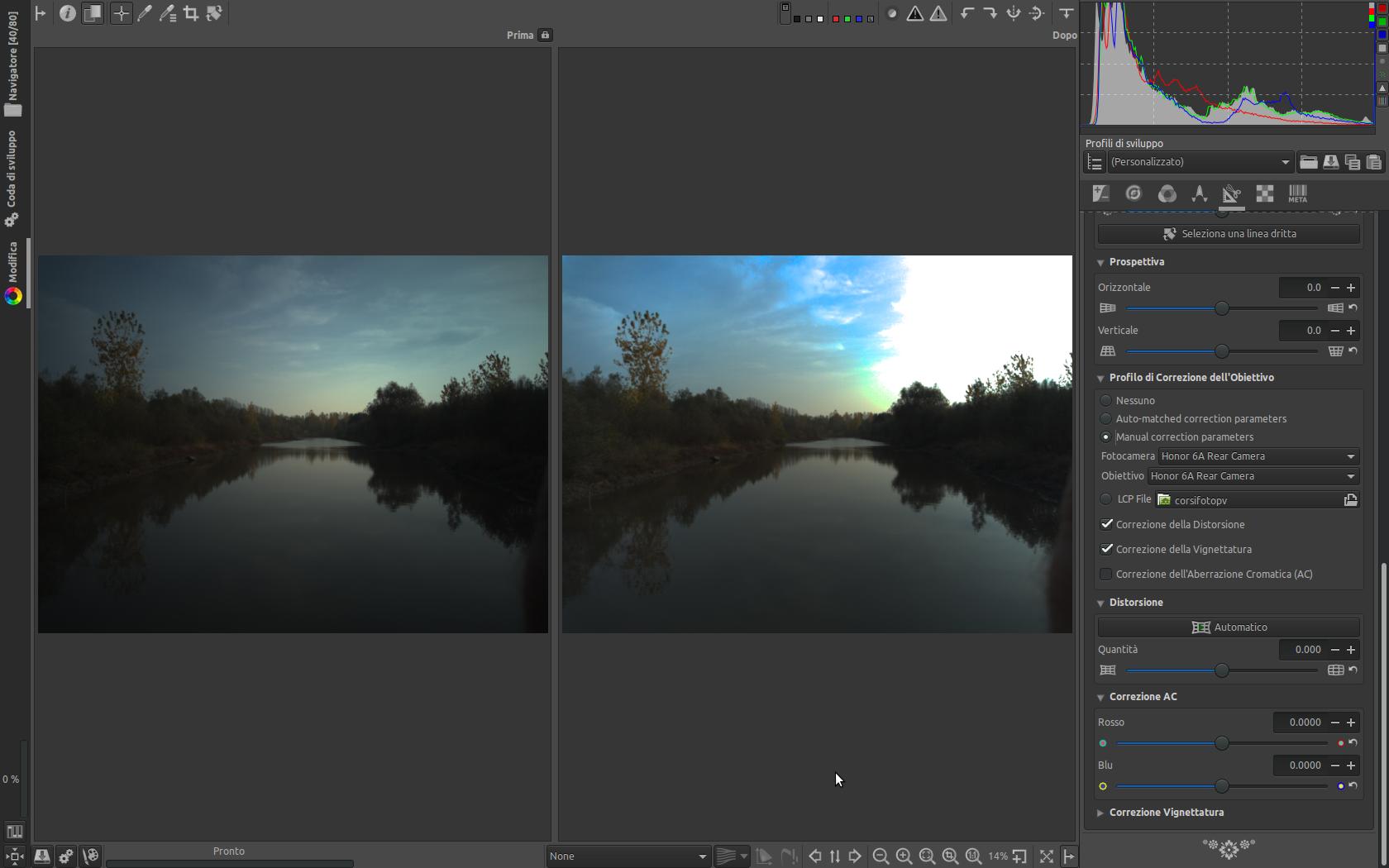
Without vignetting correction i'm able to recover almost all the details in the sky, but when i turn vignetting correction on, the sky becomes really clipped and unrecoverable.
I attach screenshot.
And here the dng, the pp3s (prova is without vignetting correction, the other one with vignetting correction on) and the lensfun additional xml for the phone (should be ok, but i'm not 100% sure) and the screenshot
Thank you in advance.

:
 falket
All 14 comments
@agriggio Alberto, do we need an equivalent of the flat field clip control also for lensfun vignetting correction?
 heckflosse
on 4 Nov 2017
heckflosse
on 4 Nov 2017
@heckflosse might be a good idea :+1:
 agriggio
on 4 Nov 2017
agriggio
on 4 Nov 2017
@agriggio @falket I will take the issue
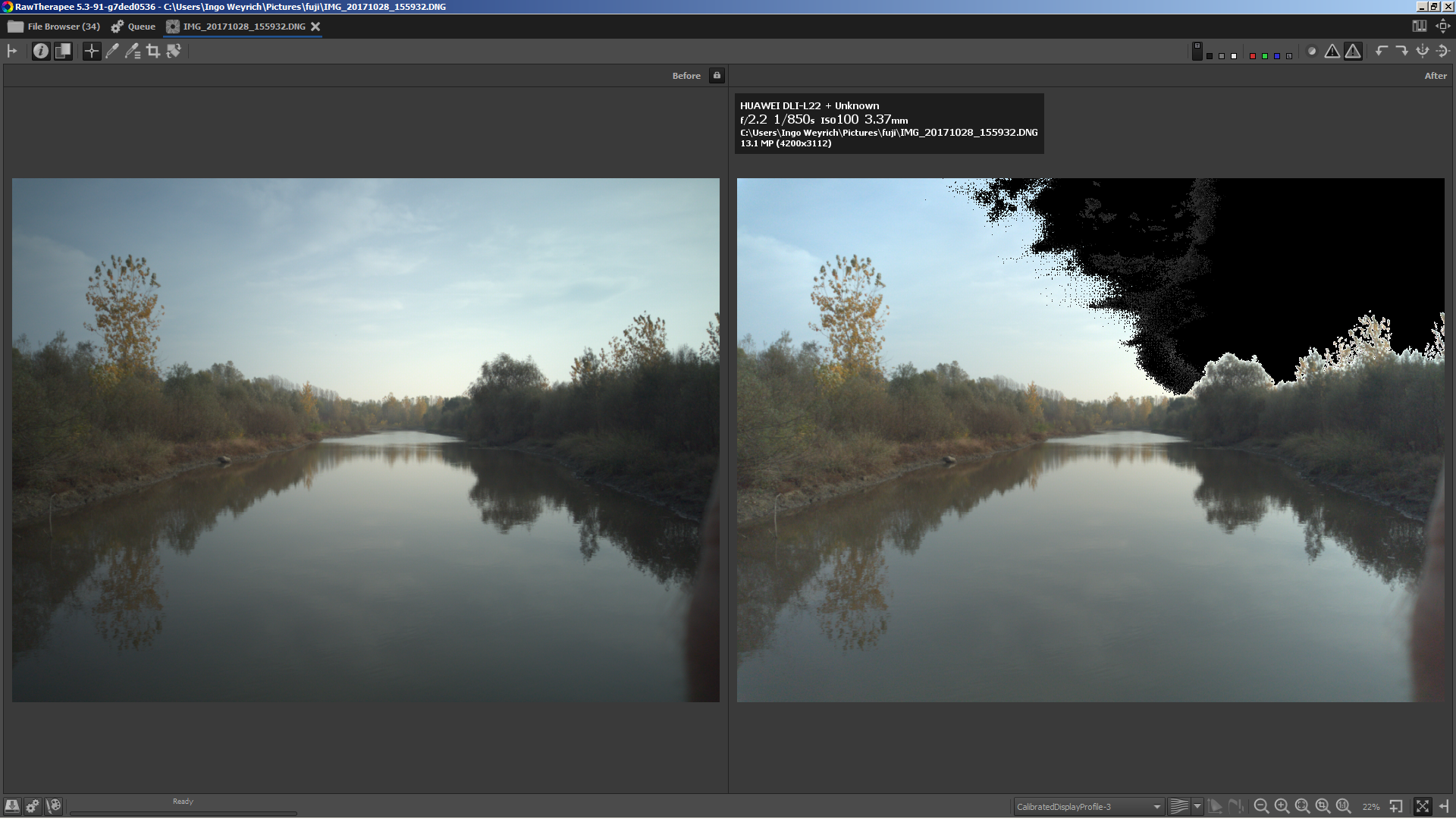
I just tested using neutral profile and the lensfun entry provided by @falket
With current source the lensfun vignetting correction clearly clips. Left is without lensfun vignetting correction, right is with lensfun vignetting correction (black areas are clipped):
heckflosse
on 4 Nov 2017
This happens for lcp profiles too.
 TooWaBoo
on 4 Nov 2017
TooWaBoo
on 4 Nov 2017
@TooWaBoo If you can provide a raw and lcp to reproduce I will try to solve the issue also for lcp.
Ingo
heckflosse
on 4 Nov 2017
@heckflosse It's an overexposed picture of my pocket cam.
https://filebin.net/u7hb0mjfrbpq9p3t
TooWaBoo
on 4 Nov 2017
@TooWaBoo The current clip control (as implemented for flat fields) only works correctly for raw files which before vignetting correction are not clipped in highlights but are clipped in highlights after vignetting correction. Do you have such an example for lcp vignetting correction?
heckflosse
on 5 Nov 2017
I've noticed this only for clipped highlights. Checked some other pictures but couldn't find one.
TooWaBoo
on 5 Nov 2017
Status: we need a raw file with highlights near the clipping point so that when LCP vignetting correction is enabled, those highlights clip. We also need the LCP file.
 Beep6581
on 16 Nov 2017
Beep6581
on 16 Nov 2017
I think it could be "easier" with a full frame camera with a really fast lens. By they way, just a probably wrong idea, could be feasible to darken the center, instead of lighting up the corners?
falket
on 16 Nov 2017
If someone suggest me an easy way to take a picture also for the lcp problem, i could ask some friend if he can or try myself to take one. Thank you.
falket
on 18 Mar 2018
Finally i've been able to take a shoot with a lens with a lcp, that leads to clipped highlight when using the lcp from camera raw. @TooWaBoo @heckflosse @Beep6581
To summarize, you can find it here:
1) a PEF file together with the lcp file. Applying neutral profile and lcp leads to clipped highlight.
2) the "old" dng file for the honor 6a, together with the lensfun xml.
Thank you everyone.
falket
on 24 Jun 2018
Reading a thread in the forum, i remembered this issue, tried with latest 5.7 dev and i have seen the bug is still here. I attach here the relevant files this time on google drive so they will not expire.
https://drive.google.com/open?id=1KccM6Pf_8duULWUOtLfXzTyYpc5JoFLy
Thank you.
@Beep6581
falket
on 6 Oct 2019
@falket Didn't try the dng, but for the pef you can simply disable clip-out-of-gamut colours and apply negative exposure correction until we get this automated. See attached screenshot (left neutral profile + .lcp, right neutral profile + .lcp + exposure correction of -0.25 and disabled clip...
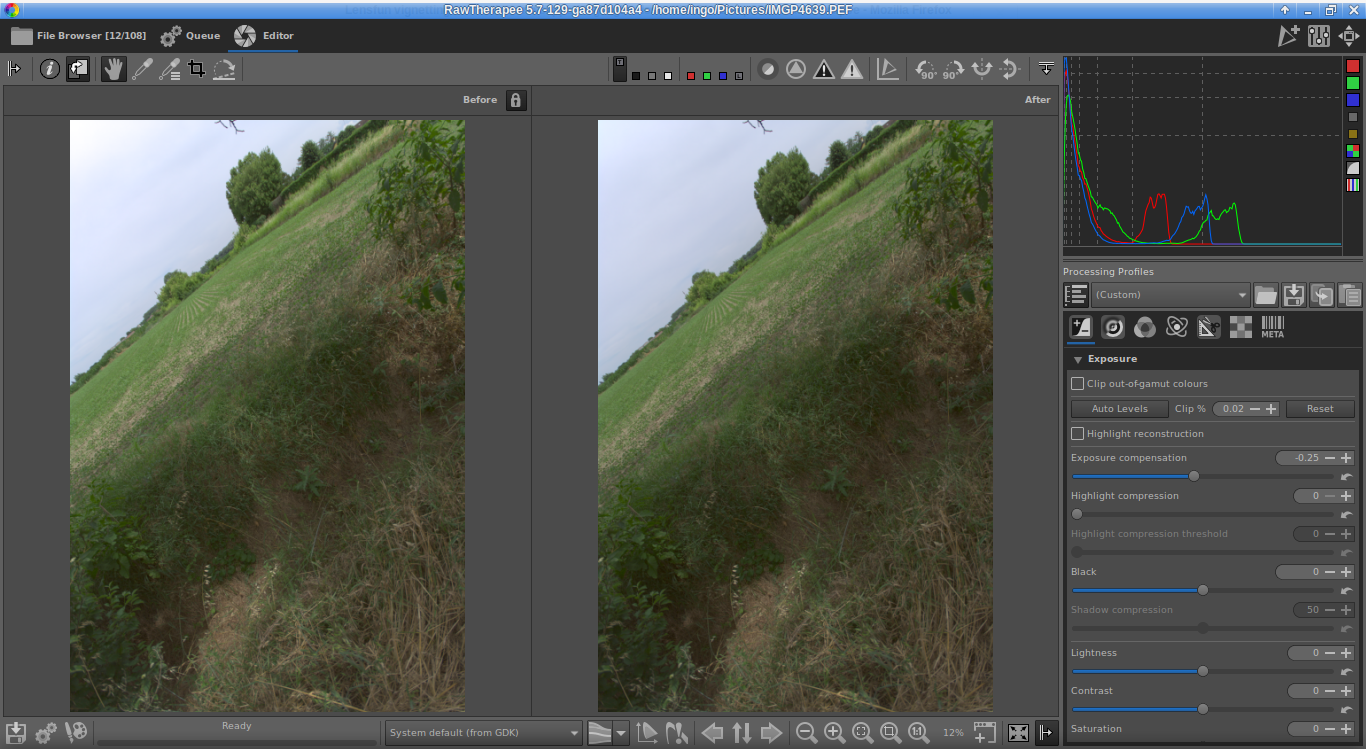
Should work for the dng as well
heckflosse
on 6 Oct 2019
Related issues
 Desmis
·
297Comments
Desmis
·
297Comments
 daicehawk
·
76Comments
daicehawk
·
76Comments
 srjacob999
·
98Comments
Beep6581
·
111Comments
srjacob999
·
98Comments
Beep6581
·
111Comments
 ion12
·
109Comments
ion12
·
109Comments
Most helpful comment
@agriggio @falket I will take the issue
I just tested using neutral profile and the lensfun entry provided by @falket
With current source the lensfun vignetting correction clearly clips. Left is without lensfun vignetting correction, right is with lensfun vignetting correction (black areas are clipped):