Rawtherapee: New Output ICC profiles - from Elle Stone
I have slightly modified 37 ICC output profiles coming from "Elle Stone" , thanks to him
Branch : testoutputprofile
do we keep them all, or only a few, and if so, which ones?
Thank you
Jacques
 Desmis
All 297 comments
Yes, I am really a poor computer scientist
I delete old files, and make
git rm rtdata/iccprofiles/output/xxx.icc
then copy all new ICC files
then
git rm rtdata/iccprofiles/output/RT_*.icc
then
git commit -m " add new ICC " -a
then
git push --set-upstream origin testoutputprofile
I obtain in rtdata all new files, but when I want to compile I have an install error 1 with ACES.icc Calla stack (most recent call first)
Desmis
on 30 Mar 2018
I have probably make a mistake !!
With a new clone it's work :)
Desmis
on 30 Mar 2018
https://github.com/Beep6581/RawTherapee/tree/testoutputprofile/rtdata/iccprofiles/output
The files in commit f3c4546 use curves with 4096 points. There is an ongoing discussion about whether to use 1024 or 4906 points: https://discuss.pixls.us/t/feature-request-save-as-floating-point/5696/119
 Beep6581
on 31 Mar 2018
Beep6581
on 31 Mar 2018
I know, and I say in forum :
"By default it is LCMS that fixe this value
define MAX_NODES_IN_CURVE 4097 in cmsgamma.c" ==> all profiles generate with LCMS have 4096 points.
Desmis
on 31 Mar 2018
I push a commit with :
- add ACES to working profile (which is D60). This profile needs to take a precaution, by adaptating Bradford D50 D60 matrix, I elaborate with my personal spreadsheet
constexpr double d50_d60[3][3] = {
{ 1.034368, 0.016908, -0.037658},
{0.021752, 0.992183, -0.012785},
{ -0.006971, 0.011377, 0.812150}
};
constexpr double d60_d50[3][3] = {
{ 0.96743198, -0.01699717, 0.044590689},
{-0.02109893, 1.008067172, 0.014890785},
{0.008598998, -0.01426777, 1.231474467}
};
The "originale" matrix define by primaries
p[0] = 0.734704; // ACESc primaries
p[1] = 0.265298;
p[2] = -0.000004;
p[3] = 0.999993;
p[4] = 0.00009989;
p[5] = -0.077007;
temp = ColorTemp::D60;
is adaptated by Bradford and gives :
constexpr double ACESc_xyz[3][3] = {
{0.956674714, 0.334059262, 0.033764461},
{-0.00914767, 0.719456271 , 0.020585086},
{-0.03959528, -0.11114562, 1.008891993}
};
constexpr double xyz_ACESc[3][3] = {
{1.039605861, -0.48655298, -0.0248649},
{0.012013027, 1.379948826 , -0.02855804},
{0.04212411, 0.132928069, 0.987064397}
};
- possibility to generate any profile ICC V2 or V4, or directly include profile in the TIF - FOIP - Free Output Integrate Profile
with a list of primaries:
ACES, AdobeRGB, Prophoto, REc2020, sRGB, Widegamut
*with selected TRC or free gamma-TRC:
*selected : BT709 g=2.2 s=4.5 ; sRGB g=2.4 s=12.92; linear 1.0; standard g=2.2; standard g=1.8; high g=1.3 s=3.55; Low g=2.6 s=6.9; Lab g=3.0 s=9.03296
** Free: any gamma between 1.0 and 3.5; slope any value between 0 and 15.0 by default its is SRGBtrc = g=2.400000 s=12.92310
The profiles are in folder where Rawtherapee.exe (Release,...)
If you look at the results, with Histogrammar (from Guillermo Luijk) - this software is old (2012) and need to launch to change the date.
- results are very good (if we think that histogram 16 bits is a good indicator) with FOIP and V4, and less good if you used the V2 profile isolate (I don't know why there is differences between FOIP and V2 ??)
- in these cases, there is not "fish bones" in low values R, G, B, that leeds I think to artifacts or posterization.
Jacques
Desmis
on 10 Apr 2018
@Desmis Jacques, any reason why you didn't use the new facility to add working profiles using a JSON file, as explained here? This does the adaptation automatically, and there's no need to hard-code anything in the code... assuming what I implemented is correct of course :-), but if not I would greatly appreciate your input! The code is here.
 agriggio
on 10 Apr 2018
agriggio
on 10 Apr 2018
@agriggio
I know your work :) you have want to know my opinion.
But I think it is good to have in "fixed working profile", this new ACES
If I calculated, my matrix - with my profiles or if I extracted from ACES.icm
the matrix is
//Matrix ACESc from LCMS calculation same as ACES.icm
constexpr double xyz_ACESc[3][3] = {
{0.99089, 0.01224, -0.03893},
{0.36189, 0.72252, -0.08441},
{-0.00272, 0.00826, 0.81937}
};
and the adaptation is not current D60 D50 and not D65, this leads to
constexpr double ACESc_xyz[3][3] = {
{0.956674714, 0.334059262, 0.033764461},
{-0.00914767, 0.719456271 , 0.020585086},
{-0.03959528, -0.11114562, 1.008891993}
};
different from you used :
"matrix" : [0.7184354, 0.16578523, 0.09882643, 0.29728935, 0.66958117, 0.03571544, -0.00647622, 0.01469771, 0.66732561]
this does not call into question the use of JSON
:)
jacques
Desmis
on 10 Apr 2018
@Desmis does that mean that my computation is wrong somewhere? In that case, can you tell me where exactly? the code is supposed to to the adaptation from the white point of the profile to D50 -- so in case of ACES that should be D60 to D50... or am I missing something?
agriggio
on 10 Apr 2018
BTW:
But I think it is good to have in "fixed working profile", this new ACES
assuming we can fix the computation (if it is wrong), you can have ACES as "built-in" by simply shipping a default JSON file to be installed by default by RT...
agriggio
on 10 Apr 2018
yes sure :)
Desmis
on 10 Apr 2018
Where have you found your ACES profile ?
Desmis
on 10 Apr 2018
I think you used, Elle Stone profile, that gives different XYZ values
My profile has same values that ACES.icm
When I used, Elle Profile and apply inverse Bradford (D50 D65) I obtain your matrix
I think, to verify, you must use direct Bradford and D60 to D50
Desmis
on 10 Apr 2018
I'm not sure which ACES profile you are referring to... if you mean the example in the rawpedia page, it's the "ACEScg" that comes from Elle. But you can actually use any ICC profile. It would be great if you could take a look at the code, it's all there in rtengine/iccstore.cc
agriggio
on 10 Apr 2018
I took the math from here:
www.brucelindbloom.com/Eqn_RGB_XYZ_Matrix.html
agriggio
on 10 Apr 2018
Here's the same thing in a Python script:
#!/usr/bin/env python
#
# see http://www.brucelindbloom.com/index.html?Eqn_ChromAdapt.html
#

import numpy


bradford_MA = numpy.array([
    [0.8951000,  0.2664000, -0.1614000],
    [-0.7502000,  1.7135000,  0.0367000],
    [0.0389000, -0.0685000,  1.0296000]
    ])

bradford_MA_inv = numpy.array([
    [0.9869929, -0.1470543,  0.1599627],
    [0.4323053,  0.5183603,  0.0492912],
    [-0.0085287,  0.0400428,  0.9684867]
    ])


def generate_adaptation_matrix(white1, white2):
    src = bradford_MA.dot(white1)
    dst = bradford_MA.dot(white2)
    m = numpy.array([
        [dst[0]/src[0], 0, 0],
        [0, dst[1]/src[1], 0],
        [0, 0, dst[2]/src[2]]
        ])
    res = bradford_MA_inv.dot(m).dot(bradford_MA)
    return res


def adapt_matrix(matrix, srcwhite, dstwhite):
    m = generate_adaptation_matrix(srcwhite, dstwhite)
    print 'ADAPTATION MATRIX:\n%s' % m
    res = m.dot(matrix)
    return res


# example usage

d50 = numpy.array([0.96422, 1.00000, 0.82521])
d60 = numpy.array([0.95265198, 1.00000000, 1.00881958])
d65 = numpy.array([0.95047, 1.00000, 1.08883])


# Elle's ACES D60
elle_aces_d60 = numpy.transpose(numpy.array([
    [0.99089050, 0.36189270, -0.00271606],
    [0.01223755, 0.72251892, 0.00825500],
    [-0.03892517, -0.08441162, 0.81936646]
    ]))
matrix = elle_aces_d60
srcwhite = d60

result = adapt_matrix(matrix, srcwhite, d50)
print result
I don't know Python, but the code seems good in particular there is
d60 = numpy.array([0.95265198, 1.00000000, 1.00881958]), I don't see in your.
The matrix used is the same as mine at epsilon... but diffrent from those whe can read in profile Elle.
Desmis
on 10 Apr 2018
ok, I'll try to describe what the code does later tonight... hopefully we can find the bug :-)
agriggio
on 10 Apr 2018
And what is the result in terms of XYZ after adaptation ?
A good test : when you change the working profile, image will not change or a little if there is out of gamut.
Desmis
on 10 Apr 2018
Here are the results of running the script:
INPUT MATRIX:
[[ 0.9908905   0.01223755 -0.03892517]
 [ 0.3618927   0.72251892 -0.08441162]
 [-0.00271606  0.008255    0.81936646]]
SOURCE WHITE: [ 0.95265198  1.          1.00881958]
DEST WHITE:  [ 0.96422  1.       0.82521]
ADAPTATION MATRIX:
[[ 1.03413627  0.01679692 -0.03741888]
 [ 0.02160997  0.99222861 -0.01270332]
 [-0.00692622  0.01130544  0.81332956]]
RESULT:
[[ 1.03089612  0.02448249 -0.07233156]
 [ 0.38052791  0.71706353 -0.09500547]
 [-0.00498082  0.01479767  0.66573025]]
when you change the working profile, image will not change or a little if there is out of gamut.
I agree that there is something wrong, because I see some changes in the image. But I'd like to understand what is wrong...
agriggio
on 10 Apr 2018
If I verify with my own calculation, that are some more complex (with openoffice)
the matrix is near of
[[ 1.03413627 0.01679692 -0.03741888]
[ 0.02160997 0.99222861 -0.01270332]
[-0.00692622 0.01130544 0.81332956]]
 { 1.034368,  0.016908, -0.037658},
{0.021752,  0.992183, -0.012785},
{ -0.006971,  0.011377,  0.812150}
But I think you must inverse this matrix and leads to
{ 0.96743198, -0.01699717, 0.044590689},
{-0.02109893, 1.008067172, 0.014890785},
{0.008598998, -0.01426777, 1.231474467}
Desmis
on 10 Apr 2018
All calculation are made with Spectral datas and I can set the temp to 6005K, which can explain these smal diffrences ==> but it is details
Desmis
on 10 Apr 2018
Jacques, I think I might simply have swapped the source and target white points -- I'll double check tonight, now I'm on my phone...
agriggio
on 10 Apr 2018
but apart from this problem what do you think of the ICC profile generator, V2, V4, FOIP ?
Desmis
on 10 Apr 2018
@Desmis Jacques, I found the problem! Quoting from Bruce Lindbloom's webpage (http://www.brucelindbloom.com/index.html?Eqn_RGB_XYZ_Matrix.html):
If you examine the matrices for these working spaces found inside ICC profiles (through the redColorantTag, greenColorantTag and blueColorantTag), those matrices will always be relative to D50, and therefore, the colorants have been subjected to a chromatic adaptation transformation if the working space reference white is not also D50.
So, my mistake was that I didn't read the docs about ICC profiles carefully enough :-(
I thought that the matrix inside the ICC was relative to the white point, but in fact it is already adapted to D50. So, no need of further adaptation. This makes the code even simpler. So, for ACES the correct matrix (found in Elle's profile) should be:
 0.99089050  0.01223755  -0.03892517,
 0.36189270  0.72251892  -0.08441162,
-0.00271606  0.00825500   0.81936646
Here's a patch that disables the chromatic adaptation when importing custom working profiles from ICC files. I'm including it here just for reference, I'll commit (to dev) in a moment:
diff --git a/rtengine/iccstore.cc b/rtengine/iccstore.cc
--- a/rtengine/iccstore.cc
+++ b/rtengine/iccstore.cc
@@ -656,45 +656,21 @@
             cmsCloseProfile(prof);
             return false;
         }
-        cmsCIEXYZ *white = static_cast<cmsCIEXYZ *>(cmsReadTag(prof, cmsSigMediaWhitePointTag));
         cmsCIEXYZ *red = static_cast<cmsCIEXYZ *>(cmsReadTag(prof, cmsSigRedMatrixColumnTag));
         cmsCIEXYZ *green  = static_cast<cmsCIEXYZ *>(cmsReadTag(prof, cmsSigGreenMatrixColumnTag));
         cmsCIEXYZ *blue  = static_cast<cmsCIEXYZ *>(cmsReadTag(prof, cmsSigBlueMatrixColumnTag));

-        if (!white || !red || !green || !blue) {
+        if (!red || !green || !blue) {
             cmsCloseProfile(prof);
             return false;
         }

-        // do the Bradford adaptation to D50
-        // matrices from Bruce Lindbloom's webpage
-        static constexpr CMatrix bradford_MA = {
-            CVector({0.8951000,  0.2664000, -0.1614000}),
-            CVector({-0.7502000,  1.7135000,  0.0367000}),
-            CVector({0.0389000, -0.0685000,  1.0296000})
-        };
-        static constexpr CMatrix bradford_MA_inv = {
-            CVector({0.9869929, -0.1470543,  0.1599627}),
-            CVector({0.4323053,  0.5183603,  0.0492912}),
-            CVector({-0.0085287,  0.0400428,  0.9684867})
-        };
-        static constexpr CVector bradford_MA_dot_D50 = {
-            0.99628443, 1.02042736, 0.81864437
+        CMatrix m = {
+            CVector({ red->X, green->X, blue->X }),
+            CVector({ red->Y, green->Y, blue->Y }),
+            CVector({ red->Z, green->Z, blue->Z })
         };
-
-        CVector srcw = dotProduct(bradford_MA, CVector({ white->X, white->Y, white->Z }));
-        CMatrix m = {
-            CVector({ bradford_MA_dot_D50[0]/srcw[0], 0.0, 0.0 }),
-            CVector({ 0.0, bradford_MA_dot_D50[1]/srcw[1], 0.0 }),
-            CVector({ 0.0, 0.0, bradford_MA_dot_D50[2]/srcw[2] })
-        };
-        CMatrix adapt = dotProduct(dotProduct(bradford_MA_inv, m), bradford_MA);
-
-        m[0][0] = red->X; m[0][1] = green->X; m[0][2] = blue->X;
-        m[1][0] = red->Y; m[1][1] = green->Y; m[1][2] = blue->Y;
-        m[2][0] = red->Z; m[2][1] = green->Z; m[2][2] = blue->Z;
-
-        m = dotProduct(adapt, m);
+
         out.set(m);

         cmsCloseProfile(prof);
@agriggio
Alberto
I tried another time ACES with the matrix you gave
0.99089050 0.01223755 -0.03892517,
0.36189270 0.72251892 -0.08441162,
-0.00271606 0.00825500 0.81936646
then calculate his inverse necessary in some part of the code
After compiling and test, the image and the histogram change when you select ACES in "Working profile" while that does not change with all the others working profiles (sRGB, Prophoto, Rec2020, etc.)
I have been working at this problem during one week when I was working on generation ICC V2 V4. In fact in theory you are true, XYZ in profiles are D50, but for ACES it seems a particular case.
I have search, make may tests and leads to the conclusion that for ACES we need to compensate by a Bradford calculation D60 D50.
With this correction, image does not change, histogram does not change
I have sligtly change the values to increase precision - differences are after 6 digits, for me without importance, but it is in theory better
Here the matrix re-calculated:
//with Bradford adaptation D50 D60 J.Desmis 04 2018
// ACESc_xyz = matrix ACESc * matrix d60 D50 from Matrix ACESc from LCMS calculation same as ACES.icm
constexpr double ACESc_xyz[3][3] = {
{0.9566756689, 0.334061821, 0.0337682},
{-0.00916399, 0.719455101 , 0.02057992},
{-0.03958909, -0.11114757, 1.008887738}
};
constexpr double xyz_ACESc[3][3] = {
{1.039596401, -0.48655409, -0.02487101},
{0.012036915, 1.379940825 , -0.02855178},
{0.042120199, 0.132933363, 0.987069107}
};
//end modification ACES matrix
I don't know why this particular case:
1) perhaps it is normal, that ACES without Bradford give this result, with color cast, it seems curious...and hasardous
2) perhaps LCMS do a wrong calculation with these specific settings : primaries, white points
3) perhaps ???
But Ithink users will see the color cast, and change (quite important) in histogram.
The matrix I proposed "solved" the image differences and histogram differences.
Jacques
Desmis
on 11 Apr 2018
About ACES,
The white point is approximate to the CIE D60 standard illuminant, and ACES compliant files are encoded in 16-bit half-floats, thus allowing ACES OpenEXR files to encode 30 stops of scene information.
Beep6581
on 11 Apr 2018
I just merge with dev, and curiously, now, with ACES, histogram and image change a little in function of image and output profile ??
Desmis
on 11 Apr 2018
I checkout with dedce5d, and there are differences in some cases.
With my habitual image test, no differences...ACES and others profiles for image and histogram
For others images as colorspace_flowers.pef, there are differences on the white and in histogram
With the "merge with dev"
With my habitual image test, small differences...ACES and others profiles for histogram, no visible for image
For others images as colorspace_flowers.pef, there are differences on the white and in histogram
I re-change the matrix to put the same values as before (dedce5d), but same behaviour...curious
Question ? Is a good idea to add ACES as working profile ? For what reason there are in some images differences with others working profiles - in histogram and / or in image??
Desmis
on 11 Apr 2018
Or is it a particularity of ACES to change "a little" some colors, in the "same way" as CIECAM ??
Desmis
on 11 Apr 2018
I will try with the matrix found in internet ACES
Desmis
on 11 Apr 2018
@Desmis Jacques, if I use the ACES matrix as found in Elle's profile, which is already adapted to D50, I see no colour cast nor any other strange behaviour
agriggio
on 11 Apr 2018
@Desmis can you try with the latest dev an this workingspaces.json file? (just change the path to the ACES.icc file shipped with RT to the correct one)
{"working_spaces": [
    {
        "name" : "ACES",
        "file" : "/opt/rawtherapee/share/rawtherapee/iccprofiles/output/ACES.icc"
    },
    {
        // D60 matrix from Elle's ACEScg profile
        "name" : "ACEScg",
        "matrix" : [0.68988037, 0.14976501, 0.1245575, 0.28451538, 0.67169189, 0.04379272, -0.00604248, 0.01000977, 0.82093811]
    }
]}
@agriggio
When I used ICC profile inspector, or Exiftool, and the profile "Elle" which are on his web or in iccprofiles, the values are
//from Elle Stone
constexpr double xyz_ACESc[3][3] = {
{0.68988, 0.14977, 0.12456},
{0.28452, 0.67169, 0.04379},
{-0.00604, 0.01001, 0.82094}
};
constexpr double ACESc_xyz[3][3] = {
{1.592666, -0.351803, -0.222887},
{-0.675936, 1.639273, 0.015117},
{0.0199598, -0.022576, 1.2162916}
};
Desmis
on 11 Apr 2018
@Desmis Jacques, here's what I get:
$ iccdump -v3 ~/src/elles_icc_profiles/profiles/ACES-elle-V2-g10.icc

Header:
  size         = 1132 bytes
  CMM          = 'lcms'
  Version      = 2.2.0
  Device Class = Display
  Color Space  = RGB
  Conn. Space  = XYZ
  Date, Time   = 22 Apr 2016, 21:13:34
  Platform     = *nix
  Flags        = Not Embedded Profile, Use anywhere
  Dev. Mnfctr. = 0x0
  Dev. Model   = 0x0
  Dev. Attrbts = Reflective, Glossy, Positive, Color
  Rndrng Intnt = Perceptual
  Illuminant   = 0.96420288, 1.00000000, 0.82490540    [Lab 100.000000, 0.000000, 0.000000]
  Creator      = 'lcms'

tag 0:
  sig      'cprt'
  type     'text'
  offset   264
  size     150
Text:
  No. chars = 142
    0x0000: Copyright 2016, Elle Stone (http://ninedegreesbelow.com/), CC-BY
    0x0040: -SA 3.0 Unported (https://creativecommons.org/licenses/by-sa/3.0
    0x0080: /legalcode).\000

tag 1:
  sig      'wtpt'
  type     'XYZ '
  offset   416
  size     20
XYZArray:
  No. elements = 1
    0:  0.95265198, 1.00000000, 1.00881958    [Lab 100.000000, -2.004650, -13.878165]

tag 2:
  sig      'bkpt'
  type     'XYZ '
  offset   436
  size     20
XYZArray:
  No. elements = 1
    0:  0.00000000, 0.00000000, 0.00000000    [Lab 0.000000, 0.000000, 0.000000]

tag 3:
  sig      'rXYZ'
  type     'XYZ '
  offset   456
  size     20
XYZArray:
  No. elements = 1
    0:  0.99089050, 0.36189270, -0.00271606    [Lab 66.664288, 148.259567, 120.066311]

tag 4:
  sig      'gXYZ'
  type     'XYZ '
  offset   476
  size     20
XYZArray:
  No. elements = 1
    0:  0.01223755, 0.72251892, 0.00825500    [Lab 88.089694, -332.032008, 136.365936]

tag 5:
  sig      'bXYZ'
  type     'XYZ '
  offset   496
  size     20
XYZArray:
  No. elements = 1
    0:  -0.03892517, -0.08441162, 0.81936646    [Lab -76.248704, 171.475652, -303.428428]

tag 6:
  sig      'rTRC'
  type     'curv'
  offset   516
  size     14
Curve:
  Curve is gamma of 1.00000000

tag 7:
  sig      'gTRC'
  type     'curv'
  offset   532
  size     14
Curve:
  Curve is gamma of 1.00000000

tag 8:
  sig      'bTRC'
  type     'curv'
  offset   548
  size     14
Curve:
  Curve is gamma of 1.00000000

tag 9:
  sig      'dmnd'
  type     'desc'
  offset   564
  size     404
TextDescription:
  ASCII data, length 104 chars:
    0x0000: ACES chromaticities from TB-2014-004, http://www.oscars.org/scie
    0x0040: nce-technology/aces/aces-documentation\000
  Unicode Data, Language code 0x0, length 105 chars
    0x0000: 0041 0043 0045 0053 0020 0063 0068 0072 006f 006d 0061 0074 0069
    0x000d: 0063 0069 0074 0069 0065 0073 0020 0066 0072 006f 006d 0020 0054
    0x001a: 0042 002d 0032 0030 0031 0034 002d 0030 0030 0034 002c 0020 0068
    0x0027: 0074 0074 0070 003a 002f 002f 0077 0077 0077 002e 006f 0073 0063
    0x0034: 0061 0072 0073 002e 006f 0072 0067 002f 0073 0063 0069 0065 006e
    0x0041: 0063 0065 002d 0074 0065 0063 0068 006e 006f 006c 006f 0067 0079
    0x004e: 002f 0061 0063 0065 0073 002f 0061 0063 0065 0073 002d 0064 006f
    0x005b: 0063 0075 006d 0065 006e 0074 0061 0074 0069 006f 006e 0000 0000
    0x0068: 0000
  No ScriptCode data

tag 10:
  sig      'desc'
  type     'desc'
  offset   968
  size     164
TextDescription:
  ASCII data, length 24 chars:
    0x0000: ACES-elle-V2-g10.icc\000\000\000
  Unicode Data, Language code 0x0, length 25 chars
    0x0000: 0041 0043 0045 0053 002d 0065 006c 006c 0065 002d 0056 0032 002d
    0x000d: 0067 0031 0030 002e 0069 0063 0063 0000 0000 0000 0000 0000
  No ScriptCode data
The relevant tags are rXYZ, gXYZ and bXYZ, therefore:
rXYZ: 0.99089050, 0.36189270, -0.00271606
gXYZ: 0.01223755, 0.72251892, 0.00825500
bXYZ: -0.03892517, -0.08441162, 0.81936646
transposing, they give the following matrix:
 0.99089050, 0.01223755, -0.03892517
 0.36189270, 0.72251892, -0.08441162
-0.00271606, 0.00825500,  0.81936646
which looks reasonable to me...
agriggio
on 11 Apr 2018
to cross-check, just try the same on sRGB-elle-V2-g10.icc, and you get essentially the same matrix as the one of RT (xyz_sRGB in iccmatrices.h)
agriggio
on 11 Apr 2018
That is different with values display by utilitaries : ICC profile inspector, etc.
For me, with these (yours) values (those I used before Bradford D60), much images are bad or very bad...
I just commit and push a change with the values of the normalization ACES2065-1 (I think it's good)
constexpr double ACESc_xyz[3][3] = {
{0.9525523959, 0.3439664498, 0.0},
{0.000000, 0.7281660966 , 0.0},
{0.0000936786, -0.0721325464, 1.0088251844}
};
constexpr double xyz_ACESc[3][3] = {
{1.0498110175, -0.4959030231, 0.0},
{0.0, 1.3733130458 , 0.0},
{-0.0000974845, 0.0982400361, 0.9912520182}
};
And results are better, no diffrences on my test image, and quite smal on others
Desmis
on 11 Apr 2018
I think, it's only my responsibility, that
1) for working profile, we must used the norm ACES2065-1
2) for ICC profiles V2, V4 we must work with actual profiles, those of Elle, or mine for which utilities give the same XYZ results as you
:)
Desmis
on 11 Apr 2018
But the question is, why with the same primaries, and same white, there are diffrences betwwen calculations made with LCMS and the norm ?
Probably (sure) LCMS is not perfect for this "special" working space.
Desmis
on 11 Apr 2018
Jacques, I'm not sure I understand this:
For me, with these (yours) values (those I used before Bradford D60), much images are bad or very bad...
The values I provided above should not require any Bradford adaptation -- they are already adapted to D50. I have tried with a bunch of different pictures and I see no difference wrt. ProPhoto...
agriggio
on 11 Apr 2018
Me also I don't understand.
In preview, with the matrix coming from ICC profiles, images are quasi always bad, some are acceptables
They are less bad, with D60 adaptation, even there is no need (cf B.Lindbloom ... but it does not speak of ACES... ) for current profile sRGB, Prophoto,...), but if you look at the values of the matrix, this modified by D60 adpatation is near "norm"
They are pretty good with matrix "norm"
Desmis
on 11 Apr 2018
Jacques, are you using the dev branch?
Here are a couple of screenshots (neutral profile, only changed the working space):


agriggio
on 11 Apr 2018
Effectively when I load XYZ with workingspaces.json, the result is good
Why when the same matrix is in "iccmatrices.h" the result is bad ??
Desmis
on 11 Apr 2018
Jacques, I don't know... I can try taking a look at your branch, but I can't promise that I will find the explanation :-)
agriggio
on 11 Apr 2018
there is no special thing, only the XYZ values...
For me it is a great mysteries :)
I will suppress, it is easy, ACES from "testoutputprofie", but I don't like to not understand someting
:)
Jacques
Desmis
on 11 Apr 2018
@Desmis I agree 100% with you -- we want to understand this and not just hide the problem, so please leave ACES there, I'll try to take a look ASAP
agriggio
on 11 Apr 2018
OK :)
jacques
Desmis
on 11 Apr 2018
I just try to put in workingspaces.json, the values of norm, all works well...Curious :)
{"working_spaces": [
{
"name" : "ACES",
"file" : "G:/code/rtdev/build/release/iccprofiles/output/ACES.icc"
},
{
"name" : "ACESNorm",
"matrix" : [0.9525523959, 0.0, 0.0000936786, 0.3439664498, 0.7281660966, -0.0721325464, 0.0, 0.0, 1.0088251844]
}
]}
Desmis
on 11 Apr 2018
ok, I don't understand what's going on... @heckflosse @Floessie can you also take a look? (Just read the conversation above to get some context)
agriggio
on 11 Apr 2018
I just tested to change the place of "ACES" in the table and the name in iccmatrice.h
const double(wprofiles[])[3] = {xyz_sRGB, xyz_adobe, xyz_prophoto, xyz_widegamut, xyz_CESc, xyz_bruce, xyz_beta, xyz_best, xyz_rec2020};
const double(iwprofiles[])[3] = {sRGB_xyz, adobe_xyz, prophoto_xyz, widegamut_xyz, CESc_xyz, bruce_xyz, beta_xyz, best_xyz, rec2020_xyz};
const char* wpnames[] = {"sRGB", "Adobe RGB", "ProPhoto", "WideGamut", "ACESc", "BruceRGB", "Beta RGB", "BestRGB", "Rec2020" };
Instead of being at the end.
In this case, all works fine, including the last of the list "Rec_2020"
Curious ??
Jacques
Desmis
on 12 Apr 2018
I spoke too fast, with some images there are still drifts of colors ??
Desmis
on 12 Apr 2018
Jacques, I found the problem: you have inverted xyz_ACESc and ACESc_xyz :-)
Just swap the contents of the matrices and everything works fine: xyz_ACESs should be the "forward matrix", i.e. from RGB to XYZ, and ACESc_xyz the inverse one... those matrix names in RT are definitely misleading!
agriggio
on 12 Apr 2018
@agriggio
Oups, there was 2 errors
1) first I swap xyz_ACES and ACES_xyz
2) I invert line and colomns
Thank you very much, I will post a commit, with others changes, this day
:)
jacques
Desmis
on 12 Apr 2018
The paradox is that I put the right matrix in workingspaces.json
it's probably a beginning of senility :)
Desmis
on 12 Apr 2018
I just push a commit, with
1) changes above, thanks to Alberto
2) put in primaries, the values of the norm for ACES
Now, from my point of view, as now it works fine, ACES is the better default choice for RT, because diagram xyY almost exactly matches human vision. It is not the case of Prophoto neither Widegamut, neither Rec_2020,...
But to verify by usage :)
jacques
Desmis
on 12 Apr 2018
@Desmis isn't it a problem that ACES contains a lot of imaginary colours (and in fact also many with negative coordinates towards the blues)?
Here is what Elle told me when I asked:
https://discuss.pixls.us/t/working-profile/6862/5
agriggio
on 12 Apr 2018
yes but less than Prophoto (I think, to verify...).
in all cases, the choices are imperfect and pose many problems almost insoluble, as CIECAM which is smaller than sRGB
The best is to test, now it is possible, with "ACES norm", include in working profile
Desmis
on 12 Apr 2018
In fact ACES, is in general bigger than Prophoto, but with a better repartition
Desmis
on 12 Apr 2018
well the whole point of supporting arbitrary custom working spaces from a JSON file is to allow everybody to experiment at will, without hardcoding more working spaces in the RT code. so, I'm :+1: for experimenting, but :-1: for hardcoding aces and/or making it the default (at this point at least)
agriggio
on 12 Apr 2018
Is not the purpose of a branch to test?
For this branch ,I name "testoutputprofile", users can test
1) FOIP - Full Output Integrate Profile, with free primaries, and free TRC
2) generation of V2 or V4 profile, derivate from FOIP
3) ACES working profile
and also, profile generate with code "Elle Stone"
Desmis
on 12 Apr 2018
Jacques, absolutely. But I thought you were asking for an opinion... In that case, I'm :+1: for points 1 and 2, and :-1: for point 3, or at least for point 3 as implemented now (i.e. "hardcoded"). In fact, I think we should get rid of all the hardcoded profiles except maybe just sRGB, and ship instead a workingspaces.json configuration file with a few reasonable choices.
But this is just my opinion, I'm not the authority here... what do the other developers think?
agriggio
on 12 Apr 2018
My opinion is for workingspaces.json
- it is a very good "tool" to add / test new profiles, or to test some changes, thank you for this good tool :)
- it seems dangerous for a general usage, as everybody can change easely the values inside, without control and then get curious result
Desmis
on 12 Apr 2018
- Branch
testoutputprofilecompiled fine, with this warning:
/home/morgan/programs/code-rawtherapee/rtengine/iccstore.cc: In static member function ‘static void* rtengine::ICCStore::createCustomGammaOutputProfile(const rtengine::procparams::ColorManagementParams&, rtengine::GammaValues&)’:
/home/morgan/programs/code-rawtherapee/rtengine/iccstore.cc:1775:17: warning: the address of ‘GammaTRC’ will always evaluate as ‘true’ [-Waddress]
     if (GammaTRC) {
                 ^
The working profile combobox is still changeable, so what exactly do you mean by "hardcoded ACES working profile"?
What is ACESc?
What is "Free output integrate profile" (FOIP)? Nothing on google.
When the FOIP frame is disabled, all the options inside the frame are disabled except for "Generate ICC profile".
I can set the output profile to
RT_sRGB-V2-g22for instance and at the same time enable FOIP and set "Generate ICC profile: V4". If these options are mutually exclusive, the UI should reflect that.If a photo is processed, the PP3 should describe everything needed to reproduce that look on another RT installation (#4327). If the working profile was changed from ProPhoto to ACES (which ACES?), or if RT installation A uses working space X via
workingspaces.json, and installation B does not have that entry inworkingspaces.json, how is the user warned about this?
Beep6581
on 12 Apr 2018
The working profile combobox is still changeable, so what exactly do you mean by "hardcoded ACES working profile"?
I mean that there is a pair of matrices in the code, in iccmatrices.h, and a hardcoded "ACES" in the list in iccstore.cc. For other hardcoded profiles, there are also a couple of if (params.icm.working == "PROFILE XX") statements around in the code, which I don't like that much...
If a photo is processed, the PP3 should describe everything needed to reproduce that look on another RT installation (#4327). If the working profile was changed from ProPhoto to ACES (which ACES?), or if RT installation A uses working space X via workingspaces.json, and installation B does not have that entry in workingspaces.json, how is the user warned about this?
Same problem as not having an input icc/dcp profile, a clut, an LCP file, a darkframe, a flat field, ...
I agree that something should be done about this, but I'm not sure what, exactly.
agriggio
on 12 Apr 2018
Also, RT already allows users to add/modify entries in camconst.json, and this can also have a quite visible impact on the output, but no visible impact on the pp3...
(BTW, the working profile is saved in the pp3 already)
agriggio
on 12 Apr 2018
I was away, this afternoon...
ACESc ==> I was hoping this question, because there are at least 2 working profiles ACES !
I was waiting the first works , thanks to Alberto, to improve the list of working profiles
In fact there is 2 primaries, P0 which is very very big, and P1 which is bigger than Adobe, near Widegamut but different
FOIP ==> sure there is nothing on Google, otherwise I would be famous
It is a personnal appelation, for "Free output integrate profile", it allows to build-in - integrate directly to the file - V2 version - or to produce V2 or V4 icc
The result is better (with Histogrammar) when using "build-in" instead of loading V2, quality is quasi the same as V4
There are still GUI problems to fix, remember it's not my thing
Normally, when "FOIP" is checked, Output profile is disabled , it works on my computer
If you select FOIP, you must choose
- primaries
*Gamma TRC : Free or preselected
*Generate profile
Jacques
Desmis
on 12 Apr 2018
I just push a change with some GUI changes (little), and add ACES P1, and rename ACES P0
@agriggio
In fact for me the good working space, is "ACES P1", but this morning my response was embarrassed because I was not sure I could make ACES P1
Desmis
on 12 Apr 2018
here a link with ACES P0, ACES P1, etc.
http://duikerresearch.com/wordpress/wp-content/uploads/2015/09/ACEScg-Digipro-2015_header.jpg
Desmis
on 12 Apr 2018
I just fixed a bug in V2 acesp1 ICC profile
Desmis
on 13 Apr 2018
there is a "big big" bug, in using V2 and V4 profile...since 6 days, before it works. I will try to find why !
Desmis
on 14 Apr 2018
I think (I hope) all bugs are fixed now (problem with Tags LCMS), and I think GUI is quite good :)
Desmis
on 15 Apr 2018
I just add 3 primaries to build ICC profile
BestRGB, BetaRGB, BruceRGB
Desmis
on 16 Apr 2018
I fixed another big bug in output profile
And I try a new ==> possibility to generate ICC V4 profile, with a choice illuminant
eg, you can choose "primaries"=Adobe, and Illuminant D41, it will generate, an ICC V4 profile with D41 instead of D65
or primaries=acesP1 and Illuminant D80, etc.
But only to generate ICC V4 profiles
Jacques
Desmis
on 17 Apr 2018
Here a link where you can compare : AdobeRGB (D65), with AdobeD41 and AdobeD80
https://imgur.com/vl7UQmj
Desmis
on 18 Apr 2018
In fact Primaries and xy diagram are a flat representation, when you change luminance gamut change
Here the "cut" is at L67 and show a best response to compare to standard D65, for D41 in blue and red, and lees in yellow
Desmis
on 18 Apr 2018
I add "A" illuminant - T=2856K Incandescent to generate ICC V4 :)
Desmis
on 20 Apr 2018
I can also, if need (??) give the possibilty to choose it's own primaries :)
Desmis
on 20 Apr 2018
To merge this branch into dev, we need to know how to test it, how to objectively verify that it works correctly - test cases. Could you explain that please?
Beep6581
on 22 Apr 2018
This question is very surprising for me :)
How do you compare before, Prophoto, sRGB, etc. in working profile, and how do you compare before Output profile , or how do you compare Elle Stone profiles ? What led to choosing sRGB as output, and Prophoto as input ?
However, I'm working on "free primaries", and I'm going to give a brief user guide. Purpose question: in french in Rawpedia or simplified here ?
Desmis
on 22 Apr 2018
@Desmis all good questions, and I think they should not be rhetorical.
- How do you choose a good working space in a program with a floating-point engine?
- Maybe the addition of new working spaces is fine if the supported working spaces all function correctly, which takes us to the second question: how do we test each individual working and output space? As mentioned a few comments above, there were several big bugs, but it was not explained what these bugs were, why they went undetected, how they were found, what effect they had...
How do we test these spaces and what to look for to find possible problems?
Ref:
http://rawpedia.rawtherapee.com/Color_Management_addon#rgb_.3D.3D.3E_RGB_conversion_-_Working_space_.22Working_Profile.22
https://www.adobe.com/digitalimag/pdfs/phscs2ip_colspace.pdf
However, I'm working on "free primaries", and I'm going to give a brief user guide. Purpose question: in french in Rawpedia or simplified here ?
If it's a testing feature then better here; if it's agreed that the feature will find its way into the next release, then in RawPedia.
Beep6581
on 22 Apr 2018
I will post soon, a commit with "free primaries", with somme GUI difficulties (at least for me!)
For all question and my comments, tomorrow I will be away, my grandson are in Frejus, and as weather is very fine, we go to the beach, walk etc. - so all comments, in this issue - with my bad english, probably for thuesday :)
Desmis
on 22 Apr 2018
A first approach - in french, it not describe how to in detail, but why !
Le choix des profils de sorties et des profiles de travail n'est pas un sujet simple. Le management des couleurs est tout sauf simple, certaines parties sont empiriques, d'autres sont liées à des lois mathematiques complexes, fondées sur le calcul matriciel à partir de données spectrales.
Ainsi, un profil ne se résume pas ni à des courbes, ni à sa taille, ni à des données XYZ, etc.
Mais il est la concrétion de couleurs percues qui sont le "produit" des matrices données spectrales des couleurs de base, des données spectrales de l'illuminant et de celles de l'observateur en théorie à partir de données spectrales.
En pratique devant cette quasi impossibilité pratique on utilise quelque chose de moins performant, les données xy, XYZ et point blanc.
Dans les profils habituels les couleurs de base sont représentées par les primaires qui sont des lignes droites qui raccordent 3 points sur le diagramme xy.
Dans les profils sophystiqués ces droites sont remplacées - ainsi que les TRC par des LUT, mais je ne sais pas faire.
Néanmoins la quasi totalité des profils disponibles (output) sont à base de primaires , de TRC et prennent par défaut l'observateur 2°.
Ceci pose déjà une question quel illuminant choisir comme base qui sera le plus "utile" pour l'utilisateur courant ?
Bien sûr cela dépend des photos prises...
Mais supposons des photos prises vers midi en été à Londres ou Stockholm, la lumière du jour est aux alentours de 6500K voire 7500K, le soir et le matin vers 5000K, dans ces cas on va choisir D65
Supposons les mêmes habitudes en Provence, ou en Italie, la lumière du jour est vers 4700K ou 5500K, le soir et le matin vers 4100K, ici on choisira D50
L'architecture de Rawtherapee est telle qu'on ne peut intervenir sur les TRC en entrée (j'avais proposé une branche où on pouvait le changer, mais devant le peu d'enthousiasme, je l'ai supprimée.
Par contre les profils de sortie, peuvent bénéficier des TRC, qui permettent surtout en sortie RGB, de modifier le rendu dans les basses lumières, d'où l'intérêt du gamma sRGB (s=12.92 g=2.4).
Maintenant comment évaluer un profil autrement que par sa forme, sa dimension, etc. Pas simple, je propose pour les TRC (output profile) d'utiliser Histogrammar, qui permet de visualiser en 16 bits des histogrammes entiers ou partiels.
L'évaluation de la forme du profil en fonction de la luminance (en données Lab) me semble pertinente, par exemple en l'évaluant avec Profile Editor 5.0.
Quelle taille choisir en profil de travail :
- grosse : Prophoto (D50), ACESP0 (D60), ACESP1 (D60), Rec2020 (D65), etc.
- moyenne : Adobe (D65),...
- petite : sRGB (D50)
Je pense qu'il faut proposer à l'utilisateur des choix expliqués, Prophoto et ACESP0 ne sont généralement pas satisfaisants car faisant intervenir trop de couleurs imaginaires, et de plus peuvent amener certaines parties de RT à ne pas réagir - on a l'impression que cela ne fonctionne pas. - ACESP1 me semble le meilleur compromis, pour permettre la capture de quasiment toutes les données et autoriser des traitements de contraste et saturation, etc.
- Adobe peut aussi être un choix, non par ses caractéristiques, mais pour sa réputation...
Si je résume, je retiendrais : ACESP1 qui a le mérite de plus par défaut d'être en D60, donc proche de D50 et D65, AdobeRGB et pourquoi pas, pour conserver la compatibilité, Prophoto et sRGB
Où mettre, ces 3 ou 4 profils:
- pour moi sans hésitation, puisque ils sont communs à tout le monde et à toutes les situations dans le code C++ de Rawtherapee comme maintenant. Il n'y a aucun intérêt à sortir ces profils du code...
Possibilité de changer les références : j'offre la possibilité de changer d'une part l'illuminant de référence, par exemple élaborer AdobeGB en D50, ou les primaires en construisant des profils pour des usages spécifiques, par exemple plus petit que sRGB afin d'éviter des artefacts dans certains cas.
Dans ce cas, l'utilisateur peut générer en ICC V4, le profil de sortie de son choix, par exemple si il prend une majorité de couchers de soleil, un ACESP1 D41.
Ici il se servira de la possibilité offerte par le travail de Alberto avec "workingspaces.json", et verra ainsi apparaître un "working profile" - ACESP1-D41.
A noter que ces profils de travail ont certes une adaptation chromatique, pour les données XYZ, mais ne jouent pas le rôle de CAT02WB (branche cat02wb), qui lui va adapter, les couleurs D65, D75, D41 à D50, par une conversion performante, qui pour moi est quasi indispensable dans tous les cas.
Que choisir comme profils de sortie:
- sauf cas exceptionnel et pour les usages Web et écran, sRGB doit satisfaire tout le monde.
- pour les écrans de haute qualité, les profils proches de AdobeRGB doivent convenir
- pour des usages spécifiques, exportation vers Photoshop, par exemple pour élaborer des mires de haute qualité on a intérêt à ne rien perdre et choisir de grand sprofils (AcesP1, Rec2020,..)
Par défaut on peut proposer, RT_sRGB, RT_adob, RT_acesp1, ... avec leur illuminant standard.
Quel illuminant choisir ?: le plus pertinent est celui qui correspond aux photos prises, donc selon le cas, D50, D65, D41, Incandescent.
Il semble intéressant que l'utilisateur en plus des modèles de base fondés sur l'illuminant standard, puisse modifier lui même l'illuminant.
Quelle TRC choisir ?: là encore selon usage, soit standard, soit sRGB, soit linéaire, etc. d'où permettre à l'utilisateur de modifier lui même les TRC.
La possibilité est offerte pour qui le souhaite, d'ajuster les primaires pour un usage fin, en sachant ce que l'on fait, par exemple grossir un peu ACESP1, ou réduire sRGB.
Problèmes liés à LCMS : curieusement certaines fonctions de LCMS qui devraient pouvoir générer des ICC V2 ou ICCV4 ne générent que des ICC V4, même si on lui demande V2.
Elle Stone semble-t-il a les mêmes problèmes. Ceci oblige à avoir quelques profils "maîtres" ICC V2 qui servent de base avant modifications, c'est aussi utile pour servir de base de "primaires".
Ce sont :
"RT_ClayRGB-V2-srgbtrc" (Elle Stone)
"RT_LargeRGB-V2-rgbtrc" (Elle Stone)
"WideGamutRGB"
"RT_sRGB-V2-srgbtrc"
"RT_bruce_V4"
"RT_beta_V4"
"RT_best_V4"
"RT_Rec2020-V2-srgbtrc"
"RT_ACES-V2-srgbtrc"
"RT_acesp1_V4"
Si bien sûr tout le mode est d'accord, on peut supprimer l'immense liste des profils Elle Stone (modifiés RT) et maintenir ceux ci dessus. Complétés s'il le faut par l'utilisateur.
Quelles sont les valeurs des primaires ?
p[0] = 0.7350; //Widegamut primaries
p[1] = 0.2650;
p[2] = 0.1150;
p[3] = 0.8260;
p[4] = 0.1570;
p[5] = 0.0180;
        p[0] = 0.6400;    //Adobe primaries
        p[1] = 0.3300;
        p[2] = 0.2100;
        p[3] = 0.7100;
        p[4] = 0.1500;
        p[5] = 0.0600;

        p[0] = 0.6400;    // sRGB primaries
        p[1] = 0.3300;
        p[2] = 0.3000;
        p[3] = 0.6000;
        p[4] = 0.1500;
        p[5] = 0.0600;

        p[0] = 0.6400;    // Bruce primaries
        p[1] = 0.3300;
        p[2] = 0.2800;
        p[3] = 0.6500;
        p[4] = 0.1500;
        p[5] = 0.0600;

        p[0] = 0.6888;    // Beta primaries
        p[1] = 0.3112;
        p[2] = 0.1986;
        p[3] = 0.7551;
        p[4] = 0.1265;
        p[5] = 0.0352;

        p[0] = 0.7347;    // Best primaries
        p[1] = 0.2653;
        p[2] = 0.2150;
        p[3] = 0.7750;
        p[4] = 0.1300;
        p[5] = 0.0350;

        p[0] = 0.7080;    // Rec2020 primaries
        p[1] = 0.2920;
        p[2] = 0.1700;
        p[3] = 0.7970;
        p[4] = 0.1310;
        p[5] = 0.0460;

        p[0] = 0.7347;    // ACES P0 primaries
        p[1] = 0.2653;
        p[2] = 0.0000;
        p[3] = 1.0;
        p[4] = 0.0001;
        p[5] = -0.0770;

        p[0] = 0.713;    // ACES P1 primaries
        p[1] = 0.293;
        p[2] = 0.165;
        p[3] = 0.830;
        p[4] = 0.128;
        p[5] = 0.044;

        p[0] = 0.7347;    //ProPhoto primaries
        p[1] = 0.2653;
        p[2] = 0.1596;
        p[3] = 0.8404;
        p[4] = 0.0366;
        p[5] = 0.0001;
@Desmis Jacques, why do you choose ACES_P1 as optimal instead of rec.2020 ?. They are very close in CIE coverage and the rec2020 has the bennefits of 1) no imaginary colors 2) better compatibility with devices (rec2020 is the "go to" standard for displays ..)
On the other side .. Prophoto is by default used as target space with dcp profiles ..
A grey region to me is the "relative colorimetric" and "perceptual" intends when used for mapping a large color space to a smaller .. there must be a conversion map for this .. no ?. So I wonder if it's effectiveness is same for the various conversions ??
 iliasg
on 23 Apr 2018
iliasg
on 23 Apr 2018
I choose ACES_P1 for two reason
a) it's slightly big, and the area with imaginary color is very small
b) it is in D60 instead of D65
But I can build any profile, between rec2020 and ACESP1, an in D50...
Grey region, perhaps, I am not sure, to verify :)
Desmis
on 23 Apr 2018
Utilisation
Quand vous cochez "FOIP", Free Output Integrate Profile, vous autorisez plusieurs fonctionnalités
1) possibilité de générer un profil ICC de type V2 directement intégré (Foip) au fichier de sortie (TIF, JPG), sans le charger dans une liste de profils
2) créer des profils ICC V2 qui vont être écrits sur disque, ils seront identiques au profil FOIP
3) créer des profils ICC V4 qui vont être écrits sur disque, qui seront différents des FOIP
Sur quoi pouvez-vous agir
Pour 1) et 2) vous pouvez sélectionner des "primaires" parmi la liste proposée - sauf le choix "Free Primaries" qui est réservé à ICC V4 3)
Pour 1) 2) et 3) vous pouvez choisir les TRC (gamma et pente) soit parmi un choix prédéterminé, soit en agissant sur les 2 curseurs "gamma" et "slope"
Pour 3) - ICC V4 - vous pouvez en plus créer des profils avec des primaires de votre choix - dans ce cas le fichier FOIP de type V2 contiendra un profil "sRGB"
Pour 3) - ICC V4 - vous pouvez en plus créer des profils avec des illuminants de votre choix parmi une liste prédéterminée -dans ce cas le fichier FOIP de type V2 contiendra un profil "sRGB"
Les profils ICC V2 et ICC V4 sont par défaut dans le même dossier que l'application Rawtherapee.exe.
Libre à vous de les déplacer soit dans rtdata/iccprofiles/output où ils seront utilsés par Rawtherapee, soit dans le dossier des profils du système où ils seront vus par l'ensemble des programmes.
Vous pouvez ajouter à la liste des "working profiles", les profiles de votre choix en les ajoutant au fichier workingspaces.json, par exemple Adob_incandescent et ACesP1_D50
Evaluation des résultats avec Histogrammar:
1) et 3) donnent de très bons résultats, histogrammes sans arêtes de poisson
2) donne des résultat similaires aux profils V2 du marché
Evaluation de srésultats avec une mire d'étalonnage (mire personnelle 468 couleurs) sur la préservation des gris.
- pas de différences significatives lorsqu'on active les "working profiles" incandescent ou D80 par rapport au standard
- pas de différences significatives lorsqu'on utilise les "output profile" incandescent ou D80 par rapport au standard
Desmis
on 24 Apr 2018
I push a change,
- I add gamma TRC to working profile, for only build in profiles (sRGB, Prophoto, etc.)
- this can be used for exampl to generate image with gamma=1, or act on shadows
*...
You can change gamma from 0.4 to 6. and slope from 0 to 40.
By defaut settings are sRGB TRC
Desmis
on 29 Apr 2018
After research by trial errors with LCMS, I find why "cmsCreateTransform" works with TYPE_RGB_16 and very bad with TYPE_RGB_FLT, I change especially "Imagefloat::ExecCMSTransform";
Now all works normally, I have change some settings - gamma from 0.4 to 8 and slope from 0 to 80
jacques
Desmis
on 30 Apr 2018
I fix a bug in ExecCMSTransform for non raw files...
The I merge with dev
:)
Desmis
on 1 May 2018
I tested 5.4-319-gbab093b0 using:
- http://rawtherapee.com/shared/test_images/tracteur.dng
tracteur.dng.pp3.txt - http://rawtherapee.com/shared/test_images/blackcat.dng
blackcat.dng.pp3.txt
Output images:
https://filebin.net/25i114p1rf2huc2m
Note: the tracteur images in this filebin used highlight reconstruction method "blend", not "color propagation" as in the PP3.
I noticed no problems. As far as my understanding goes, the resulting images looked as expected.
All changes in this branch without whitespace changes: https://github.com/Beep6581/RawTherapee/compare/testoutputprofile?w=1#files_bucket
Current look:

Some suggestions:
- The "FOIP" panel currently uses RT icons. I suppose that's temporary until we make some dedicated icons, but maybe these sliders don't need any icons?
- Some labels can be improved, e.g.:
TP_GAMMA_FREE;Free Output Integrate Profile (FOIP)-generate ICC V2 V4
This one is too long and contains too much info ("V2 V4"). How about this instead:
TP_GAMMA_FREE;Generate custom profileTP_GAMMA_PRIM;Primaries Output profile, does that control _only_ the primaries? If so, I think this would be better:
TP_GAMMA_PRIM;PrimariesIt already is in the "Output profile" frame, so it does not need to repeat that.TP_GAMMA_PRIM_REDX;Red x primarisame here, it's already in the "Primaries" section, so
TP_GAMMA_PRIM_REDX;Red x, and the same for the other ones.
- The labels and variables use the word "primari"; it should be "primary" if singular, "primaries" if plural.
- Mockup of suggested layout:

- Would be nice if the "Generate custom profile" section was hidden when not in use.
- "Primaries Output profile" says "Free primaries -ICC V4", but the "Generate ICC profile" combo allows me to select "ICC V2" and "None". It's not clear what happens in these cases.
- Some variable names seem to me to be unnecessarily cryptic and too-abbreviated:
For example:
icm.wprimari, if that means "working space primaries" (plural) then how abouticm.wprimariesoricm.wPrimaries.- Some
icm.wprimarientries use capitalized and human-friendly forms, e.g.BetaRGB, while others use abbreviated lowercase forms, e.g.srgb,adoborwideg. Why not make those capitalized and human-friendly as well?
Standard forms:
- Adobe Wide Gamut RGB
- ProPhoto
- scRGB
- DCI-P3
- Rec. 709
- Rec. 2020
- ACES2065-1 (I think this is what in RT is called AcesP0)
- ACEScg
- ACEScc
- Regarding "AcesP1", the literature uses the spelling "ACES AP1", and it's apparently also known as "Rec2020+".
- Beta RGB
- Bruce RGB
- ProPhoto (ProPhoto RGB, also known as ROMM RGB [Reference Output Medium Metric]).
I know it may sound like OCD, but using one style consistently not only makes it easier for someone reading the code or reading the PP3 to understand what they're reading, but it also makes its easier to catch bugs.
params.icm.wtrcinGlib::ustring profi(why notprofile?)icm.wtemp == "INC"->icm.wtemp == "StdA"V2orV4, "version" is usually lowercasev.
- Since RT can generate any ICC, maybe we should only ship the standard ICC output profiles everyone expects to find (sRGB, Adobe RGB, ProPhoto), to shorten the very long combobox list (eventually maybe also DCI-P3 since many new smartphones use it).
Beep6581
on 1 May 2018
- I think using
custominstead offree(everywhere it's used) would be more correct too
 Hombre57
on 1 May 2018
Hombre57
on 1 May 2018
Thank you for testing :)
The remarks are very much about the form, of course I accept them, even if for me at this stage, it is not essential.
There are plenty of places inside the RT code, where this one (names of variables, functions and totally unexplained for me, too long, british abbreviation, etc.), of course I am a grumpy old man :)
- I will try to solve some of these GUI problems (bad english, Custom, etc.), or coding variables
- I used RT-icons, because I did not found others, but I think it's usefull, to show in which direction is going the biggest gamut (it is not obvious)
What to new features ?
Few remarks, except : "I noticed no problems. As far as my understanding goes, the resulting images looked as expected."
or : since RT can generate any ICC, maybe we should only ship the standard ICC output profiles everyone expects to find (sRGB, Adobe RGB, ProPhoto), to shorten the very long combobox list (eventually maybe also DCI-P3 since many new smartphones use it).
and some remarks about profiles ==> Rec20020 is different from ACES P1, not the same primaries
At this stage, for me the key is to have an opinion on many of my questions
1) what about the 37 profiles directly derivated from Elle Stone work : if you look in detail some of these profiles, you can see
* some are describe as V4 but their tags are V2
* some are with primaries different when we read theirs values with ICC profile inspector or directly with LCMS
** should we keep all - a priori you say no, or keep only those from me or from Elle who serve as "model" - roughly ten, and let users generate those they want
2) what about "working profiles"
* should we keep all profiles as now, or limited to 3 or 4, as I proposed ?
* what use for "workingspace.json" ? - recall for me, this functionnality is very usefull when a user create a specific V4 profile (primaries, illuminant), and must not be used y default
3) do you tested, Gamma-TRC for working profiles.
In resume, gamma acts on highlights, and slope on shadows:
- try with "tracteur.dng" or "img_080.cr2" tested in the forum for "shadow / highlight tool" and play with gamma and slope (big values)
- try on "normal" images, you can see what changes with gamma / slope g=1, g=1.8, g=2.2, g=2.2 s=4.5, g=2.4 s=12.92, etc.
- etc.
I don't say it replace others tools, as curves, as shadow - highlight, but it has at least 2 goals : pedagogic, and other way to play with contrast shadow / highlights
We need to find an agreement on the names and number of output profiles, working profiles, illuminant primaries, .., I am open to all proposals
But be careful not to get caught up in the debate that there has been in the forum "Feature request: save as floating-point" who can bring an actor to isolate himself. :)
Desmis
on 2 May 2018
@Desmis I can try to help you with the UI if you need help, and with the icons if they are required.
The remarks are very much about the form, of course I accept them, even if for me at this stage, it is not essential.
If we are to include this branch in 5.5 then we need to polish it and merge soon.
Rec20020 is different from ACES P1
Yes, but I wrote about Rec. 2020+, not Rec. 2020.
2065 -1 AP0 is mainly meant for archival and file exchange (more on that in Part 3) – in real-world usage – grading, etc., that’s all happening in a smaller working space and that’s where AP1 primaries come into play.
Also known as Rec2020+, AP1 primaries are slightly larger than Rec. 2020 and it’s the AP1 Primaries that are used in ACEScc, ACEScg and the Resolve specific ‘DaVinci ACES’.
what about "working profiles"
** should we keep all profiles as now, or limited to 3 or 4, as I proposed ?
Since the list is short, I don't mind leaving it as it is now.
But be careful not to get caught up in the debate
:)
Beep6581
on 2 May 2018
I you can furnish the icon fot small and big gamut :)
Then
- I will suppress all output profile not need , I think it will remain about 12 or 10
- i will try to enhance GUI,
- I will try to replace the name of some variables
:)
Desmis
on 2 May 2018
Excuse me but, I will make some changes, even if some seem superfluous to me, but not all
I will change "wprimari" with "wprimaries", but what is the added value ??
For ACES I think we should not confuse, "at the level of standards normalisation" - if there is one in this case - the color space and the primaries
If I try to read english, there is 2 primaries, AcesP0 (big), and AcesP1 (near Rec2020)
ACES2065-1 is a color space with gamma = 1
My choice is to privilegiate "primaries", "illuminant" and TRC ==> AcesP0D41-trc...
For illuminant I think if you want to be rigorous, we must in all RT make the changes, example in DCP
- an illuminant is not define by "temp", by a spectrum of datas: D65 is for day light and temp calculated ot these datas is 6504K, but 6504K does not mean D65; Incandescent also name "A", is blackbody Planck radiation spectrum, and temp is 2856K
;)
neverless I would make the changes that seem relevant to me to ensure at least the understanding :)
Desmis
on 2 May 2018
Just a random thought (feel free to ignore): wouldn't be possible to have this as a separate, stand-alone tool for generating output profiles, rather than having it as a subtool of RT? This might be more generally useful also to other people, and I was thinking that mabye you don't create a specific output profile for each image you are processing... or did I misunderstand the intended usage of the tool?
agriggio
on 2 May 2018
You must read the documentation in french above :)
If I speak of "FOIP" - Free Output Integrate Profile - it is because you can directly "Integrate in the file TIF/JPG" a profile with a very good result. Much better than in loading an ICC v2 separate profile - same quality as v4 (evaluate with Histogrammar Guillermo Luijk)
It is by default the main option, if you want a custom profile....different from those by default
But probably due either to my skillness or - I think Elle Stone had the same problem - , either LCMS ignore V2 instruction in some cases (why ??)
This mean I offer the possibility to generate ICC v2 or v4, and due to LCMS, the maximum options are obviously with v4.
This explains the complexity of menus and choices;
- when you choose "FOIP" (I rename Custom Output Integrate Profile", you can choose "Primaries"
- In all cases except "Custom primaries v4" and if "illuminant" is set on default, you can select generation of ICC v2 or ICC v4 - the file TIF/JPEG will be attributed a V2 profile
- if you choose illuminant different from default, only generation ICCv4 is possible
*if you choose "Custom primaries ICC v4", you can only generate an ICC v4 profile - because there is no "model" to copy...In this case, the file in ouput - it is the only case has a sRGB profile
It is obvious, it needs a documentation, that's why I asked this question a few days ago and I was told to do a temporary documentation to understand, then it will be in Rawpedia (in french above)
I don't think it is a good idea to make a separate tool :)
But it is obvious, a user will generate some profiles, for his usage, and after it will no used, no more
All this profiles, are in Rawtherapee.exe folder, each user can put in wher he want a) in rtdata/iccprofiles/output or elsewhere in system.
I will push very soon a change to GUI :)
Desmis
on 2 May 2018
I just push a change for GUI
Result is substantially as requested, except Icons for gamut
jacques
Desmis
on 3 May 2018
I will begin the documentation in Rawpedia
My english is so bad, that I will write in french
I will suppress the chapter "Espace de sortie Output profile" in Gestion de la couleur supplément" and I would add a few paragraphs to the module "Gestion de la couleur"
Remark : when you choose "ICC v4" in "Generate ICC profile"
1) obviously a ICC profile v4 is generate in the folder of Rawtherapee.exe
2) the current file (TIF / JPG) has the same profile "Integrate" (embeded), with all possibilities - a) choice of primaries including "Custom primaries", b) TRC , c) illuminant
For others choice - "ICC V2" or "none", a V2 profile is embeded
Desmis
on 3 May 2018
I will write in french
No problem, I can use Google Translate and/or ask for help via the forum when translating to English.
obviously a ICC profile v4 is generate in the folder of Rawtherapee.exe
That's not possible in Linux if RT is installed system-wide, and it could cause errors in Windows too. IIRC RT requires admin permissions to run in (some versions of) Windows. Requiring admin permissions to run RT should be considered a bug or at least a problem with the design, and so this behavior should not be intentionally prolonged.
I rename Custom Output Integrate Profile
I'm sorry but this still makes no sense in English. I suggested "Generate custom profile" - if that does not explain what the feature does, then I look forward to the documentation so that I can understand its behavior and suggest a better name.
P.S. It would be much easier to design a suitable UI and precise labels if there was a flowchart which explains what happens and what options are available when using which setting.
Beep6581
on 3 May 2018
If it is not possible - if I understand what you say (??) where can we put this file ? in another folder ??
"Generate custom profile" does not fit what it does 1) it "generate profil" on disk (see above) 2) it embeded (integrate) in the current TIF / JPG file
Desmis
on 3 May 2018
It is not a problem to change the folder, it is very easy to change, for example put the ICC Profile in
release/iccprofiles/output .
In this case, does it works on Linux ?
Desmis
on 3 May 2018
I think, I am sure, language is a big problem in some cases, in french we say "faux amis". That is to say, an expression which make sense in french, is incomprehensible in English or with a different meaning. It is not tomorow a "robot" can translate all the subtlities of a language :)
Desmis
on 3 May 2018
If it is not possible - if I understand what you say (??) where can we put this file ? in another folder ??
"Generate custom profile" does not fit what it does 1) it "generate profil" on disk (see above) 2) it embeded (integrate) in the current TIF / JPG file
Call me stubborn (I won't be offended), but I still think that this would work much better as a stand-alone tool...
agriggio
on 3 May 2018
I don't know what happens with my computer, but it seems crazy...and add lines,...;)
Desmis
on 3 May 2018
If it is not possible - if I understand what you say (??) where can we put this file ? in another folder ??
I would first have to understand (1) when it generates the profile, and (2) what it uses the generated-and-saved profile for - that's not entirely clear to me yet. My initial thoughts are that it should save it either alongside the image (if it's a one-time thing), or to the cache folder (if it's to be reused).
"Generate custom profile" does not fit what it does 1) it "generate profil" on disk (see above) 2) it embeded (integrate) in the current TIF / JPG file
Ok, the word to use is "embed", not "integrate". Even though they can be similar in meaning, "embed" is the term that is used for this operation.
for example put the ICC Profile in
release/iccprofiles/output. In this case, does it works on Linux ?
release/iccprofiles/output would not work in Linux if installed system-wide, and probably it would also not work in certain versions of Windows.
Beep6581
on 3 May 2018
OK, in this case, as I see no interest in doing a "stand alone tool" , and even less to maintain it. I proposed to stop here, this branch if there is no solution :)
Desmis
on 3 May 2018
Jacques, are users expected to generate a different custom output profile per image? Or is the expected usage that you generate one (or a few) output profile that suits your needs and then you reuse them?
In the first case, how can a user decide how to generate the profile? (how to pick the gamma, the primaries, etc.)? Are there guidelines? Is this dependent on the contents of the image and/or the processing steps applied? Or are there some more "general principles" to follow? This is what I don't understand currently... are the French docs talking about this? If yes, I'll try to read them with the help of google translate.
Also, why do you think a stand-alone tool is not ok? I think I am probably missing something...
agriggio
on 3 May 2018
What happens currently if I want to use "Custom Output Integrate Profile" to embed a custom profile to 1000 images - does the profile get generated 1000 times?
Beep6581
on 3 May 2018
Also, please forgive if I may sound negative -- I am just trying to provide my 2 cents of feedback :-)
(unfortunately it's hard to express tone when writing comments on github...)
agriggio
on 3 May 2018
If the "Custom Output Intergate profile" is on "none", no ICC profile is generate , and ICC V4 or V2 is "embeded " in the file TIF / JPG
For my information, how works pp3, this files are write on disk, near TIF or JPG or in cache ?
Desmis
on 3 May 2018
@agriggio
Call me stubborn (I won't be offended), but I still think that this would work much better as a stand-alone tool...
@Desmis
I proposed to stop here, this branch if there is no solution
Since the tool is already in RT, instead of aborting, let's look at an alternative solution.
If the "Custom Output Intergate profile" is on "none", no ICC profile is generate , and ICC V4 or V2 is "embeded " in the file TIF / JPG
So if "Custom Output Intergate profile" is on "none", the profile is generated, but not saved to disk as a separate file. Correct?
The problem seems to be that the user should be able to generate a custom ICC profile and then embed it in many images without having to re-generate it each time, yes?
The solution seems to me to be simple:
- Move the profile generator into its own frame (in the Color Management tool, but not part Input/Working/Output Profile, instead in a new Generate ICC Profile section) where the user must save it to disk to use it.
- Allow the user to select a custom output profile from disk using a filechooser, the same way the input profile section works.
Wouldn't that solve it?
Beep6581
on 3 May 2018
Excuse my bad english, but I think I don't understand 1)
For 2) why, with a filechooser, Linux will works and not with others folders ??
Desmis
on 3 May 2018
@Desmis
The ICC profiles listed in the "Output Profile" combobox come from two places that I know of:
iccprofiles/output/- The folder set in "Preferences > Color Management > Directory containing color profiles", which in Linux is usually is
/usr/share/color/icc/and requires root permissions to write to, that's why RT cannot save there.
If the user is forced to manually save the generated ICC profile to disk to use it, they can save it to any allowed location they have write access to, e.g. ~/documents/2018-05-03.icc in Linux or C:\Users\Beep6581\Documents\2018-05-03.icc in Windows.
They can then optionally move the profile to /usr/share/color/icc/ using a file manager as root (sudo mv) if they want RT to automatically show it.
If the generated ICC ends up in the "Preferences > Color Management > Directory containing color profiles" folder, then RT automatically shows it in the Output Profile combo.
If they saved it somewhere else, they can use the filechooser to pick it.
Beep6581
on 3 May 2018
@Beep6581 I think what you propose would be ok, yes.
agriggio
on 3 May 2018
Ok, if I understand, I am not sure !
If I put a file chooser - instead of folders as release or or others, it will works ?
Now, there is the problem of the batch mode to solve !
Desmis
on 3 May 2018
@Desmis no problem with batch mode, since the output profile must either use a bundled profile or point to an existing file on disk.
e.g.
OutputProfile=(RT_sRGB-V2-srgbtrc.icc)
or
OutputProfile=file:/home/morgan/RTstuff/icc/2018-05-03.icc
Ok, but you say
"What happens currently if I want to use "Custom Output Integrate Profile" to embed a custom profile to 1000 images - does the profile get generated 1000 times?"
I must be solved !
I reformulate my question, if I put a filechooser, does that solve the problem - yes or no ? :)
And how works pp3, and in another way "mip" files in locallab, nobody says that does not work ?
Desmis
on 3 May 2018
I reformulate my question, if I put a filechooser, does that solve the problem - yes or no ? :)
Yes, because the ICC profile generator will be its own separate tool - see point 2 here: https://github.com/Beep6581/RawTherapee/issues/4478#issuecomment-386343919
So to use a custom ICC profile, the user must first generate and save the ICC file to disk.
Beep6581
on 3 May 2018
I reformulate my question, if I put a filechooser, does that solve the problem - yes or no ? :)
if you ask me, no. one solution is to not put this in a pp3 at all -- and I believe this is also what drslony is suggesting. if not, he will correct me :-)
agriggio
on 3 May 2018
Oh I see we don't understand at all. My question is not to put ICC in pp3, but pp3 are write on disk without problems.
Ok, if "YES" SURE - in this case, tomorrow, I will add a filechooser :)
when I tell everyone I'm a bad computer guy, I think you finally believe me. I am a (old) scientist, sociologist, taking pleasure in developing algorithms, but the basics of computing sometimes reveal for me the depths of darkness :)
Desmis
on 3 May 2018
A large part of the difficulty making the right choice is in understanding when and why someone would use this tool.
This profile generator can function as an independent tool, independent of any specific photo, but it can also be tuned to a specific photo. Do we treat it as independent or not?
I see two possibilities:
- Treat it as an independent tool not tied to any specific photo, settings not stored in any PP3 file. That means that the generator should not be in the toolbox, since all toolbox tool settings are stored in a PP3 file. It could for example be put into a new notebook tab in the File Browser on the right side (Filter, Inspect, Batch Edit, Fast Export, Generate ICC), or even into a new main tab (File Browser, Queue, Editor, ICC Generator).
Embedding the profile into an image without first saving it to disk would not be possible.
When saving 1000 images using the same custom ICC profile, the user first generates a custom ICC file once, saves it to disk, and selects it as the output profile in the Editor tab using the new filechooser. - Or treat it same as any other tool, so its tied to a specific image and its settings are stored in a specific PP3 file, and allow it to embed a custom profile without having to first save the profile to disk.
Embedding the profile into an image without first saving it to disk would be possible, but it would be generated each time.
When saving 1000 images using the same custom ICC profile, the user can either embed it straight into the image without saving to disk first which means the profile gets generated 1000 times (but not saved to disk as a separate file, only embedded), or the user can do as in the first point and save to disk first, then use the filechooser to select it.
I'll leave it here and think about it some more tomorrow.
Beep6581
on 3 May 2018
thank you
Sleep on it :)
Desmis
on 3 May 2018
I push a commit with
- replace "Custom Output Integrated profile" with "Custom Output Embedded Profile"
In french, if I use the google translation : Embedded = intégré, Integrated = intégré
- I don't create a filechooser (complex for GUI and user), but put the file near pp3 (or mip files) are store in "options.cacheBaseDir", thats to say "cache"...I can change that after if need. I I understand, this location is possible whitout restrictions !
For working with "batch", I am totally without skills on the subject. How do we know with which variables to act? I know in GUI "batchmode", but in rtengine ?
jacques
Desmis
on 4 May 2018
@Desmis @agriggio and I discussed this and we feel that this tool would best fit as independent of any specific image.
- It would need to go either into a new main notebook tab (File Browser, Queue, Editor, ICC Generator), or into a new File Browser notebook tab (Filter, Inspect, Batch Edit, Fast Export, ICC Generator). @Hombre57 @Floessie @heckflosse do you have a preference whether it should be a new main tab or a File Browser sub-tab? Keep in mind METM vs SETM, and that this would pave the way for other independent tools we might add in the future, e.g. HDRMerge.
- It would not store its settings in any PP3.
- It would save the generated ICC files to disk using a normal "Save" window allowing the user to choose the destination.
Beep6581
on 4 May 2018
@Beep6581
I never said that : "we feel that this tool would best fit as independent of any specific image."
Desmis
on 4 May 2018
Saw the way it takes, I propose - at least for me - to stop the development of this branch, you can do what you want
jacques
Desmis
on 4 May 2018
Saw the way it takes, I propose - at least for me - to stop the development of this branch, you can do what you want
Jacques, I really don't understand this. Can you please elaborate? What is wrong in having this as an independent tool? It would still be inside RT, only just not specific to any single image. Or do you have reasons to believe it would work better as a tool that operates on individual images? If so, can I ask you to have some patience with me and explain why it is so?
Thanks!
agriggio
on 4 May 2018
I have a lot of patience. Currently, there are - apart from "testoutputprofile" - 4 branches which for 2 of them have been open for 2 1/2 years without any significant update from me for about 1 year, an 2 about 1 year and 5 month.. I am told we will do this just after 5.0 (for the 2 olds) .., then before the end of 2017... but as we say in France "sister Anne do not you see anything coming ?"
For "testoutputprofile" I note that the direction taken, is not the one we discussed, or so I dream !
I don't contest the fact to do an "independant tool", but I do not like at all the way to proceed and to be told what I did not say.
You may have noticed that I have not done any update (merge) of the 4 branches for 3 weeks.!
if nothing changes, and it is not a threat, I will withdraw smoothly from the project, especially to preserve my sleep and my health
Cordially
jacques
Desmis
on 4 May 2018
and to be told what I did not say.
This is a misunderstanding. I wrote that @agriggio and I agreed, and I addressed that message to you.
Currently, there are - apart from "testoutputprofile" - 4 branches
We are aware of that.
I got involved in this issue to prevent that number from becoming 5, to help get this feature into a form which:
- works correctly (find and fix bugs),
- has a UI which is clear to the user (and to the tester, and to the translator),
- behaves consistently with the rest of RT,
so that it can be merged.
For point 1, there are no test cases and bugs are being found and fixed and changes are made every day. I don't know how to objectively tell (or to measure) whether it's working correctly or not, unless a result looks obviously wrong.
For point 2, there has already been improvement.
For point 3, if it is an independent tool (to avoid issues with regenerating the same ICC file many times, to avoid problems with batch mode, to avoid the problem of where the ICC files should be stored) which does not store its settings in a PP3 file, then it needs to be moved out of the toolbox to be consistent with the rest of RT.
when I tell everyone I'm a bad computer guy, I think you finally believe me. I am a (old) scientist, sociologist, taking pleasure in developing algorithms, but the basics of computing sometimes reveal for me the depths of darkness :)
We need to find an agreement on the names and number of output profiles, working profiles, illuminant primaries, .., I am open to all proposals
if nothing changes, and it is not a threat, I will withdraw smoothly from the project
I apologize if I requested crazy and nonsensical changes, but I thought all I requested was based on reason and in-line with our contribution guidelines?
https://github.com/Beep6581/RawTherapee/blob/dev/CONTRIBUTING.md#contributing-as-a-programmer
I don't understand why you say that you are open to proposals, but get upset when I spend hours making sense of it and testing it in an effort to propose how to improve it.
Beep6581
on 4 May 2018
@Desmis
Jacques, first of all I sincerely apologize once more if the contents or the tone of my messages were offensive to you. I certainly did not mean that, it's just that sometimes I find it very difficult to express precise technical opinions in an online forum and at the same time convey the right tone to my words -- if we were talking in person I believe it would be easier, but unfortunately that's not the case here. (Incidentally, if people think it might be useful, I am open to the possibility of having periodic RT Skype meetings or something like that, where we can actually see each other and talk -- but that would have to be in English I'm afraid...).
I am perfectly aware that you have other open branches, and I do understand how frustrating it might be that they do not get merged and you have to keep them in sync with the current dev branch yourself -- I know I would be also annoyed by this. That is why I was very hesitant about commenting on this issue, as I was worried that my comments could be taken in the wrong way. However, in the end I decided to comment anyway, because:
I think the feature you implemented is useful, and I'd like to see it integrated in RT in the most convenient way (in my humble opinion, of course); and
just not commenting at all (and maybe also silently withdrawing from the project) would be even worse I think, as it would give you the impression that nobody cares about the work that you are doing here.
So, I decided to express my sincere, frank opinion about the feature, and what I think could be improved to make it more suitable for an integration in RawTherapee. And let me stress the fact that this is just my humble opinion. I am not expecting that you agree with me, in fact I am not expecting that you even take my opinion into account at all! :-) I'm just providing it in case you might find it useful, nothing more, nothing less. I am not the manager of the project, I am just a (new) contributor who tries to provide constructive feedback. I might have failed in doing that, but believe me when I say that my intention was not to turn you down, not at all.
agriggio
on 4 May 2018
@Beep6581
this is not the kind of answer I was waiting for. However, I have no personal resentment against you or anyone else, it is the collective process of the project that is in question (during my professional life I gave training in management, change management, project management, human factors, startegy,.. we are very, very far !!)
I am not get upset, but tired and weary, I'm no longer young, the years go by, and I do not want a hobby to take me to the hospital
@agriggio :)
jacques
Desmis
on 4 May 2018
@Desmis No doubt that your training and change management was very efficient and fruitful, however it was most certainly in a capitalist ("survival money" driven) and pyramidal organization (I consider SNCF as such). We're all volunteer here, working on our spare time, so maybe the social and management rules are not the same (and that's why I appreciate spending my time here).
The weakness (or strength, opinion diverge) here is that there's no head office that enforce a collectively built roadmap of the project. That's why I have stalled branch and you have long awaited branches. The problem we're facing in your case and mine is the already over-complexity of _rtengine_, which would be even more complex after merging, and which I was told would be addressed as soon as RT5.4 was out.
I can help for the GUI, as you know, but my spare time is more focused on getting a new job, a house and generally speaking a life than coding at the moment. However cleanly integrating this branch in RT should not take too long and I can even start as soon as this week end (I'm finishing solving issue #4532 right now), if you grant me permission to work directly on your branch ?
For your awaiting branches, we mostly need imagery algorithm, since I guess that the GUI and usability will be quite different (more versatile). So even though the branch are not merged yet (and probably even though they are not kept in sync), the imagery algorithm is there and will be used as far as I know. If others are okay, I'd propose to solve some unacceptable design choice (like mip files) and integrate the rtengine part of the code in dev. That's a big process, because the branches are already quite big and difficult to understand (that's why we _need_ self explaining variable names, it's not a fantasy). That way you would not have to keep them in synch anymore. I'm again offering you the help of installing and using Eclipse, which make coding way simpler than using a text editor.
I agree with @agriggio that seeing you leave the project would be a huge loss because you know color science like no other, but you should also understand (as I did in the past year) that coding huge patch is only possible if :
- everyone/most agrees on the design implementation, which require at least a discussion phase of one or two weeks for such big evolution, even if consensus is not reached
- coding and testing _a final version_ can be done in a relatively short period
- dev stop asking perfection before merge, this is discouraging
Otherwise things should be considered _experimental_, and coded as a proof of concept.
I don't know if that's the answer you expected from me, but I prefer being franc and as balanced as possible than staying silent and seeing thing falling apart.
Profite du printemps et porte-toi bien.
Hombre57
on 5 May 2018
@Hombre57
Pour ton information, mes activités de consultant - sociologue, ne concernaient pas la SNCF - ou très peu - mais des organismes et entreprises extérieures dont les structures n’avaient rien de verticales. C'est justement le but de ces formations / interventions d'éclairer les personnes sur ce qu'est réellement l'organisation - qui ne se résume pas à une structure, mais je ne vais pas faire un cours... ;
Effectivement on est dans un système où chacun est libre... ce modèle à parfaitement été décrit par un socilogue célèbre Michel Crozier, ou encore Erhard Friedberg - ceci ne veut pas dire qu'il ne faut rien faire.
Encore pour ton info, je ne plaisante avec ma santé, j'ai fait plusieurs malaises depuis quelques mois, tension très élevée (plus de 20), régime draconien, reflux gastrique et laryngien important...perte de sommeil, etc.
Pour le reste de tes commentaires exprimés, je vais scruter ton english cet après midi.
:)
Jacques
Desmis
on 5 May 2018
Regarding the different branches - they are in very different complexity terms
newlocallab is complex due to numerous factors, you know - Hombre - very well I think this problematic, and you can directly works on this branch without problem, but I know there are many problem to solves.
waveletnew, is only complex and difficult, for the part "merge files", I have already proposed to suppress or "cache" this part. For the rest, it is "normal" coding whitout surprise
autowblocal - have two aspects :
- A. auto white balance - on which we work together some years ago with Hombre - now it works - I think well - with several algoritms, or combination of algorihms
- autogrey demosaic (the same as actual, but after demosaic)
- auto edge - I found the concept in University litterature
- auto robust - the one we work togeteher - I found the concept in University litterature
- auto standard deviation - I found the concept in Universty litterature
- auto iterate temperature correlation - on which I put a Copyright - it is entirely mine- complex with much code and spectral datas references - and in most cases, I think it's very good
This branch has been corrected and improved , several (except the last algoritm) times by Ingo - thanks to him :)
Does we need to keep all these algorithms - why not ? we have several Demosaic algos, we have several working space. We can say also, it's not the same thing !
- B. local White balance - this part has been asked to me by a member of the project...at least a minima on the principle
- for me only one control is necessary, it uses the sames appearance that locallab, but implemantation does not need "mip"
- if works well, and allow to correct on raw files, White Balance, for example, correct a shadow, or Incandescent light
- If this part, leads to problems, it is easy to suppress or cache - I have already said that.
- A. auto white balance - on which we work together some years ago with Hombre - now it works - I think well - with several algoritms, or combination of algorihms
cat02wb - CAT02 adaptation, his in coding very simple (except the concept of color management - but it is not code...)
- It works in 95% cases, but in some cases where CRI - Color Rendering Index - is bad - that is to say - the spectral data of the illuminant is not well reparted (eg - fluorescent light, LED...)
- I don't understand why, since many years, there is not this correction in RT, it's quasi indispensable.If you take a photo, for example in D75 (but often you ignored that is D75 - and the problem is in part here), the white are yellow, the blue are mixed. Cat02wb correct automaticly this allows the user to see D75 as D50 - look at the same maner the very good job of Elle Stone
- correct the Wb does not do the same thing.
- It is the same concept when you are in a shop and colors are bad because of the illuminant and you go outside, to see..Cat02wb avoid to go outside!
5) Testoutputprofile - this branch has been initialize after a discussion on the forum. After discussion people constated that the principles where already in RT_profile since 5 years (except ICC v4), and also with Free gamma.
- I don't enter in the debat here, if this module must be "alone" or "inside the process"
- there are 3 fonctionnalities:
1) Possibilty to modify the TRC - in working profile - this allow
- pedagogical functionnalities to see differences for example between g=2.2, and g=2.4 s=12.92
- possibilities to generate images with gamma=1, or others gamma
- action on shadows / highlights with high values of gamma or slope : try with images as Tracteur.dng... it does not replace any tool, but complete the possibilities.
2) Possibility to "Embedded" directly a profile (ICC v2 or ICC v4), directly in the TIF/JPG, that leads to very good result for v2 (better than loading an ICC V2 from disk) - big difficulties here with "faux amis" and my bad english (Integrated - Embedded)
3) Possibility to generate ICC V2 and ICC V4 with many possibilities, we don't found elsewhere : change primaries including custom, change illuminant to adapt to the real light, change TRC
The new orientation must - if possible - keep this 3 parts.
And I think :
- place the ICC-profile, in the cache (or near), as pp3, allows everybody to find them and copy to others places, but this does not prevent us from using a file chooser.
- I am not at all a specialist of code - and "Batch" is a mystery and opaque for me, but it is enough - if it is possible - to desactivate systematically all the module ICC, when batch is required (how ??)
Now, for the quality of the code, and his readability, I totally agree, but do not push the cap too far, for example in respecting correct orthograph
I have done quasi all changes require by DrSlony - names of variables, GUI,..
I agree also, for the principle of a new branch / code.
If I recall, it was the case for many of these branches...perhaps I forgot something, perhaps the volume has exceeded what was expected. For example many changes has been request by users in the forum, but perhaps I would not have to answer to these requests .And I admit to being at fault in some cases, where the passion, the desire to do well has prevailed over the rationality
This brings about what is called in organization, a regulation :)
jacques
Desmis
on 5 May 2018
@Desmis Je me suis permis d'éditer ton commentaire pour le mettre en forme et en améliorer la lecture, j'avais 2mn à perdre, j'espère que tu ne m'en voudra pas.
Concernant le nom des variables, je ne disais pas que ce n'était toujours pas correct, mais que nous aimerions ne pas avoir à te le demander. Y'a pas mort d'homme non plus, et ce n'est qu'une demande pour nous permettre de mieux comprendre ton code, pas pour t'enquiquiner, j'espère que ce n'est pas ce que tu penses.
I have done quasi all changes require by DrSlony - names of variables, GUI,..
Merci
Encore pour ton info, je ne plaisante avec ma santé
Si c'est en tout ou partie à cause de RT, en effet, cela ne vaut pas le peine de finir à l’hôpital pour çà, personne ne te dira le contraire. Et personne n'a dit que tu plaisantait sur ce sujet là. Tu es tellement productif que nous n'arrivons pas à faire nos propres patch, engendrent frustration pour tout le monde, donc à un moment donné, il faudra embaucher :)
D'un autre côté, c'est difficile pour des néophytes en colorimétrie (me concernant) d'évaluer de tels patch, autrement qu'en observant le résultat plaisant ou non du résultat, ce qui n'est peut-être pas la meilleur méthode. Mais bref, nous allons nous occuper sérieusement de ces branches.
Hombre57
on 5 May 2018
Pas de problèmes.
Merci pour tes commentaires modifications
Le sam. 5 mai 2018 16:04, Jean-Christophe notifications@github.com a
écrit :
@Desmis https://github.com/Desmis Je me suis permis d'éditer ton
commentaire pour le mettre en forme et en améliorer la lecture, j'avais 2mn
à perdre, j'espère que tu ne m'en voudra pas.Concernant le nom des variables, je ne disais pas que ce n'était toujours
pas correct, mais que nous aimerions ne pas avoir à te le demander. Y'a pas
mort d'homme non plus, et ce n'est qu'une demande pour nous permettre de
mieux comprendre ton code, pas pour t'enquiquiner, j'espère que ce n'est
pas ce que tu penses.I have done quasi all changes require by DrSlony - names of variables,
GUI,..Merci
Encore pour ton info, je ne plaisante avec ma santé
Si c'est en tout ou partie à cause de RT, en effet, cela ne vaut pas le
peine de finir à l’hôpital pour çà, personne ne te dira le contraire. Et
personne n'a dit que tu plaisantait sur ce sujet là. Tu es tellement
productif que nous n'arrivons pas à faire nos propres patch, engendrent
frustration pour tout le monde, donc à un moment donné, il faudra embaucher
:)D'un autre côté, c'est difficile pour des néophytes en colorimétrie (me
concernant) d'évaluer de tels patch, autrement qu'en observant le résultat
plaisant ou non du résultat, ce qui n'est peut-être pas la meilleur
méthode. Mais bref, nous allons nous occuper sérieusement de ces branches.—
You are receiving this because you were mentioned.
Reply to this email directly, view it on GitHub
https://github.com/Beep6581/RawTherapee/issues/4478#issuecomment-386807912,
or mute the thread
https://github.com/notifications/unsubscribe-auth/ANIIWWd4jlQ2D-AtDd9K4Evm2lUEWQ3-ks5tvbF2gaJpZM4TB1ZQ
.
Desmis
on 5 May 2018
To go back to the topic, I'll try to see what's possible with the code of this tool to get the best out of it in a usability point of view only.
Hombre57
on 5 May 2018
I just did several comparative tests in "batch" mode
1) old "Free gamma" or "Output gamma" which is present in all branches - except of course "testoutputprofile", by comparing the "normal" mode, ie neither "free gamma" is checked, nor "Output gamma" is different from "default", and the mode where "free gamma" or "Output gamma" is selected
This functionnality is here from 5 years ago, and this can be compared to the new functionality, with more limited possibilities :
- no ICC profile generation, no choice of primaries, no choice of illuminants, but the principle is identical: apply the ICC profile directly, which in turn load the ICC profile directly without loadind an ICC profile on disk, which in v2 mode significantly improves the quality
On this subject, see the corresponding sections in "Rawpedia" - "Color Management addon"
2) new "Custom Output embedded profile & generate ICC", by comparing : the "normal" mode and the mode with checkbutton enabled and generate ICC profile = none
3) new "Custom Output embedded profile & generate ICC", with checbutton enabled and with generate ICC profile = V4, and illuminant = D41
I tested 3 times, a queue of 10 files, with the same file, and take the mean:
With a D200 NEF- and default settings
1a) "free gamma" - unchecked and "Ouput gamma" = defaut ==> 13 seconds
1b) "free gamma" - checked or "Ouput gamma" different from defaut ==> 19 secondes
2a) "Custom Output embedded profile & generate ICC" unchecked ==> 13 seconds
2b) "Custom Output embedded profile & generate ICC" checked and "generate iCC = none" ==> 18 seconds
3) "Custom Output embedded profile & generate ICC" checked and "generate iCC = v4" and "illuminant = D41 ==> 18 seconds - no significative difference with 2) - the ICC profile file is very small
With a D800 NEF- default + "Denoise enabled"
1a) "free gamma" - unchecked and "Ouput gamma" = defaut ==> 115 seconds
1b) "free gamma" - checked or "Ouput gamma" different from defaut ==> 128 secondes
2a) "Custom Output embedded profile & generate ICC" unchecked ==> 115 seconds
2b) "Custom Output embedded profile & generate ICC" checked and "generate iCC = none" ==> 124 seconds
3) "Custom Output embedded profile & generate ICC" checked and "generate iCC = v4" and "illuminant = D41 ==> 125 seconds
As we can see:
Differences between using : a) an ICC v2 chosen in "Output Profile", and b) Custom Output embedded profile" is about 1 or 2 seconds by file in the queue depending of the size of the file.
In this case, the improvement of the quality is significant for b).
Differences between using an ; c) ICC v4 chosen in "Output Profile", and d) Custom Output embedded profile" is about 1 or 2 seconds by file in the queue depending of the size of the file.
The increase in the processing time to write the ICC profile on disk is not significant
In this case, there is no differences in quality between c) and d).
Conclusion:
I) probably it will be worth trying to improve the batch process, only in the ICCv4 case, but the gains will be average, and currently there is no fire.
II) I think we can continue with the current code, where it is placed, with new features that are in continuity with previous versions (Free gamma, ...)
III) A documentation in Rawpedia, is indispensable so that users understand the operation and issues
Desmis
on 7 May 2018
@Hombre57
I found a bug when I replace variables by more readable variables.
When I replace "Free" by "Custom" for "Tone response curve", I have not make this change in "Iccstore.cc"
This leads to a bug and very bad results if you select "none" in Generate ICC profile
There are 2 changes to do :
- line 1045 and line 1626 replace "Free" by "Custom"
Can I push this little change, or must I wait your changes :)
jacques
Desmis
on 8 May 2018
I wrote:
A large part of the difficulty making the right choice is in understanding when and why someone would use this tool.
This profile generator can function as an independent tool, independent of any specific photo, but it can also be tuned to a specific photo. Do we treat it as independent or not?
@agriggio @Floessie @heckflosse @Hombre57 through email exchanges with @Desmis I just learned something which very much surprised me and explains the desire for being able to generate and directly embed a profile into images being saved by RT. The reason the tool is implemented in such a way as to be able to directly generate, use and embed a profile straight into the image, instead of being a stand-alone tool, is quality. I thought that if I generate an ICC v2 profile and use it directly while saving an image vs generate an identical profile and save it to disk first and load the file from disk as the output profile, the two images should be identical... but that is not the case.
Here are screenshots from @Desmis :
sRGB ICC v2 generated and loaded from disk:
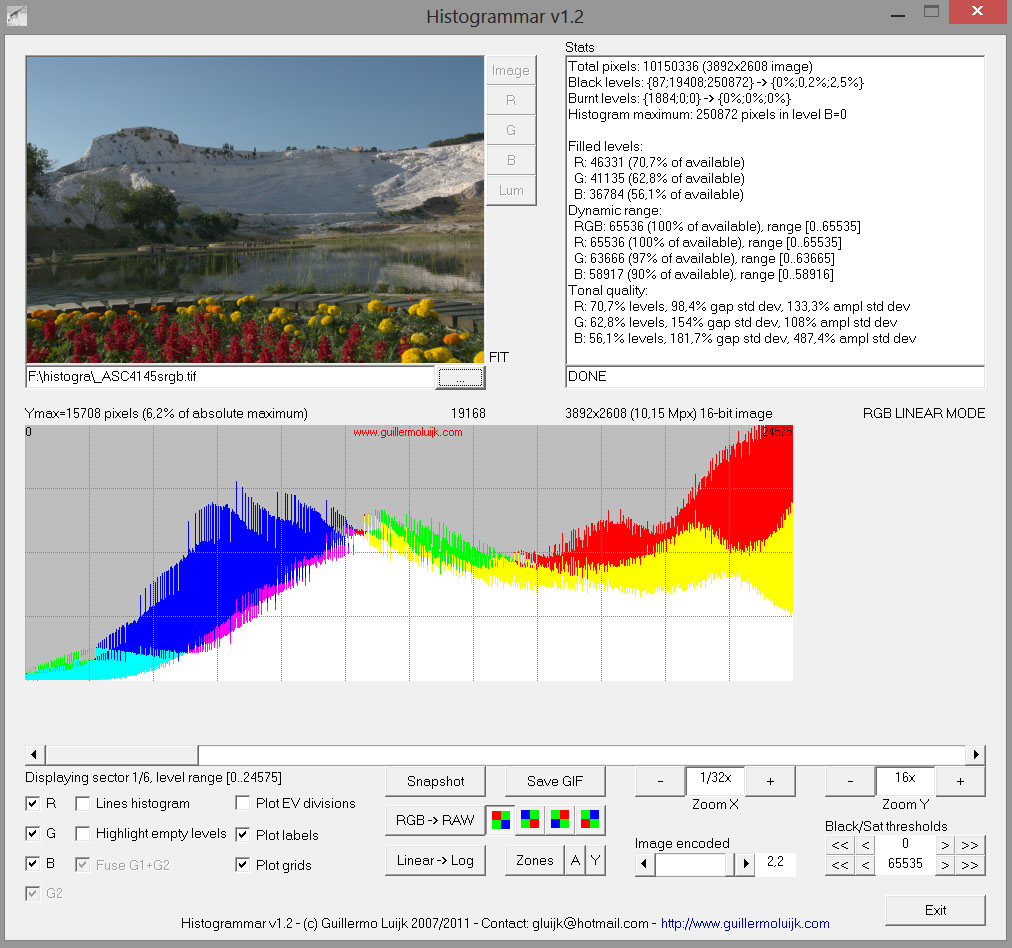
sRGB ICC v4 generated and loaded from disk:
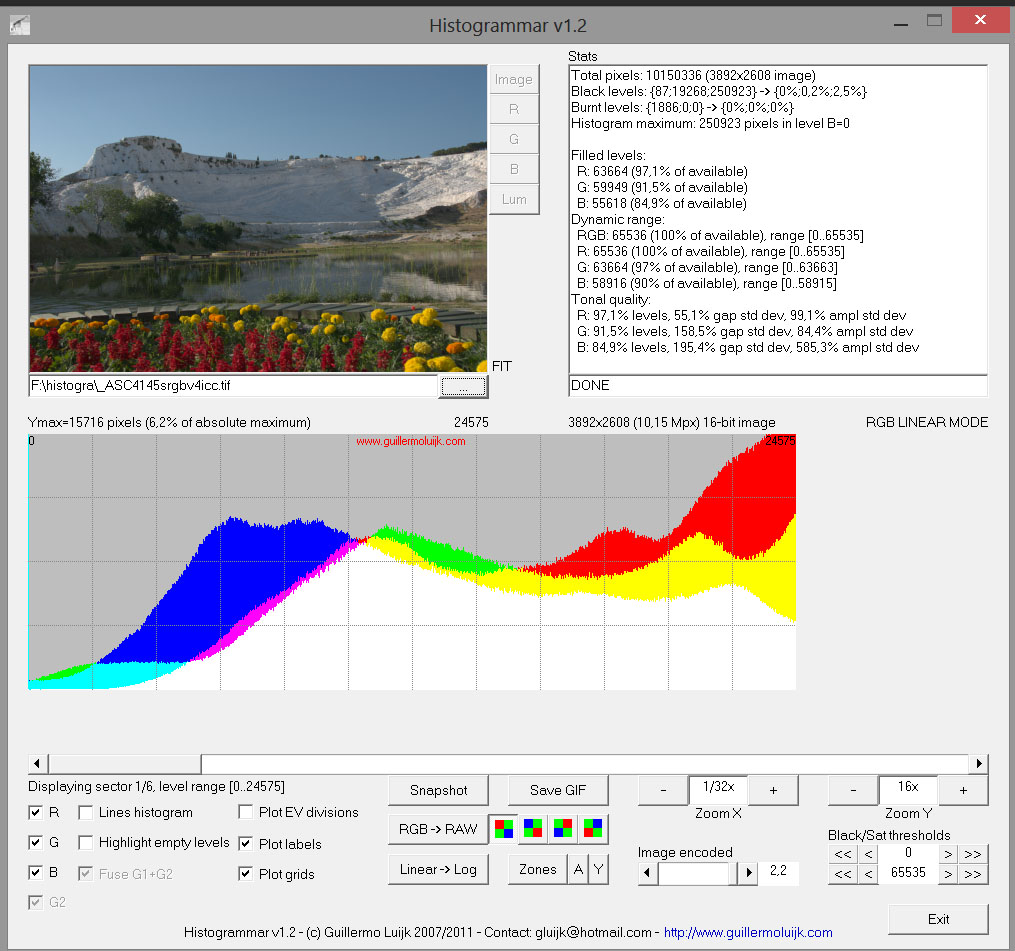
sRGB ICC v2 generated directly embedded:
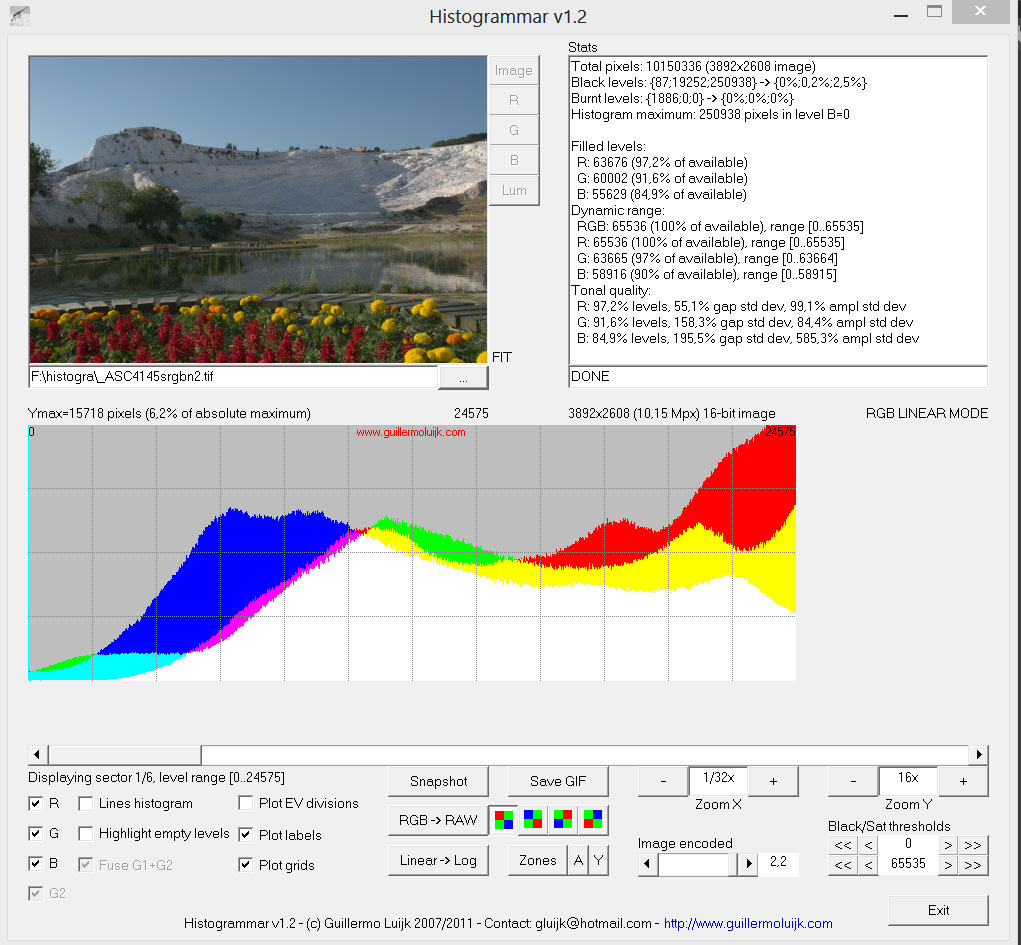
sRGB ICC v4 generated directly embedded:
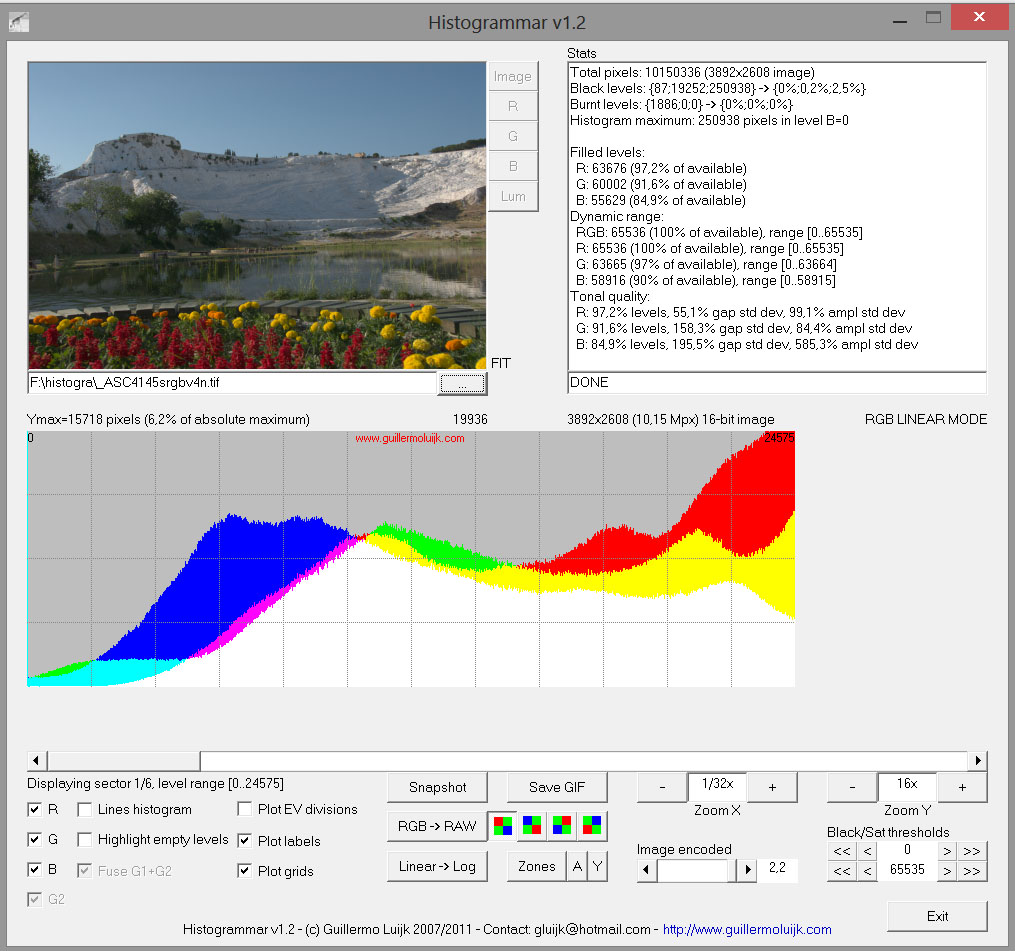
We don't know why there is such a difference when generating and loading an ICC v2 from disk vs generating and embedding it directly, but we need to take this into account. It would be ideal if the cause of this poor quality when loading an ICC from disk could be found and fixed, then I think there would be no objections to having the tool independent, to not have to re-generate on every save.
Beep6581
on 8 May 2018
I can comment these screen shots
If you used instead of a generate ICCV2 as output profile, the profile sRGB present in system - in Windows his name is "sRGB Color Space profile", you have the same result (bad) as the first screenshot, load a V2 profile from disk
I have already show these differences 5 years ago :)
jacques
Desmis
on 8 May 2018
@Beep6581 thanks for clarifying this -- indeed it was not clear at all to me. I agree with your assessment, we should try to investigate why this happens. Is this something app/CMS specific, or does it happen all the time? Could this be a problem with the tool used to view the images, or can this difference in quality be reproduced using different viewers? Are there instructions for checking this? What should I be looking at?
agriggio
on 8 May 2018
Sorry, I just realized the problem in likely on RT's side, not the viewer side.
So, let me modify my question: is this a problem with LCMS? Shouldn't we try to contact Marti Maria and ask him about this?
agriggio
on 8 May 2018
I don't know, but this problem is the same as 5 years ago, even output process has been (slightly) change - not by me !
Is it a problem with LCMS ? I don't know ! I just constaed these differences 5 yeras ago :)
Desmis
on 8 May 2018
Well my suggestion remains the same then -- let's ask the LCMS guy!
agriggio
on 8 May 2018
For me no problem :)
Desmis
on 8 May 2018
@Desmis
Can I push this little change, or must I wait your changes :)
You can push them.
Hombre57
on 8 May 2018
Ok thank you :)
2018-05-08 15:10 GMT+02:00 Jean-Christophe notifications@github.com:
@Desmis https://github.com/Desmis
Can I push this little change, or must I wait your changes :)
You can push them.
—
You are receiving this because you were mentioned.
Reply to this email directly, view it on GitHub
https://github.com/Beep6581/RawTherapee/issues/4478#issuecomment-387396693,
or mute the thread
https://github.com/notifications/unsubscribe-auth/ANIIWYMO7Swbke9cWRykTQXV4aokREwrks5twZk_gaJpZM4TB1ZQ
.
--
Jacques Desmis
407 rue Gustave Bret - Le Lagon Bleu
83600 Fréjus
tel : 0483125966
Desmis
on 8 May 2018
@Desmis @agriggio @Beep6581
Is n't the reason for misbehaving of the current RT output icc's (as Elle detected) the substandard way LCMS handles the primaries and the TRCs stored in icc (fixed point hex). Elle built her "well behaving" profiles for this reason .. I wonder how their histogrammar looks ?
Are we sure that Histogrammar does a proper decoding of icc data ?.
As I recall LCMS author refused to correct LCMS behaviour because many icc's exist that are optimized for the current LCMS .. Elle knows better .. I would like her opinion on this ..
iliasg
on 8 May 2018
@Hombre57
I just psuh a commit :)
@iliasg
I tested Elle profile, they give the same "bad" result :)
For Histogrammar , it is a good question, but why it works well for
- ICC embedded v2
- ICC embedded v4
- ICC V4 load from disk
The only exception is ICC V2 load from disk
I examine the profiles with Exiftool;
a) extract from the file where "embedded" is present ==> profil "emb.icc"
b) directly with ICC v2 file ==> profil "v2.icc"
The profiles "emb.icc" and "v2.icc" shows no differences - at least for the datas show by Exiftool
Desmis
on 8 May 2018
If the problem is the creation time of the profile, I had in mind to cache e.g. 4 profiles (the same way the Inspector cache works), as it's highly likely that one will use the same working/output profile for a whole batch of files, right?
We'll only have to compare the parameters of that tool (the profile creation part), and if one already exist in the cache, reuse it, otherwise delete the first created one and replace it by the new one.
I can also add a FileChooserDialog to generate the profile if the user want it (I'll chose where to save them, no flame-ware please :wink: ). Creating a standalone app for this could also be done by reusing the sub-widget, but would it be worth the effort (how much demand for this) ?
Hombre57
on 8 May 2018
@Hombre57
I am not sure to all understand, but yes if you can detect and use a cache, it may be a good solution, for not generate ICCv4 - perhaps can be just put a tooltip not recommending this operation with ICCv4
Of course this assumes to keep the principal of the current "embedded" profile for "none" or ICCv2
But I don't know if Marti Maria want or not to modify his code, or say us what to do :)
But as I say above, we speak about 0.6 seconde to maximum 2 seconds per file...
Desmis
on 8 May 2018
I make another test
- I extracted - with Exiftool- the file "embedded v2"==> "emb.icc" - in the TIF that give good result with Histogrammar
- I put this fille "emb.icc" in iccprofiles/output
- then I run the same NEF file, and use in Output profile "emb.icc"
I examin the new TIF with Histogrammar => "bad" result
Of course we can say, it is the fault of Histogrammar, but it is very unlikely :)
Desmis
on 8 May 2018
@Desmis Jacques, this sounds like LCMS misbehaviour .. we'd better call the author to give his opinion
BTW .. is there any chance that the calculated TRC is not only restricted as gamma-slope but also include log or even something more complex .. I have in mind the upcoming standards as Perceptual Quantizer and Hybrid Log-gamma
https://en.wikipedia.org/wiki/Hybrid_Log-Gamma
https://www.smpte.org/sites/default/files/2014-05-06-EOTF-Miller-1-2-handout.pdf .. see page 13 for the formula
How about a test with Hombre's blackcat .. https://github.com/Beep6581/RawTherapee/issues/3333#issuecomment-224711875
Experimental linear-Log TRC https://drive.google.com/file/d/0B0NqktTgc54sbnFuaHFSc05Ba0U/view?usp=sharing
iliasg
on 8 May 2018
@iliasg
The TRC are "classical" and calculate by me, with a software derivated from Dcraw "calcgamma"
We have a linear part, then a pow part.
In LCMS it is write sometig as
GammaTRC[0] = GammaTRC[1] = GammaTRC[2] = cmsBuildParametricToneCurve(nullptr, Z, Parameters);
With "Z" = 4 => you passed 5 parameters calculated by "calcgamma" for example for gam=2.4 and slope=12.92
ga[0] = 2.40;
ga[1] = 0.947858;
ga[2] = 0.052142;
ga[3] = 0.077399;
ga[4] = 0.039293;
then you change these parameter as -
ga[4] = g_a[3] * ts
ga[1] = 1. / (1.0 + g_a[4]);
ga[2] = g_a[4] / (1.0 + g_a[4]);
ga[3] = 1. / slope;
where
double ts = icm.slpos;
double slope = icm.slpos == 0 ? eps : icm.slpos;
But I have found - 5 years ago that there is in LCMS others TRC parameters,
If you choose Z = 5, LCMS accepts 7 parameters , which add 2 constant to all curve and shift them a bit.
I tried with this 2 last parameters with value = 0.
ga[5] = 0.0;
ga[6] = 0.0;
And I constated an amelioration of the result - histogramme are more soft, no fish bone histogram
We retrieve, these datas in the LUT 4096, and they are strictly the same in "embedded" and "on disk" - inthe 2 cases I used 7 parameters !
jacques
Desmis
on 8 May 2018
@iliasg @agriggio
My english is soo bad, I can not make myself understood by you - see the example of "integrate" and "embedded"
So, I do not see myself contacting Marti Maria :)
this seems to me obvious.
jacques
Desmis
on 8 May 2018
If you read in a v4 profile generate by Rawtherapee you can see these parameters
For example with a sRGB TRC
With ICC Profile Inspector
Curve Tag - rTRC ==> gamma=2.4 a=0.9479 b=0.05214 c=0.07739 d=0.03929 e=0. f=0.
Desmis
on 8 May 2018
@Desmis Jacques we can work together on a message for Marti Maria if you want. I don't claim my English is perfect but I'll do what I can...
agriggio
on 8 May 2018
@agriggio
Ok, you can begin, and I will correct (if I undrestand), and add comments if necessary :)
Desmis
on 8 May 2018
I think more and more than perhaps this misbehaviour is due to those parameters deducted from
ga[5] = 0.0;
ga[6] = 0.0;
- they are take into account in v4 - embedded and ICCv4 on disk
- they are take into account in v2 embedded - and not in ICCv2 on disk ? but why ?
And perhaps it's not that !
Desmis
on 8 May 2018
Jacques, I'll have a look at the code and try to draft something, but it can take me a few days -- I am traveling for work...
agriggio
on 8 May 2018
@agriggio
No problem at all :)
I just change to try (re try my work 5 years ago) and suppress the 2 last parameters ga5, ga6...The result with "embedded" is good - no fish bone histogram
Desmis
on 8 May 2018
@Desmis @agriggio I'll do my changes in another branch then. Please avoid or tell me if you're updating the GUI part.
Hombre57
on 8 May 2018
We really should get a second opinion regarding the saved images' histograms, so we can exclude a bug in Histogrammar.
Beep6581
on 8 May 2018
About the differences in histograms of saved images, as a first step we can count the number of different colours in the images. That should gave at least a hint. I can do that, if someone provides two tiffs.
 heckflosse
on 8 May 2018
heckflosse
on 8 May 2018
I will post soon
4 TIF with obvioulsly the same Raw (NEF..not too big!) - for the nEF - all settings default
a) _ASC4145embed-sRGB.TIF : " Custom Output..." checked, TRC = Custom g=2.4 s=12.92310 iilu=Default generate ICC profile =ICCv2 ==> this configuration generate a) the TIF with "embedded v2 profile" generate ICCV2
b)_ASC4145-sRGB.TIF: "Custom output unchecked", Output profile ICCv2 generate just above in a)
c)_ASC4145embed-sRGB-v4.TIF - same as a) with generate ICC profile = ICCv4
d)_ASC4145-sRGB4-v4.TIF, as b) but with Output profile ICCv4 generate in c)
Then
1) the raw file
2) 4 + 1 screen shot of Histogrammar
jacques
Desmis
on 9 May 2018
Here the link for the 4 TIF
https://filebin.net/hpxnqyw8wsmosj5u
Desmis
on 9 May 2018
An now the NEF, and 5 screen shot from Histogrammar
https://filebin.net/nymepw6vk9x3rvaw
If you compare
a) "sRGB-1-v4.jpg" (TIF generate with IIC v4) and "embed-1-v4.jpg" (TIF with embedded v4 profile")
Settings histogrammar : Zoom X = 1/32x Zoom Y = 16x
- No visible differences in this "part" of the histogram : no fish bones
- very very small diffrences if you look the "Stats" in top-left about some pixels
b) "embed-1.jpg" (TIF embeded with v2 profile) and "embed-1-v4.jpg" (TIF embedded with v4 profile)
Settings histogrammar : Zoom X = 1/32x Zoom Y = 16x
- No visible differences in this "part" of the histogram : no fish bones
- very small differences if you look the "Stats" in top-left about some pixels
c) "embed-1.jpg" (TIF embeded with v2 profile) and "sRGB-1.jpg" (TIF generate with v2 profile)
- Big differences in this "part" of the histogram : huge fish bones for sRGB-1.jpg
- big differences if you look the "Stats" in top-left about some pixels
I furnished also - sRGB-0.jpg - same TIF _ASC4145-sRGB.TIF but with settings Histogrammar differents
Zoom X = 1/128x Zoom Y = 1x
In this case you see an "normal" histogram
@heckflosse
Of course others comparaison are desirable, we must be sure that Histogrammar's informations are good
jacques
Desmis
on 9 May 2018
I did some comparisons with between _ASC4145embed-sRGB.tif and _ASC4145-sRGB.tif
- AstiffTagviewer : no differences
- PhotoME - specialy ICC : no differences
PhotoShop CS with Layers comparison differences: there are differences (often small) but for quasi all pixels, and strong in some cases I think where we are near of gamut.
Always with Phtoshop, if I compare _ASC4145embed-sRGB.tif with _ASCC4145-sRGB-v4.tif, there are very small differences, but much less, and no strong differences.
Desmis
on 9 May 2018
I compared '_ASC4145-sRGB.tif' with '_ASC4145embed-sRGB.tif'
using an extreme brightness curve on the absolute difference between the files:
heckflosse
on 9 May 2018
I was very curious about what the histograms look like when viewed in some other program, preferably open-source. Thanks to @dtschump this can easily be done using G'MIC:
gmic image.tif display_histogram 65536,700,65536,0,65535,1,"cut(i\,0\,2300)" -o histogram.png
I uploaded PNG histograms to the original filebin:
https://filebin.net/hpxnqyw8wsmosj5u
Beep6581
on 9 May 2018
@Desmis Jacques, look at the stats histogrammar provides ..
In your jpeg screenshots, I see different populations at Black and Burned levels between the sRGB_v4 vs embed_sRGB ..
Also different are the "Black/Sat thersholds" at bottom right .. (I don't know if this is a control affecting the Black/Burned stats reported).
By not mentioning anything about the complex sRGB TRC I suspect histogrammar decodes all files as if they were encoded with gamma = 2.2
So for our case I think it would be preferable to do a complete RT_roundtrip i.e. save as sRGB (any form supported .. embedded, icc_V2, icc_V4 etc) then reload in RT and save as sRGB with gamma=1 or 2.2 .. then feed this to histogrammar and change the "Image encoded" slider accordingly
iliasg
on 9 May 2018
@Desmis Jacques, maybe our friend Clinton Ingram found something interesting (and distracting I'd say :-1 ) about LCMS ..
https://photosauce.net/blog/post/making-a-minimal-srgb-icc-profile-part-4-final-results
(see down at "The Reference CMS(s)" chapter .. I read ..
In testing with tifficc, I found that the results were mostly in line with my expectations, but when using my candidate profiles as a target rather than a source, it appeared Little CMS was doing an upgrade or substitution of the specified profile to an internal reference version of the colorspace
iliasg
on 9 May 2018
The purpose of this comparison is not to measure the capabilities of Histogrammar or the exacts values of some pixels- as Elle Stone pointed out, it is a remarkable tool that should be available in source code especially to clarify some points of operation.
But to compare the results all things being equal - which is the case in the comparison I made.
Sure, you can realize the cascade of transformation that you evoke
*I am not sure of the result
*if someone wants to make the comparison himself using Histogrammar (to use it you must - use Windows, obviously download, and changed the date ot the system to launch), this addition of trasformation will make the process complex
*in the case of the re-load of the TIF, we will again apply a profile!
I'm not sure I understand everything that Clinton Ingram says about LCMS, all I know is that the profiles loaded in the TIFFs correspond exactly in terms of primaires, white-point, TRC, ... to what I asked and are the same in "embedded" and "ICC load from disk"
To return to Histogrammar, I think it would be desirable to have inside RT, a similar functionality - probably simplified - to see in 16bits, all or part of the histogram (with Zoom)
See also the issue #4537
cordially :)
Desmis
on 10 May 2018
I have found not why, but how when we used "Output profile" the result is less good.
If you add this code in iplab2rgb.cc just after the line
oprof = ICCStore::getInstance()->getProfile(icm.output);
Code add
    cmsToneCurve* GammaTRC[3];
        cmsFloat64Number Parameters[7] = { 2.4, 0.947858, 0.052142, 0.077399, 0.039293, 0., 0. };
        GammaTRC[0] = GammaTRC[1] = GammaTRC[2] = cmsBuildParametricToneCurve(nullptr, 5, Parameters)
        cmsWriteTag(oprof, cmsSigRedTRCTag, GammaTRC[0]);
        cmsWriteTag(oprof, cmsSigGreenTRCTag, GammaTRC[1]);
        cmsWriteTag(oprof, cmsSigBlueTRCTag, GammaTRC[2]);
        cmsFreeToneCurve(GammaTRC[0]);
the values are set to those I use for sRGBtrc g=2.4 s=12.92
parameters => 2.4 - 0.947858 - 0.052142 - 0.077399 - 0.039293 - 0. -0.
And in this case, the result is good :)
In theory it is the same thing...becaus eLCMS uses these values and generate LUT with 4096
I think somewhere LCMS "forgot this values" or change them, or ??
I think there is a pretty simple way to get around the obstacle, but only for profiles generate by RT - or furnished by me for RT and for ICC v2.
I will try next days to propose a patch :)
jacques
Desmis
on 11 May 2018
@Desmis Je vais ajouter un patch à testoutputprofile avec des noms de paramètres renommés (j'ai déjà commencé). Peux-tu attendre 1h ou 2 avant de coder ton patch ?
Hombre57
on 11 May 2018
pas de problème :)
2018-05-11 17:05 GMT+02:00 Jean-Christophe notifications@github.com:
@Desmis https://github.com/Desmis Je vais ajouter un patch à
testoutputprofile avec des noms de paramètres renommés (j'ai déjà
commencé). Peux-tu attendre 1h ou 2 avant de coder ton patch ?—
You are receiving this because you were mentioned.
Reply to this email directly, view it on GitHub
https://github.com/Beep6581/RawTherapee/issues/4478#issuecomment-388391366,
or mute the thread
https://github.com/notifications/unsubscribe-auth/ANIIWb4X0ftt7VCZCp0a2r08RjLPv1Mjks5txaivgaJpZM4TB1ZQ
.
--
Jacques Desmis
407 rue Gustave Bret - Le Lagon Bleu
83600 Fréjus
tel : 0483125966
Desmis
on 11 May 2018
I have done all the changes, and now there are no differences between "embedded" and "load from disk" ICCv2 profile.
It cost some times (about some milliseconds...), and does not prevent to call Marti Maria. Because it is not "normal" to call the same process...while the TIFF are identical. Probably it's internal interpretation of CmsToneCurve (which seems complex !)
Hombre helps me for reading tags with a "good maner" (not quite that of Jacques !). Thanks to him :)
Of course, I will not commit these changes and wait for the Hombre's work :)
Desmis
on 12 May 2018
@Desmis You can commit your patch, I have to restart mine from scratch, I messed things up because I've done some changes before your email answer. It's fast to refactor variable name with Eclipse, so no problem for me.
[edit] ... and on a side note, please set your editor to use 4 spaces instead of tabs.
Hombre57
on 12 May 2018
@Hombre57
Ce sera demain, car cet après midi je profite du beau temps pour aller me baigner :)
Desmis
on 12 May 2018
ping @mm2 (the relevant discussion about LCMS usage starts at https://github.com/Beep6581/RawTherapee/issues/4478#issuecomment-387345465)
agriggio
on 12 May 2018
Hi, that's Marti. Make sure what you are embedding is a V2 profile, having seen #4478 it seems to me is a V4. Otherwise you are only seeing quantification coming from V2 file format, which is a good reason to avoid it. V4 have parametric curves, which are much better than the tables V2 is forced to use. LCMS keeps the best possible internal representation for a profile until you force a save to a given file format, then you are bound to that file format limitations. I could make LCMS to do smarts and guess things on V2, But that would encourage people to use a legacy format which have a lot of problems and is better to avoid completely. V4 is about 20 years old now.
 mm2
on 12 May 2018
mm2
on 12 May 2018
I just push a change that solves - only for ICCv2 profile build by Rawtherapee - the problem of difference of quality with "embedded" and also ICCv4
Now, the quality "analyzed with Histogrammar" is the same with ICCv2 from disk, ICCv2 embedded, and ICCv4
Of course, ICCv2 has not the same "potentiel" as ICCv4 :)
I will make tomorrow a text that explains how I did it
jacques
but I have not change "and on a side note, please set your editor to use 4 spaces instead of tabs"
I will look tomorrow
Desmis
on 12 May 2018
I verify another times, ICCv2 are really v2 and not v4,
Or all the profile analyzers (ICC profile inpector, Exiftool) as well as the entire production line are wrong :)
jacques
Desmis
on 12 May 2018
I missed to merge new profile v2 :)
Desmis
on 12 May 2018
Now it's done all must work normaly :)
I hope !
jacques
Desmis
on 12 May 2018
here some comment
First of all, how did I conduct the reasoning.
Why such differences, even if instruments are needed to evaluate them : Histogrammar, TIFF tag, ICC Profile inspector, Exiftool, PhotoME.. to examin and extract embedded profile, ...
TIFF tag are identical, Extract embedded v2 profile, and IICv2 load from disk are identical, as embedded v4 and ICCv4 load from disk are identicals, LUT are identical,..
First, I eliminate some evident possibility, some tags which serve only information, without a priori of actions: description Copyright, etc. I change them : same "bad" result
Then I think probably, because of the simplicity of the ICCv2 that it could come from the TRC:
1) I read the tags TRC, then whitout change I rewrite them, no diffrences always bad result
2) I think probably there is somewhere something, with calculation of TRC with the function "cmsBuildParametricToneCurve"
2a) I changed the numbers of parameters 5 ==> 4, same bad result
2b) I try to re-calculated the Tonecurve, by giving the same parameters for the output file just load. Normaly this does not have to have influence since the TRC, LUT are identical.
But When I tried, it was always a v2 profile, but the result is good, no differences between "embedded v2" and "ICCv2 load from disk"
The culprit is found: Why I don't know ? but I will try to see how, with my weak computer skills
a) I look if there is a tag, not used, or used for a small importance : I found "dmdd" where I have put only an information "Rawtherapee" (of course I could create a supplemntary Tag, but..)
b) the question : how keep the values used for the calculation and not the results of the calculation of the TRC.That is to say "gamma and slope"
c) When the user choose to build an ICCv2 or ICCv4 - embedded or not, we have always these 2 values ==> I stocked them in "dmdd"
d) The system must recognized, if the "ouput profile" open from disk is v2 and if it contains the "dmdd" tag
e) for ICCv2 I suppressed all files RT_.icc and replace them by RTv2.icc ; all this files are ICCV2 and all this file as the same TRC - sRGB g=2.4 s=12.9231
f) when the user open a file in the bank (one of these 10 files), the system find in the name "RTv2", it is a file generate by RT. In this case I read tag "dmdd" found "gamma" and "Slope" and I recalculated "cmsBuildParametricToneCurve"
g) if the user generate an ICCv2 with another TRC, g=2.2 s=4.5 BT709, the system stock "gamma and slope" in "dmdd", then after if it uses it as "Output profile" it will be recognized.
e) of course it is non necessary for ICCv4
g)of course, if you uses others ICC profiles v2, the system will ignore them... and we will have "fish bone" histogram
You can see the code in :
- iplab2rgb.cc line 316 to 378
- iccstrore.cc from line 1645 to 1687 and also changes 1502 - 1539
- some modifications in "options.cc"
Thats all, and for me, except omissions or some bugs to find, all works well now:)
jacques
Desmis
on 12 May 2018
May I see a sample file with this embedded V2 sRGB? Chances are you are using parametric curves, and this is a V4 feature.
Thanks,
Marti
mm2
on 12 May 2018
hi @mm2, thanks for your comments. so do you recommend that we use v4 by default for the profiles shipped by RT? do you think the support for v4 is reasonable across common apps? sorry if the questions are naive but I know very little about this
agriggio
on 12 May 2018
I re-posted the same link , as 5 days ago
"Here the link for the 4 TIF"
https://filebin.net/hpxnqyw8wsmosj5u
One of the files is a "embedded v2"
If you look TIF and ICC with tools as "Exiftool" or "ICC Profile Inspector", or "PhotoME" : all the "v2 TIF" contain ICCv2....embedded or not.
And also;
"An now the NEF, and 5 screen shot from Histogrammar"
https://filebin.net/nymepw6vk9x3rvaw
And here from today the same NEF ==> TIF with "Output profile" RTv2_sRGB.icc and Histogram
https://filebin.net/5ya8hz1cnlvidrn9
For me, I think it is better to recommand ICCv4, and if always agree, I can also furnished by default, 10 ICCv4 "RT" profiles with or not actual ICCv2 "RT"
jacques
Desmis
on 13 May 2018
I furnish also 2 screenshots with PhotoME
1)PhotoME-RTembedv2.jpg (from TIF embedded v2 above)
2)PhotoME-RTv2_sRGB.jpg (from TIFF with RTv2_sRGB.icc load from disk above)
https://filebin.net/r0xyw6329gddwc2j
The 2 descriptions are identical, except the tag I change: Rawtherapee ==> g2.4000000s12.923100!
And the 2 profiles are seen as ICC v2
jacques
Desmis
on 13 May 2018
I absolutely recommend use V4 whereas possible. ICC V2 has many flaws, V4 has been around for 20 years (ICC.1:1998-09). If any software has not been updated to follow a standard that is 20 years old, probably the issue is in this software. BTW, ICC actual version is iccMAX, one step ahead of V4.
mm2
on 13 May 2018
I just add, 10 "RTv4" ICC v4 output profile, to test :)
I think there will be no problem!
If test success, I propose then
1) to suppress all "RTv2" from rtdata/iccprofiles/output : user now can generate ICCv2 if they wish.
2) to modify as I did the code of Rawtherappe (iccstore.cc iplab2rgb.cc) so that the RTv2 files are of good quality (as current now)
3) to modify "options.cc" in order to make the 10 ICCv4 files as "templates" ("modèle" in french) (now it is ICCv2)
jacques
Desmis
on 13 May 2018
@Desmis Since ICC V4 is so old, is there any point generating a V2 profile at all ? Which application still doesn't support V4 ?
Hombre57
on 13 May 2018
@Desmis Do you plan to add other entry to "Gamma - TRC:" [None/Custom] ? If no, then a checkbox should be sufficient (and I'll make the change).
Hombre57
on 13 May 2018
@Hombre57
Excuse me, but I was away yesterday afternoon and night
Yes, I plan to add other entry to "Gamma - TRC:" this will depend on how the user will do to this feature.
Perhaps I will add (as in an old branch) - differential gamma, relative mode, and in another hand illuminant.
For ICC, we will go - I wish - by default to ICCv4 which offers more possibilities. But I think it would be a mistake to remove the possibility of generating ICCv2.
Indeed, to date the available output profiles found on the Web are ICCv2 (sRGB, Adobe, Prophoto, Widegamut, etc.)
Moreover, the various sites where ICC profiles can be found or made are released in ICCv2 and sometimes in ICCv4 (Argyll CMS, Elle Stone,...).
And the debates on the Web, or the Rawtherapee forum mostly focus on ICCv2 profiles - especially the size of the LUT (ex 1024, 212 or 4096)
I don't know which application still doesn't support V4.
As it cost nothing, and as now the quality is the same in ICCv2 (RT) and ICCv4, for me there is interest in keeping this feature (debates on the forums, compatibility guaranteed, pedagogic,...)
Other point, which has already been debated in this issue. Whether or not to keep the possibility of generating "embedded" profiles ?
For me the response is clearly YES.
Beyond the quality problem of ICCv2 which today seems resolved. This makes it possible to directly see the output (in the TIF /JPG) of desired modifications - for example to modify the illuminant for landscapes of the Nordic countries, or primaries adapted to certain photos (flowers, artificial colors, etc.).
If the response is NO, in this case, the user will have to do several manipulations, copy ICC, launch again RT - of course it works :)
Of course, there is the problem of "Batch", if it is impossible to solve, either we say in the documentation and tooltip not to used this feature in batch mode, or the user accepts a higher processing time of the order of 1 second per file, or either suppress this feature.
jacques
Desmis
on 14 May 2018
I agree with @Hombre57, if v2 is legacy, we should leave it alone (meaning: we should still support using v2 profiles, but I think we should not support generating them and/or adding the hotfixes proposed above).
As it cost nothing,
it costs (quite a bit of) code that needs to be maintained.
This makes it possible to directly see the output (in the TIF /JPG) of desired modifications
How is this different than saving to a file and applying from a file?
If the response is NO, in this case, the user will have to do several manipulations, copy ICC, launch again RT - of course it works :)
I don't understand this. The proposed alternative is (was? or did I just misunderstand?) that there is a dedicated "generate ICC" tool, inside RT, but separate from the image processing pipeline. So, the user will just have to use the tool, save the profile to a file, and load the profile from the "Output profile" tool. The only thing that is needed IMHO is to add another entry to the combo box, called "Load from file..." (similarly to how GIMP works).
[Incidentally, I would also remove the current option of setting a custom output gamma from there, and move it to the new "generate ICC" functionality.]
agriggio
on 14 May 2018
@agriggio
If you go on "Adobe" web, you will see that all ICC profile, are v2 - why ??
If you go on Argyll CMS, it only produced ICC v2 - why ?
All debates on web, for output profiles are on v2 - why ?
If we found a software, no compatible with ICCv4 what we do ?
etc.
Probably, my english is so bad, or my way of thinking is different :)
For "embedded, I repeat again, when you used actually as is it, this program - always it generate an "embedded" profile in the TIF or JPG generate either by "a) save current image" or "b) Edit current image in an editor" and you can see specialy b) directly the result, and change if necessary "Illuminant", Primaries,...
In the other way, you must generate ICC, then copy to the good place, then lauch RT
;)
jacques
Desmis
on 14 May 2018
@Desmis I see what you mean, and that's exactly why I asked @mm2 if going with v4 is the recommended way... if support for v4 is still suboptimal and v2 is still the defacto accepted format, then of course my considerations are not valid.
[...] In the other way, you must generate ICC, then copy to the good place, then lauch RT
I see your point of view here as well. I think it's not a problem of English, I think I understand what you want... I simply do not agree :-) [but that's not the end of the world of course!]
agriggio
on 14 May 2018
I think v4 are best, not for quality now, but for the number of possibilities - change illuminant, new primaries, and in what I proposed, it's the case ==> v4 have all possibilities, and v2 more restricted, but v2 assures in all cases compatibilities
For the second point, of course [but that's not the end of the world of course!]
:)
Desmis
on 14 May 2018
How about we all test the software we use (including web browsers and smartphones) to find out whether ICC v4 images are rendered identically to ICC v2?
@Desmis could you provide two small (1920x1080 or less) sample JPEG images, one using ICC v2 and one using ICC v4, where the difference will be very clear if the v4 ICC is not being read correctly or at all?
Beep6581
on 14 May 2018
I have not cases where v4 ICC are not read correctly :)
Desmis
on 14 May 2018
Ok, but we can still presume that using features new to v4 which would result in clearly wrong tones should those features not be interpreted correctly would be a good way to check whether a program supports v4 correctly, and I think you're the most qualified person to decide what those features are and to provide two sample images for us to test with.
Like this, but from RT:
http://www.color.org/version4html.xalter
The images in the link above show that Google Chrome and Chromium support ICC v4 in HTML, but only v2 in PDF.
Beep6581
on 14 May 2018
http://forum.luminous-landscape.com/index.php?topic=108459.0
http://color.org/advantagesV4.pdf
Ping @gwgill
Beep6581
on 14 May 2018
I read sommary, the links above, and a curious things is some people recommand to use v2 instead of v4
To find a test: very difficult!
I am trying with my old Photoshop to compare, the same TIF with
1) ICCv2 as read by Rawtherapee whitout "testoutpuprofile" (RT_xxx.icc)
2)ICCv2 as read by Rawtherapee whith "testoutpuprofile" (RTv2_xxx.icc)
3)ICCv2 as read by Rawtherapee whith "testoutpuprofile" (RTv4_xxx.icc)
As I say previously, 1) is very different from 2) and 3), and these differences can be seen strongly with "Histogrammar"
2) and 3) seems identical - at least with Histogrammar (low differences in statistics)
Now 2) and 3) with Photoshop and Layers with diffrences - thera are small differences appear in some areas randomly, but more generally in places where gamut is high
I can see these differences if I choose to "flatten the image", if not "flatten"differences are about 1 or 2 on a scale 32768 (very very small)
As I say before, we must distinguish
a) elaboration of ICC profiles (in our case with Rawtherapee and LCMS)
b) using / reading of these profiles by the software (RT or other) - I show with RT than rewriting the code to read and load the profile has a big importance (see differences between 1) and 2)). But what about it with other software ??
jacques
Desmis
on 14 May 2018
I looked at RTv2_sRGB.icc and RTv4_sRGB.icc using ICC Profile Inspector.
- The new ICC profiles set the
dmndtag to "Rawtherapee" with incorrect capitalization. Please change the name to "RawTherapee". - They also set the copyright tag
cprtto "No copyright Rawtherapee". Please set it to one of the following:
- Copyright Jacques Desmis 2018, CC0
- Copyright RawTherapee 2018, CC0
- To the extent possible under law, RawTherapee has waived all copyright and related or neighboring rights to this color profile. (text from https://creativecommons.org/choose/zero/ )
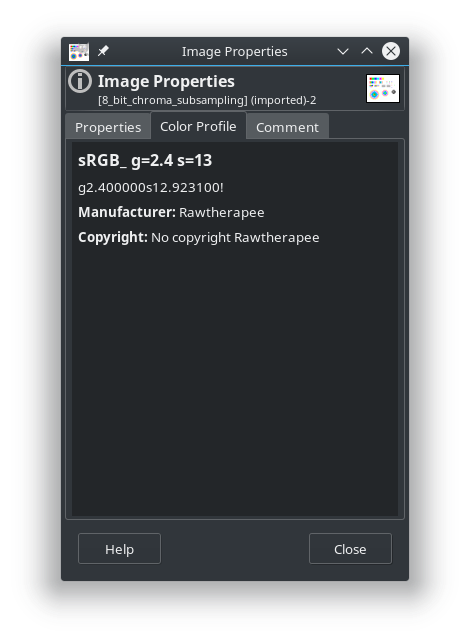
Beep6581
on 14 May 2018
@Hombre57
can I push a commit with changes to "tags" ?
jacques
Desmis
on 14 May 2018
@Desmis @agriggio In the end, if I understand correctly, there will be an embedded profile in the output image, would it be generated for each image or generated once then selected in each image.
The only benefit of not embedding the profile is file size, at the expense of usability and workflow, so I wouldn't other offerings this possibility at all.
Forget the performance problem, I'll address that with a customizable cache.
Hombre57
on 14 May 2018
@Hombre57
if the user selected "Custom Output Profile" with the code as now...
a) if the choice in "Generate ICC profile" = "none", only an embbeded profile ICC v2 is incorporate to TIF
b) if the choice in "Generate ICC profile" = "ICC v2", an embbeded profile is incorporate to TIF, and an ICCv2 is generate
c) if the choice in "Generate ICC profile" = "ICC v4", an embbeded profile is incorporate to TIF, and an ICCv4 is generate
Desmis
on 14 May 2018
@Desmis Oui tu peux envoyer ton patch. Je pense que tu as vu que j'avais envoyé le mien cette nuit ?
Pour ce qui est de :
Other point, which has already been debated in this issue. Whether or not to keep the possibility of generating "embedded" profiles ?
For me the response is clearly YES.
Beyond the quality problem of ICCv2 which today seems resolved. This makes it possible to directly see the output (in the TIF /JPG) of desired modifications - for example to modify the illuminant for landscapes of the Nordic countries, or primaries adapted to certain photos (flowers, artificial colors, etc.).
If the response is NO, in this case, the user will have to do several manipulations, copy ICC, launch again RT - of course it works :)
Je ne comprend rien à ce débat ni cette citation, désolé. Et particulièrement la dernière phrase. Si tu pouvais me répondre en français par email ?
Hombre57
on 14 May 2018
@Hombre57
j'ai vu et apprécie ton patch. Merci :)
Je viens de pousser un changement sur les Tags qui sont maintenant à
Manufacturer = RawTherapee
Copyright = Copyright RawTherapee 2018, CC0
Je suis "pris" actuellement, je t'adressrais un mail dans l'après midi
jacques
Desmis
on 14 May 2018
@Hombre57 yes, the embedding would always happen. I just prefer the "generate ICC" functionality to be out of the usual pipeline, as a separate tool. It seems clearer/better from a UI point of view to me.
agriggio
on 14 May 2018
Desmis wrote:
If you go on Argyll CMS, it only produced ICC v2 - why ?
Because it will still take some effort to add basic V4 support, and V4 adds nothing to the technical quality of the profiles, while being slightly less well supported by other applications.
While V4 clarified a couple of aspects of the V2 standard (perceptual black point handling, display profile white point handling), it also added a new one (V4 L*a*b* encoding), the latter being badly implemented in many instances, due to the created inconsistencies (some tags retain V2 L*a*b* encoding while other tags use the new V4 encoding). It added more modern support for internationalized text, and the optional PRMG, and while the latter seems like it may be useful in some common situations, isn't a panacea for solving gamut mapping, and doesn't seem to be widely supported, and could be used with V2 profiles anyway. There still seem to be instances where people have trouble with profiles and particular applications, and switching to V2 solves the problem.
I think v4 are best, not for quality now, but for the number of possibilities - change illuminant, new primaries,
I'm not sure what you are talking about. AFAIK V4 doesn't add anything known as "change illuminant" or "new primaries".
 gwgill
on 15 May 2018
gwgill
on 15 May 2018
@agriggio
yes, the embedding would always happen. I just prefer the "generate ICC" functionality to be out of the usual pipeline, as a separate tool. It seems clearer/better from a UI point of view to me
Ok. For the "generate ICC", which solution do you prefer (question for everybody) :
- Transform the combobox button to a "Generate ICC profile now" button ? It would require to edit an image to access this tool
- Remove the button and create a dedicated application.
- ...?
Hombre57
on 15 May 2018
In my uninformed opinion:
Having the ICC generator as an independent tool (part of RawTherapee but in its own tab, not in the Editor tab), would avoid certain problems. It would:
- prevent bloating the Toolbox with a tool most people won't use.
- reduce confusion by simplyfying the "Output Profile" frame.
- prevent having to figure out how to cache generated ICC files so that batch-processing is fast.
- prevent having to open a photo just to generate an ICC file.
- not need to store all those settings in every PP3.
Having the ICC generator as a separate tab would require adding a FileChooser to the Output Profile frame, so that you don't have to save new ICC files to
ICCDirectory(Preferences > Color Management > Directory containing color profiles).The only downside to this that I can see is that it would be impossible to have custom PP3 files which generate ICC files tailored to specific images, but is that even a real use-case? Experimenting aside, how often would someone generate a custom ICC file for a specific image, and why would someone do that?
- Since RT can generate any ICC, we should only ship the standard ICC output profiles everyone expects to find: equivalents of sRGB, Adobe RGB and ProPhoto. Eventually maybe also DCI-P3 since many new smartphones use it and Rec. 2020 (or Rec. 2100?) since many ultra-high-definition televisions use it.
Should our bundled sRGB, Adobe RGB and ProPhoto ICC profiles use v2 or v4?
The very knowledgeable @gwgill of ArgyllCMS says:V4 adds nothing to the technical quality of the profiles
The very knowledgeable @mm2 of LittleCMS says:
I absolutely recommend use V4 whereas possible. ICC V2 has many flaws, V4 has been around for 20 years (...) V4 have parametric curves, which are much better than the tables V2 is forced to use (...) [v2 is] a legacy format which have a lot of problems and is better to avoid completely. V4 is about 20 years old now.
And http://color.org/advantagesV4.pdf claims that v4 profiles:
provide a number of advantages, the most significant of which follow from the removal of ambiguities from the specification and a more precise definition of the PCS. These lead to an improved predictability of performance of a profile in use which will lead to a reduction of major differences of interpretation.
In my tests, all of my graphical programs support ICC v4, or they don't support ICC files at all (e.g. Geeqie's thumbnails do not support any ICC profiles, but the main preview is correct in both v2 and v4).
I'm tempted to want to go with v4, but that's more for reasons of personality - the v4 route sounds more dangerous, but more adventurous and possibly more rewarding. However, is there anything to gain by using v4 in our sRGB/AdobeRGB/ProPhoto output profiles, now that the v2 fishbone histogram problem is solved?
Beep6581
on 15 May 2018
I agree with @Beep6581, nothing to add to his comment
agriggio
on 15 May 2018
Make any changes you want.
But beware to work properly in ICCv2, currently it is necessary to find somewhere - as "template" (modèle in french) the current 10 RT* .icc (which correspond to the 10 possible primary)
Desmis
on 16 May 2018
I (still) get this compilation warning:
/home/morgan/programs/code-rawtherapee/rtengine/iccstore.cc: In static member function ‘static void* rtengine::ICCStore::createCustomGammaOutputProfile(const rtengine::procparams::ColorManagementParams&, rtengine::GammaValues&)’:
/home/morgan/programs/code-rawtherapee/rtengine/iccstore.cc:1886:21: warning: the address of ‘GammaTRC’ will always evaluate as ‘true’ [-Waddress]
         if (GammaTRC) {
                     ^
Point 1
In order to avoid any misunderstanding, I'm not angry, and I do not blame anyone.
But, reminder
- I highlighted these problems (fish bones) about 5 years ago
- the code currently used by "Custom output profile" is very close to the one used for 5 years by "Output gamma" (with "embedded" profile)
- this code has been "ameliorated" since ??, and in this operation /* */ that marks the possibility to save on disk ICCv2 "RT_xxxx.icc" as disapeared...It's not a problem but only show, that there is no real change since 5 years
I will not restart the debate "separate tool" or integrated, I prefered the second, and you say you prefer the first. But I will not saw the feet of the chair on which I am sitting.
So, in conclusion, if you really want this possibility, it is enough that someone write the necessary code, I would bring my support if necessary.
Point 2
I have no warning for this variable "GammaTRC", but it is true it is always "true". I will push a change
Point 3
After DrSlony says that some "tags" are not good, I psuh a modification.
In this case ICCv2 was correct, an no ICCv4. I discover (it is not write in LCMS documentation) that the function "cmsCreateRGBProfile" (only V4) rewrite some tags. I change yesterday the place of writing tags. Now all works well for tags (to verify)
Point 4
As we cannot uses "cmsCreateRGBProfile" for ICCv2, it is necessary - perhaps there is an another way - to get around this function by using "template" (modèle in french). The 10 files RTv4 are uses for that. If you look at Elle Stone code, you can see a similar things.
Point 5
I think there is always a problem with LCMS and reading ICCv2 or ICCv4 from disk - perahaps it is due to a general bad usage in RT ??
- If you open an ICCv4 generate with LCMS tools, no fish bones
- if you open an ICCV2 generate with LCMS without precaution, fish bones
- if you open an ICCV2 generate with LCMS with precaution, no fish bones
- If you open ICCv4 "sRGB_v4_ICC_preference_displayclass.icc" you can find on web site of ICC Color Consortium http://www.color.org/srgbprofiles.xalter#v4pref fish bones
jacques
Desmis
on 17 May 2018
I tried to create a new clone, for testing "testoutputprofile"
I followed the instructions on Rawpedia, but when I used after Clone, and cmake
- git checkout testoutputprofile ==> git says me
$ git checkout testoutputprofile
error: Vos modifications locales aux fichiers suivants seraient écrasées par l'extraction :
rtdata/dcpprofiles/NIKON D50.dcp
Veuillez valider ou remiser vos modifications avant de basculer de branche.
Abandon
As I do not want to do any nonsense, there is probably a "merge" that I did wrong, I prefer to report the problem
Desmis
on 17 May 2018
I deleted this new clone above
Then I create another time a new clone with the same name, and now no problem, all works well :)
Desmis
on 17 May 2018
@Desmis @Hombre57 is it ok if I merge dev into testoutputprofile?
Beep6581
on 17 May 2018
@Beep6581
No problem for me :)
Desmis
on 17 May 2018
@Beep6581 No problem neither
Hombre57
on 17 May 2018
Done.
Beep6581
on 17 May 2018
@Hombre57
can I push a last change.
It replace "rt-logo-tiny.png" and "rt-logo-small.png" by "gamut-plus.png"
jacques
Desmis
on 17 May 2018
@Desmis This icon will be used to open the future ICC Profile Creator window (I'll explain in detail this evening).
I need to understand what primaries are to find the best suited icon. So I'd say : don't bother doing this change.
Other than that, I haven't pending patch, so you can commit other code change up to 21:30
Hombre57
on 17 May 2018
Ok no problem at all, I have not commit to push :)
Desmis
on 17 May 2018
@Hombre57
Je ne connais pas ton niveau de connaissances dans le domaine des primaires...
En fait "cocorico" en 1931 des scientifiques français (Commission Internationale de l'éclairage) ont soumis plusieurs personnes en leur faisant regarder dans un "machin" des couleurs de référence et avec 3 molettes rouge, vert, bleu, il fallait reconstituer la couleur vue (ils ont abouti à des résultats curieux avec dans certains cas des valeurs négatives) : notion de tristimulus, création de XYZ...Lab est venu plus tard vers 1970 (toujours les frenchies).
Il existe d'autres manière que de joindre des droites (triangle du gamut, en les remplacant par des LUT - voir le profile "sRGB_v4_ICC_preference_displayclass.icc" de ICC Color Consortium
Ceci a abouti au diagramme de chromaticité CIE xy Y... directement dérivé de cela les couleurs Munsell qui ajoutent la luminance.
Les primaires sont les 3 sommets "limites" du gamut.
Dès qu'on est en dehors du graphique on parle de couleurs imaginaires.
Je ne sais pas si il y a eu d'autres travaux depuis 1931...mais il y en a qui pinaillent avec celà...pas moi
Desmis
on 17 May 2018
I'm rearranging all icons in #4469, so please avoid doing any icon work in this branch.
Beep6581
on 17 May 2018
@Beep6581
if you wish, once the work on the GUI finished, I can add in primaries "DCI-P3" with illuminant D65 as default
jacques
Desmis
on 17 May 2018
@Beep6581
You have change spelling of some profiles, especially RTv2 and RTv4 for ACES.
I do not put any opposition, but with the actual names, "Custom output profiles " will not work.
We must have the same name in;
- iccstore.cc where they are named "ACES-AP0_" and "ACES-AP1_"
- options.cc where they are named "RTv4_ACES-AP0" and "RTv4_ACES-AP1"
- rtdata/iccstore/output/ where they are named "RTv4_ACES-SP0" and "RTv4_ACES-SP1"
:)
When all GUI works will be finished, I will add if no one opposes
a) primaries ACES-P3 as said above
b) four illuminants for "studio" light
* b1) "Theater", whose temperature correlation T is about 6300K
* b2) "Halogene", that use "blackody planck radiation", T = 3200K
* b3) "HMI" Metal-halide lamp whose temperature correlation T is about 4770K
* b4) "Solux 4700K" whose temperature correlation T is about 4700K
These illuminants are the most popular and therefore frequent, and have good CRI (Color Rendering Index)
Temperature color correlation is different from those of Daylight illuminant=> "theater" with T=6300K is very different from D63
These temperatures, linked to values of "x" and "y" are calculated by me, with integral calculus, involving the spectral distribution of the illuminant and the observer 2° (in fact it's not excatly integral , but calculation with sampling of spectral datas from 340nm to 830nm)
:)
jacques
Desmis
on 18 May 2018
@Desmis thank you for pointing those out, I will take a look in the evening. @Hombre57 are you busy with the branch?
Beep6581
on 18 May 2018
@Beep6581 I was about to start just now, but since it'll take a while, do you change now.
Hombre57
on 18 May 2018
@Desmis regarding https://github.com/Beep6581/RawTherapee/issues/4478#issuecomment-389765826
I just fixed the problem in dev and merged that into testoutputprofile.
Please shout if it happens again.
Beep6581
on 19 May 2018
I will be away since Sunday 27, untill Saturday june 2th :)
jacques
Desmis
on 26 May 2018
@Desmis The patch is almost done, I think. I don't have much time to spend on this because I'll have a new job in 2 months and have to find a new home quickly, but I'm still taking time to finish that ASAP.
In fact, I think I could commit it if you don't care of the last 5-10% remaining work.
But for now, I need to know which one of ACES-APx or ACES-SPx is the good one ? And does the one from iccstore.cc have to be exactly the same, i.e. RTv4_ACES_... ?
Hombre57
on 19 Jun 2018
@Hombre57
You can simplify all primaries, and put the same name of variables ACES-AP1 and ACESp1 or ACES-AP0 and ACESp0.
But be aware with "case" to use the good values :)
Jacques
Desmis
on 19 Jun 2018
ACES AP0 and ACES AP1 are standard names for ACES color space primary sets:
https://en.wikipedia.org/wiki/Academy_Color_Encoding_System#ACES_Color_Spaces
*_ACES-SP*.icc are the result of a typo I made in commit d3696760, please rename them to:
RTv2_ACES-AP0.icc
RTv2_ACES-AP1.icc
RTv4_ACES-AP0.icc
RTv4_ACES-AP1.icc
@Desmis testoutputprofile has been updated : the icon opening the ICC Profile Creator is next to the Preferences button.
Once the parameters are set in this little windows, you can save the profile through the Save as... button, then use the Close button to close the window when your profile is correct.
For now, you can save it to any location, the file chooser remember it's last used path. All the algorithm that generate the ICC profile is now in iccprofilecreator.cc. This window could be modified so that it can be provided as a standalone application.
Please test that things are working fine in the ICM panel, regarding the Working TRC and regarding the required profiles that RT has to find in its path.
TODO : if saved in the user's Profile directory, the ICCStore should re-scan this directory and update the content of the Profile selector combo (in ICM panel and Preferences), which is not done actually.
Hombre57
on 25 Jun 2018
@Hombre57
I just tested your work, thank you for this beautiful GUI work :)
I found a bug when you selected for the first time a v4 ICC, with "Tone response curve" = "Custom"
In this case, the values of the parameters for the curve are compeletly false. I look summary but I dont' find the mistake, probably an initialization problem
ex : for gamma=2.4 slope=12.92
good values are for parameters (if you look with ICC profile inspector) :
gamma = 2.51 a=0.9338 b=0.06616 c=0.08362 d=0.04692 e=0 f=0
and here we have
gamma =3.277e+004 a=0 b=3.277e+004 c=3.277e+004 d=3.277e+004 e=0 f=3.277e004
If you selected another time all is good !
jacques
Desmis
on 25 Jun 2018
@Desmis Thanks for spotting this out. Fixed in commit 97ea1cd.
@Beep6581 Actually the ICC profiles we generate with ICC Profile Creator has copyright = Copyright RawTherapee 2018, CC0. Since the values can be set by the user, is this copyright still correct ? Should I add a text entry for the copyright ?
The device manufacturer is still RawTherapee though.
The profile description is fixed by RT actually, with a functional value (e.g. Large_g=2.40 s=12.92000). Since its only required for v2 profiles, maybe we could let the user set a personal description instead, and append our functional value to the comment, e.g. This is my description / g=2.40 s=12.92000 ?
Hombre57
on 25 Jun 2018
@Hombre57 it would be good to allow a custom description where possible. It would probably also be good to allow a custom copyright text with the current CC0 text as a default (though I have a hard time imagining anyone trying to enforce said copyright in court).
Beep6581
on 25 Jun 2018
@Hombre57
I test with this new commit, all seems to work well...to verify :)
If I agree with the possibility to allow "custom description", why for copyrigth ??... where then I do not understand anything about free software (for me this copyright is for Rawtherapee??) , but for me if you think it's desirable then why not
jacques
Desmis
on 25 Jun 2018
@Desmis as far as I understand it, one automatically owns a copyright over everything one makes, even if that thing is released into the public domain, i.e. the copyright asserts your right to release that thing under your licence of choice. This is why I asked previously that you use your name in the copyright tag of the ICC profiles shipped with RawTherapee - you as their creator decide what licence they are under (I guess using "RawTherapee" instead of your name is permissible, because the git history proves you added them).
Of course I have no idea whether this is true for countries outside of the EU and USA.
I agree that it feels weird to allow RT users to create profiles which are not released into the public domain.
Beep6581
on 25 Jun 2018
@Beep6581
I agree that it feels weird to allow RT users to create profiles which are not released into the public domain.
Same could apply with output image copyright ? They've been generated with a FLOSS but you still set your name in the copyright section, since it's your creation. I'm not a lawyer and don't know if it makes sense, so I'll add 2 text input and end this discussion :). Meanwhile, do you agree to merge this branch in dev ?
Hombre57
on 26 Jun 2018
I tested 97ea1cd0:
- When I opened a test image which had a PP3 from a
devbuild, the output profile was set to "No ICM: sRGB Output". RT should match the old profile names in the PP3 to the new profile names to maintain backward compatibility. - When I applied "Neutral", the output profile was still "No ICM: sRGB Output". The hard-coded neutral value needs to be updated.
- In the ICC Profile Creator, the "Save as" button does nothing when I click it.
- It would be nice if the grayed-out values changed when changing a combobox item, i.e. it would be nice to be able to see what primaries are being used when I select the Rec2020 preset.
- Some parts of the code still refer to
RT_sRGB, maybe they should be updated toRTv2_sRGBorRTv4_sRGB(and the same for the other old profile names)?
rtengine/color.cc:420:        if (profile == "RT_sRGB" || profile == "RT_sRGB_gBT709" || profile == "RT_sRGB_g10") {
rtengine/color.cc:430:        if (profile == "RT_sRGB" || profile == "RT_Large_gsRGB"  || profile == "RT_Medium_gsRGB") { //apply sRGB inverse gamma
rtengine/color.cc:448:        } else if (profile == "RT_sRGB_gBT709"  || profile == "RT_Large_gBT709" || profile == "Rec2020") {
rtengine/color.cc:472:        } else if (profile == "RT_sRGB_g10"  || profile == "RT_Large_g10") {
rtengine/improcfun.cc:299:        monitor = ICCStore::getInstance()->getProfile ("RT_sRGB");
rtengine/procparams.cc:1961:    outputProfile("RT_sRGB"),
rtengine/rtthumbnail.cc:289:    neutral.icm.workingProfile = "RT_sRGB";
rtgui/cropwindow.cc:1017:                if(outputProfile=="RT_sRGB") printf("OK SRGB2");
rtgui/editorpanel.cc:275:        profile = "RT_sRGB";
rtgui/exportpanel.h:54:            icm_output  = "RT_sRGB";
rtgui/iccprofilecreator.cc:432:        pro = true;    //pro=0  RT_sRGB || Prophoto
rtgui/options.cc:482:    fastexport_icm_output_profile        = "RT_sRGB";
@Desmis @Beep6581 The names are set in rtgui/options.h, l. 548, but is also harcoded in numerous place. Should I convert the hardcoded places to use the options.rtSettings strings ? And/or use DEFINES so that updating file names will be easier ?
Hombre57
on 30 Jun 2018
@Desmis @Beep6581
So this is how you've renamed and assigned the profiles to the rtSettings parameters :
rtSettings|old file name|new file name
----------|-------------|-------------
adobe|RT_Medium_gsRGB|RTv4_Medium
prophoto|RT_Large_gBT709|RTv4_Large
prophoto10|RT_Large_g10|RTv4_Large
srgb10|RT_sRGB_g10|RTv4_sRGB
widegamut|WideGamutRGB|RTv4_Wide
srgb|RT_sRGB|RTv4_sRGB
bruce|Bruce|RTv4_Bruce
beta|BetaRGB|RTv4_Beta
best|BestRGB|RTv4_Best
rec2020|Rec2020|RTv4_Rec2020
ACESp0|-|RTv4_ACES_AP0
ACESp1|-|RTv4_ACES_AP1
Note that RTv4_Large is used for prophoto and prophoto10, and RTv4_sRGB is used for srgb and srgb10.
Also note that some are named like the parameter (e.g. RTv4_Bruce), and some doesn't (e.g. RTv4_Medium). Why not making things consistent and renaming RTv4_Medium to RTv4_Adobe, and RTv4_Large to RTv4_ProPhoto ?
[PS] We can't just rename the profile, one have to regenerate them with the correct description, right ?
Do we still need to keep xxx10 rtSettings parameters ?
Hombre57
on 30 Jun 2018
@Hombre57
Why have I named it "Large", "Medium"...is only copyright protection...
Elle Stone did the same thing, but for me no problem at all ;)
No need to keep xxx10 :)
jacques
Desmis
on 30 Jun 2018
@Desmis Ok, I'll let our lawyer (i.e. @Beep6581 :wink: ) answer on this. But could you tell me if we can remove hardcoded strings and use rtSettings one instead ? Or should we still keep some of them to force using the bundled profiles ?
Hombre57
on 30 Jun 2018
According to https://www.inta.org/TrademarkBasics/FactSheets/Pages/Fair-Use-of-TrademarksNL.aspx I think using "AdobeRGB" and "ProPhoto" as part of the filename to describe how the ICC profile performs would fall under descriptive fair use, i.e. "RTv4_AdobeRGB.icc" clearly states that it is a RawTherapee profile which performs as the well-known color-space which is called Adobe RGB. Then again, neither of us want to argue that point in court.
Should I convert the hardcoded places to use the options.rtSettings strings ? And/or use DEFINES so that updating file names will be easier ?
It would be good to standardize that, though I can't comment whether a #define or a static const is the way to go.
Beep6581
on 30 Jun 2018
@Hombre57
I am not sure to all understand by what you mean by "hardcode"
But the way you think it is better, is better for me (I am not at all a specialist).
define seems a good solution :)
jacques
Desmis
on 30 Jun 2018
@Desmis @Beep6581 The ICC Profile Creator should be complete now with commit
6d9c284.
- I've added the copyright and description entry.
- The dmdd parameter is only set for v2 profiles now.
- a checkbox will let you append " / g=xxxx s=xxxx" to the description
- a reset button will set back the default copyright string.
- the Adjusters are not longer greyed out, but will be updated by the selected entry's values. Once you edit one of the Adjuster, the combobox will switch to "Custom".
@Beep6581
In the ICC Profile Creator, the "Save as" button does nothing when I click it.
Works fine here, so I can't fix what I can't reproduce. Does the file selector opens but behind RT main window ? Do you see debug output in the console ?
Hombre57
on 9 Jul 2018
@Hombre57
I test quickly, all seems to work fine.
Good job :)
jacques
Desmis
on 9 Jul 2018
I tested 5.4-520-g6d9c2849
As first described here:
- Old profile names are now correctly mapped to their new names. However, I noticed that the test is for PP3 version < 339. Well
dev5.4-481-gdfa31ddd is currently at 339, so I think thistestoutputprofilebranch should#define PPVERSION 340and check for< 340in rtengine/procparams.cc#L4207. - Applying neutral now sets the output profile to RTv4_sRGB - good.
- The Save As button now works.
- Slider values are now editable when selecting a preset, and the relevant combobox automatically changes to "custom" if I edit a slider - good.
- Old profile names updated in the code - good.
- In the "Primaries" combo, "Adobe" should be changed to "Adobe RGB (1998)". See https://en.wikipedia.org/wiki/Adobe_RGB_color_space#Historical_background
Good job!
How does one set the white point chromaticities?
Beep6581
on 9 Jul 2018
There is a problem with the profile details becoming corrupt.
I saved these profiles: https://filebin.net/xwkziurq8k3qt3cc
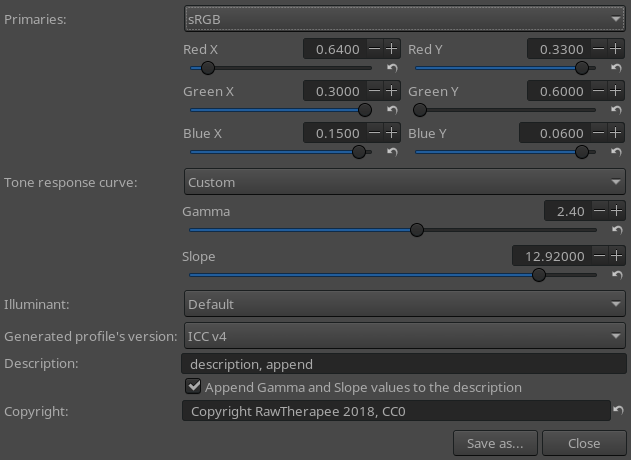
When I open them in GIMP-2.10.2, the details are corrupt:
All other ICC profiles I tested which were not produced by RT had correct details, so it's probably not a GIMP bug.
The profiles in rtdata/iccprofiles/output/ did not exhibit this problem.
LANG=en_SE.UTF-8
LC_CTYPE="en_SE.UTF-8"
LC_NUMERIC=C
LC_TIME="en_SE.UTF-8"
LC_COLLATE="en_SE.UTF-8"
LC_MONETARY="en_SE.UTF-8"
LC_MESSAGES="en_SE.UTF-8"
LC_PAPER="en_SE.UTF-8"
LC_NAME="en_SE.UTF-8"
LC_ADDRESS="en_SE.UTF-8"
LC_TELEPHONE="en_SE.UTF-8"
LC_MEASUREMENT="en_SE.UTF-8"
LC_IDENTIFICATION="en_SE.UTF-8"
LC_ALL=
Version: 5.4-520-g6d9c2849
Branch: testoutputprofile
Commit: 6d9c2849
Commit date: 2018-07-09
Compiler: cc 6.4.0
Processor: Intel(R)\ Core(TM)\ m3-6Y30\ CPU\ @\ 0.90GHz
System: Linux
Bit depth: 64 bits
Gtkmm: V3.22.2
Lensfun: V0.3.2.0
Build type: release
Build flags:  -std=c++11 -march=native -Werror=unused-label -fopenmp -Werror=unknown-pragmas -Wall -Wno-unused-result -Wno-deprecated-declarations -O3 -DNDEBUG -ftree-vectorize
Link flags:  -march=native
OpenMP support: ON
MMAP support: ON
Some of the profiles in rtdata/iccprofiles/output/ have the name of our program capitalized incorrectly and the primaries not named in the standard way, e.g. RT_sRGB-V2-srgbtrc212.icc has "Rawtherapee" in the copyright, and RTv2_ACES-AP0 has "Acesp0" in the name.
Beep6581
on 9 Jul 2018
@Beep6581
However, I noticed that the test is for PP3 version < 339
Fixed in the last merge commit.
In the "Primaries" combo, "Adobe" should be changed to "Adobe RGB (1998)"
Fixed in the last commit.
Some of the profiles in rtdata/iccprofiles/output/ have the name of our program capitalized incorrectly and the primaries not named in the standard way
I'll let someone else fix that (@Desmis ?), once the corrupted strings bug will be fixed.
Hombre57
on 9 Jul 2018
@Beep6581
There is a problem with the profile details becoming corrupt.
My baaaaaad :unamused:
I remember that we already faced this issue : w_char can be either 16 or 32 bits depending on the system (yours looks to be 32 bits). Then I think I've removed some useful code. I'll create a patch tomorrow.
Hombre57
on 10 Jul 2018
@Beep6581 See commit a3d6220bd8a159f78b9ae0ecc2edc4251de40c68, does it solve the problem ? The strings are still fine with this new code here.
Hombre57
on 10 Jul 2018
@Beep6581 @Hombre57
_"Some of the profiles in rtdata/iccprofiles/output/ have the name of our program capitalized incorrectly and the primaries not named in the standard way, e.g. has "Rawtherapee" in the copyright, and RTv2_ACES-AP0 has "Acesp0" in the nam"_
I think the best solution is to delete these files from the repo;
- RT_sRGB-V2-srgbtrc212.icc brings nothing, I have build it for test...some mounth ago
- for the others to prevent error, same things "delete"
After, the good question is what profile give by default, to avoid numerous profile in choice
I think by default we can only give
RTv4_Large.icc
RTv4_Medium.icc
RTv4_sRGB.icc
and perhaps the same in RTv2
All these profiles with gamma sRGB, and default illuminant
And explain for the others in Rawpedia
Are you OK ?
Jacques
Desmis
on 10 Jul 2018
@Hombre57 it's better now.
Test description:
Surströmming, bergsklättrare tycker det är toppen på toppen, aöbäcådÖeÄfÅg.
DisplayCAL's show-info:
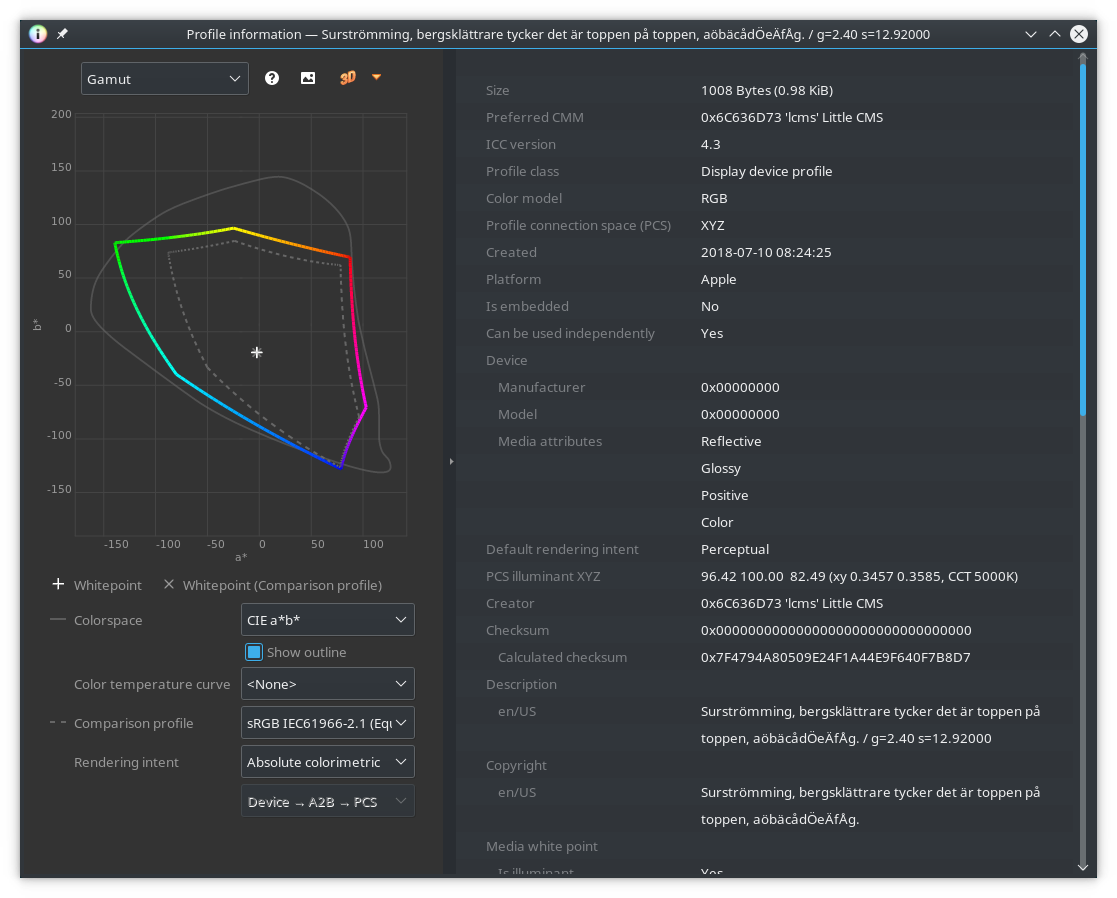
GIMP-2.10.2:
In the "Primaries" combo, "Adobe" should be changed to "Adobe RGB (1998)".
Fix confirmed, but could you also change "AcesP0" to "ACES AP0" and "AcesP1" to "ACES AP1"?
ref.: https://en.wikipedia.org/wiki/Academy_Color_Encoding_System#ACES_Color_Spaces
Beep6581
on 10 Jul 2018
@Beep6581 I'd say that the code is correct now. Gimp shouldn't expect UTF-8 string here, they are either UCS-2 or UCS-4, so I don't think it handles those tag correctly IMHO.
Though I could check first if the description and/or copyright is plain ASCII, then chose the best suited string type.
but could you also change "AcesP0" to "ACES AP0" and "AcesP1" to "ACES AP1"?
will do that tonight
@Desmis I don't understand what you mean. Do you suggest to remove almost all of the provided output profile (which mean removing them from the code) ???
Hombre57
on 10 Jul 2018
Non simplement retirer les profils actuels qui sont dans le dossier
iccprofiles/ output et ne generer que 3 ou 6 nouveaux profils
Le mar. 10 juil. 2018 16:21, Jean-Christophe notifications@github.com a
écrit :
@Beep6581 https://github.com/Beep6581 I'd say that the code is correct
now. Gimp shouldn't expect UTF-8 string here, they are either UCS-2 or
UCS-4, so I don't think it handles those tag correctly IMHO.Though I could check first if the description and/or copyright is plain
ASCII, then chose the best suited string type.but could you also change "AcesP0" to "ACES AP0" and "AcesP1" to "ACES
AP1"?will do that tonight
@Desmis https://github.com/Desmis I don't understand what you mean. Do
you suggest to remove almost all of the provided output profile (which mean
removing them from the code) ???—
You are receiving this because you were mentioned.
Reply to this email directly, view it on GitHub
https://github.com/Beep6581/RawTherapee/issues/4478#issuecomment-403840092,
or mute the thread
https://github.com/notifications/unsubscribe-auth/ANIIWQqmgyT6QiGm-4h9QLnVTmRduV4hks5uFLhMgaJpZM4TB1ZQ
.
Desmis
on 10 Jul 2018
@Hombre57 I should open an issue in GIMP's bug tracker, but could you point me to the docs which state that expecting UTF-8 there is wrong? Or would you like to open the issue since you understand the problem better?
Beep6581
on 10 Jul 2018
Bien sûr, il faut laisser le code tel qu'il est, ne générer que 3 ou (6) profils les plus utiles et laisser l'utilisateur générer ceux qu'il souhaite. Bien sûr cela suppose, une bonne information et documentation, mais c'est mieux je pense que de fournir 30 profils qui vont "encombrer" les menus déroulants !
Desmis
on 10 Jul 2018
@Desmis C'est là où je ne te suis pas : ces profils sont utilisés dans options.cc (RTSettings pour être précis), qui à leur tour sont utilisé dans ICCProfileCreator pour servir de base pour générer de nouveaux profils (comme tu le sais puisque c'est toi qui l'a fait :) ), ainsi que dans color.cc par exemple.
Les seuls profils n'étant utilisé que dans ICCProfileCreator sont RTv4_Bruce, RTv4_Beta, RTv4_Best, RTv4_ACES_AP0 et RTv4_ACES_AP1 et leur version V2 (mais le support d'ACES a été expréssément demandé).
Hombre57
on 10 Jul 2018
@Hombre57
Ah je dois déconner, tu as raison, il faut a minima les profils qui servent à générer les autres...
Donc c'est ceux-là qu'il faut mettre par défaut.
merci pour ce rappel, mais comme excuse je suis à moitié là, j'attends mes petits-fils pour 15 jours de vacances...
:)
Desmis
on 10 Jul 2018
A mon avis, c'est l'âge :)
Desmis
on 10 Jul 2018
@Desmis Pas besoin de t'excuser, y'a des jours _sans_ pour tout le monde
@Beep6581
The ICC specification (v4.3) here says (in 10.13) :
For the specification of Unicode, see The Unicode Standard published by The Unicode Consortium or visit their website at http://www.unicode.org. For the definition of language codes and country codes, see respectively ISO 639-1 and ISO 3166-1. The Unicode strings in storage should be encoded as 16-bit big-endian, UTF-16BE, and should not be NULL terminated.
This seem to say that UCS-4 should not be supported and should be UTF-16 only. So DisplayCal is probably more _specification tolerant_ than Gimp, which talk about UTF-8 only... lcms want wchar_t data, and that's what we provide now, but then convert to UTF-16 to comply to the specifications (or I still haven't understood the relationship between the UNICODE flavor yet ...)
Hombre57
on 11 Jul 2018
Btw, _should_ != _have to_ ... That's not what I'd call a clear specification !
Hombre57
on 11 Jul 2018
@Hombre57
ce devait être un jour sans...en effet :)
Pour revenir aux profils servant de model, vu tout ce qui est écrit au dessus, certains sont anciens, en termes de Copyright, etc. Il serait bien - si ce n'est déjà fait - de les mettre à jour, par contre retirer RT_sRGB-V2-srgbtrc212.icc
Desmis
on 11 Jul 2018
@Desmis @Beep6581 I've added support of ASCII chars for description and copyright tag if they are composed of ASCII chars only. I've tested your string Surströmming, bergsklättrare tycker det är toppen på toppen, aöbäcådÖeÄfÅg. successfully here (where wchar_t are 16 bits long), and Gimp can decode it correctly, e.g. in this file : Test05.icc.txt
I don't know what to do to enhance support on linux system since I comply to the LCMS function which seem to depend on the system's char width. Also the ICC standard doesn't truly set the API.
Here is the LCMS function that writes the widchar string, in cmstypes.c, L. 123 :
// Auxiliary to convert UTF-32 to UTF-16 in some cases
static
cmsBool _cmsWriteWCharArray(cmsIOHANDLER* io, cmsUInt32Number n, const wchar_t* Array)
{
    cmsUInt32Number i;

    _cmsAssert(io != NULL);
    _cmsAssert(!(Array == NULL && n > 0));

    for (i=0; i < n; i++) {
        if (!_cmsWriteUInt16Number(io, (cmsUInt16Number) Array[i])) return FALSE;
    }

    return TRUE;
}
and in cmsplugin.c, L. 263:
cmsBool CMSEXPORT  _cmsWriteUInt16Number(cmsIOHANDLER* io, cmsUInt16Number n)
{
    cmsUInt16Number tmp;

    _cmsAssert(io != NULL);

    tmp = _cmsAdjustEndianess16(n);
    if (io -> Write(io, sizeof(cmsUInt16Number), &tmp) != 1)
            return FALSE;

    return TRUE;
}
I don't know enough on wide char string to know if this is what to expect.
The last bit of _annoying_ thing is that we actually force the description and copyright to be en-US ... So we should either :
- explain that the string has to be
en-USin a label under the text entry (can be done easily) - offer the possibility to set multiple languages for those string (will require more time)
I'd like to merge that branch asap though, it has already waited for too long.
Hombre57
on 22 Jul 2018
@Hombre57
I think you have made a great job, for me Linux is an unknow territory !!
For the annoying thig, I thin proposition 1) is enough
And to verify, but I think we must merge asap.
Thank you very much for this part of job, that I can not do :)
jacques
Desmis
on 22 Jul 2018
@Hombre57
I don't know why, but
- it's compile fine
- when I run Rawtherapee I have a Runtime error
This application has requested the Runtime to terminate it in an unusual way... etc.
Desmis
on 22 Jul 2018
I started again with another clone
Before pull, I compile and run fine
Then
git pull
compile fine
and runtime error
I launch in console and I see this message ==> Icon "gamut-plus.png" could not be found !
and after closing
"terminate called after throwing an instance of 'Glib::FileError'"
Desmis
on 22 Jul 2018
@Demis That's right, the icon has probably gone in the last marge of dev into this branch. I'm doing that icon again...
Hombre57
on 22 Jul 2018
@Desmis Patch committed. You should re-cmake the project to include the icon in the install step.
Hombre57
on 22 Jul 2018
@Hombre57
Compile and run fine, after cmake
Rawtherapee works fine
But When I want to launch "iccprofil", by clicking on icon , nothing happened
and In console I have this message
Icon "gtk-undo-ltr-small.png" could not be found!
(rawtherapee.exe:8180): glibmm-CRITICAL **: 19:37:20.375:
unhandled exception (type Glib::Error) in signal handler:
domain: g-file-error-quark
code : 4
what : Failed to open file ▒▒: No such file or directory
Desmis
on 22 Jul 2018
@Desmis Je me disais aussi que le merge de dev dans cette branche se passait trop bien.... Je n'avais même pas pris le temps de compiler et vérifier que tout allait bien :roll_eyes:
C'est maintenant corrigé, testé ici avec succès.
Hombre57
on 22 Jul 2018
@Hombre57
Ce coup-ci cela fonctionne :)
Merci, bonne soirée
jacques
Desmis
on 22 Jul 2018
After several tests and verifications all seems to work well (option, copyright, etc.) :)
jacques
Desmis
on 23 Jul 2018
explain that the string has to be en-US in a label under the text entry (can be done easily)
offer the possibility to set multiple languages for those string (will require more time)
I don't know what it would mean that "a string has to be en-US". How would a Frenchman write an en-US description in French? If writing a description using French characters (or Swedish, Polish, etc.) which can be reliably displayed in other programs is not possible, why bother with anything other than ASCII?
I'd like to merge that branch asap though, it has already waited for too long.
I absolutely agree :+1:
Beep6581
on 23 Jul 2018
@Beep6581
For me, In french, when I want to write in en-US, I avoid all accents (é ==> e è==>e, à==>a, etc.) and it's easy...But except for rawtherapee, I never write in english :)
As you , I absolutely agree to merge that branch
Desmis
on 23 Jul 2018
@Hombre57
Can you merge when you want, If nobody object !
Desmis
on 23 Jul 2018
@Desmis You talked about updating the bundled profiles :
Pour revenir aux profils servant de model, vu tout ce qui est écrit au dessus, certains sont anciens, en termes de Copyright, etc. Il serait bien - si ce n'est déjà fait - de les mettre à jour, par contre retirer RT_sRGB-V2-srgbtrc212.icc
Could you do that ? I don't want to break them.
If easy to do, I'll try to find a solution for multi-language support, or do it later on.
Hombre57
on 23 Jul 2018
I have change in options.cc
rtSettings.ACESp0 = "RTv4_ACES_AP0" with rtSettings.ACESp0 = "RTv4_ACES-AP0"
rtSettings.ACESp1 = "RTv4_ACES_AP1" with rtSettings.ACESp1 = "RTv4_ACES-AP1"
Otherwise, RTv2 with ACES will not work
I have verified all others "model" for v2, all works fine now
I think we can merge now.
It is necessary to re-run RT for options be update !
jacques
Desmis
on 24 Jul 2018
@Desmis @Beep6581 testoutputprofile merged to dev.
Hombre57
on 25 Jul 2018
@Hombre57
Compile and works fine :)
Thank you
Desmis
on 25 Jul 2018
I am not sure I understand the purpose of the custom tone response curve in the working profile, or at least how it is supposed to be used... Is the behaviour shown in this screencast expected?
https://filebin.net/utjhan27qhg7zd6a/Peek_2018-07-25_11-37.mp4?t=3t5d5bxv
agriggio
on 25 Jul 2018
As I said in this thread (issue 4478) , on 3 may (I introcuded this concept on 29 avril )
"do you tested, Gamma-TRC for working profiles ?
In resume, gamma acts on highlights, and slope on shadows:
Try with "tracteur.dng" or "img_080.cr2" tested in the forum for "shadow / highlight tool" and play with gamma and slope (big values)
Try on "normal" images, you can see what changes with gamma / slope g=1, g=1.8, g=2.2, g=2.2 s=4.5, g=2.4 s=12.92, etc.
etc.
I don't say it replace others tools, as curves, as shadow - highlight, but it has at least 2 goals : pedagogic, and other way to play with contrast shadow / highlights"
We find a similar function in Ufraw
Desmis
on 25 Jul 2018
Jacques, I am familiar with how (n)ufraw gamma works, but I couldn't match its behaviour with that of RT. (the ranges of the two are also different, but that's a minor point). in ufraw, lowering the gamma compresses the dynamic range by pushing the shadows. increasing the linearity compensates for this. is it the same with RT? perhaps I didn't try hard enough, but I am not sure I was able to do that... regardless, I think there is a bug in the preview update, as shown in the video
agriggio
on 25 Jul 2018
I just fixed the bad behavior in preview :)
Desmis
on 26 Jul 2018
@Desmis Jacques, it seems some "bad" behaviour in preview is still there. Try setting a custom gamma/slope and then change one of the tone curves in the exposure panel, and see what happens...
agriggio
on 7 Aug 2018
Can this be closed?
Beep6581
on 2 Sep 2018
@Beep6581 There is still 2 missing modifications :
- Recreate the bundled profile to have the correct Description and Copyright
- Update the ICCProfileCreator window to support all language code. As of now, it will be stored as
en_US. I should probably add a label saying just that. An ICC profile can embed as much language/country string as we want, and one string can be reused in several language/country pair, which require some thoughts for the GUI. I've already downloaded the country and language codes in a text file, but that's all.
This issue is already quite long, probably that we should close it and open two separate issues ?
Hombre57
on 2 Sep 2018
@Hombre57 agreed.
Beep6581
on 2 Sep 2018
Related issues
Beep6581
·
3Comments
heckflosse
·
5Comments
heckflosse
·
3Comments
heckflosse
·
3Comments
 JIPG2
·
3Comments
JIPG2
·
3Comments
Most helpful comment
I absolutely recommend use V4 whereas possible. ICC V2 has many flaws, V4 has been around for 20 years (ICC.1:1998-09). If any software has not been updated to follow a standard that is 20 years old, probably the issue is in this software. BTW, ICC actual version is iccMAX, one step ahead of V4.