Pyvista: Segmentation fault while visualizing Trimesh object
Describe the bug, what's wrong, and what you expect:
Hi. I'm trying to visualize a Trimesh object.
However, when I create PolyData with vertices and faces from a Trimesh object, PyVista crashes with Segmentation fault.
Current thread 0x00007f37a53f5740 (most recent call first):
  File "/(erased)/lib/python3.6/site-packages/pyvista/plotting/renderer.py", line 1267 in reset_camera
  File "/(erased)/lib/python3.6/site-packages/pyvista/plotting/renderer.py", line 377 in add_actor
  File "/(erased)/lib/python3.6/site-packages/pyvista/plotting/plotting.py", line 465 in add_actor
  File "/(erased)/lib/python3.6/site-packages/pyvista/plotting/plotting.py", line 1507 in add_mesh
  File "/(erased)/lib/python3.6/site-packages/pyvista/plotting/helpers.py", line 111 in plot
  File "viz_test.py", line 12 in <module>
Segmentation fault (core dumped)
I could not find an example of Trimesh objects. What am I doing wrong?
To Reproduce
This is the .ply file that I'm using.
tmp.zip
This is the code. The file works fine when I directly use PyVista.
import trimesh
import pyvista as pv
import numpy as np

file_name = 'tmp.ply'
tmesh = trimesh.load(file_name)
print(tmesh.vertices)
print(tmesh.faces)

# not working
pmesh = pv.PolyData(np.array(tmesh.vertices), np.array(tmesh.faces))
pmesh.plot()

# working
mesh = pv.read(file_name)
mesh.plot()
Screenshots
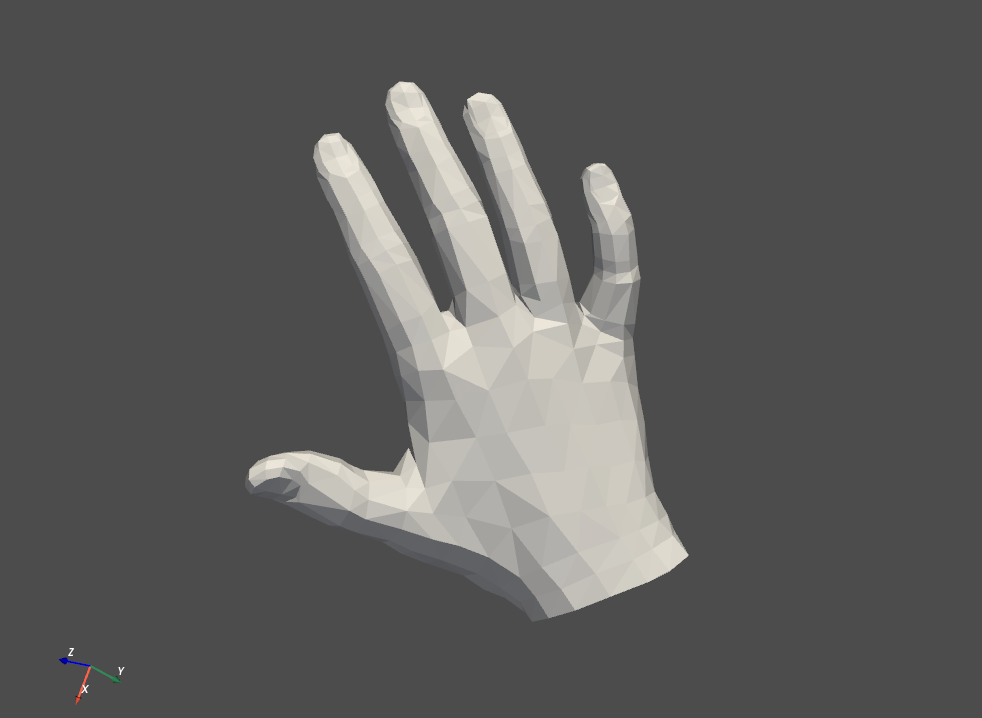
This is how the mesh looks like.
System Information:
--------------------------------------------------------------------------------
  Date: Wed Oct 28 14:58:00 2020 KST

                OS : Linux
            CPU(s) : 8
           Machine : x86_64
      Architecture : 64bit
       Environment : Python
        GPU Vendor : NVIDIA Corporation
      GPU Renderer : GeForce GTX 1060 6GB/PCIe/SSE2
       GPU Version : 4.5.0 NVIDIA 455.23.05

  Python 3.6.9 (default, Oct  8 2020, 12:12:24)  [GCC 8.4.0]

           pyvista : 0.26.1
               vtk : 9.0.1
             numpy : 1.19.2
           imageio : 2.9.0
           appdirs : 1.4.4
            scooby : 0.5.6
            meshio : 4.3.2
        matplotlib : 3.3.2
             scipy : 1.5.3
--------------------------------------------------------------------------------
 KeunwooPark
All 4 comments
Hi and welcome! Thanks for posting your first issue in the PyVista project! Someone from @pyvista/developers will chime in before too long. If your question is support related, it may be automatically transferred to https://github.com/pyvista/pyvista-support
![github-actions[bot] picture](https://avatars.githubusercontent.com/in/15368?v=4&s=40) github-actions[bot]
on 28 Oct 2020
github-actions[bot]
on 28 Oct 2020
I think there's just a mismatch between tmesh's and vtk's face representations. In vtk the faces need to specify the number of vertices per face, so
n_face = tmesh.faces.shape[0]
faces = np.concatenate([3 * np.ones((n_face, 1), dtype='int'), tmesh.faces], axis=1)
Kind of a minorly user-unfriendly footgun though for sure
 darikg
on 28 Oct 2020
darikg
on 28 Oct 2020
Thank you very much! This works well.
It would be better if PyVista shows an interpretable error. Maybe throwing an error before the segmentation fault.
KeunwooPark
on 29 Oct 2020
I'm actually adding a new feature that allows you to wrap a trimesh object. See #970. This should clean up any issues.
The only way we could protect the user from a segfault is checking the consistency of the mesh prior to sending it out to VTK, and to walk through the mesh we'd have to implement something in C/cython, which we might do down the road at some point. For now, I think wrapping the mesh ensures that you get a valid mesh and we can consider adding consistency/validity checking down the line.
 akaszynski
on 29 Oct 2020
akaszynski
on 29 Oct 2020
Related issues
 ljc19800331
·
3Comments
ljc19800331
·
3Comments
 dennissergeev
·
5Comments
dennissergeev
·
5Comments
 deyanimay
·
5Comments
deyanimay
·
5Comments
 banesullivan
·
3Comments
banesullivan
·
3Comments
banesullivan
·
3Comments
banesullivan
·
3Comments
Most helpful comment
I'm actually adding a new feature that allows you to wrap a
trimeshobject. See #970. This should clean up any issues.The only way we could protect the user from a segfault is checking the consistency of the mesh prior to sending it out to VTK, and to walk through the mesh we'd have to implement something in C/cython, which we might do down the road at some point. For now, I think wrapping the mesh ensures that you get a valid mesh and we can consider adding consistency/validity checking down the line.