Pyvista: add_plan_widget() method shows residual planes
Hi all,
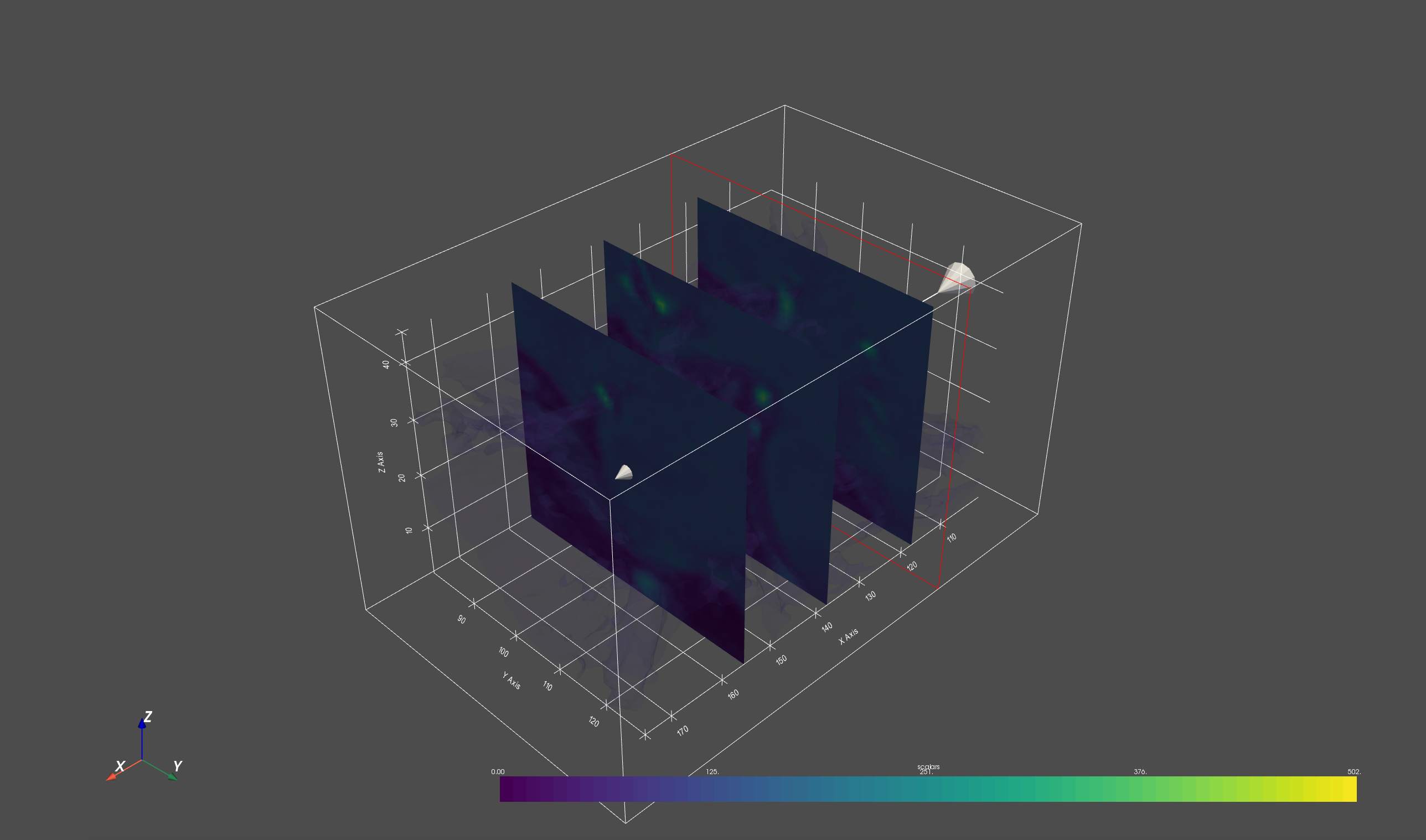
When I try add_plan_widget() method, it shows residual planes while moving the slicing plane interactively.
To Reproduce
import pyvista as pv
from pyvista import examples

mesh = examples.download_carotid()

p = pv.Plotter(notebook=False)
p.add_mesh(mesh.contour(8).extract_largest(), opacity=0.1)

def my_plane_func(normal, origin):
    slc = mesh.slice(normal=normal, origin=origin)
    #arrows = slc.glyph(orient='vectors', scale="scalars", factor=0.01)
    #p.add_mesh(arrows, name='arrows')
    p.add_mesh(slc)

p.add_plane_widget(my_plane_func)
p.show_grid()
p.add_axes()
p.show()
Screenshots
System Information:
--------------------------------------------------------------------------------
  Date: Wed Mar 18 22:33:01 2020 EDT

            Darwin : OS
                 8 : CPU(s)
            x86_64 : Machine
             64bit : Architecture
           16.0 GB : RAM
           Jupyter : Environment

  Python 3.7.5 (default, Oct 25 2019, 10:52:18)  [Clang 4.0.1
  (tags/RELEASE_401/final)]

            0.23.0 : pyvista
             8.1.2 : vtk
            1.17.4 : numpy
             2.6.1 : imageio
             1.4.3 : appdirs
             0.5.0 : scooby
             3.1.2 : matplotlib
            7.11.1 : IPython

  Intel(R) Math Kernel Library Version 2019.0.4 Product Build 20190411 for
  Intel(R) 64 architecture applications
--------------------------------------------------------------------------------
question
 Hailey-Liu
All 2 comments
Hey @Hailey-Liu ! Very good usage of add_plane_widget here, I never used this function directly :+1:
I noticed that you didn't give a name to your slice? If you don't specify a name in add_mesh, the slices will stack, this behaviour is expected. I would suggest:
...
def my_plane_func(normal, origin):
    slc = mesh.slice(normal=normal, origin=origin)
    p.add_mesh(slc, name="my_slice")  # <----- naming the slice here
...
Let me know if that works as you expect.
 GuillaumeFavelier
on 19 Mar 2020
GuillaumeFavelier
on 19 Mar 2020
👍1
Hi @GuillaumeFavelier, it works well now by specifying a name. Thanks for your help! I am going to close this issue now.
Hailey-Liu
on 19 Mar 2020
👍3
Was this page helpful?
0 / 5 - 0 ratings
Related issues
 deyanimay
·
5Comments
deyanimay
·
5Comments
 agramfort
·
3Comments
agramfort
·
3Comments
 flothesof
·
4Comments
GuillaumeFavelier
·
5Comments
flothesof
·
4Comments
GuillaumeFavelier
·
5Comments
 dennissergeev
·
5Comments
dennissergeev
·
5Comments
Most helpful comment
Hi @GuillaumeFavelier, it works well now by specifying a name. Thanks for your help! I am going to close this issue now.