Pytorch3d: Strange scrateches on rendered image or Z axis inversion problem
I think this issue is related to #116
When rendering a 3d face, I also see the following phenomenon.
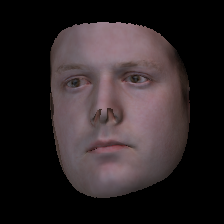
figure 1.
Like #116 the nose is weird. This is a problem that the z-axis is reversed.
therefore, I processed the vertices with the z-axis reversed, so I confirmed that the desired mesh was created. but some Strange scratches were created.
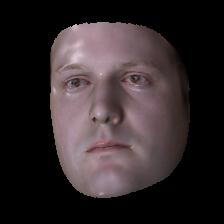
figure 2.
I want a color like a figure 1, and mesh like figure 2.
Is there a solution?
plz...
 cha-noong
All 7 comments
This depends on what the coordinate frame is for the input mesh data relative to the world coordinate frame convention in PyTorch3D which is is +X left, +Y up and +Z in to the page.
What is the convention for the input mesh?
What do you mean by strange scratches? Are you referring to the white highlights? This may be because of specular highlights in the phong shading model. Try using the flat shader instead to remove specular highlights.
 nikhilaravi
on 14 Apr 2020
nikhilaravi
on 14 Apr 2020
Hi @Chanwooong , would you mind sharing a script to fix the rendering?
A simple transformation of z -> -z and x -> -x (to maintain righ-handedness) didn't really work..
 srxdev0619
on 16 Apr 2020
srxdev0619
on 16 Apr 2020
@srxdev0619 what do you mean by "didn't really work"? Did you get the same outputs as above with the nose being inverted? If you can share your minimal script to reproduce the output above we can give feedback on this.
What does your mesh look like when loaded into mesh lab? Mesh lab follows the same coordinate conventions as PyTorch3D so sometimes visualizing a mesh in the correct coordinate frame before rendering can help with debugging.
nikhilaravi
on 16 Apr 2020
@nikhilaravi below is the mesh used in #116 as viewed in meshlab
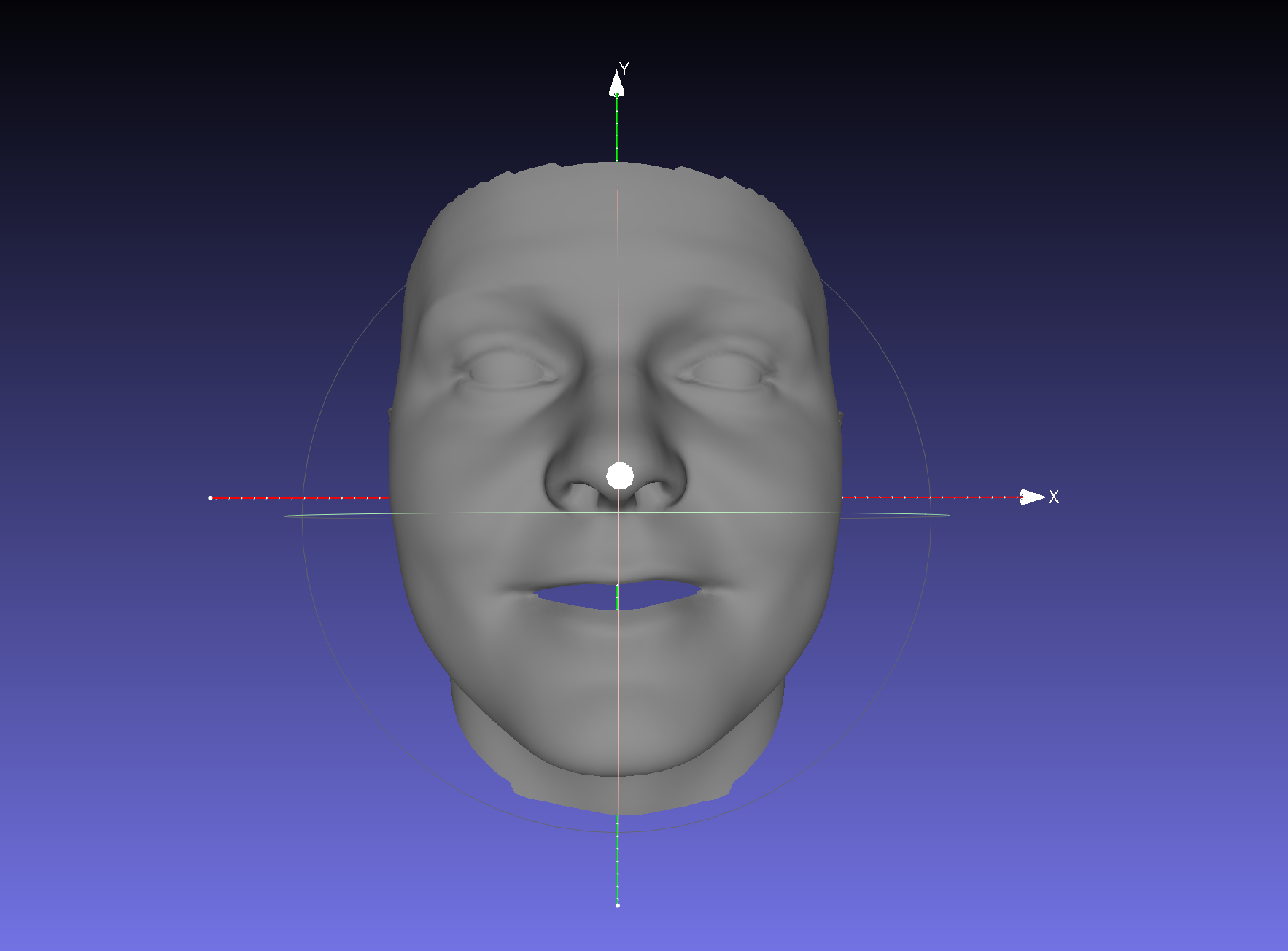
As you can see here, in the coordinate frame of the mesh, the X-axis points right and the Z-axis points outward. I change this by transforming z -> -z and x -> -x and render using a Hard Phong Shader in pytorch3d which gives this
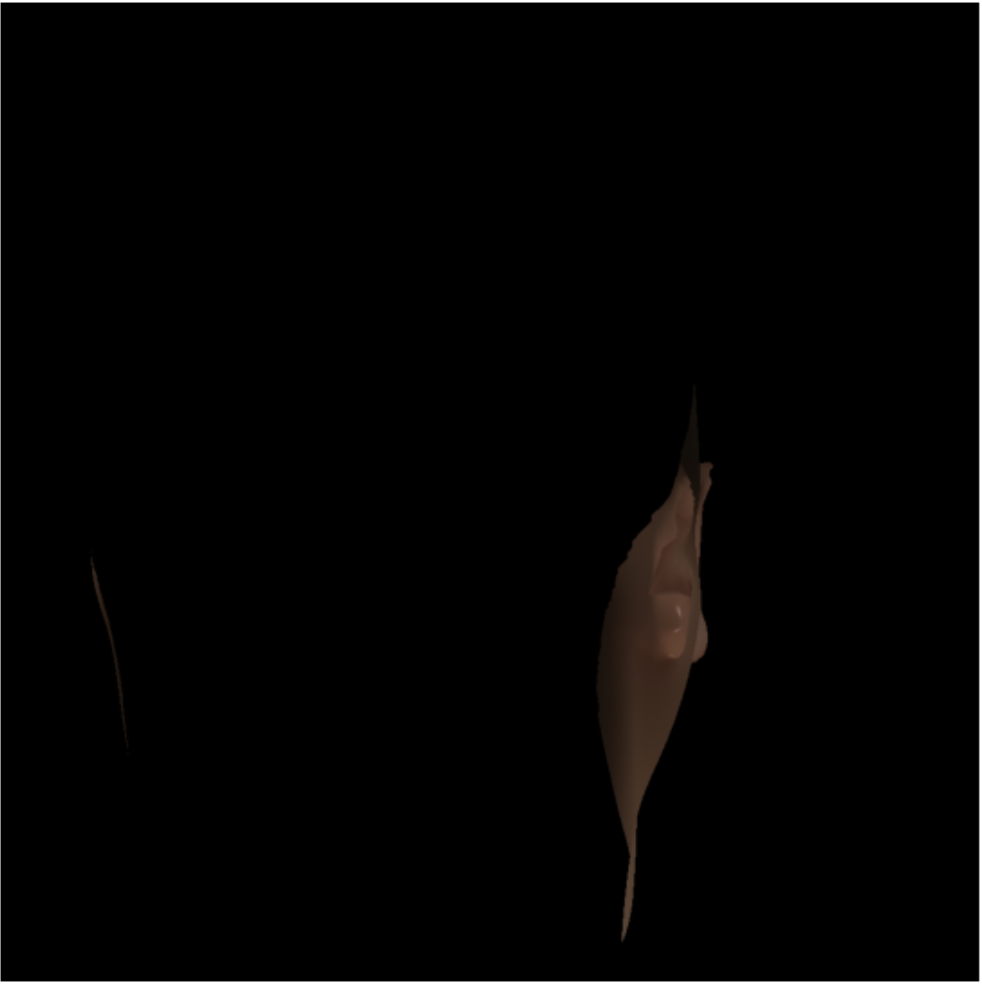
minimal_example_pytorch3d_v3.zip contains the relevant data and a minimal notebook (named RenderMesh_pytorch3d.ipynb) to reproduce the bug. You just need to put the BFM2017 model2017-1_bfm_nomouth.h5 file inside ./BFM2017/. Thanks!
srxdev0619
on 16 Apr 2020
@Chanwooong I think you are seeing the back of the mesh in the rendered image! If you rotate the mesh in meshlab such that +X is left, +Y is up and +Z is in to the page you will see the back of the face.
After transforming z -> -z and x -> -x, in order to render the front of the mesh you need to set the azimuth rotation to 180 degrees in the look_at transform.
Please try that and let me know if it doesn't work.
nikhilaravi
on 16 Apr 2020
@nikhilaravi Yeup, it works! Thank you so much! Here is the notebook: https://gist.github.com/srxdev0619/622a1d4f6245bef9ba49bb1acfaf3028
srxdev0619
on 17 Apr 2020
I already solved it, but I checked too late.
Thank you for your kind answer.
cha-noong
on 17 Apr 2020
Related issues
 abhi1kumar
·
3Comments
abhi1kumar
·
3Comments
 unlugi
·
3Comments
unlugi
·
3Comments
 NotAnyMike
·
3Comments
NotAnyMike
·
3Comments
 ldepn
·
3Comments
ldepn
·
3Comments
 TSKongLingwei
·
3Comments
TSKongLingwei
·
3Comments