Pysimplegui: [Bug] Unable to set icon (Docs perhaps need updating for Linux instructions)
Type of Issues (Error, Bug)
I am unable to set the icon
Operating System
Arch Linux 5.5.2
Python version
3.8.1
PySimpleGUI Port and Version
4.15.2
Your Experience Levels In Months or Years
5 years of Python programming experience
8 years of Programming experience overall
yes, Have used another Python GUI Framework (tkiner, Qt, etc) previously (yes/no is fine)?
Code or partial code causing the problem
import PySimpleGUI as sg

sg.theme('DarkAmber')   # Add a touch of color
# All the stuff inside your window.
layout = [  [sg.Text('Some text on Row 1')],
            [sg.Text('Enter something on Row 2'), sg.InputText()],
            [sg.Button('Ok'), sg.Button('Cancel')] ]

# Create the Window
window = sg.Window('Window Title', layout)
# Event Loop to process "events" and get the "values" of the inputs
while True:
    event, values = window.read()
    if event in (None, 'Cancel'):   # if user closes window or clicks cancel
        break
    print('You entered ', values[0])
window.SetIcon("icon.ico")
window.close()
Also, I have tried to do it with PyInstaller, it doesn't work!!!
 yogesh-aggarwal
All 7 comments
Icons are generally set when the window is created in the Window call. This will set the icon on the window and the taskbar.
The demo code posted sets the icon and then immediately closes the program. I'm a little confused by it.
You can place your call in the event loop, after the read. If you try to change it prior to a read, you'll need to fist "finalize" the window. You can do that by setting another parameter in your Window call. But I wouldn't go through the trouble. I suggest setting the icon when you create the window:
window = sg.Window('Window Title', layout, icon='file.ico')
 PySimpleGUI
on 8 Feb 2020
PySimpleGUI
on 8 Feb 2020
Going to close this one as it's not a bug but rather a misunderstanding as to how the icon setting takes place. Please re-open / respond if there continues to be a problem.
PySimpleGUI
on 8 Feb 2020
Icons are generally set when the window is created in the
Windowcall. This will set the icon on the window and the taskbar.The demo code posted sets the icon and then immediately closes the program. I'm a little confused by it.
You can place your call in the event loop, after the read. If you try to change it prior to a read, you'll need to fist "finalize" the window. You can do that by setting another parameter in your Window call. But I wouldn't go through the trouble. I suggest setting the icon when you create the window:
window = sg.Window('Window Title', layout, icon='file.ico')
No, it's still not working
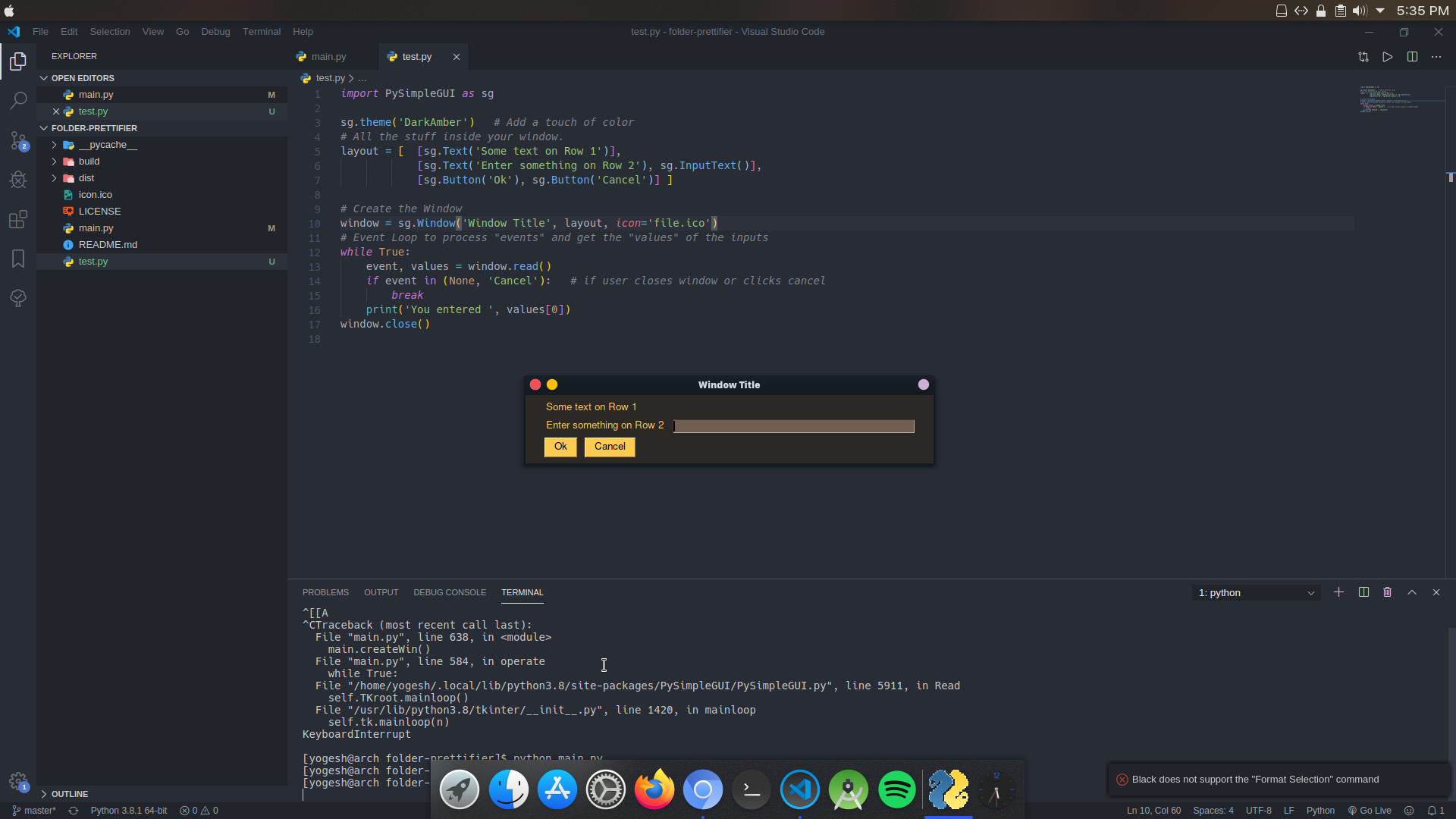
yogesh-aggarwal
on 12 Feb 2020
On Linux, tkinter expects a PNG file instead of ICO file. It may also take a GIF. I didn't notice the Linux until just now.
PySimpleGUI
on 16 Feb 2020
Yup! It works totally fine. Thanks a lot!
On Linux, tkinter expects a PNG file instead of ICO file. It may also take a GIF. I didn't notice the Linux until just now.
yogesh-aggarwal
on 16 Feb 2020
Reopening as this needs to be documented in the readme / documentation.
PySimpleGUI
on 16 Feb 2020
Reopening as this needs to be documented in the readme / documentation.
You're right my friend
yogesh-aggarwal
on 17 Feb 2020
Related issues
 mozesa
·
4Comments
mozesa
·
4Comments
 eyeonus
·
6Comments
eyeonus
·
6Comments
 MikeTheWatchGuy
·
3Comments
MikeTheWatchGuy
·
3Comments
 OndoyManing
·
4Comments
mozesa
·
5Comments
OndoyManing
·
4Comments
mozesa
·
5Comments
Most helpful comment
Yup! It works totally fine. Thanks a lot!