Pysimplegui: [Bug] Image not updated despite finalize=True and .finalize()
Type of Issues (Enhancement, Error, Bug, Question)
Bug
Operating System
Chrome OS Stable 79.0.3945.86
Python version
- 3.7.4 (PySimpleGUIWeb)
- 3.6 (PySimpleGUI + Tkinter Repl.it REPL)
PySimpleGUI Port and Version
- PySimpleGUIWeb 0.34.0 Released 24-Dec-2019
- PySimpleGUI 4.15.1 Released 09-Jan-2020
Your Experience Levels In Months or Years
1 year Python programming experience
35-40 years as a hobbyst Programming experience overall
Played with Kivy a bit Have used another Python GUI Framework (tkiner, Qt, etc) previously (yes/no is fine)?
You have completed these steps:
- [X] Read instructions on how to file an Issue
- [X] Searched through main docs http://www.PySimpleGUI.org for your problem
- [X] Searched through the readme for your specific port if not PySimpleGUI (Qt, WX, Remi)
- [X] Looked for Demo Programs that are similar to your goal http://www.PySimpleGUI.com
- [X] Note that there are also Demo Programs under each port on GitHub
- [ ] Run your program outside of your debugger (from a command line)
- [X] Searched through Issues (open and closed) to see if already reported
Code or partial code causing the problem
from io import BytesIO
from PIL import Image
import PySimpleGUIWeb as sg

def create_image():
    file = BytesIO()
    image = Image.new('RGB', size=(300, 380), color='red')
    image.save(file, 'png')
    file.name = 'image.png'
    file.seek(0)
    return file

image_data = create_image().read()

print(sg.version, sg)

layout = [[sg.Image(key='-IMAGE-')],
          [sg.Button('Refresh', key='-REFRESH-'), sg.Exit()]]

window = sg.Window('Image Update Issue', layout, finalize=True)
window.finalize()
window['-IMAGE-'].update(data=image_data)

while True:
    event, values = window.read()
    if event in (None, 'Exit'):
        break
    elif event == '-REFRESH-':
        window['-IMAGE-'].update(data=image_data)
Additional details
I’m experimenting with generating an image in memory with Pillow and showing it in an Image element.
I would like the image, a red rectangle, to be displayed as soon as the window appears and the program starts. But, despite using finalize=True in the window definition and explicitly finalizing it with .finalize(), the image appears only when updating the Image element after the window has been read. I seemed to understand finalizing should be enough for the update to take place.
I attach some PySimpleGUIWeb code demonstrating the issue:
When the program starts, the image doesn’t appear, as in this screenshot:
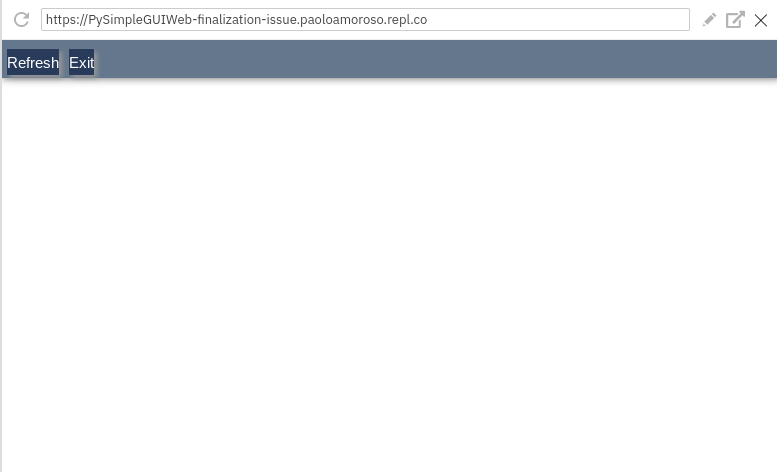
The image is shown only when clicking the Refresh button, see the screenshot:

With Tkinter, the same code doesn’t show the image even when clicking Refresh:

The following warning is issued instead:
/home/runner/.local/lib/python3.6/site-packages/PySimpleGUI/PySimpleGUI.py:2904: UserWarning: You cannot Update element with key = -IMAGE- until the window has been Read or Finalized
  warnings.warn('You cannot Update element with key = {} until the window has been Read or Finalized'.format(self.Key), UserWarning)
I’m not sure whether this an issue with my code or with PySimpleGUI.
 pamoroso
All 9 comments
You can get rid of the error by setting filename='' when creating the Image element. There should be better documentation on this clearly. That fixed the problem when running plain PySimpleGUI.
PySimpleGUIWeb is lagging and will check that one.
 PySimpleGUI
on 28 Jan 2020
PySimpleGUI
on 28 Jan 2020
Thanks, in the Tkinter code, under layout I replaced:
sg.Image(key='-IMAGE-')
with:
sg.Image(key='-IMAGE-', filename='')
and that makes the Tkinter code work.
pamoroso
on 29 Jan 2020
You shouldn't need to double finalize.
You highlighted "Tkinter code", but that change is actually in the PySimpleGUI code, right?
I THINK I can close this one?
PySimpleGUI
on 29 Jan 2020
You're right, the change is in the PySimpleGUI code. By "Tkinter code" I mean line 20 of the Tkinter REPL. Also, as you advised, I removed finalize=True from the Window creation code on line 23 of the same REPL.
Now the program works as expected, so you can close this issue.
pamoroso
on 29 Jan 2020
I need to document this however, or look into making it so that this is not needed.
I'll change so that filename='' becomes the default if both are set to None.
PySimpleGUI
on 29 Jan 2020
Oh.... I just noticed that the code is using PySimpleGUIWeb. I take back the fix of setting filename=''. That fixed a problem on the tkinter port where nothing is specified, but it doesn't fix this problem. I'm not exactly sure why yet.
I wasn't able to display the image using the data parameter when creating the Image element so there's something odd happening there too. It finally updates correctly only after the read is done. Adding a read with a timeout (what finalize does in tkinter) didn't fix the problem.
I was able to use a file to successfully update an Image element after finalizing. This seems like it's a problem with the Image element code itself since specifying this as the Image Element produced the graphic below:
[sg.Image(data=image_data, key='-IMAGE-')]

PySimpleGUI
on 17 Feb 2020
Fixed and posted to GitHub.
The problem was that a statement was missed when an exception occurred. The image passed in was failing when trying to do a base64 decode on it. The result was the only 1/2 of the operation was completed. Now when an exception happens, the rest of the setup still occurs.
You can also now set neither data nor filename when making an Image element and PySimpleGUI will not complain. I think before it printed a warning. Since this is a valid construct the warning seemed out of place. Previously a user might want to know about this, but not now that it's a valid option.

PySimpleGUI
on 19 Feb 2020
This has been released in 4.16 to PyPI. To upgrade - pip install --upgrade PySimpleGUIWeb
PySimpleGUI
on 21 Feb 2020
You can get rid of the error by setting
filename=''when creating the Image element. There should be better documentation on this clearly. That fixed the problem when running plain PySimpleGUI.PySimpleGUIWeb is lagging and will check that one.
but in my case, I already added that, but still won't working
 rubythalib33
on 27 Jul 2020
rubythalib33
on 27 Jul 2020
Related issues
 xuguojun168
·
3Comments
xuguojun168
·
3Comments
 ECOM-Klaus
·
4Comments
ECOM-Klaus
·
4Comments
 MikeTheWatchGuy
·
6Comments
MikeTheWatchGuy
·
6Comments
MikeTheWatchGuy
·
6Comments
MikeTheWatchGuy
·
6Comments
 OndoyManing
·
4Comments
OndoyManing
·
4Comments