Pymupdf: Inserted image flipped horizontally
In a series of PDFs the code here below puts the inserted image in the expected position in many of them but in some the image is mirrored related to the horizontal ax of the page.
import fitz

in1_pdf="in1.pdf"
out1_pdf="out1.pdf"
in2_pdf="in2.pdf"
out2_pdf="out2.pdf"

image="arrow.png"
doc1=fitz.open(in1_pdf)
doc2=fitz.open(in2_pdf)
tlx_perc=0.5
tly_perc=0.9
brx_perc=0.85
bry_perc=0.95

for in_page in doc1:
    img_rectangle = fitz.Rect(
            in_page.rect.width * tlx_perc,
            in_page.rect.height * tly_perc,
            in_page.rect.width * brx_perc,
            in_page.rect.height * bry_perc,
            )

    in_page.insertImage(img_rectangle, filename=image)

for in_page in doc2:
    img_rectangle = fitz.Rect(
            in_page.rect.width * tlx_perc,
            in_page.rect.height * tly_perc,
            in_page.rect.width * brx_perc,
            in_page.rect.height * bry_perc,
            )

    in_page.insertImage(img_rectangle, filename=image)

doc1.save(out1_pdf, deflate=True)
doc2.save(out2_pdf, deflate=True)
out1.pdf is the expected result, out2.pdf is the output with the image flipped horizontally.
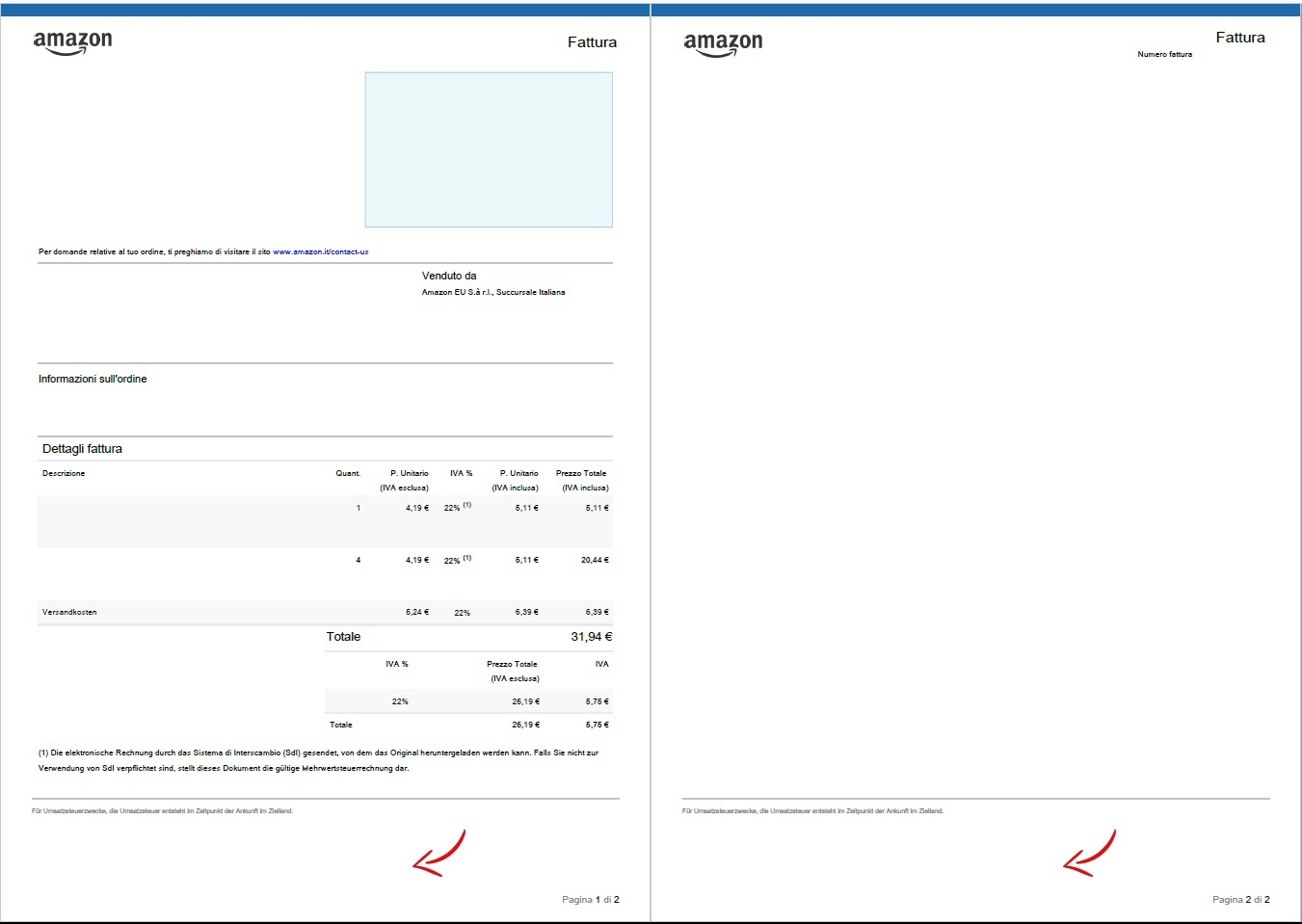
^^^^^ out1.pdf ^^^^^
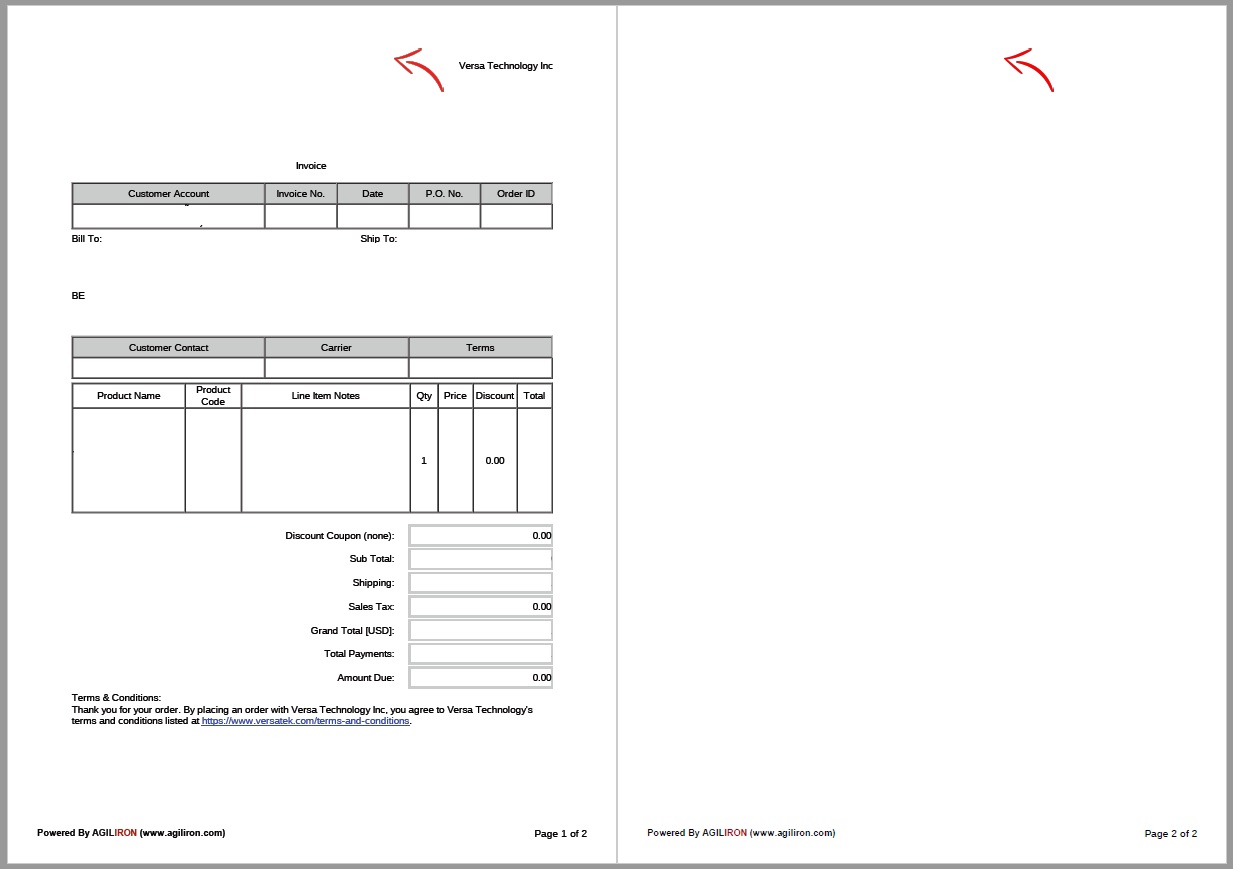
^^^^^ out2.pdf ^^^^^
What can I check in terms of properties of PDF source to find maybe a difference that may explain the different output?
TIA,
Alex
 axlgit
All 3 comments
This problem is explained in the documentation - including how to resolve it: https://pymupdf.readthedocs.io/en/latest/faq/#misplaced-item-insertions-on-pdf-pages.
You should take the time to read the docs - at least the tutorial and the recipes chapter.
 JorjMcKie
on 23 Jan 2020
JorjMcKie
on 23 Jan 2020
Thanks, when you are in a hurry you may be obliged to learn by trial and error.
Many thanks for your time in replying, I will definitely go through the docs :-)
Alex
axlgit
on 23 Jan 2020
I understand ... and I didn't mean to cut you off.
Please do continue asking stuff - PyMuPDF definitely has become a fairly large package.
I am probably beyond the point where I can imagine which aspects may be stumbling stones for new users.
Just ask and I will either provide a verbose answer or point you to a place where this is covered in the docs.
Let me also invite you to improve the documentation. For example there may be gaps for providing gentle starts to newcomers ... or maybe basic stuff about PDFs, or whatever.
JorjMcKie
on 23 Jan 2020
Related issues
 daominhthuan42
·
3Comments
daominhthuan42
·
3Comments
 josch
·
3Comments
josch
·
3Comments
 akjanik
·
3Comments
akjanik
·
3Comments
 Ricardomol
·
4Comments
Ricardomol
·
4Comments
 tanaskumar
·
3Comments
tanaskumar
·
3Comments
Most helpful comment
I understand ... and I didn't mean to cut you off.
Please do continue asking stuff - PyMuPDF definitely has become a fairly large package.
I am probably beyond the point where I can imagine which aspects may be stumbling stones for new users.
Just ask and I will either provide a verbose answer or point you to a place where this is covered in the docs.
Let me also invite you to improve the documentation. For example there may be gaps for providing gentle starts to newcomers ... or maybe basic stuff about PDFs, or whatever.